
How to Manage Compliance for TiDB
TiDB is a distributed SQL database designed for real-time workloads with strong MySQL compatibility. Its hybrid transactional and analytical processing (HTAP) engine makes it attractive for fintech, e-commerce, and high-scale SaaS environments. But compliance obligations under GDPR, HIPAA, SOX, and PCI DSS require more than scalability—they demand visibility, control, and auditability.
This guide explains how to manage compliance in TiDB environments using native features and how DataSunrise enhances these capabilities with policy automation, real-time protection, and enterprise-grade reporting.
Why Compliance Management Is Critical
Companies failing to meet compliance obligations have faced staggering penalties:
In August 2024, Uber was fined €290 million (~$324 million) by the Dutch Data Protection Authority for illegally transferring driver data to the U.S. without adequate safeguards, according to CBS News.
In December 2024, Meta (Facebook) received a €251 million (~$263 million) fine from Ireland’s Data Protection Commission following a user data breach that affected roughly 29 million accounts, as reported by The Record.
According to a 2025 GDPR fines report by DLA Piper, total enforcement reached €1.2 billion across Europe in 2024 alone, with cumulative penalties since 2018 nearing €6 billion.
These high-profile cases highlight that non-compliance isn't just theoretical—it can and does cost organizations hundreds of millions in sanctions, not to mention reputational harm and diminished customer trust.
Native Compliance Capabilities in TiDB
TiDB includes several tools for audit logging, access control, and recovery. Some features require Enterprise or Cloud deployments.
Sensitive Data Discovery (Manual) — All editions
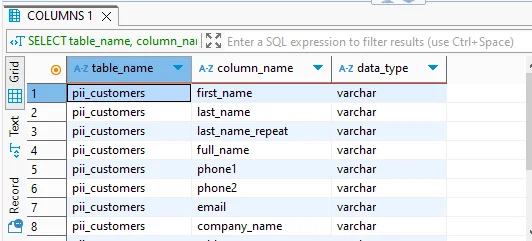
You can manually identify columns that likely contain sensitive data (like emails, phone numbers, SSNs, etc.) using a simple REGEXP query against the information_schema.columns table:
SELECT table_name, column_name
FROM information_schema.columns
WHERE table_schema = 'your_db'
  AND column_name REGEXP 'email|phone|ssn|card|name';
This helps surface potential PII/PHI fields that may require masking or tighter access controls.
Role-Based Access Control — All editions
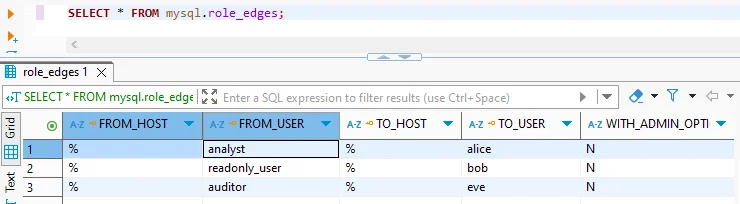
TiDB supports SQL-standard roles to simplify privilege management. Here's how to create a read-only role and assign it to a user:
CREATE ROLE read_only;
GRANT SELECT ON your_db.* TO read_only;

CREATE USER 'auditor'@'%' IDENTIFIED BY 'StrongPass!';
GRANT read_only TO 'auditor'@'%';
This snippet defines a reusable read_only role, grants it minimal access, and applies it to the auditor user—enabling tight, role-based privilege control in TiDB.
Audit Logging — Enterprise/Cloud v7.1+ only
TiDB Enterprise includes built-in audit logging to track user activity, including failed logins, DDL changes, and other sensitive operations. Below is an example of enabling audit logging, filtering for failed login attempts, and enabling JSON output with redaction:
SET GLOBAL tidb_audit_enabled = 1;

SET @f = '{
  "filter": [
    { "class": ["CONNECT"], "status_code": [0] }
  ]
}';
SELECT audit_log_create_filter('fail_logins', @f);
SELECT audit_log_create_rule('fail_logins', 'user@%', true);

SET GLOBAL tidb_audit_log_format = 'json';
SET GLOBAL tidb_audit_log_redacted = ON;
This configuration captures failed connection attempts and stores them in JSON format with sensitive values redacted—ideal for meeting compliance requirements without leaking credentials or PII in logs.
Point-in-Time Recovery (PITR) — Community (v6.3+) and Enterprise
TiDB supports point-in-time recovery using log and full backups—essential for recovering from accidental data loss or malicious changes. The example below starts a background log backup and restores the database to a specific timestamp:
tiup br log start --task-name=finance --pd="${PD_IP}:2379" \
  --storage='s3://backup/finance'

tiup br restore point --pd="${PD_IP}:2379" \
  --storage='s3://backup/finance' \
  --full-backup-storage='s3://backup/full' \
  --restored-ts '2025-07-15 00:00:00+0000'
This approach combines continuous log backups with full snapshots, enabling precise recovery to any moment in time—crucial for compliance, disaster recovery, and audit trail integrity.
How DataSunrise Enhances TiDB Compliance
DataSunrise is a proxy-based data security platform that extends TiDB’s native features with compliance-specific automation and visibility.
While TiDB provides a strong foundation for logging and recovery, DataSunrise builds on that with a comprehensive, proxy-based security layer. It adds real-time protection, automation, and visibility across sensitive data flows—without requiring changes to your applications or databases.
Dynamic Data Masking
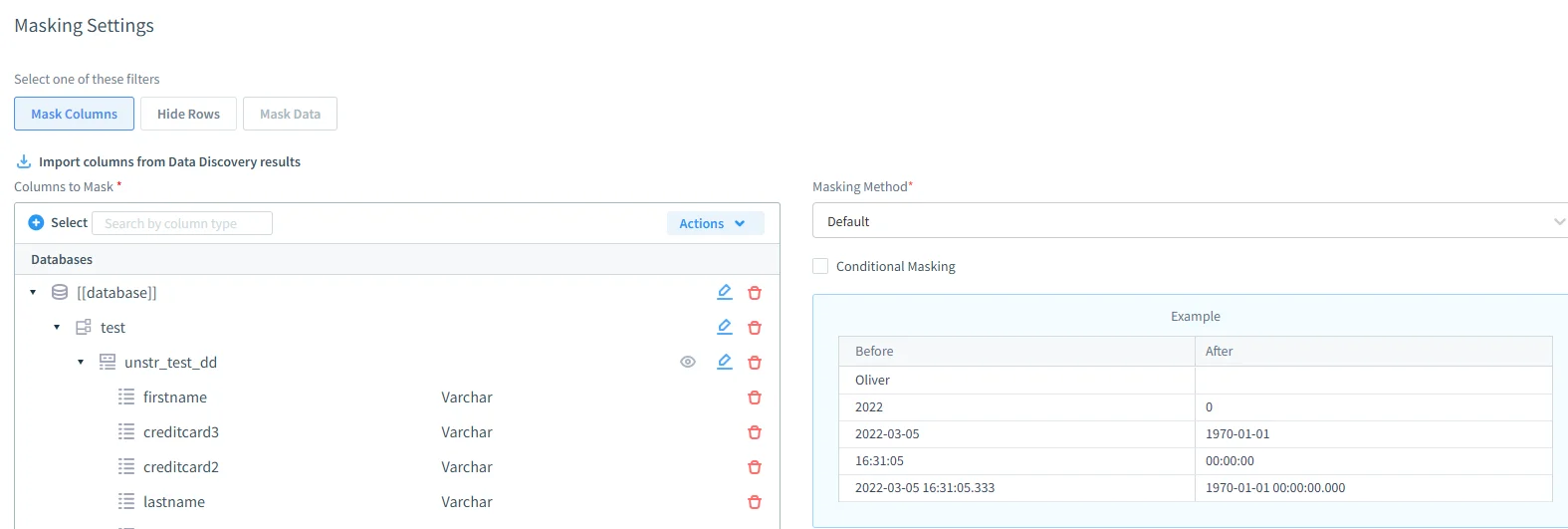
Supports full, partial, regex, nulling, and substitution-based masking, as described in DataSunrise’s Dynamic Data Masking overview.
Masking rules can be enforced by user, IP, schema, or query context — all without any changes to the application or database itself.
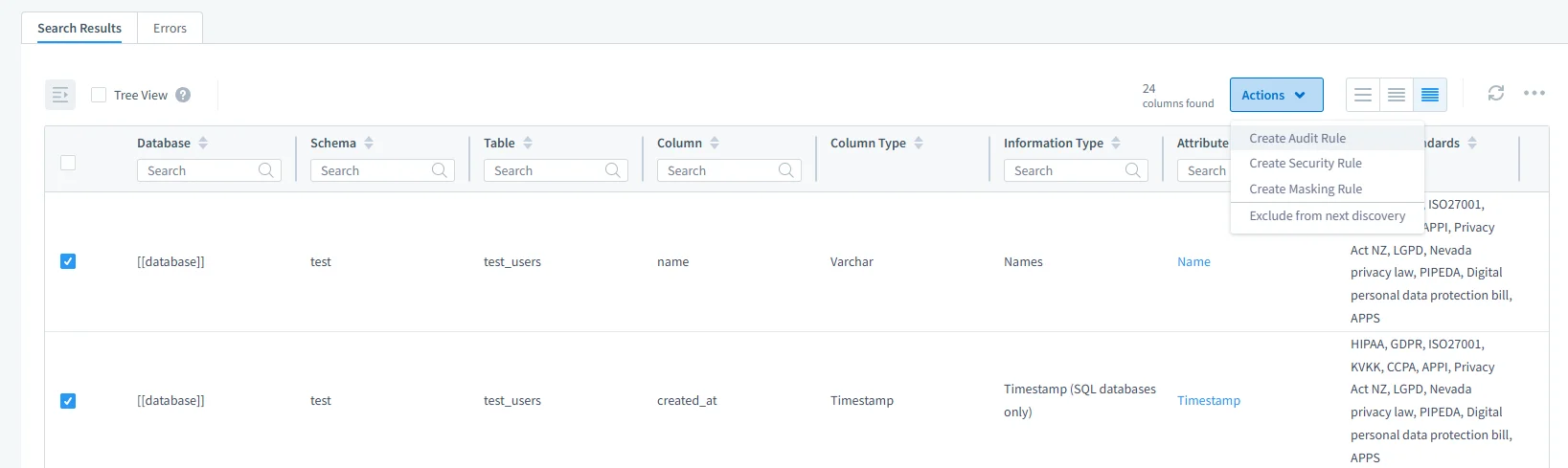
Sensitive Data Discovery
Uses both pattern recognition and dictionary-based techniques for PII and PHI discovery.
Sensitive columns can be tagged, classified, and exported in audit-ready reports.
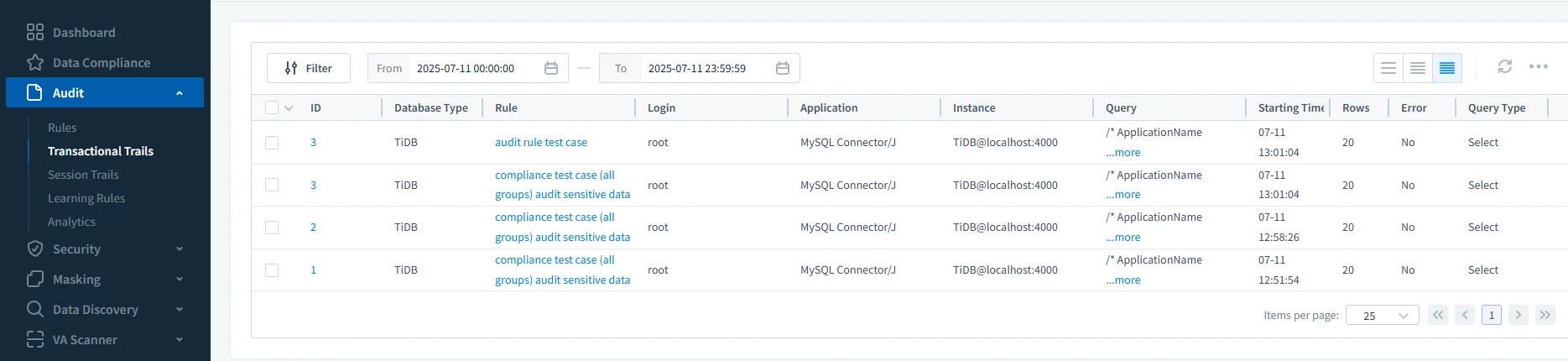
Real-Time Alerts and Audit Trails
Captures queries with bind-variable values for full context.
Supports real-time alerts via Slack, Microsoft Teams, Webhook, and Email.
Provides unified audit logging and filtering across TiDB and other data sources.
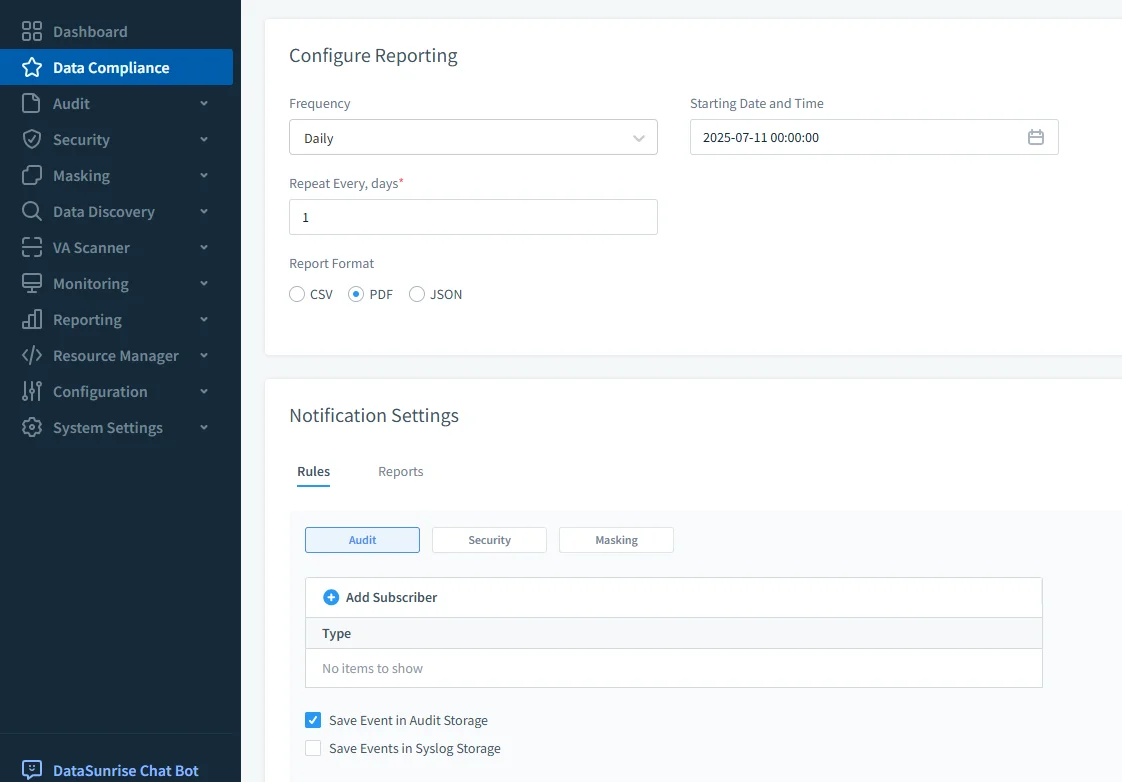
Compliance Reporting
Allows you to schedule regular compliance scans and generate exportable reports (PDF, CSV, JSON).
Reports can be filtered by time range, user, role, or access pattern — ideal for generating compliance documentation.
Steps to Managing Compliance in TiDB
| Step | Description |
|---|---|
| 1. Classify Sensitive Data | Use SQL queries on INFORMATION_SCHEMA or DataSunrise discovery to locate PII/PHI fields. |
| 2. Define Access Policies | Set up users, roles, and GRANT statements to enforce least-privilege access. |
| 3. Enable Logging | Activate native audit logging in Enterprise Edition or general/slow query logs in Community Edition. |
| 4. Monitor Activity | Use TiDB Dashboard or DataSunrise real-time alerts to track behavior and detect anomalies. |
| 5. Apply Data Masking | Use DataSunrise dynamic masking to protect sensitive output based on roles or conditions. |
| 6. Generate Audit Trails | Configure audit filters (TiDB) or rule-based logging (DataSunrise) to record key events. |
| 7. Schedule Reports | Produce periodic audit and compliance reports aligned with GDPR, HIPAA, SOX, or PCI DSS. |
| 8. Back Up & Prepare for Rollback | Use PITR in TiDB to restore data to a specific state in case of breach or failure. |
Conclusion
TiDB offers a robust compliance foundation through access control, audit logs, and PITR. But meeting modern regulatory demands requires dynamic controls, proactive monitoring, and centralized policy management.
DataSunrise fills these gaps. It transforms TiDB into a fully compliant platform—supporting data masking, discovery, alerts, and reports from a single, intuitive interface.
Protect Your Data with DataSunrise
Secure your data across every layer with DataSunrise. Detect threats in real time with Activity Monitoring, Data Masking, and Database Firewall. Enforce Data Compliance, discover sensitive data, and protect workloads across 50+ supported cloud, on-prem, and AI system data source integrations.
Start protecting your critical data today
Request a Demo Download Now