How to Manage Data Compliance for Vertica
How to manage data compliance for Vertica is a growing concern for organizations that use Vertica as a high-performance analytics engine while storing large volumes of regulated data. Vertica powers BI dashboards, AI/ML pipelines, and analytical workloads, yet its distributed, projection-based architecture makes compliance enforcement significantly more challenging than in traditional OLTP systems. As regulations such as GDPR, HIPAA, PCI DSS, and SOX impose strict requirements on data visibility, access, and auditing, Vertica teams must adopt systematic controls that go beyond schema-level permissions.
Vertica’s execution engine distributes queries across nodes, its ROS/WOS storage model delays physical deletion, and projections replicate sensitive data across multiple optimized structures. Consequently, organizations require a compliance framework that understands Vertica’s internals and consistently enforces protections across BI tools, ETL pipelines, notebooks, SQL editors, applications, and automated processes.
Because of these challenges, understanding How to Manage Data Compliance for Vertica becomes essential for teams operating regulated workloads.
The Vertica Compliance Lifecycle: How to Manage Data Compliance for Vertica
Compliance risks frequently arise in analytical environments. Therefore, a structured lifecycle helps teams manage controls effectively. A practical Vertica compliance lifecycle includes five stages:
- Identify: Detect sensitive data across schemas and projections.
- Control: Restrict high-risk SQL operations before execution.
- Protect: Apply dynamic masking to regulated fields.
- Monitor: Track SQL behavior and verify compliance outcomes.
- Prove: Provide structured evidence for audits.
This model ensures continuous enforcement instead of one-time alignment.
1. Identify: Classifying Regulated Data Across Vertica
Managing data compliance begins with locating sensitive information. However, in Vertica this is complex, because a single column can appear in multiple projections or derivative ETL outputs. As a result, teams often begin with catalog queries:
SELECT table_schema, table_name, column_name
FROM columns
WHERE column_name ILIKE '%email%'
OR column_name ILIKE '%phone%'
OR column_name ILIKE '%ssn%';
Nevertheless, manual review alone cannot guarantee coverage. Therefore, automated scanning using DataSunrise Sensitive Data Discovery becomes essential to detect PII, PHI, financial attributes, and identity-related values across all Vertica storage structures.
2. Control: Enforce Compliance Boundaries with Security Rules
Role-based access alone cannot prevent noncompliant behavior, because RBAC does not evaluate SQL semantics. A privileged user might still execute risky statements that expose or modify sensitive data. Consequently, DataSunrise Security Rules act as a compliance firewall, inspecting and filtering all SQL requests before they reach Vertica.
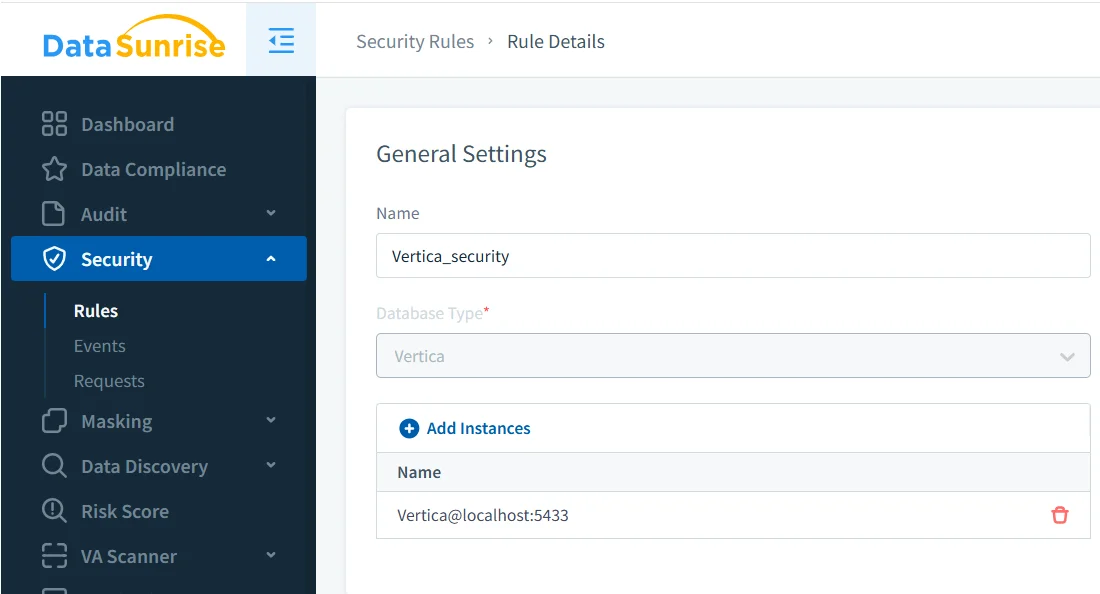
Once rules are configured, DataSunrise begins enforcing SQL restrictions immediately. The next screenshot shows blocked attempts against sensitive Vertica resources.
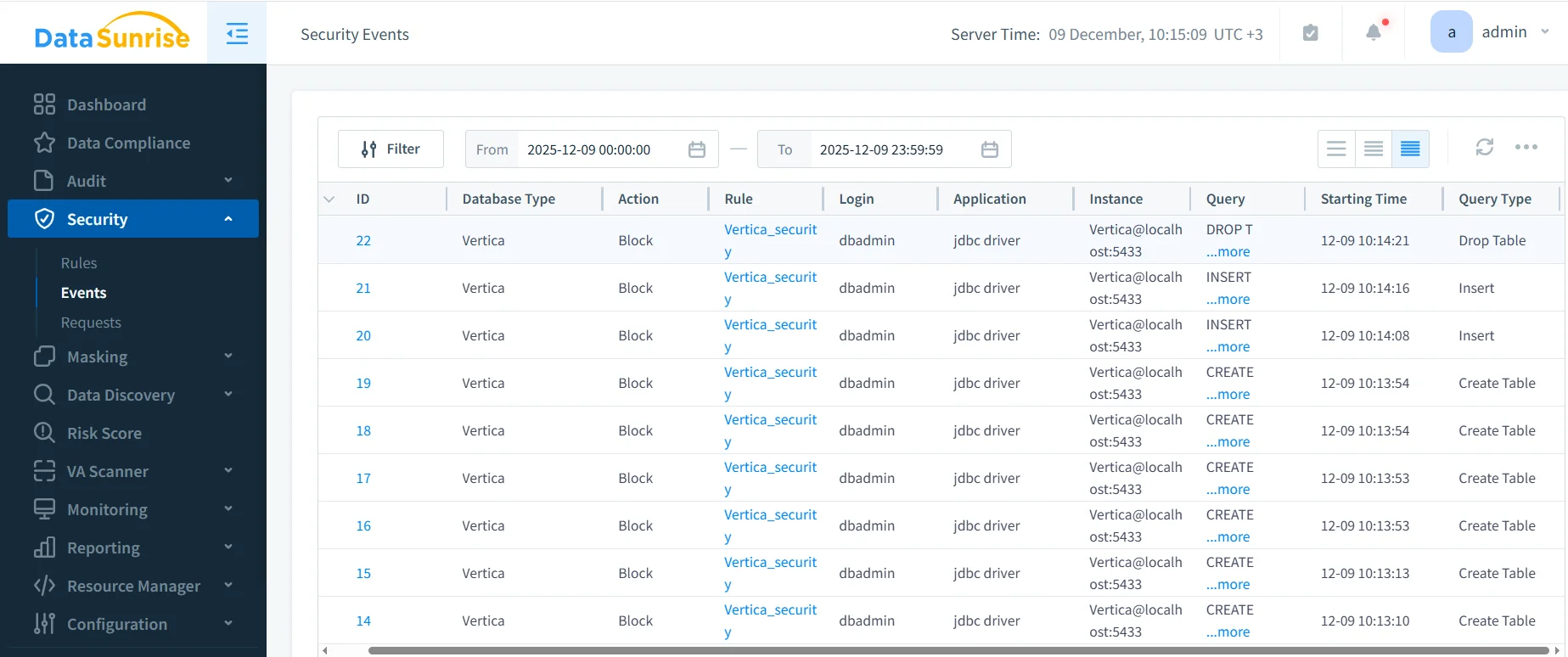
As shown above, operations such as INSERT, DROP TABLE, or CREATE TABLE are blocked according to policy. This prevents unauthorized schema changes, protects data integrity, and ensures that every violation is recorded.
3. Protect: Masking and Pseudonymization in Vertica
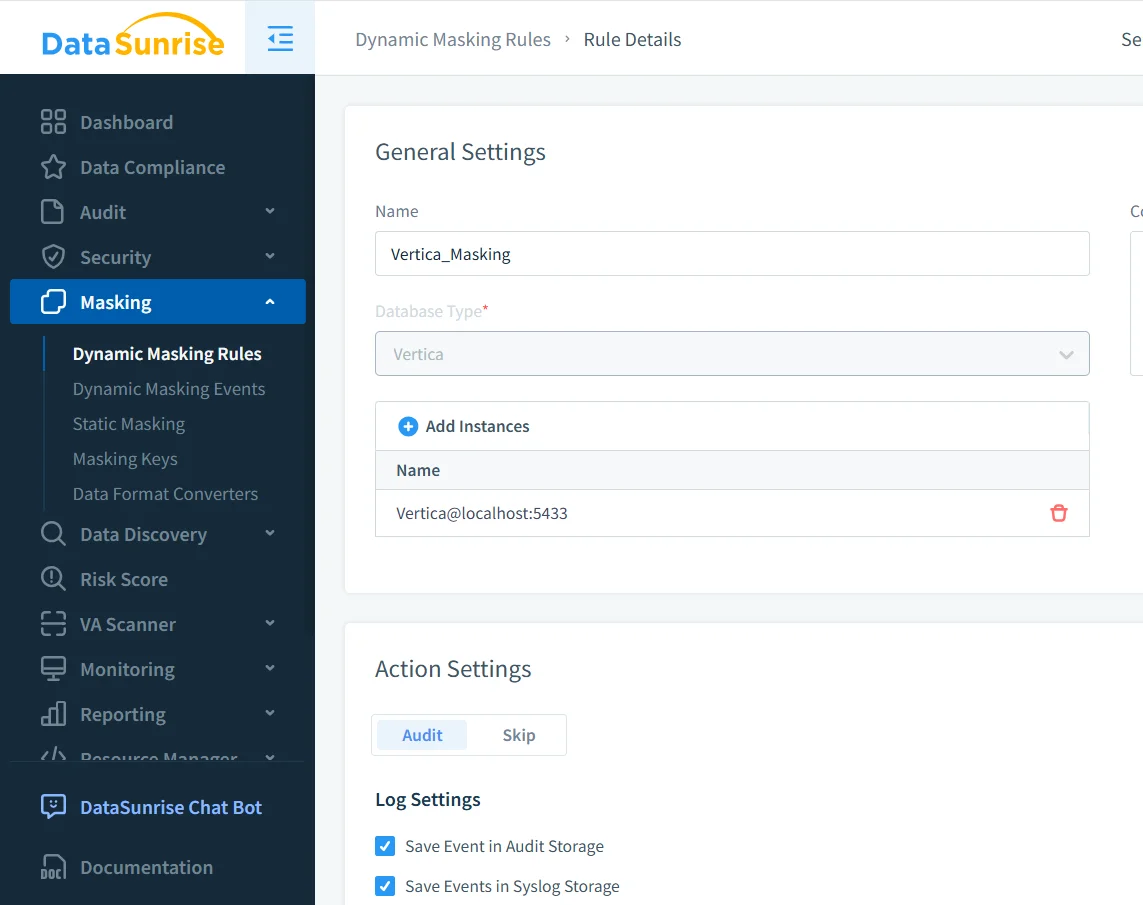
Masking is required across GDPR, HIPAA, PCI DSS, and internal compliance policies. Since Vertica does not provide native dynamic masking, DataSunrise applies masking externally. It intercepts result sets and replaces sensitive values with masked data based on user identity, application, and network rules.
The first masking screenshot shows the general rule definition for Vertica:
After defining the rule, the next step is selecting which columns require masking. The following screenshot illustrates the Masking Settings panel where sensitive fields such as full_name, credit_card, and phone are added to the rule.
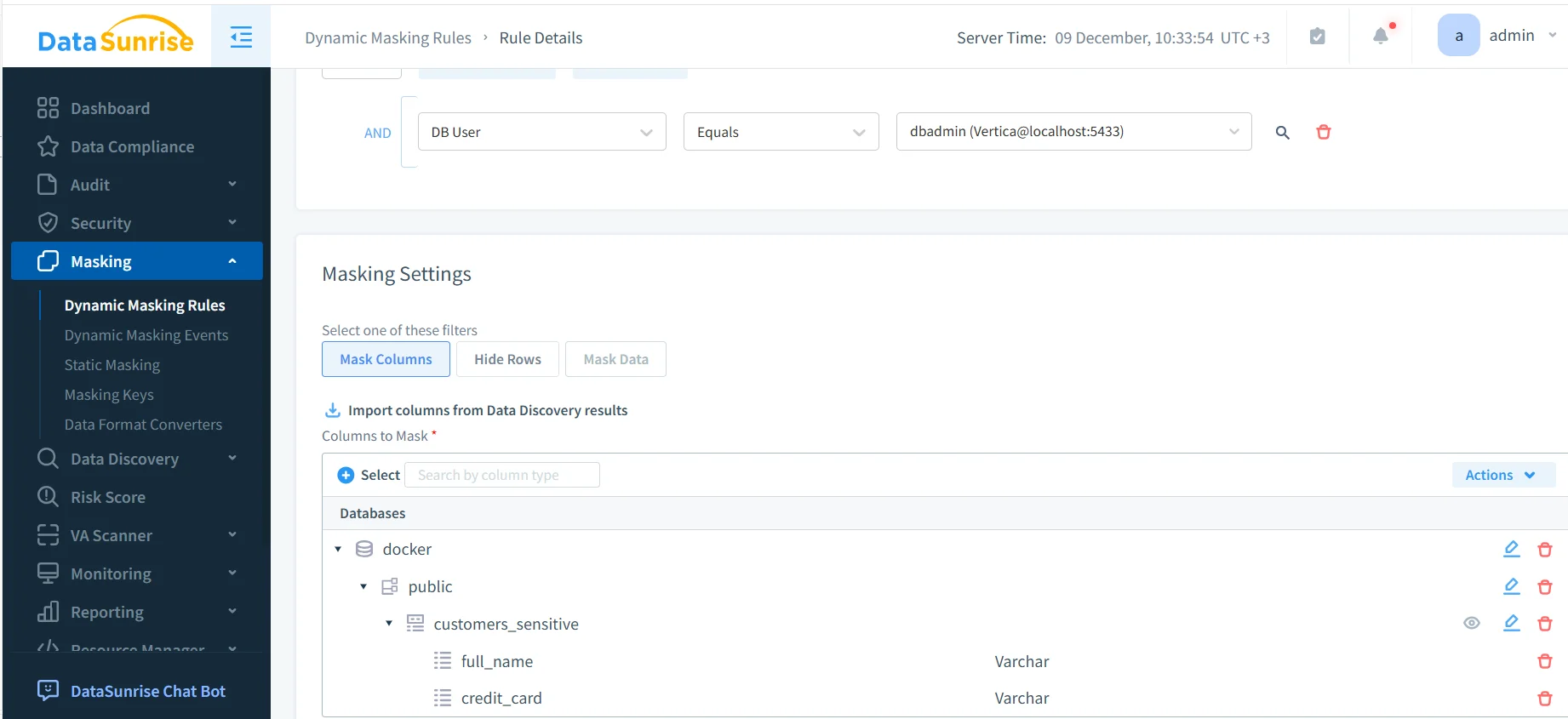
This Dynamic Masking Rule for Vertica ensures that sensitive fields such as full_name, credit_card, and phone_number are masked for non-privileged roles. Once enabled, the rule causes masked values to replace real data for any user failing the authorization criteria.
After applying the rule, the masked values appear directly in query results, as shown below:
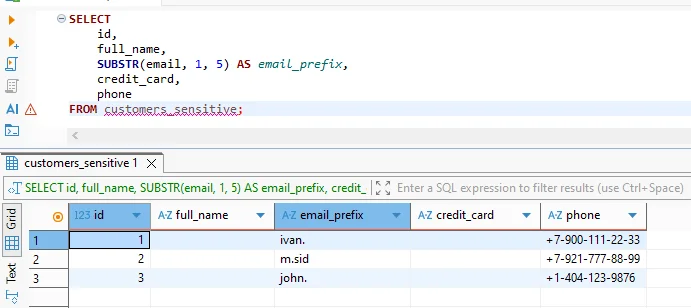
This confirms that sensitive data remains protected even when accessed through SQL editors or BI tools.
4. Monitor: Tracking Access to Sensitive Vertica Data
Although masking and SQL enforcement prevent exposure, compliance frameworks also require monitoring. Because Vertica distributes execution across nodes, native logs alone are not sufficient. DataSunrise consolidates SQL requests, security violations, and masking actions into a unified event pipeline. This greatly simplifies investigations and internal reviews.
In addition, Vertica administrators frequently verify access patterns with SQL such as:
SELECT user_name, request, start_time
FROM query_requests
WHERE request LIKE '%customers_sensitive%';
Combined with DataSunrise logging, this provides a complete picture of how sensitive data is accessed during daily operations.
5. Prove: Generate Evidence for Compliance Audits
Finally, compliance requires documented proof. Regulatory audits often request masking evidence, SQL violation logs, access summaries, and retention details. Producing these manually is error-prone. Instead, DataSunrise Compliance Manager generates structured, GDPR-, HIPAA-, PCI DSS-, and SOX-aligned reports automatically. This significantly reduces time spent preparing evidence during audits.
Compliance Control Responsibility Matrix
| Control Domain | Vertica Admin | Security Team | DataSunrise |
|---|---|---|---|
| Data Identification | Define schemas | Validate categories | Automated discovery |
| SQL Enforcement | Assign roles | Define policies | Block or allow SQL |
| Masking | Maintain structures | Define masking rules | Apply masking dynamically |
| Monitoring | Review logs | Investigate incidents | Unified auditing |
| Audit Evidence | Provide metadata | Interpret standards | Generate reports |
Conclusion
How to Manage Data Compliance for Vertica requires continuous discovery, SQL enforcement, dynamic masking, centralized monitoring, and automated reporting. Because Vertica distributes execution and storage across nodes and projections, organizations must enforce compliance at the SQL gateway where queries originate. DataSunrise provides exactly this enforcement plane, ensuring that sensitive data stays protected while Vertica maintains its high-performance analytical capabilities.
Protect Your Data with DataSunrise
Secure your data across every layer with DataSunrise. Detect threats in real time with Activity Monitoring, Data Masking, and Database Firewall. Enforce Data Compliance, discover sensitive data, and protect workloads across 50+ supported cloud, on-prem, and AI system data source integrations.
Start protecting your critical data today
Request a Demo Download Now