
TiDB Data Compliance Automation
Introduction
TiDB is a distributed SQL database built for hybrid transactional and analytical processing (HTAP) with strong MySQL compatibility. Its scalable architecture makes it a popular choice for SaaS, fintech, and e-commerce workloads that demand real-time performance and elasticity.
However, businesses operating in regulated industries face strict requirements around data protection, access monitoring, and retention. To meet these obligations, organizations must ensure their database systems support features like audit logging, recovery, masking, and policy enforcement—often mandated by laws governing privacy and financial accountability.
This guide introduces TiDB Data Compliance Automation, showing how TiDB helps automate key compliance tasks through its native toolset, and how DataSunrise extends these capabilities with advanced protections, real-time insights, and enterprise-ready reporting.
What Is Compliance and Why It Matters
Compliance, in the context of data management, means adhering to legal, regulatory, and industry-specific requirements that govern how sensitive information is handled. This includes protecting personal data, maintaining audit trails, controlling access, and proving that safeguards are in place.
Frameworks like GDPR, HIPAA, SOX, and PCI DSS were created to hold organizations accountable for how they collect, store, and use data. These standards aim to prevent unauthorized access, data breaches, and misuse of information—especially in sectors like healthcare, finance, and e-commerce.
Failing to meet compliance requirements can lead to more than just technical debt:
- Financial penalties: Regulatory fines often reach millions of dollars for violations.
- Reputation damage: Data breaches erode customer trust and impact brand credibility.
- Operational risk: Without controls in place, it becomes harder to detect and respond to threats or incidents.
For data teams, compliance also brings structure and visibility to critical systems. It defines who can access what, ensures actions are logged, and creates a verifiable chain of responsibility. In short, strong compliance isn’t just a checkbox—it’s a foundation for secure, scalable growth.
Native Features for TiDB Data Compliance Automation
1. Audit Logging (Enterprise Edition)
TiDB Enterprise Edition (v7.1+) supports configurable audit logging using SQL-based filters and rules. Administrators can define what activity to capture—such as connection events, DML/DDL operations, or authentication failures—and store logs in JSON or text format.
Code Example:
-- Enable auditing and define filters
SET GLOBAL tidb_audit_enabled = 1;
SET GLOBAL tidb_audit_log_format = 'json';
SET GLOBAL tidb_audit_log_redacted = ON;

SET @rule = '{
  "filter": [
    { "class": ["DML"], "status_code": [0] }
  ]
}';
SELECT audit_log_create_filter('dml_events', @rule);
SELECT audit_log_create_rule('dml_events', 'user@%', true);
Logs can be reviewed directly or queried via INFORMATION_SCHEMA.CLUSTER_LOG. For more detail, see the TiDB Database Auditing Guide (PDF).
2. Point-in-Time Recovery (PITR)
TiDB’s br (Backup & Restore) tool enables scheduled full and incremental log backups for rollback or recovery. This is critical for compliance with regulations requiring data resilience and auditability.
Code Example:
# Schedule continuous log backup
tiup br log start --task-name=pitr --pd="${PD_IP}:2379" \
  --storage='s3://compliance-logs'
Code Example:
# Restore to a specific timestamp
tiup br restore point \
  --pd="${PD_IP}:2379" \
  --storage='s3://compliance-logs' \
  --full-backup-storage='s3://compliance-snapshots' \
  --restored-ts '2025-07-09 12:00:00+0000'
See the official PITR documentation for details on how to configure log backup intervals, tune retention policies, and restore from snapshots. Proper PITR setup is essential for meeting audit-readiness requirements and recovering quickly from incidents like data corruption, deletion, or unauthorized modifications.
3. Access Control and Manual Discovery
TiDB supports MySQL-style role-based access control (RBAC), allowing administrators to define which users can access which data. In regulated environments, enforcing least-privilege access helps reduce risk exposure and meet compliance requirements related to data confidentiality.
Code Example:
CREATE USER 'auditor'@'%' IDENTIFIED BY 'Audit123!';
GRANT SELECT ON finance_data.* TO 'auditor'@'%';
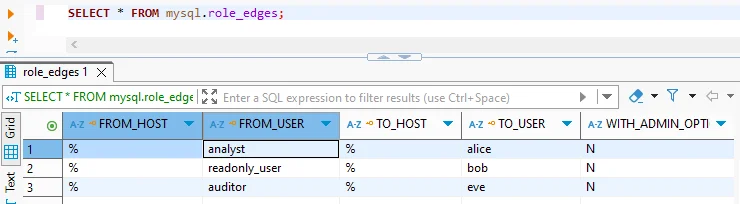
In addition to setting access policies, it’s important to identify which tables and columns may contain sensitive information. TiDB doesn’t include built-in discovery tools, but you can use regular expressions against INFORMATION_SCHEMA to locate likely PII/PHI fields based on column names.
SELECT table_name, column_name
FROM information_schema.columns
WHERE column_name REGEXP 'email|name|address|card|phone';
This manual discovery method provides a starting point for classification and helps prioritize which data requires masking, audit logging, or stricter access controls.
Automating Compliance with DataSunrise
DataSunrise is a database security platform that operates as a proxy or sniffer between your applications and TiDB. While TiDB provides foundational features like audit logging and access control, these alone are often not enough for full compliance automation—especially in environments subject to strict data protection laws.
DataSunrise enhances native capabilities by automating tasks such as data discovery, masking, auditing, alerting, and reporting—without requiring changes to the database or application logic. Here’s how it helps enforce compliance across your TiDB environment.
Sensitive Data Discovery
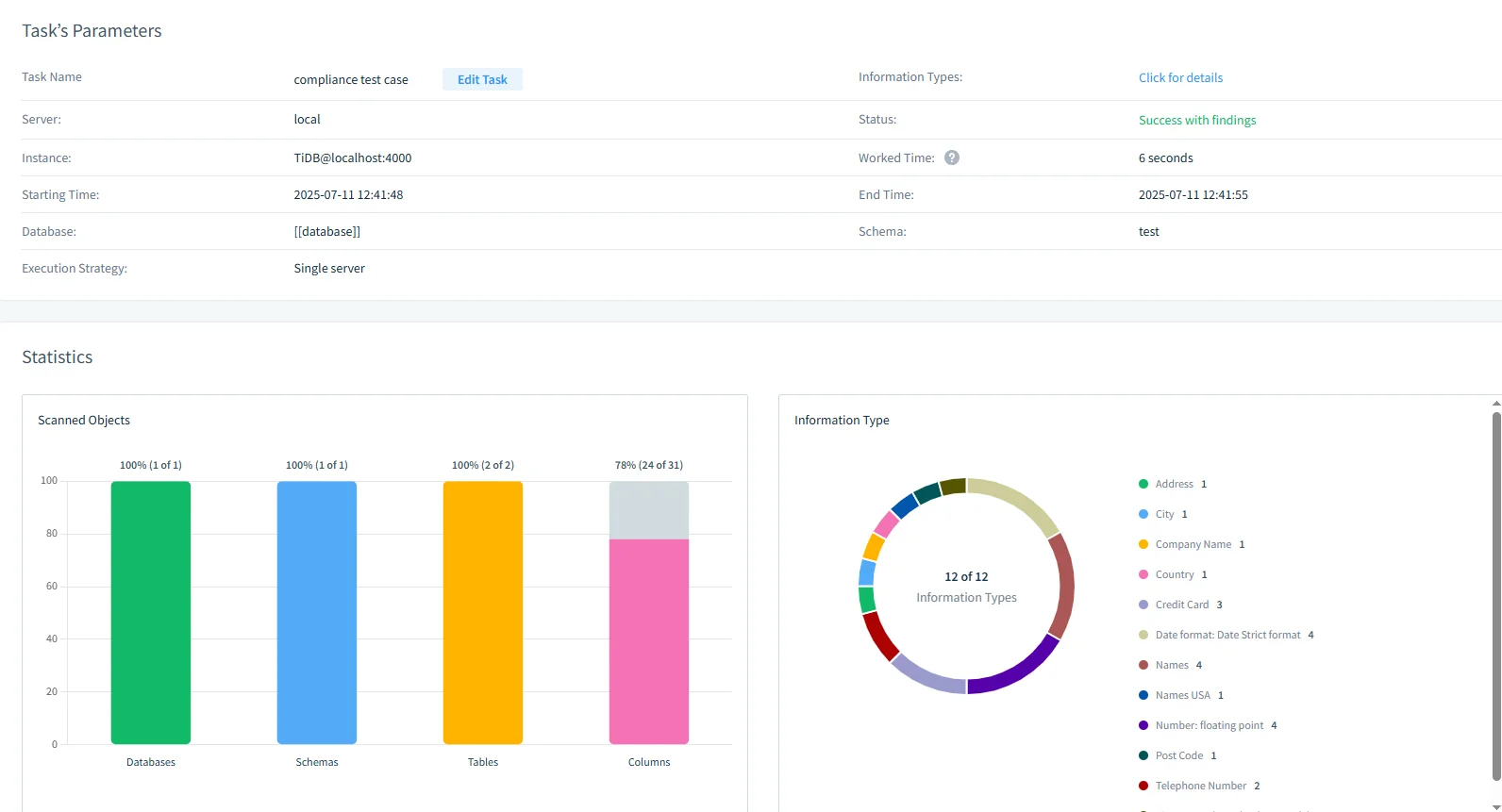
DataSunrise automatically identifies sensitive data using pattern-based and dictionary-driven scanning. Fields like emails, credit cards, SSNs, and medical codes are detected and tagged.
- Scan and tag PII/PHI in minutes
- Export discovery reports
- Schedule automatic re-scans
Dynamic Masking
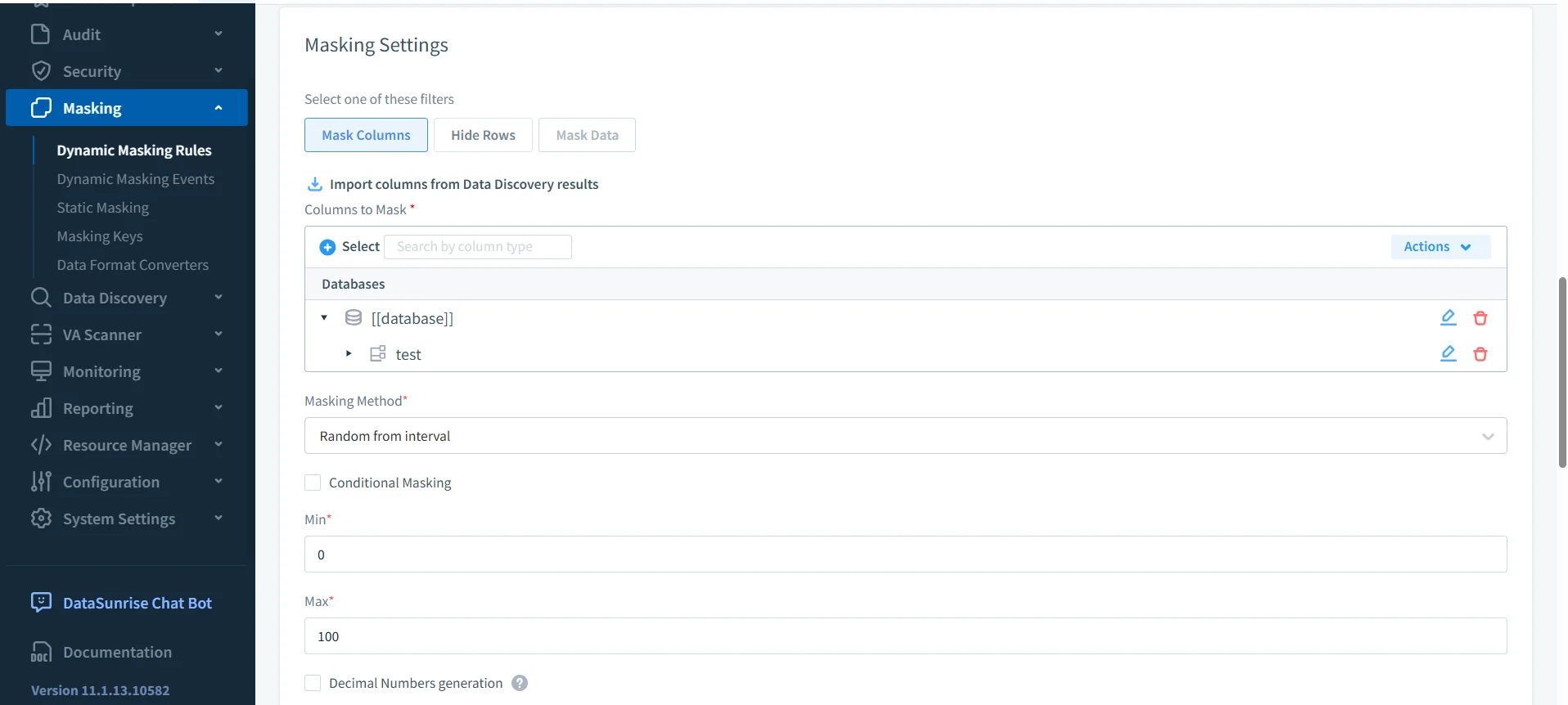
Compliance rules often require data minimization or anonymization. DataSunrise enforces dynamic data masking in real-time using proxy-based inspection.
- Masking types: partial, regex, nulling, substitution
- Context-aware rules by user, IP, schema, and role
- No changes to TiDB or application code
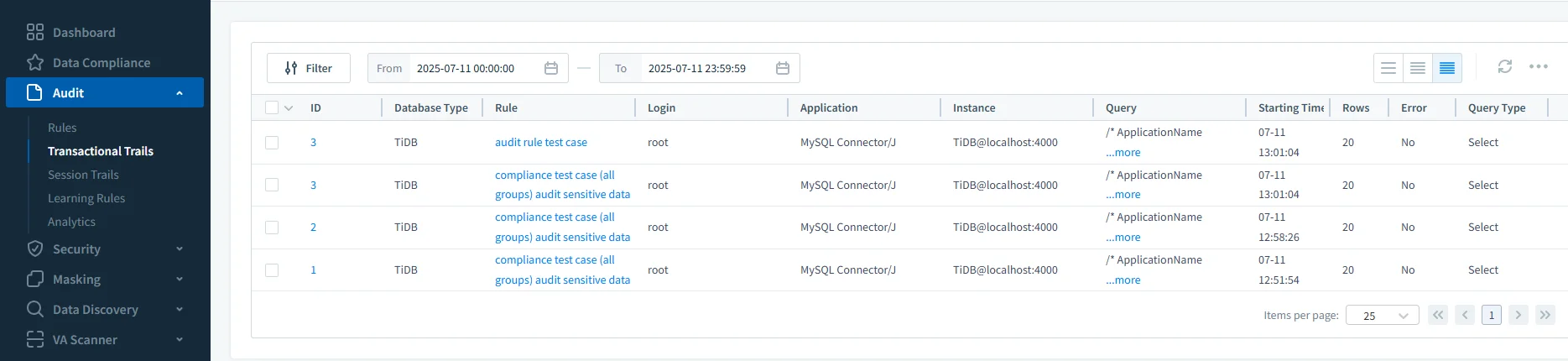
Audit Trails and Alerting
DataSunrise generates centralized audit logs across all databases. Logs include SQL statements, users, timestamps, affected columns, and bind variables.
It also supports real-time alerts:
- Slack, Teams, Email, Webhook notifications
- Suspicious query detection
- Policy enforcement logging
Compliance Reporting
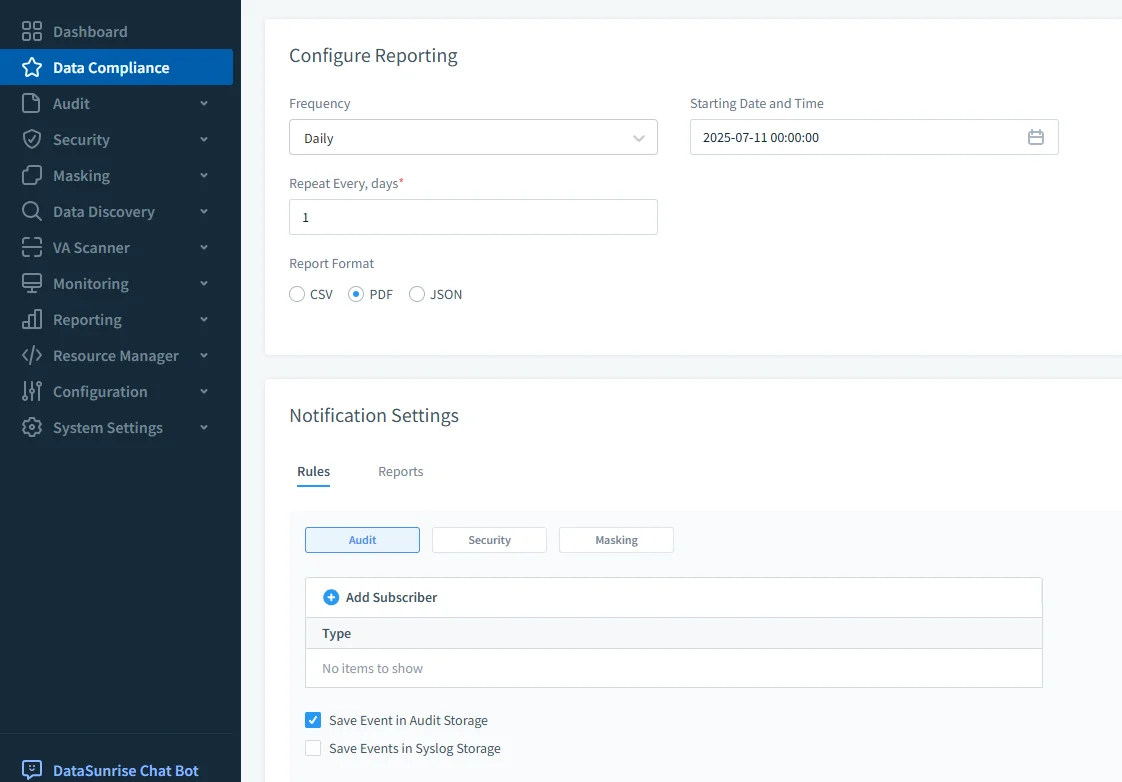
Teams can generate scheduled reports aligned with regulatory frameworks. Reports include audit history, access patterns, masking coverage, and data risk scoring.
- Export formats: PDF, CSV, JSON
- Schedule daily, weekly, or on-demand
- Filter by role, user, time window, or query type
Common Compliance Tasks and Who Handles Them
While TiDB provides essential compliance building blocks, many tasks require external tooling to automate, scale, or enforce policies effectively. The table below outlines how responsibilities are typically divided in a TiDB + DataSunrise environment.
| Compliance Task | Primary Tool |
|---|---|
| Define user roles & privileges | TiDB |
| Log DML/DDL activity (basic) | TiDB (Enterprise) |
| Centralized, real-time audit trails | DataSunrise |
| Mask PII based on user/session role | DataSunrise |
| Discover sensitive data (automated) | DataSunrise |
| Generate compliance-ready reports | DataSunrise |
| Send alerts on risky behavior | DataSunrise |
Summary
TiDB provides foundational compliance tools such as audit logging, access controls, and point-in-time recovery—particularly in Enterprise or Dedicated Cloud setups. However, organizations subject to strict data protection laws need more than logs—they need automation, visibility, and policy enforcement.
DataSunrise fills this gap with proxy-based automation for discovery, masking, audit trails, alerting, and compliance reporting. Together, TiDB and DataSunrise provide a scalable, secure, and audit-ready environment for regulated industries.
Protect Your Data with DataSunrise
Secure your data across every layer with DataSunrise. Detect threats in real time with Activity Monitoring, Data Masking, and Database Firewall. Enforce Data Compliance, discover sensitive data, and protect workloads across 50+ supported cloud, on-prem, and AI system data source integrations.
Start protecting your critical data today
Request a Demo Download Now