Explore Active Security for Your Data in Microsoft Dataverse
Audit SQL activity, discover sensitive data, and mask query results in Microsoft Dataverse with DataSunrise. Review access to your data and control which sensitive values SQL clients can see.
Connection: Microsoft Dataverse TDS endpoint (read-only SQL access).

DataSunrise Web Console at a Glance
Review recorded SQL queries and their results in the DataSunrise Web Console. The examples show demonstration records before and after masking the Email and Phone columns.
Download Free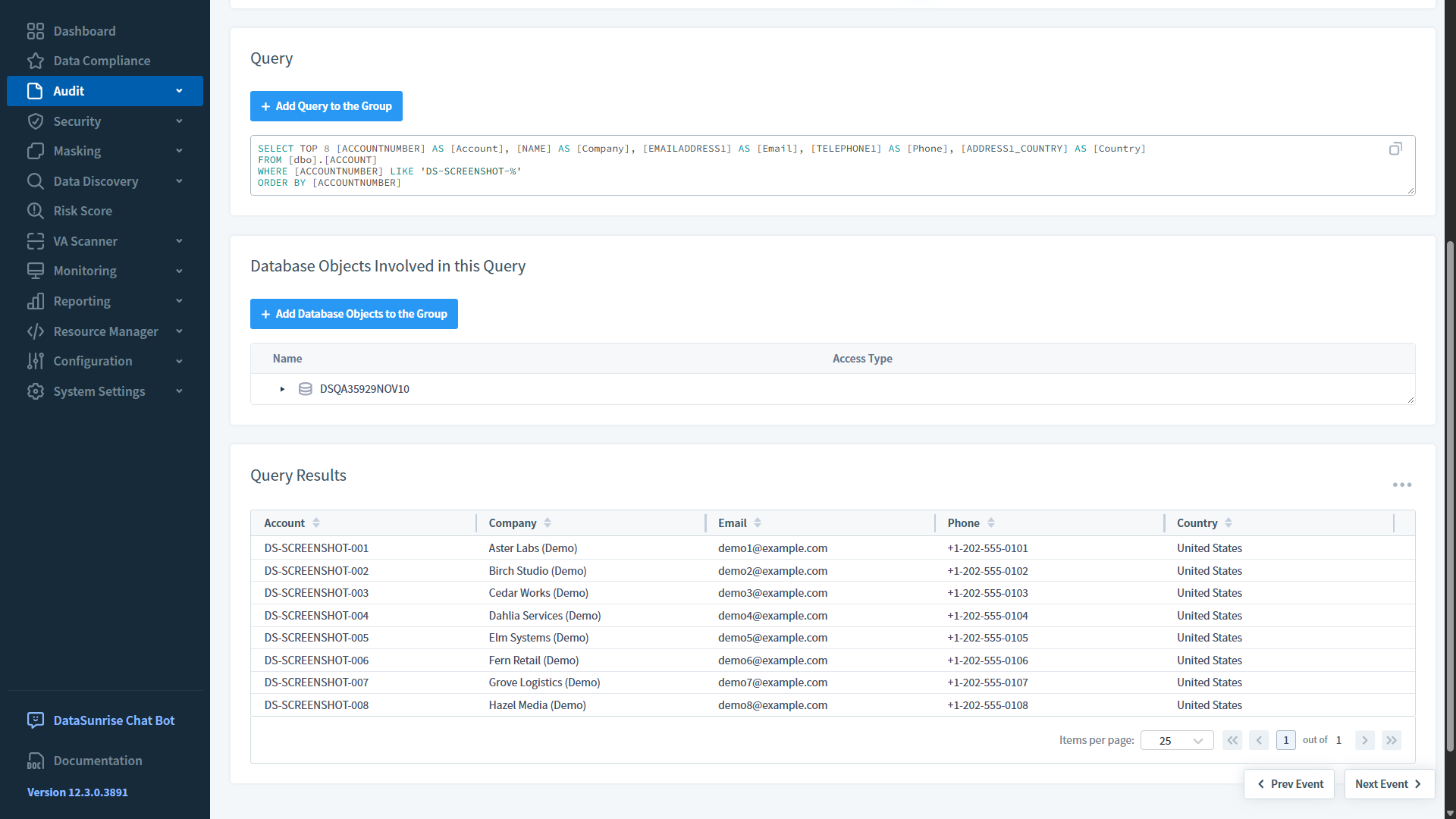
Query auditing: Review a recorded Dataverse SQL query and its results.
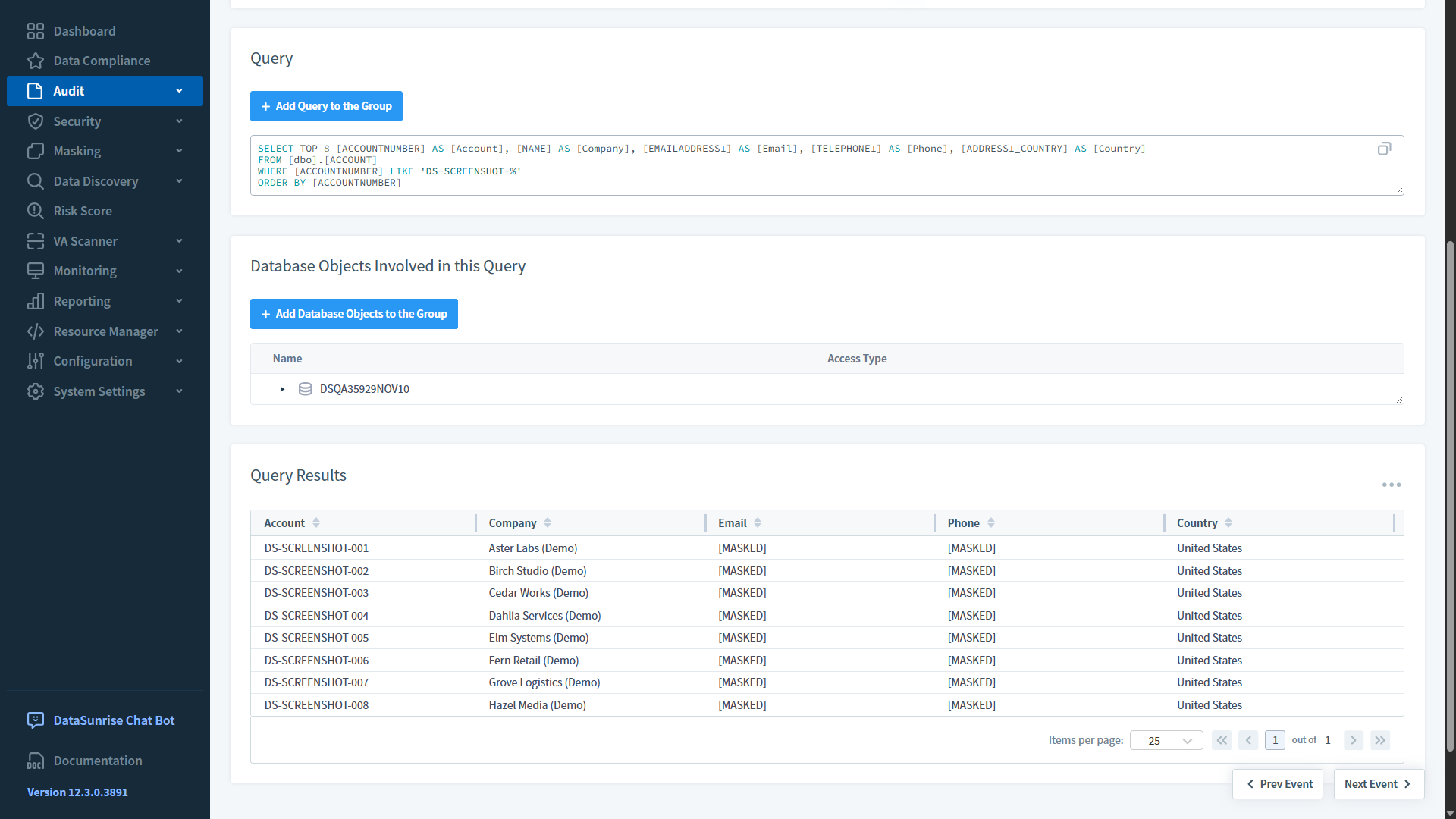
Dynamic masking: Email and phone values are masked; other fields remain unchanged.
DataSunrise Supported Features for Microsoft Dataverse
- Activity Monitoring
- Data Masking
- Sensitive Data Discovery
-
- Activity Monitoring
- Record SQL queries sent to the Dataverse TDS endpoint through the DataSunrise proxy.
- Review query text, execution details, and the audit rules that recorded each event.
- Capture query results when result logging is enabled in the audit rule.
- Learn More
-
- Data Masking
- Mask sensitive values in SQL query results before they reach the client.
- Apply masking rules to selected columns, such as email addresses and phone numbers.
- Keep the source records unchanged while returning masked values.
- Learn More
-
- Sensitive Data Discovery
- Find sensitive information in Dataverse tables.
- Classify discovered data to identify information that needs protection.
- Use discovery results to plan audit and masking rules.
- Learn More
Protect Your Microsoft Dataverse SQL Workloads
- Monitor SQL access through the DataSunrise proxy.
- Review recorded queries and query results.
- Identify sensitive information in Dataverse tables.
- Mask selected columns without changing stored data.

Protect Your Microsoft Dataverse Data with DataSunrise
Request a DemoFind Your Unique Solution
1. Select Product Type
2. Select Supported Databases
- Activity Monitoring
- Database Firewall
- Data Masking
- Performance Monitoring
- Sensitive Data Discovery