AlloyDB for PostgreSQL Audit Trail

AlloyDB for PostgreSQL brings cloud-native elasticity to the familiar Postgres engine, but with great power comes strict responsibility for who does what to which data. A well-designed AlloyDB for PostgreSQL Audit Trail quickly escalates from a compliance checkbox into a strategic asset for security and analytics. This article walks through real-time auditing, dynamic masking, data discovery, native audit configuration in Google Cloud, leveraging DataSunrise for deep inspection, and a glimpse at how generative-AI (GenAI) can uncover stealthy anomalies inside your logs.
Why a Modern Audit Trail Matters
Regulations such as compliance regulations demand demonstrable controls. Yet an audit trail also feeds operational forensics, usage analytics, and even cost optimisation. Under the hood, AlloyDB emits rich Cloud Logging payloads that capture every statement, role change, and network touch-point — the raw fuel for real-time dashboards or downstream ML. When coupled with data discovery and dynamic data masking, you gain end-to-end observability without exposing sensitive values to curious eyes.
Real-Time Audit Streams
AlloyDB writes PostgreSQL engine events to Cloud Logging within seconds. Forward those logs to Pub/Sub and stream them into BigQuery or Splunk for instant queries and alerting. A lightweight example in BigQuery might look like:
CREATE OR REPLACE EXTERNAL TABLE alloydb_audit.log_entries
  WITH CONNECTION `projects/$PROJECT_ID/locations/$REGION/connections/alloydb_logging`;

SELECT
  JSON_VALUE(log_entry, '$.protoPayload.authenticationInfo.principalEmail') AS actor,
  JSON_VALUE(log_entry, '$.protoPayload.metadata.databaseName')             AS database,
  JSON_VALUE(log_entry, '$.protoPayload.metadata.statement')                AS statement,
  timestamp
FROM alloydb_audit.log_entries
WHERE timestamp >= TIMESTAMP_SUB(CURRENT_TIMESTAMP(), INTERVAL 15 MINUTE);
The query refreshes every minute in Looker to highlight suspicious activity, making real-time audit tangible rather than theoretical.
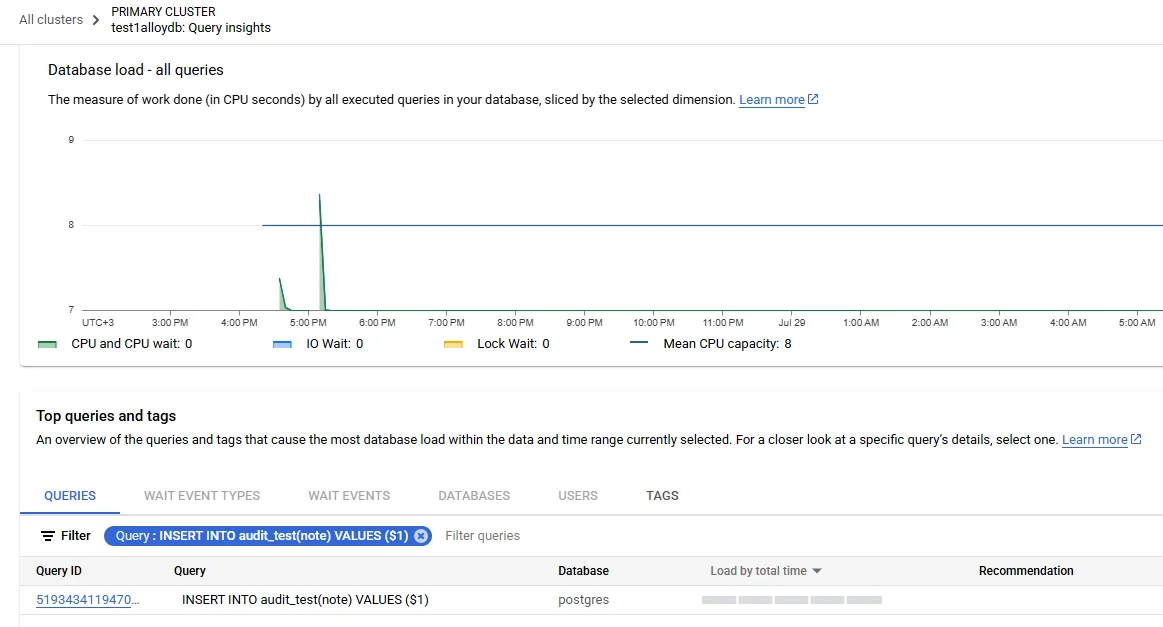
Data Discovery & Dynamic Masking
Discovery engines crawl schemas, classify PII, and feed policies that DataSunrise enforces inline. Once the engine tags a column as card-holder name, a dynamic masking rule can automatically replace characters for any session lacking the Auditor role:
-- executed in DataSunrise console
ADD MASKING RULE mask_pan
  ON TABLE sales.cards
  COLUMN card_number STRATEGY partial(6, 4);
Because the rule sits between application and AlloyDB, developers continue to work with familiar SQL while auditors see only what they are authorised to see — an elegant form of least privilege. Deep-masking logic is further explained in the DataSunrise article on dynamic data masking.
Security & Compliance Landscape
A single breach can erode customer trust faster than any marketing campaign can build it. Database Activity Monitoring adds behavioural analytics, alerting when sessions deviate from trained norms. Tightly linked audit trails simplify attestations for GDPR, HIPAA, PCI-DSS and friends, as detailed in DataSunrise’s write-up on compliance regulations. Advanced threat detection, role-based controls and encrypted storage — all integral to AlloyDB — provide the bedrock on which the audit trail stands.
Configuring Native Audit in Google Cloud
Out-of-the-box, AlloyDB produces engine logs similar to standard PostgreSQL log_statement and log_connections output, but hardened for multi-tenant cloud:
- Enable Audit Flags – In the Google Cloud console navigate to AlloyDB Clusters ➜ Configuration ➜ Flags and set
log_statement = 'all'or finer-grained values such asddl. - Activate pgAudit Extension – AlloyDB ships with pgAudit. Connect via psql and run:
CREATE EXTENSION IF NOT EXISTS pgaudit; ALTER SYSTEM SET pgaudit.log = 'read, write, ddl'; SELECT pg_reload_conf(); - Export to Cloud Logging – By default audit entries land in Cloud Logging under the resource type
alloydb.googleapis.com/Cluster. Create a sink to BigQuery for long-term analytics or to Cloud Storage for cold archive. - Fine-Tune Retention & CMEK – Apply organisation-level retention policies and customer-managed encryption keys to satisfy regional sovereignty mandates.
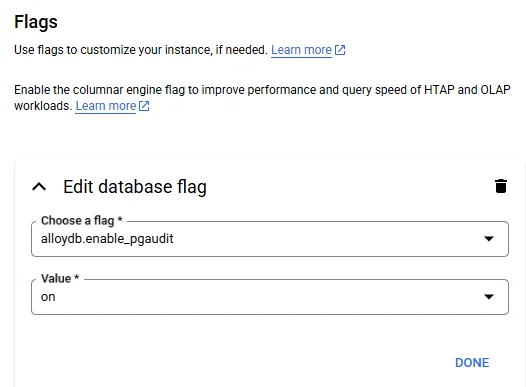
alloydb.enable_pgaudit flag in Google Cloud.Because AlloyDB shares Postgres DNA, the same pgaudit configuration skills transfer seamlessly, yet you gain the elasticity and automatic indexing that Postgres alone lacks.
Hardening with DataSunrise Audit
Where native auditing cannot intercept encrypted network traffic or apply contextual risk, DataSunrise fills the gap. Deployed as a reverse proxy in front of AlloyDB, it:
- Captures full SQL before execution, including bind values.
- Stores tamper-evident Audit Logs in ClickHouse or S3.
- Correlates sessions, users, IP addresses and application IDs for Database Activity Monitoring.
- Generates compliance-ready reports (SOX, PCI-DSS) in a few clicks.
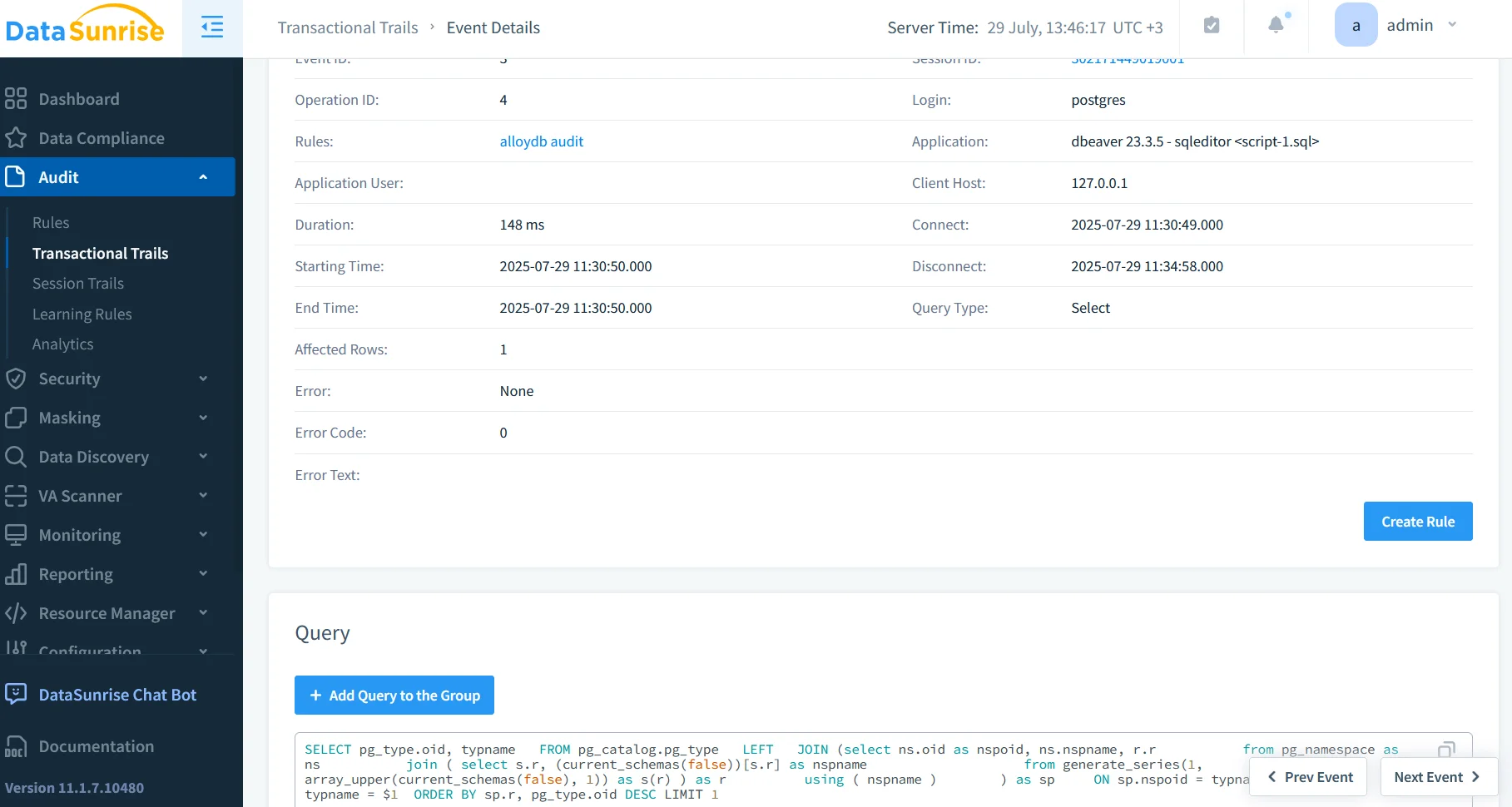
A typical deployment pattern is to route application traffic through DataSunrise on a regional GKE cluster. Terraform can attach a global external load-balancer, forwarding rule tcp:5432 ➜ datasunrise ➜ alloydb, preserving IP whitelists while adding deep packet inspection.

GenAI Meets the Audit Trail
Large Language Models are surprisingly good at spotting the novel — the very thing most rule engines miss. Feed AlloyDB logs into Vertex AI or any on-prem LLM and prompt it like a junior analyst:
from vertexai.preview.language_models import ChatModel
import base64, json, google.cloud.logging_v2 as glog

client = glog.Client()
entries = client.list_entries(
    filter_="resource.type=\"alloydb.googleapis.com/Cluster\" timestamp>\"2025-07-28T00:00:00Z\""
)
raw = "\n".join(json.dumps(e.to_api_repr()) for e in entries)

chat = ChatModel.from_pretrained("gemini-1.5-pro-preview")
response = chat.start_chat()
response.send_message(
    "You are a SOC analyst. Highlight unusual multi-row DELETEs executed by service accounts "
    "in the last 24h. Logs:\\n" + raw[:12000]
)
print(response.last)
The model summarises log spikes (“ServiceAccount-A deleted 12× more rows than weekly average at 02:14 UTC”) and recommends follow-up. For a more deterministic workflow, pair GenAI insights with deterministic policies: if the model raises severity ≥ 0.7, DataSunrise can automatically quarantine the session.
Putting It All Together
A resilient AlloyDB for PostgreSQL Audit Trail is not a single feature but an ecosystem:
- Cloud Logging + pgAudit for native coverage.
- DataSunrise for deeper inspection, masking and compliance artefacts.
- GenAI to surface context that dashboards alone cannot.
- Dynamic Masking & Data Discovery to keep secrets secret while still searchable.
Conclusion
The focus keyphrase Database Audit for AlloyDB for PostgreSQL encapsulates far more than log retention. It signals a commitment to visibility, privacy, and continual improvement. By embracing native Google Cloud tooling, extending with DataSunrise’s security fabric, and experimenting with GenAI-driven analytics, teams can transform an audit backlog into a proactive guardrail that scales with their most ambitious workloads. The future of AlloyDB for PostgreSQL Audit Trail is therefore less about chasing yesterday’s breaches and more about predicting tomorrow’s — today.
Protect Your Data with DataSunrise
Secure your data across every layer with DataSunrise. Detect threats in real time with Activity Monitoring, Data Masking, and Database Firewall. Enforce Data Compliance, discover sensitive data, and protect workloads across 50+ supported cloud, on-prem, and AI system data source integrations.
Start protecting your critical data today
Request a Demo Download Now