
AlloyDB for PostgreSQL Data Activity History

Every security engineer who has migrated workloads to Google Cloud eventually asks: “Can I trace every touch on my data—instantly and defensibly?” That question sits at the core of AlloyDB for PostgreSQL Data Activity History, the living timeline that records who did what, where, and when across your cluster. In the cloud era, this history must be both complete and actionable: instantly searchable for threat‑hunting, yet structured enough to satisfy regulators from GDPR to PCI‑DSS.
Below we explore how AlloyDB’s native audit stream and DataSunrise’s monitoring layer can be combined with generative AI (GenAI) to create a security fabric that reacts in seconds, not days.
Why Data Activity History Matters
A credible activity history turns raw log lines into strategic intelligence. It underpins:
- Real‑time incident response—spot credential abuse before exfiltration.
- Continuous compliance—map controls directly to evidence instead of point‑in‑time reports.
- Data valuation—understand which tables drive revenue versus which merely exist.
DataSunrise’s Data Activity History knowledge base outlines how audit trails feed behaviour analytics and risk scoring, while Database Activity Monitoring adds the policy engine that decides when to escalate.
Real‑Time Audit and Dynamic Masking with GenAI
Traditional SIEM rules struggle with the high‑cardinality SQL patterns produced by modern applications. By embedding a lightweight GenAI model next to the log stream, you can summarise multi‑row sessions into human‑readable hints (for example, “likely bulk export of customer emails”) and trigger remediation policies that matter.
DataSunrise’s Dynamic Data Masking rewrites result sets on the fly for non‑privileged users. The model can classify a column as personal data even if it carries an opaque name like extra_01, drawing from an LLM fine‑tuned on your schema. This blend of GenAI and masking protects value while ensuring that analysts still see business‑safe surrogates.
Configuring Native Audit in Google Cloud
AlloyDB inherits PostgreSQL’s proven logging DNA, but Cloud‑native deployment means you flip a flag instead of editing postgresql.conf.
Enable the pgAudit extension flag
gcloud alloydb instances update my-prod \
    --region=us-central1 \
    --update-parameters=alloydb.enable_pgaudit=true
Create the extension in each database
CREATE EXTENSION IF NOT EXISTS pgaudit;
ALTER SYSTEM SET pgaudit.log = 'READ, WRITE, FUNCTION';
SELECT pg_reload_conf();
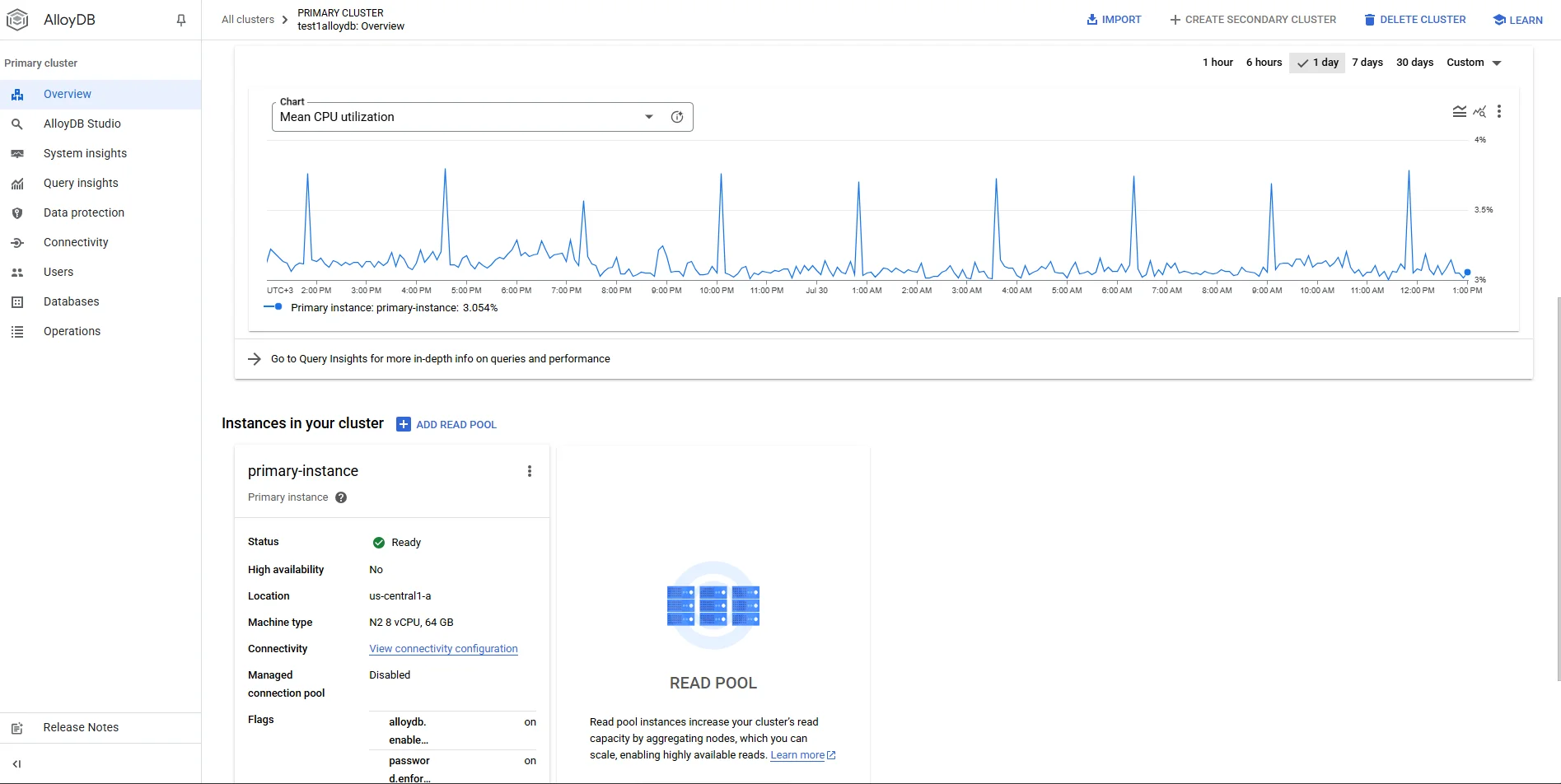
That is literally the same workflow Postgres veterans know, only surfaced through Google Cloud CLI. AlloyDB automatically ships the records into Cloud Logging, where they appear under Data Access logs (resource type alloydb.googleapis.com/Cluster). Consult the official guidance on Enable pgAudit in AlloyDB for advanced flags and log‑volume estimates.
For an end‑to‑end description of network protections, IAM boundaries, and encryption defaults, see AlloyDB security best practices. Because audit entries travel via the same backbone as Vertex AI and other Google services, you inherit the guarantees described in the Cloud Audit Logs documentation.
To view the stream, open Logs Explorer and filter:
resource.type="alloydb_cluster"
logName:"cloudaudit.googleapis.com%2Fdata_access"
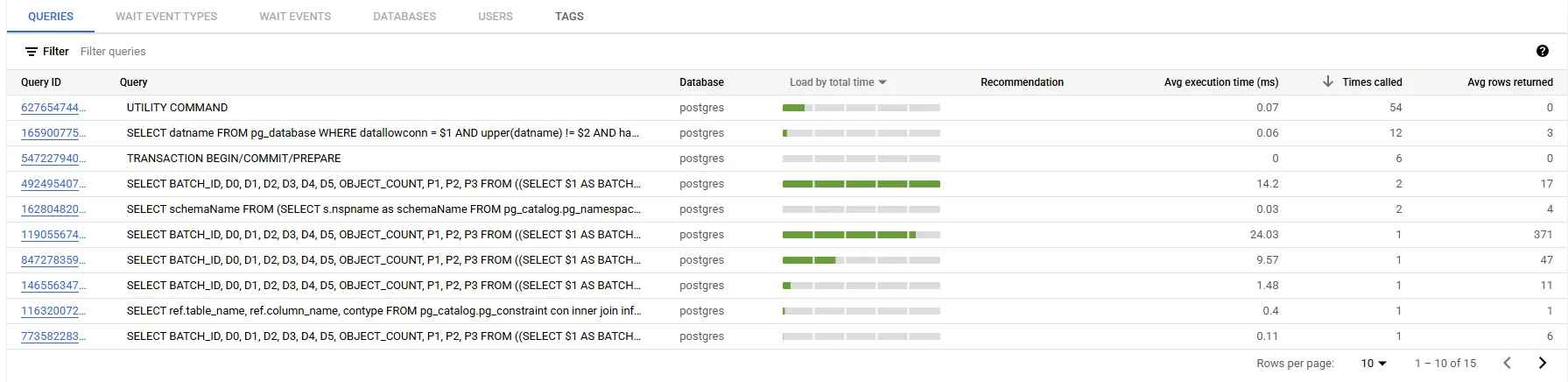
Deep‑Dive: DataSunrise Audit for AlloyDB
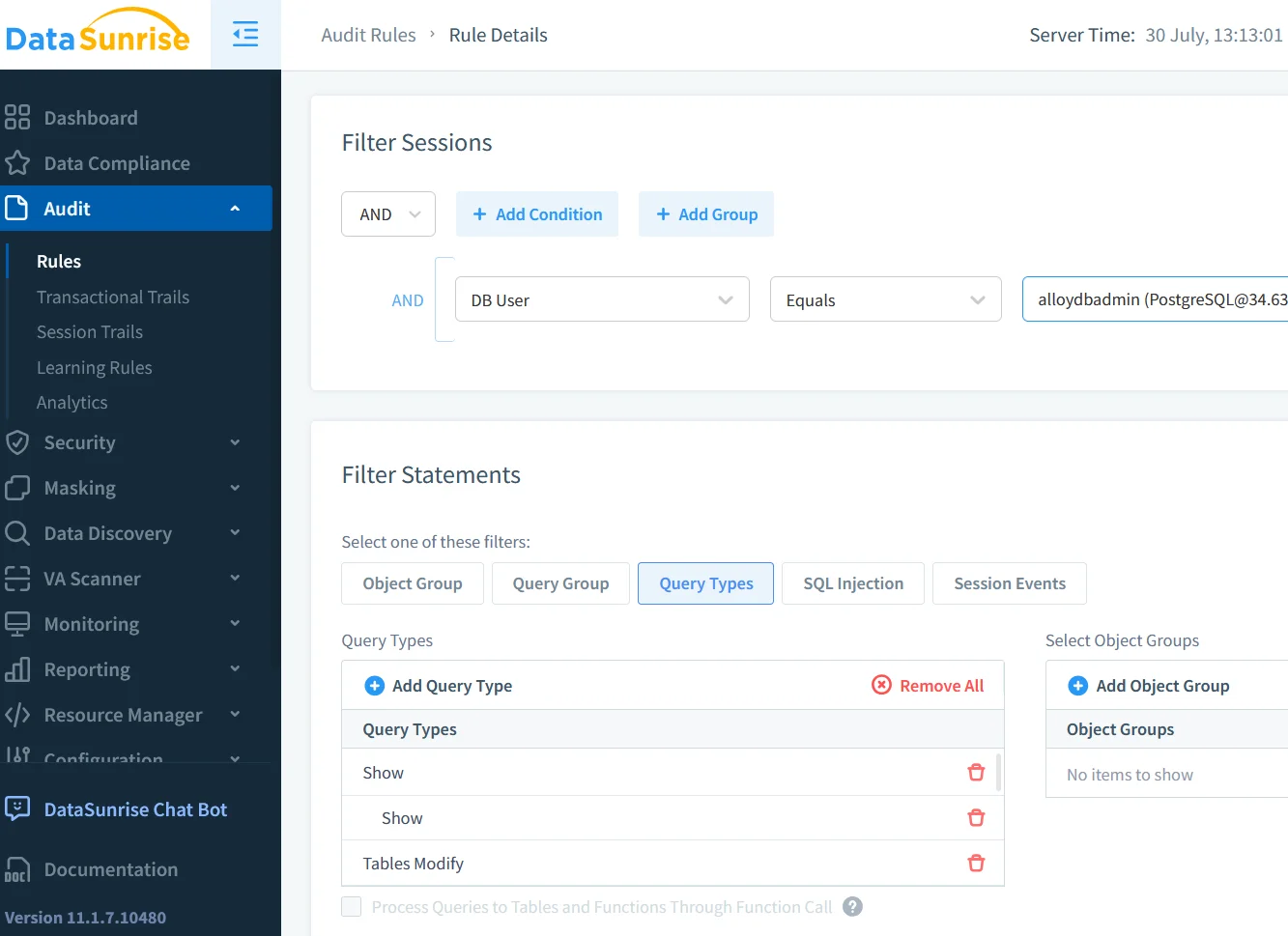
Native logs capture what happened; DataSunrise focuses on why and whether it violated policy. Deployed as a reverse proxy or side‑car on GKE, DataSunrise can enrich each AlloyDB event with:
- User context—Active Directory groups, device reputation.
- Risk scoring & GenAI insights—leveraging LLM and ML tools for Database Security.
Matches flow into a time‑series dashboard that powers automated compliance reporting and proves adherence to Data Compliance Regulations such as HIPAA and SOX.
Data Discovery, Security & Compliance Posture
Before you can protect data, you must find it. DataSunrise’s Data Discovery spider scans AlloyDB schemas for PII, PHI, and card data, feeding tags back to both pgAudit and masking policies.
Security teams then apply controls—row‑level filters plus schema‑aware firewall rules. Combined with AlloyDB for PostgreSQL Data Activity History, this creates a closed feedback loop: discovery → classification → policy → audit → GenAI analysis → updated policy.

Because every step is logged, auditors can trace a control back to the raw SQL that triggered it, satisfying Article 30 of the GDPR and section 10 of PCI‑DSS—without spreadsheets.
GenAI in Action: Sensitive‑Data Masking Query Example
Below is a minimalist illustration that fuses pgAudit, GenAI and masking in a single pipeline. Assume the LLM has been fine‑tuned to detect risky queries.
-- AlloyDB session
BEGIN;
SET LOCAL pgaudit.log_parameter ON;

SELECT email, card_number
FROM customers
WHERE updated_at > NOW() - INTERVAL '1 day';

COMMIT;
A streaming Cloud Function pulls this entry, passes the SQL to a Vertex Gemini model, and receives a JSON verdict:
{
  "risk": 0.92,
  "explanation": "Bulk extraction of cardholder data"
}
If risk > 0.8, DataSunrise immediately rewrites the response:
email          | card_number
---------------+--------------
[email protected] | **** **** **** 3487
Meanwhile, an alert fires in Slack with the GenAI explanation attached. The entire round‑trip—from query execution to masked result, Slack ping, and compliance log—typically completes in under 400 ms in benchmarked workloads.
Conclusion
An effective AlloyDB for PostgreSQL Data Activity History is more than a compliance checkbox—it is the sensory nervous system of your data estate. By activating pgAudit, routing logs through Cloud Logging, and overlaying DataSunrise’s discovery, masking and GenAI analytics, teams gain an always‑on narrative of every data interaction. The result is faster incident response, lower audit fatigue, and a security posture that evolves as quickly as the workloads it protects.
Whether you are migrating mission‑critical OLTP systems or green‑field AI micro‑services, now is the moment to treat your audit trail not as a tombstone archive but as a living asset—one that learns from itself every minute.
Protect Your Data with DataSunrise
Secure your data across every layer with DataSunrise. Detect threats in real time with Activity Monitoring, Data Masking, and Database Firewall. Enforce Data Compliance, discover sensitive data, and protect workloads across 50+ supported cloud, on-prem, and AI system data source integrations.
Start protecting your critical data today
Request a Demo Download Now