Apache Cassandra Regulatory Compliance
Introduction
Apache Cassandra is widely used to manage large volumes of sensitive data, including financial transactions, patient records, and customer information. For organizations in regulated industries, apache cassandra regulatory compliance with standards such as GDPR, HIPAA, PCI DSS, and SOX is a fundamental requirement.
Cassandra provides a foundation for compliance through native auditing and security controls. However, these features often require extensive configuration, manual log management, and ongoing administrative effort. As a result, they can meet basic compliance needs but are less efficient for organizations seeking streamlined, audit-ready processes.
DataSunrise addresses these challenges by offering an integrated solution that extends Cassandra’s capabilities. It delivers centralized monitoring, data masking, firewall protections, and automated reporting through an intuitive interface designed specifically for regulatory compliance.
Cassandra’s native tools are effective for developers and administrators but require significant manual effort. DataSunrise reduces this overhead with automation and simplified policy management.
Native Apache Cassandra Regulatory Compliance Features
Audit Logging
Cassandra’s audit logging records a range of database activities, including authentication events, schema changes, DML statements, and authorization checks. Configuration is performed in the cassandra.yaml file:
audit_logging_options:
    enabled: true
    logger: BinAuditLogger
    included_categories: [DML, DDL, AUTH]
    excluded_users: [cassandra]
Audit logging can be customized by including or excluding users and categories. However, audit logs are stored only on coordinator nodes and are not replicated. This requires administrators to plan for dedicated storage and manage log retention policies manually.
Audit data stored locally on nodes introduces additional administrative effort and increases the risk of incomplete audit histories in distributed environments.
Full Query Logging (FQL)
Full Query Logging allows Cassandra to capture all successful CQL queries for later analysis or replay.
full_query_logging_options:
    log_dir: /var/log/cassandra/fql
    roll_cycle: HOURLY
    block: true
Administrators can replay queries using the fqltool utility:
$ bin/fqltool replay --target localhost:9042 /var/log/cassandra/fql
This feature is useful for testing, benchmarking, and verification. However, it does not capture failed queries or authentication attempts, which limits its usefulness for complete compliance reporting.
Security Controls
Cassandra supports role-based authentication and authorization, as well as TLS encryption. Administrators can configure permissions and roles to control access:
CREATE ROLE auditor WITH PASSWORD = 'securepass'
AND LOGIN = true
AND OPTIONS = { 'grant_audit_logging' : true };
While these features provide basic access management, they do not extend to advanced policy enforcement or database-level firewalling.
Role-based controls in Cassandra are effective for basic access management but do not provide granular or automated enforcement mechanisms.
Data Masking
Cassandra does not provide built-in data masking. Sensitive fields remain fully visible to any user with read permissions. The only exception is that passwords are obfuscated in audit logs. This limitation creates a significant compliance gap for organizations handling personally identifiable information (PII) or protected health information (PHI).
How DataSunrise Extends Apache Cassandra Regulatory Compliance
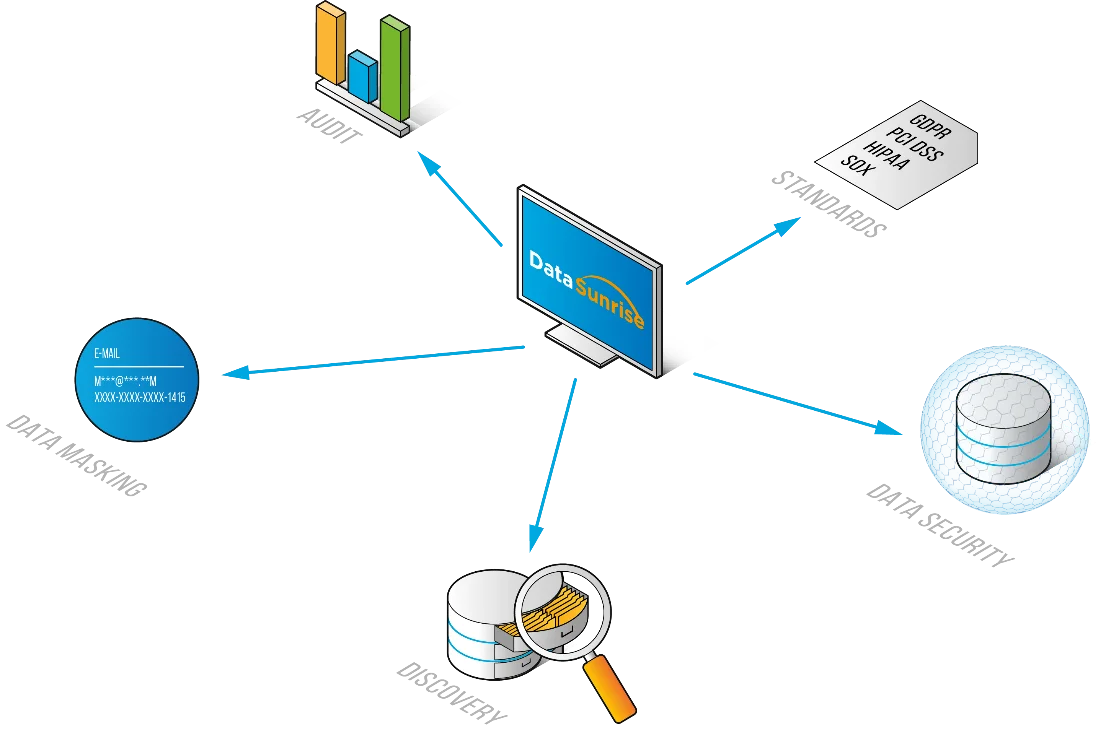
DataSunrise enhances apache cassandra regulatory compliance by addressing the limitations of native tools. Its approach is centered on usability and automation, removing the need for extensive scripting or manual log management. Through a web-based console, administrators can implement security and compliance policies with minimal overhead.
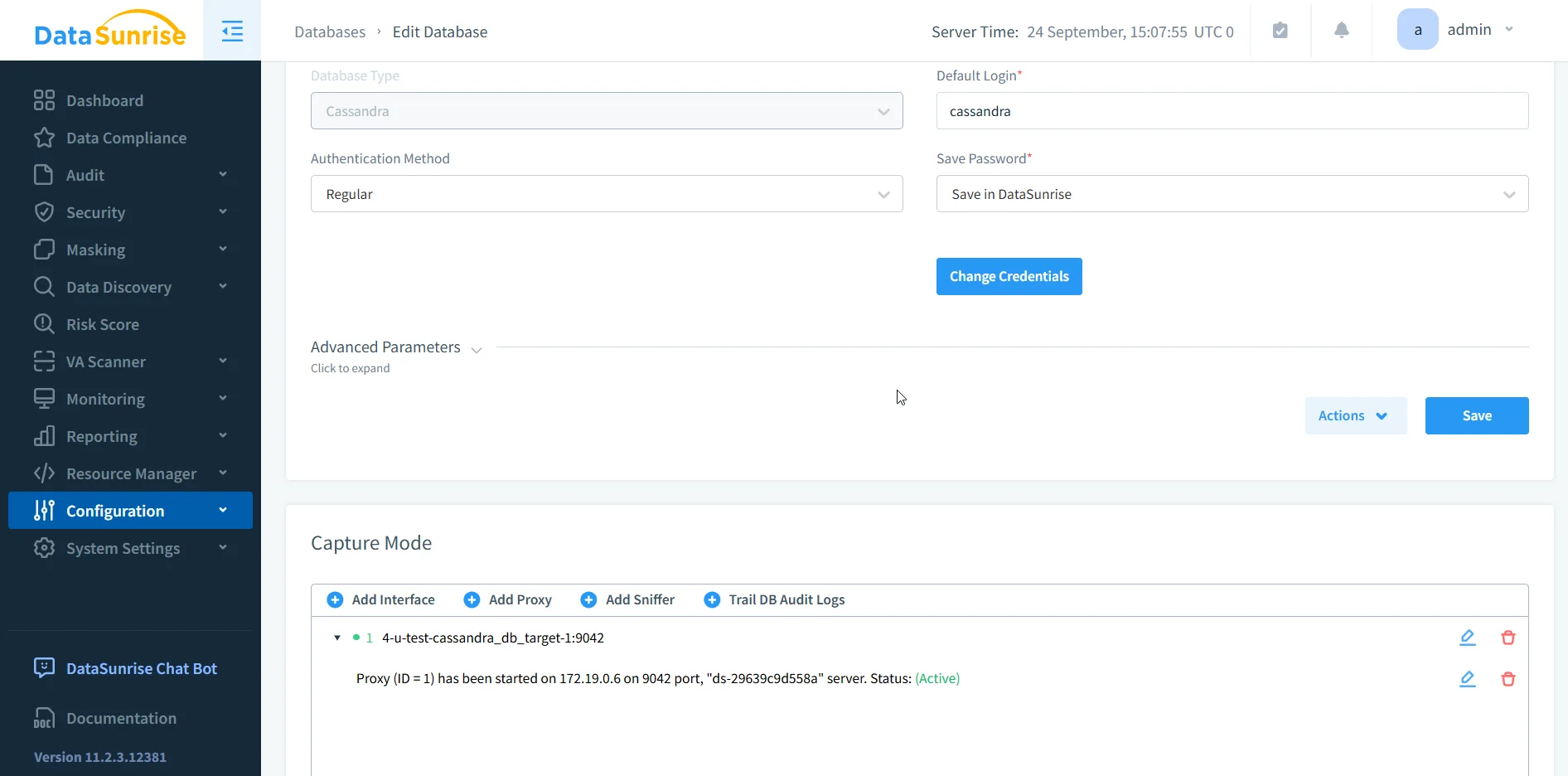
Key advantages include:
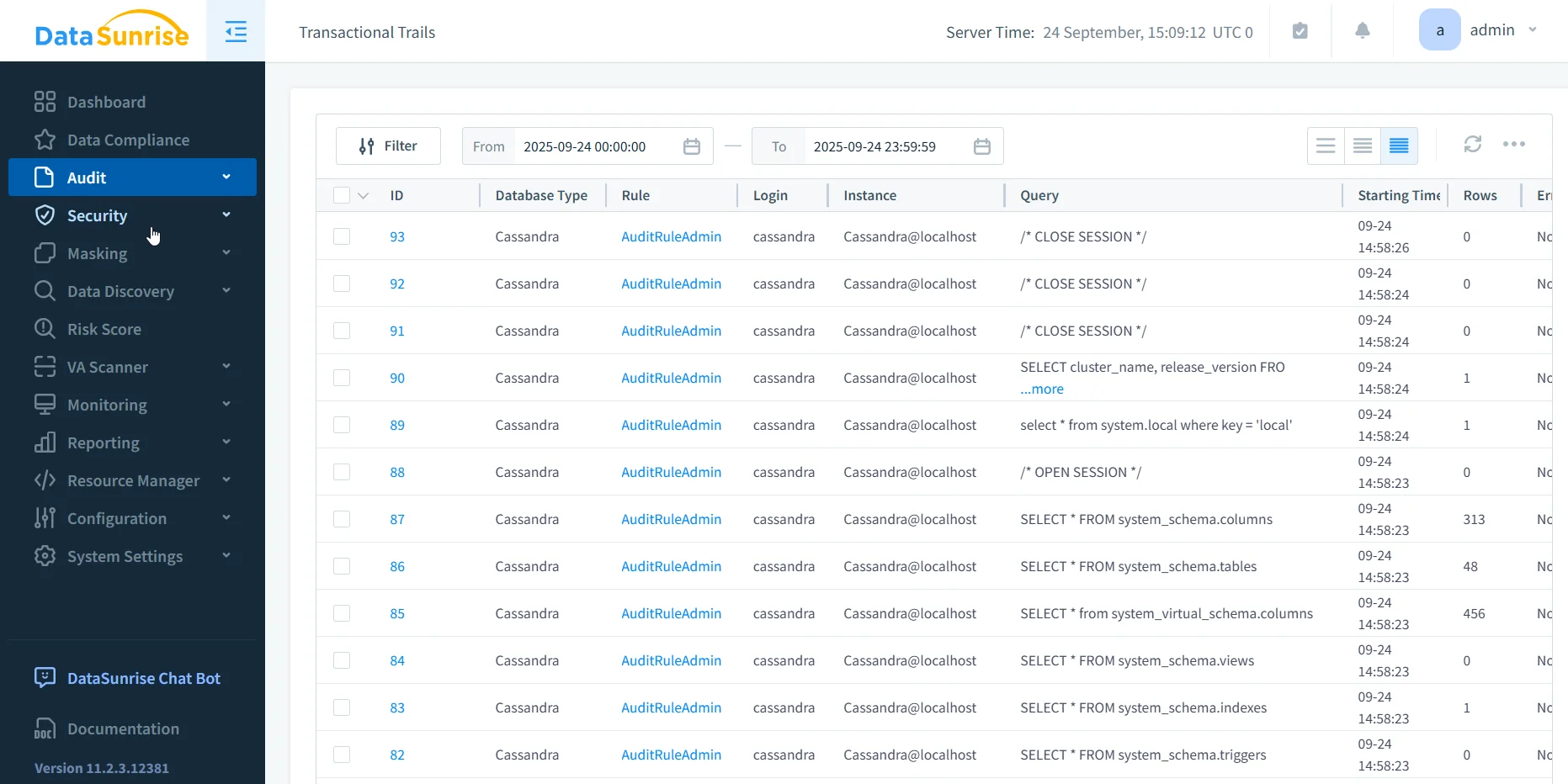
Centralized Audit and Monitoring:
Comprehensive activity trails are collected across the entire environment and presented in a searchable, exportable format.Dynamic and Static Data Masking:
Sensitive fields can be masked in real time or permanently anonymized for test and development environments.Security Blocking with Database Firewall:
Suspicious or unauthorized queries can be blocked immediately using intuitive rule definitions.Automated Compliance Management:
Predefined policies for GDPR, HIPAA, PCI DSS, and SOX can be applied automatically, ensuring alignment without manual updates.Sensitive Data Discovery:
DataSunrise identifies regulated information across Cassandra, including structured, semi-structured, and unstructured data sources.
With DataSunrise, compliance processes are managed through a centralized UI. Administrators can configure policies in minutes rather than relying on manual configuration files and command-line tools.
Business Benefits of Apache Cassandra Regulatory Compliance with DataSunrise
While Apache Cassandra offers strong distributed architecture and scalability, its native compliance features remain limited. By integrating DataSunrise, organizations move from basic local logging to centralized, automated, and multi-platform compliance oversight. The table below illustrates the contrast between Cassandra’s native tools and DataSunrise’s extended functionality.
| Feature | Cassandra Native | With DataSunrise |
|---|---|---|
| Audit Logging | ⚠️ Local, node-specific | ✅ Centralized, multi-platform |
| Query Logging | ⚠️ Only successful queries | ✅ Complete trails including failed events |
| Data Masking | ❌ Not supported | ✅ Dynamic and Static masking |
| Security Blocking | ⚠️ Limited to RBAC | ✅ Firewall with policy-driven controls |
| Compliance Reporting | ❌ Manual | ✅ Automated, audit-ready |
| Sensitive Data Discovery | ❌ Not available | ✅ Automated discovery with NLP & OCR |
Compliance Checklist for Apache Cassandra Regulatory Compliance
To ensure Cassandra clusters meet strict regulatory requirements such as GDPR, HIPAA, PCI DSS, and SOX, administrators should go beyond enabling native logs. The checklist below highlights essential actions for achieving enterprise-grade compliance with DataSunrise in place.
- ✓ Enable Cassandra’s native logging features for a baseline
- ✓ Deploy DataSunrise Proxy to centralize monitoring and auditing
- ✓ Apply masking rules through the DataSunrise console to protect sensitive fields
- ✓ Use firewall rules to block high-risk queries or patterns
- ✓ Generate automated reports aligned with GDPR, HIPAA, PCI DSS, and SOX
Conclusion
Cassandra provides essential compliance capabilities such as audit logging, query capture, and role-based access control. These features are valuable but require substantial manual configuration and ongoing oversight. They are suitable for establishing a foundation but not sufficient for meeting the higher demands of regulated industries.
DataSunrise complements Cassandra by simplifying compliance management, introducing masking and firewalling, and automating reporting. By integrating DataSunrise, organizations can achieve full apache cassandra regulatory compliance with reduced administrative effort, improved accuracy, and faster audit readiness.
Protect Your Data with DataSunrise
Secure your data across every layer with DataSunrise. Detect threats in real time with Activity Monitoring, Data Masking, and Database Firewall. Enforce Data Compliance, discover sensitive data, and protect workloads across 50+ supported cloud, on-prem, and AI system data source integrations.
Start protecting your critical data today
Request a Demo Download Now