Effortless Data Compliance for IBM Db2
Businesses handling regulated data must comply with standards like GDPR, HIPAA, PCI DSS, and SOX. These frameworks require strong access control, complete visibility, and reliable audit evidence.
IBM Db2 offers essential tools for auditing and privilege management, yet configuration and ongoing maintenance can be complex.
DataSunrise complements Db2 by automating data discovery, masking, and reporting—making compliance simple and sustainable.
Why Compliance Matters
Ignoring data compliance doesn’t just risk fines—it threatens the integrity and reputation of an entire organization.
Regulatory frameworks such as GDPR, HIPAA, and PCI DSS exist to ensure that personal and financial data is collected, stored, and processed responsibly. Failing to comply exposes a company to multiple layers of consequences:
- Financial Penalties: Regulatory authorities can impose heavy fines—up to millions of dollars—for each violation. Under GDPR, penalties can reach up to 4% of annual global revenue.
- Legal Action: Breaches of privacy laws can lead to lawsuits from affected individuals or partners whose data was mishandled.
- Operational Disruption: Incidents involving unauthorized access or unlogged changes may trigger audits and forced system downtime during investigations.
- Reputation Damage: Lost trust can be more costly than fines. A single unmonitored data breach can cause long-term damage to brand credibility and customer confidence.
- Compliance Debt: As new rules emerge, untracked systems accumulate hidden risks that become harder—and more expensive—to correct later.
Treat compliance as a continuous process, not a checklist. Automating discovery, auditing, and reporting ensures your controls evolve alongside regulations and database changes.
IBM Db2 Native Compliance Tools
Db2 includes built-in mechanisms to support compliance and security, though they typically require manual oversight.
1. Audit Facility and Logging
Db2 can log user operations and data access through custom audit policies:
CREATE AUDIT POLICY policy_finance CATEGORIES CONTEXT STATUS BOTH;
AUDIT DATABASE USING POLICY policy_finance;
These records help verify who accessed which tables and when, supporting SOX and GDPR traceability.
2. Monitoring and Connection Views
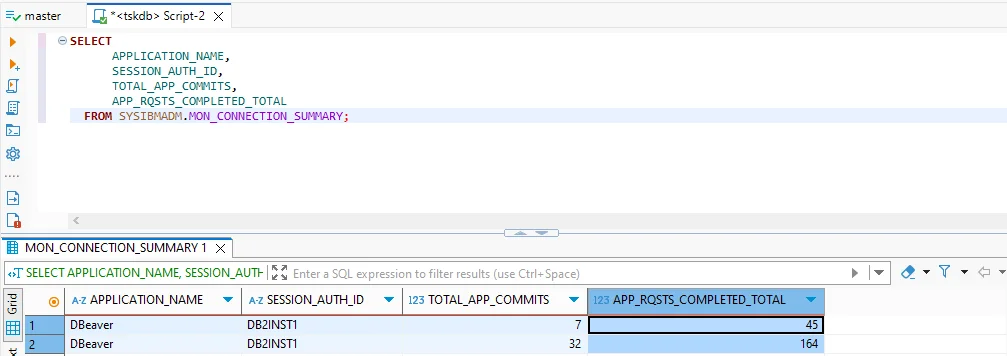
Administrators can review connected applications, active sessions, and completed requests using system views:
SELECT APPLICATION_NAME, SESSION_AUTH_ID, TOTAL_APP_COMMITS
FROM SYSIBMADM.MON_CONNECTION_SUMMARY;
This information ensures accountability for all Db2 activity.
3. Privilege Management
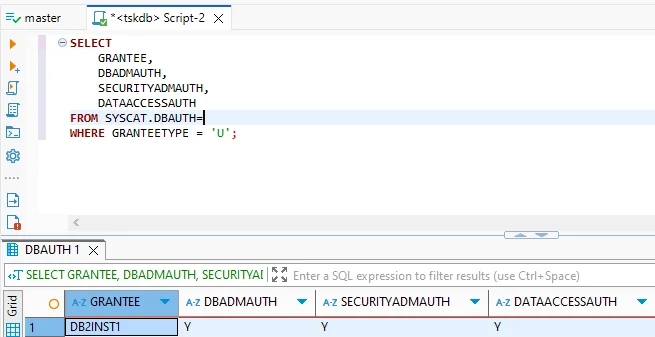
Authorization checks reveal who holds elevated permissions:
SELECT GRANTEE, DBADMAUTH, SECURITYADMAUTH
FROM SYSCAT.DBAUTH
WHERE GRANTEETYPE = 'U';
Routine reviews of these results help maintain the principle of least privilege.
Schedule privilege audits monthly to detect outdated or excessive access before an external audit does.
While Db2’s features form a solid foundation, they rely on repetitive manual review. Centralized automation eliminates that burden.
Simplifying Compliance with DataSunrise
DataSunrise brings automation and intelligence to Db2 compliance management through an intuitive interface and adaptive policy engine.
Core capabilities include:
- Sensitive Data Discovery: Automatically detects personal, financial, or medical data across Db2 schemas.
- Dynamic Data Masking: Masks sensitive values in queries without altering the schema.
- Database Firewall: Prevents unauthorized queries and SQL injections.
- Centralized Audit: Consolidates logs with filtering and visualization.
- Automated Reporting: Generates audit-ready evidence for GDPR, HIPAA, PCI DSS, and SOX.
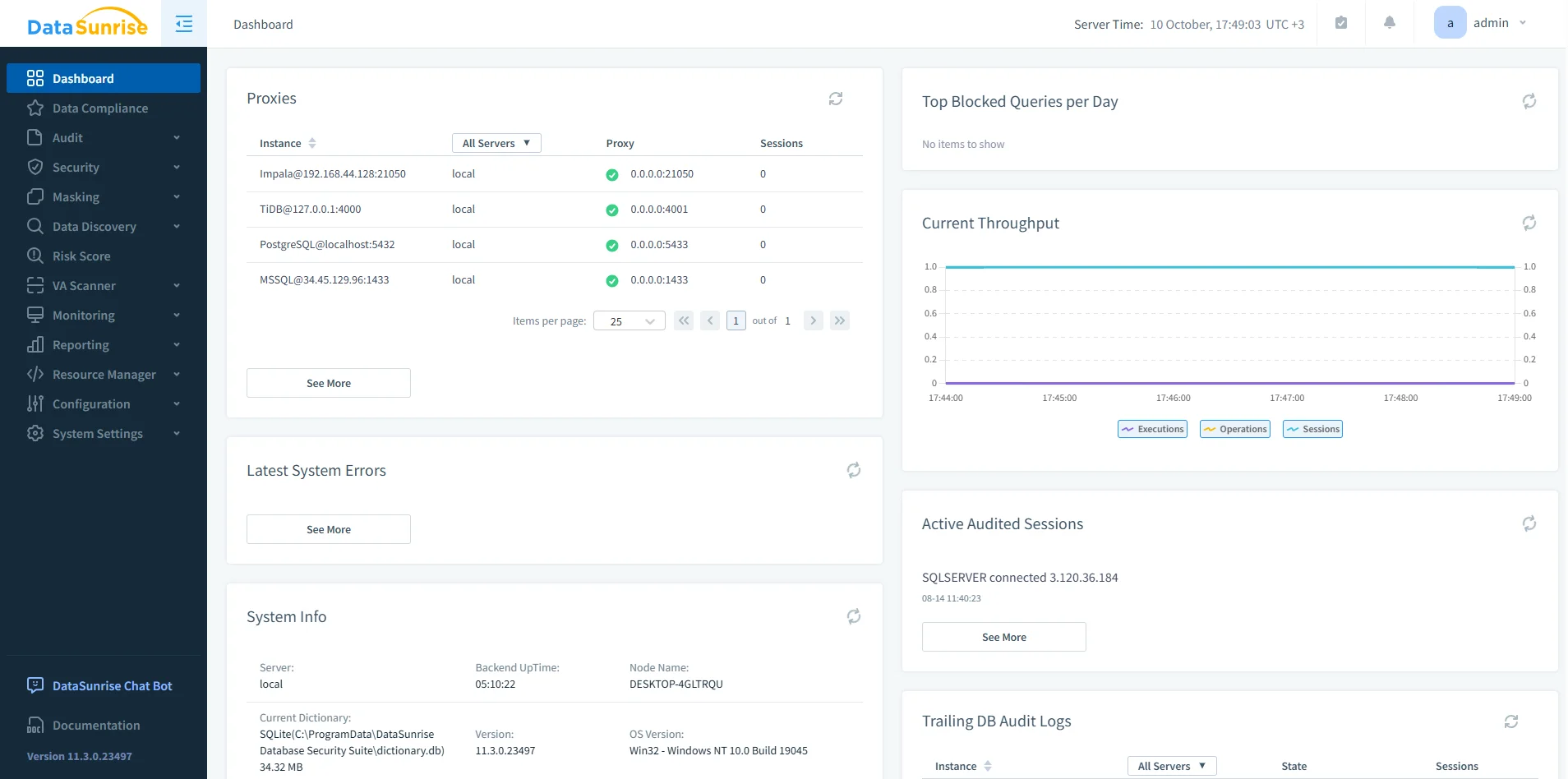
Effortless Setup: Step-by-Step
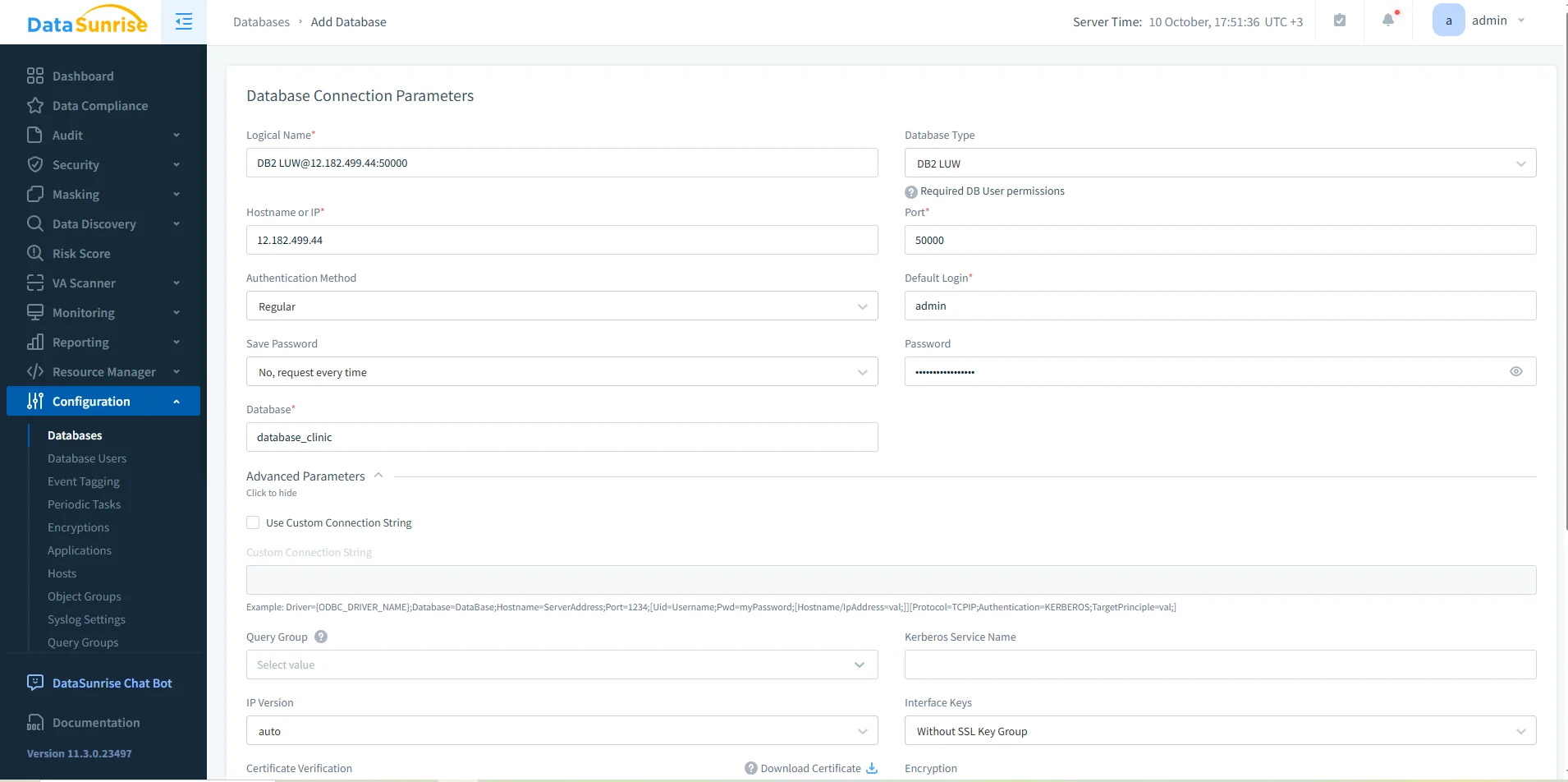
1. Connect Your Db2 Instances
Link DataSunrise to Db2 using your preferred mode—proxy for inline enforcement, sniffer for passive monitoring, or log trailing in restricted environments.
2. Add a Compliance Rule
In the Data Compliance section, click + Add Data Compliance to create a policy. Select a Db2 instance, define discovery filters, and assign masking or auditing actions.
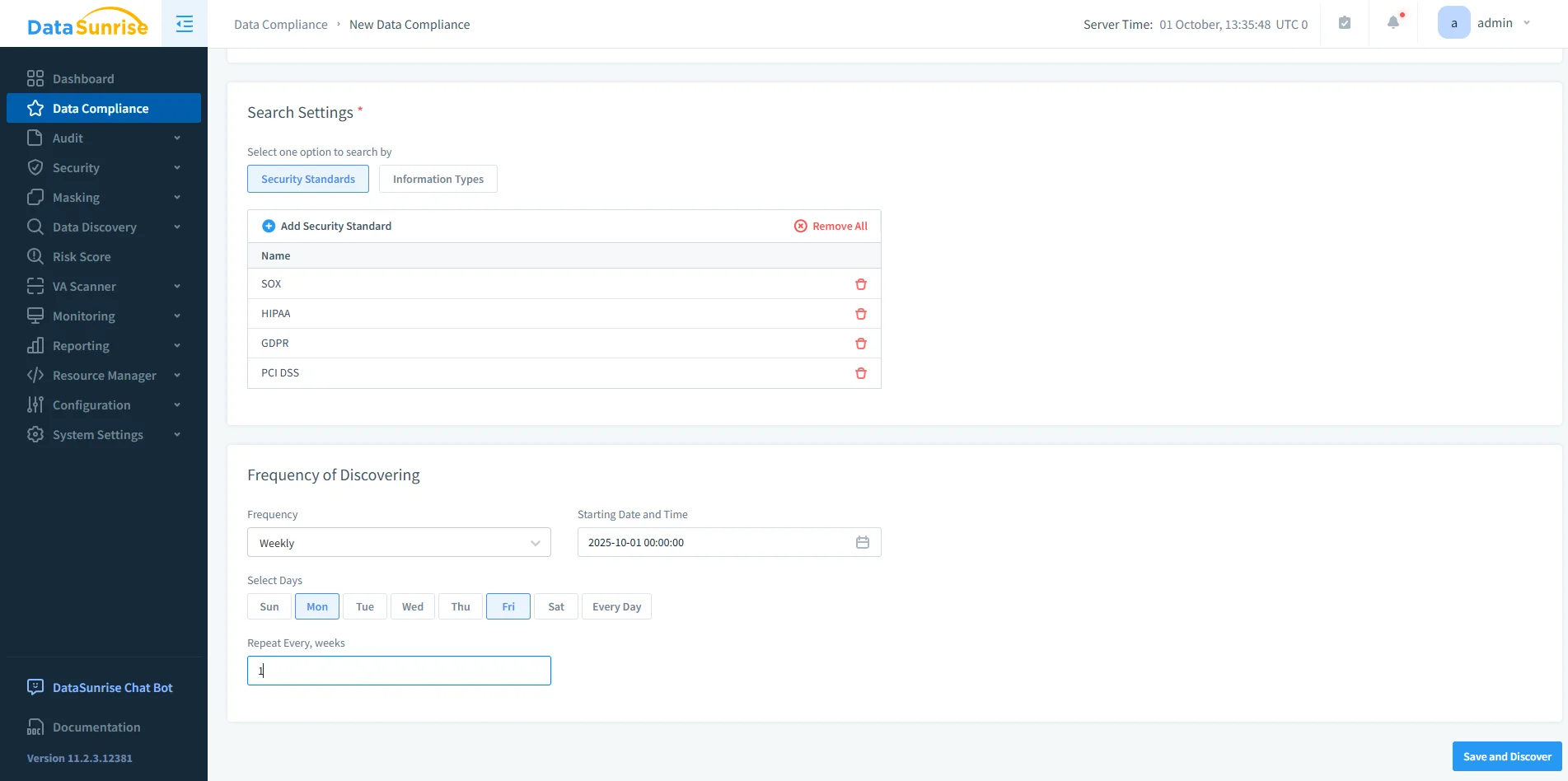
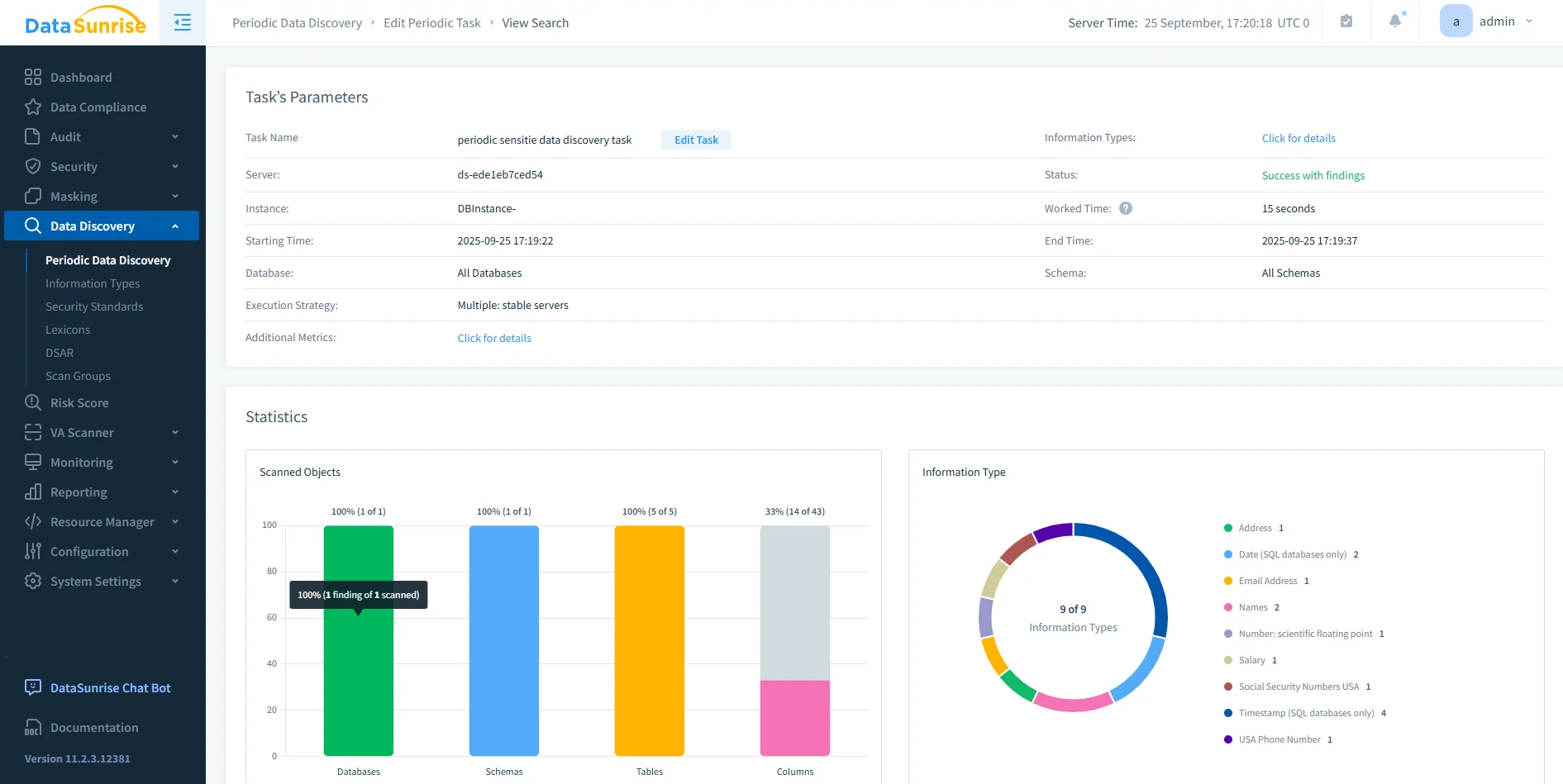
3. Run Sensitive Data Discovery
Launch an automated scan that classifies sensitive columns like customer identifiers or payment details.
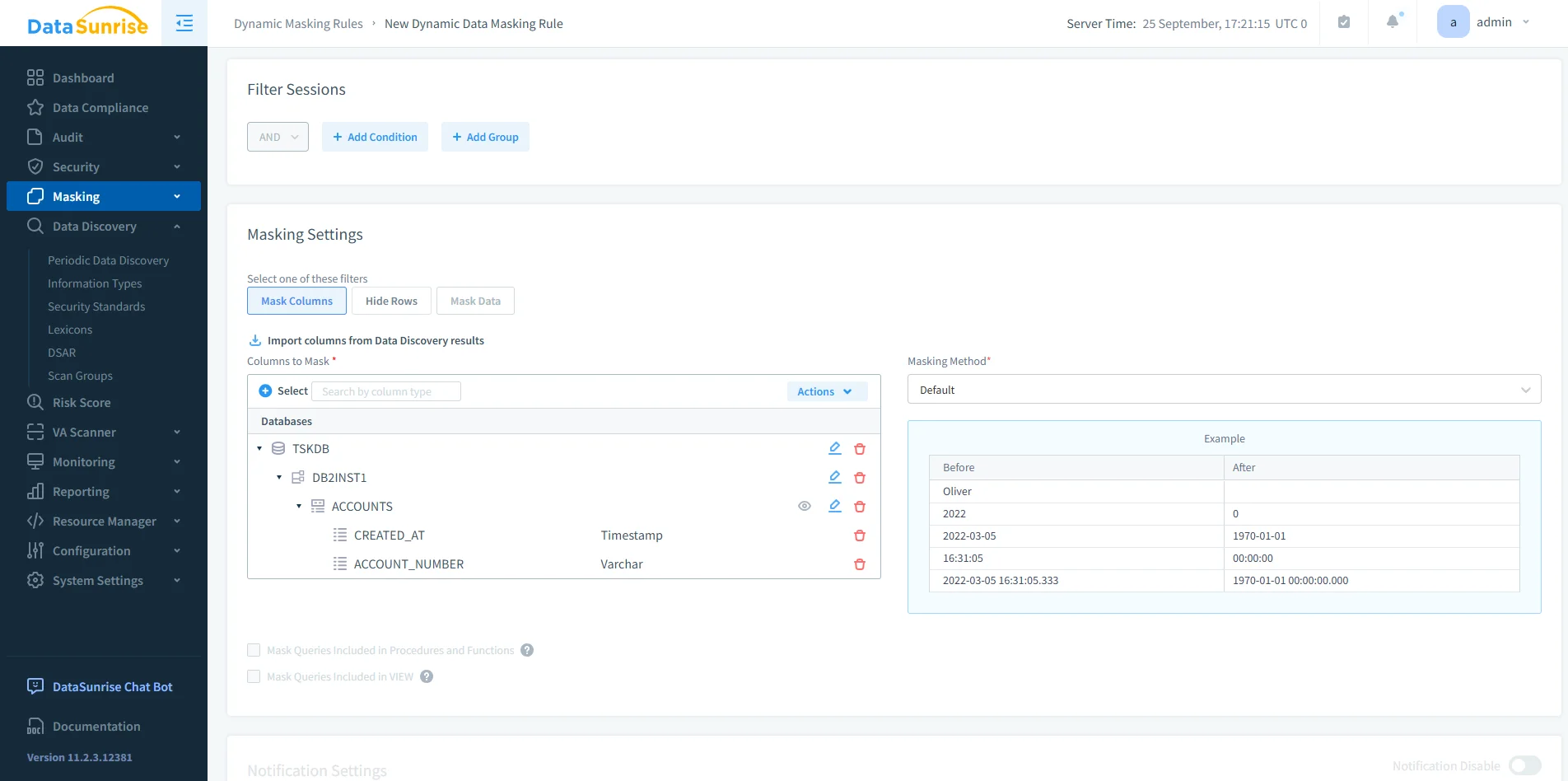
4. Apply Masking & Firewall Policies
Activate role-based masking and query-filtering rules for continuous protection.
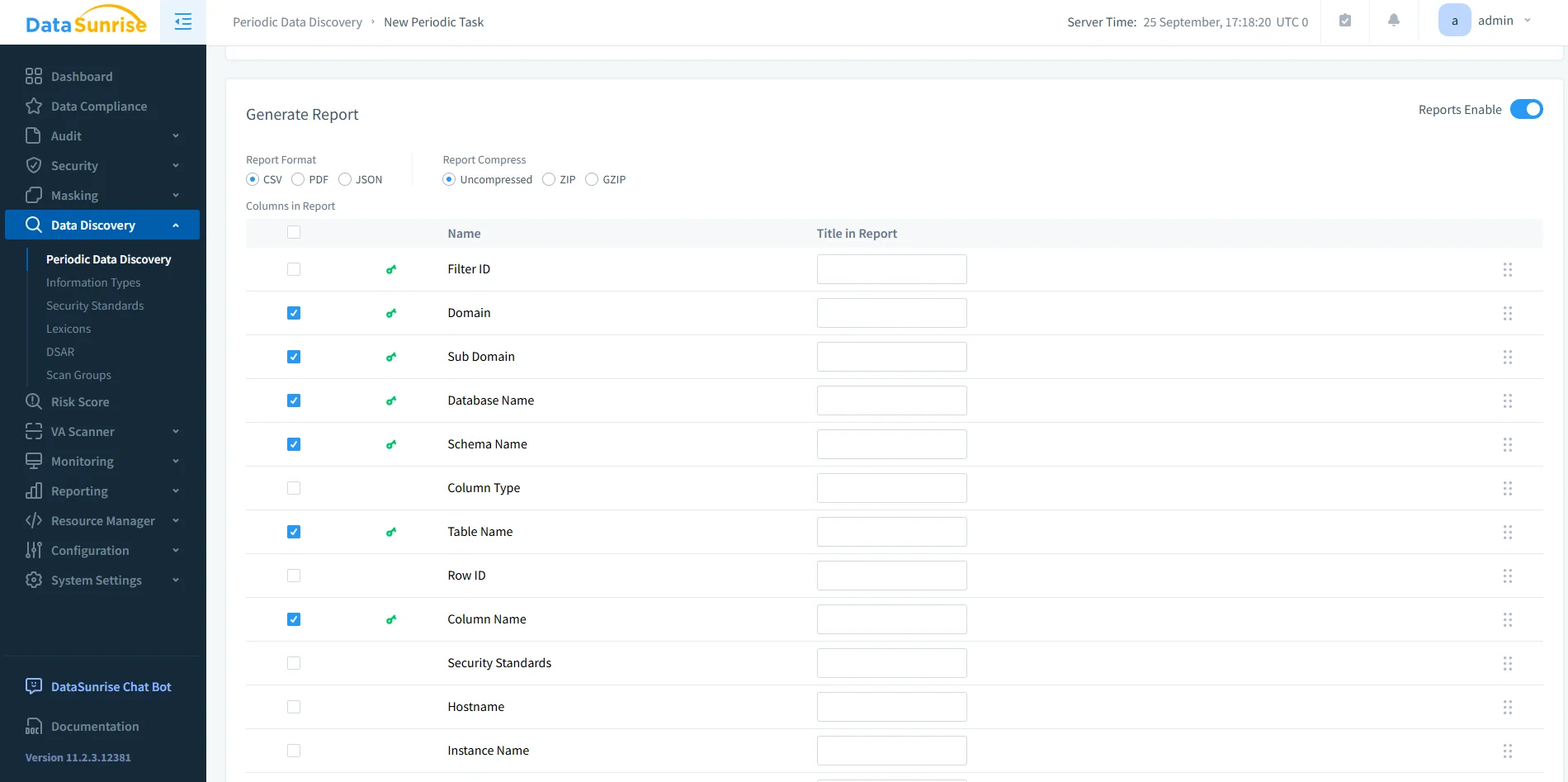
5. Generate Audit Reports
Export or schedule compliance reports in PDF or CSV formats—no scripting required.
Combine periodic discovery scans with weekly scheduled reports to stay consistently audit-ready.
Adaptive Intelligence and Continuous Alignment
As Db2 evolves, DataSunrise adjusts automatically. Its intelligent automation ensures policies remain relevant and effective.
| Function | Description |
|---|---|
| Automated Policy Synchronization | Keeps Db2 audit and masking rules aligned when schemas or roles change. |
| Continuous Regulatory Calibration | Regularly compares policies to GDPR, HIPAA, and PCI DSS frameworks to prevent compliance drift. |
| ML-Based Behavior Analysis | Detects unusual access patterns through machine-learning models trained on Db2 audit data. |
Benefits of Automated Compliance
| Benefit | Description |
|---|---|
| 80–90 % less manual effort | Automated discovery and reporting replace repetitive audits. |
| Real-time enforcement | Policies apply instantly across Db2 sessions. |
| Centralized visibility | A single dashboard simplifies management. |
| Future-proof alignment | Automation adapts to evolving data regulations. |
Best Practices
- Schedule regular discovery scans and report exports.
- Review user privileges using the least-privilege principle.
- Test masking and firewall policies in staging before production rollout.
- Use notifications to alert on failed compliance tasks.
- Validate audit coverage quarterly to detect compliance drift.
Conclusion
IBM Db2 provides strong security features, but manual upkeep limits their efficiency.
By pairing Db2 with DataSunrise, organizations gain effortless, automated compliance—covering discovery, masking, auditing, and reporting from one unified platform.
Protect Your Data with DataSunrise
Secure your data across every layer with DataSunrise. Detect threats in real time with Activity Monitoring, Data Masking, and Database Firewall. Enforce Data Compliance, discover sensitive data, and protect workloads across 50+ supported cloud, on-prem, and AI system data source integrations.
Start protecting your critical data today
Request a Demo Download Now