Google Cloud SQL Database Activity History
Introduction
The Google Cloud SQL Database Activity History is the record of operations in your database — from logins and queries to updates, deletions, and schema changes. For companies, it is an essential tool for protecting sensitive information, ensuring accountability, and meeting industry regulations.
Google Cloud SQL is Google’s fully managed relational database service, designed to take the operational burden off organizations. Instead of managing databases on their own servers, businesses can run popular engines in the cloud with automated backups, scaling, and high availability. Cloud SQL supports three major database systems:
- MySQL – Often chosen for web applications and open-source stacks.
- PostgreSQL – Favored for its advanced SQL features and extensibility.
- SQL Server – Microsoft’s enterprise-grade database, widely used in corporate environments for transactional systems and business applications.
Organizations use Google Cloud SQL to simplify management, improve reliability, and integrate their databases with the broader Google Cloud ecosystem. In this article, we’ll focus on SQL Server in Google Cloud SQL and show how to build its database activity history using native auditing. We’ll also cover how DataSunrise adds real-time monitoring, masking, and compliance-focused reporting.
Why Companies Need Database Activity History
For many organizations, sensitive data is both a valuable asset and a major risk. Without a record of access or changes, detecting misuse, proving compliance, or recovering from incidents becomes difficult.
Key reasons companies implement database activity history include:
- Security Threat Detection – Whether it’s an external attacker or an insider with too much access, activity history helps spot suspicious patterns before they cause damage.
- Regulatory Compliance – Healthcare, finance, and e-commerce must meet strict standards like GDPR, HIPAA, PCI DSS, and SOX. In these industries, detailed access records are often legally required.
- Operational Accountability – Tracking database interactions ensures employees, contractors, and systems operate within approved policies, reducing accidental errors and unauthorized changes.
- Forensic Investigation – If a breach or data loss occurs, activity history provides the evidence needed to understand what happened, contain the impact, and prevent recurrence.
Without this visibility, companies run their most critical systems blindfolded. This makes it easier for threats or mistakes to go unnoticed.
Native Google Cloud SQL Capabilities
Google Cloud SQL supports MySQL, PostgreSQL, and SQL Server, each with built-in logging and monitoring tools. Google augments these capabilities with platform-level features such as Cloud Audit Logs, which track who did what, where, and when within Google Cloud resources, including database instances.
Database Activity Monitoring Options by Engine
- MySQL – Use the
general_logto capture every query executed and theslow_query_logfor performance troubleshooting. - PostgreSQL – Enable
pg_stat_statementsfor query-level metrics and use the native logging collector for detailed activity capture. - SQL Server – Leverage SQL Server Audit to define event groups and store audit logs in local directories or export them to Cloud Storage.
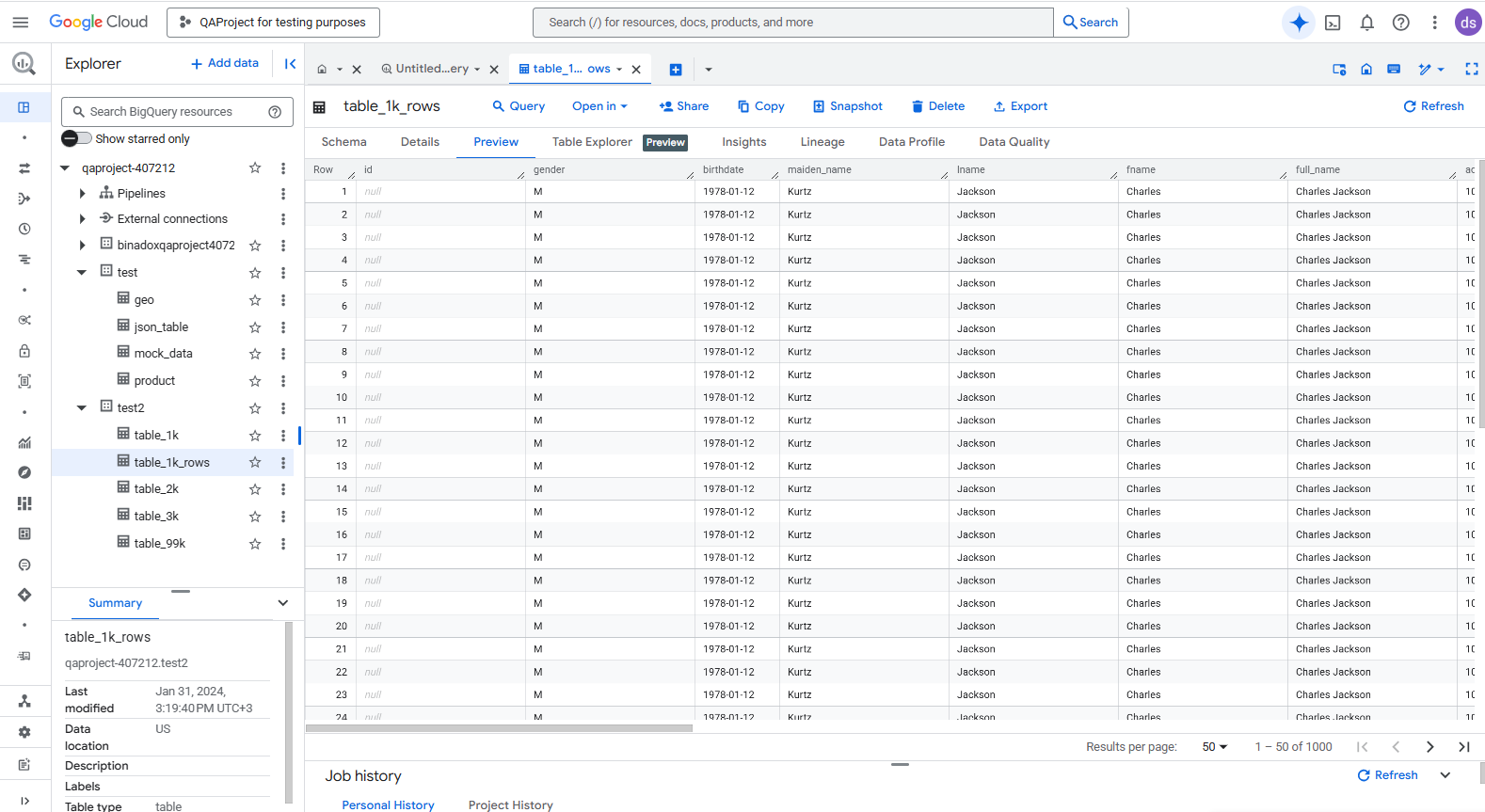
Administrators can export logs to BigQuery for analysis or integrate them with SIEM tools for threat detection and compliance.
Example: Enabling Activity History for SQL Server on Google Cloud SQL
Below is a simple SQL Server example for configuring a server audit and a database-level audit specification.
Create the server audit:
CREATE SERVER AUDIT GCloudAudit
TO FILE (FILEPATH = '/var/opt/mssql/audit', MAXSIZE = 50 MB);
ALTER SERVER AUDIT GCloudAudit WITH (STATE = ON);
Add a server-level audit specification:
CREATE SERVER AUDIT SPECIFICATION AuditLoginFailures
FOR SERVER AUDIT GCloudAudit
ADD (FAILED_LOGIN_GROUP)
WITH (STATE = ON);
Track SELECT operations on a specific table:
CREATE DATABASE AUDIT SPECIFICATION AuditTransactions
FOR SERVER AUDIT GCloudAudit
ADD (SELECT ON dbo.transactions BY public)
WITH (STATE = ON);
View audit logs:
SELECT *
FROM sys.fn_get_audit_file('/var/opt/mssql/audit/*.sqlaudit', NULL, NULL);
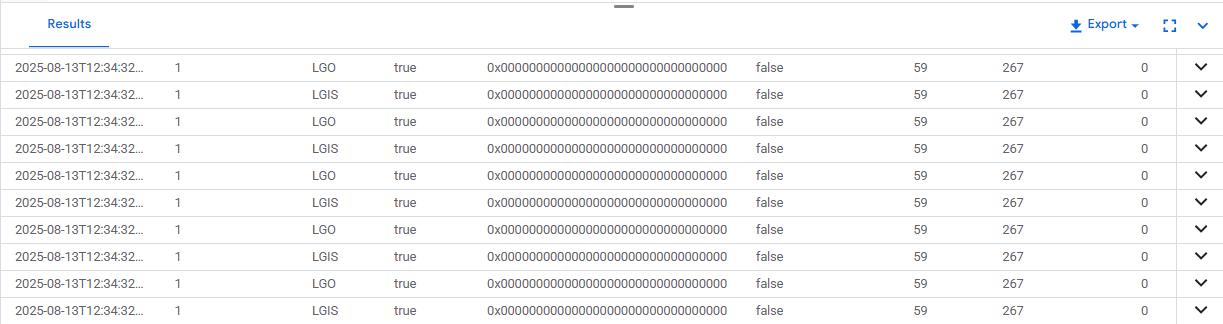
This setup captures both login failures and data access to sensitive tables, enabling precise investigations.
Limitations of Native Tools
While Google Cloud SQL’s native logging and auditing features provide valuable visibility, they have constraints that can limit their effectiveness in real-world operations:
No Real-Time Alerting
Native logs record events, but they don’t notify you as they happen. This forces security teams to manually check logs or wait for scheduled reviews to find incidents. In a real-world scenario, if a malicious actor gains access to sensitive data at 2 a.m., you may not notice until the next business day — by which time the data could be exfiltrated.Limited Cross-Instance Correlation
Each Cloud SQL instance keeps its logs separately, making it difficult to see activity patterns across environments (e.g., production, staging, reporting). For example, an insider might modify data in a staging instance to test a malicious query, then run it in production. Without a unified view, the connection between those events is easy to miss.No Built-In Dynamic Masking to Protect Sensitive Data in Logs
SQL Server’s audit logs may store full query text, which can include personally identifiable information (PII) or financial data. Without masking, anyone with log access — including roles not meant to view raw sensitive data — can see it. In regulated industries, this creates compliance violations (e.g., GDPR Article 32 on data protection) and insider risk.Minimal Reporting Automation for Compliance
While you can export and filter native logs, creating auditor-ready compliance reports is a manual, time-consuming process. In a quarterly PCI DSS audit, for example, the security team might spend hours compiling evidence from multiple log files instead of focusing on remediation and prevention.Manual Filtering and Data Normalization for Advanced Analysis
Native logs often need parsing, reformatting, and combining from different sources. Only then are they usable in a SIEM or analytics platform.
Enhancing Database Activity History with DataSunrise
DataSunrise is a database security and compliance platform designed to monitor, protect, and manage data across more than 40 supported database systems, including Google Cloud SQL. It acts as a layer between users and the database, enabling detailed activity tracking, dynamic masking of sensitive data, and automated compliance support without altering existing applications.
Within Google Cloud SQL environments, DataSunrise builds on native auditing capabilities by adding real-time monitoring, granular audit rules, and centralized dashboards for multiple instances. Using its audit rule configuration options, you can focus on the activities that matter most — such as specific users, IP ranges, query types, or sensitive database objects — reducing log noise and highlighting actionable events.
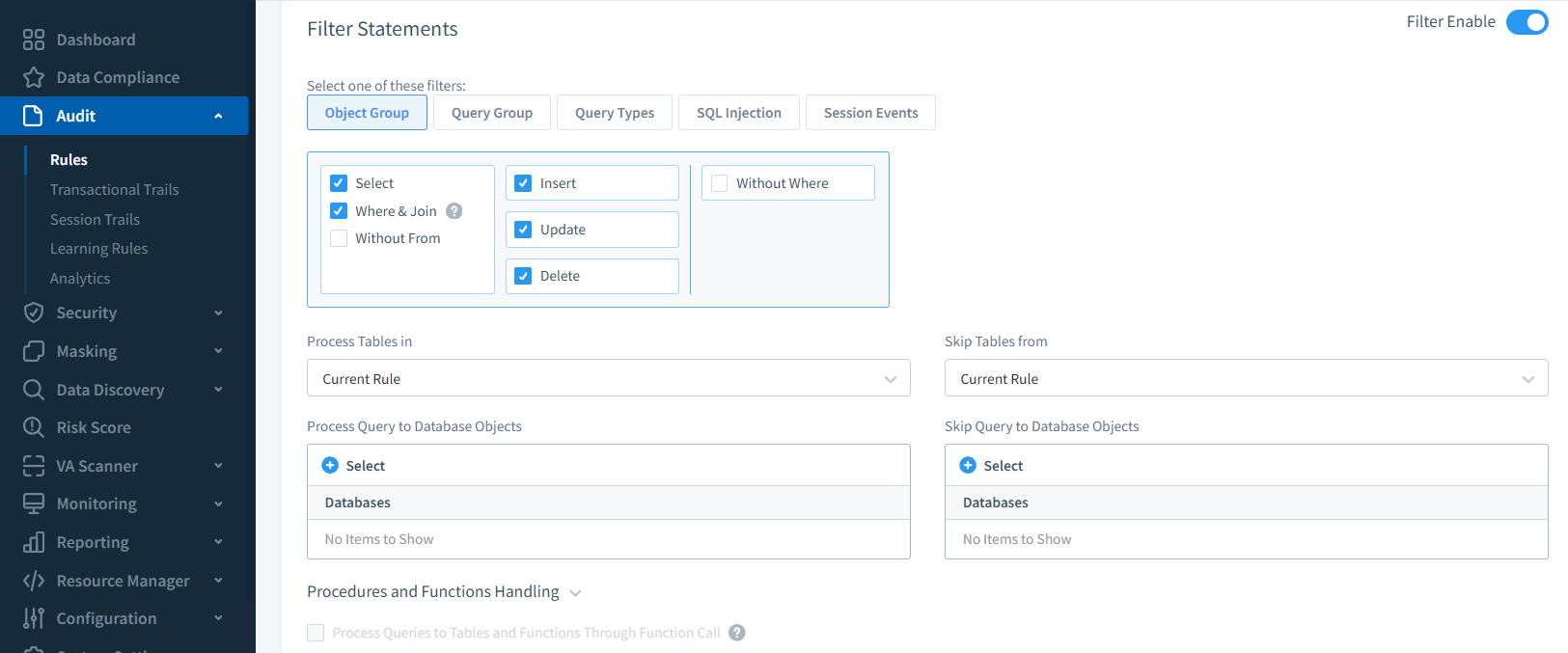
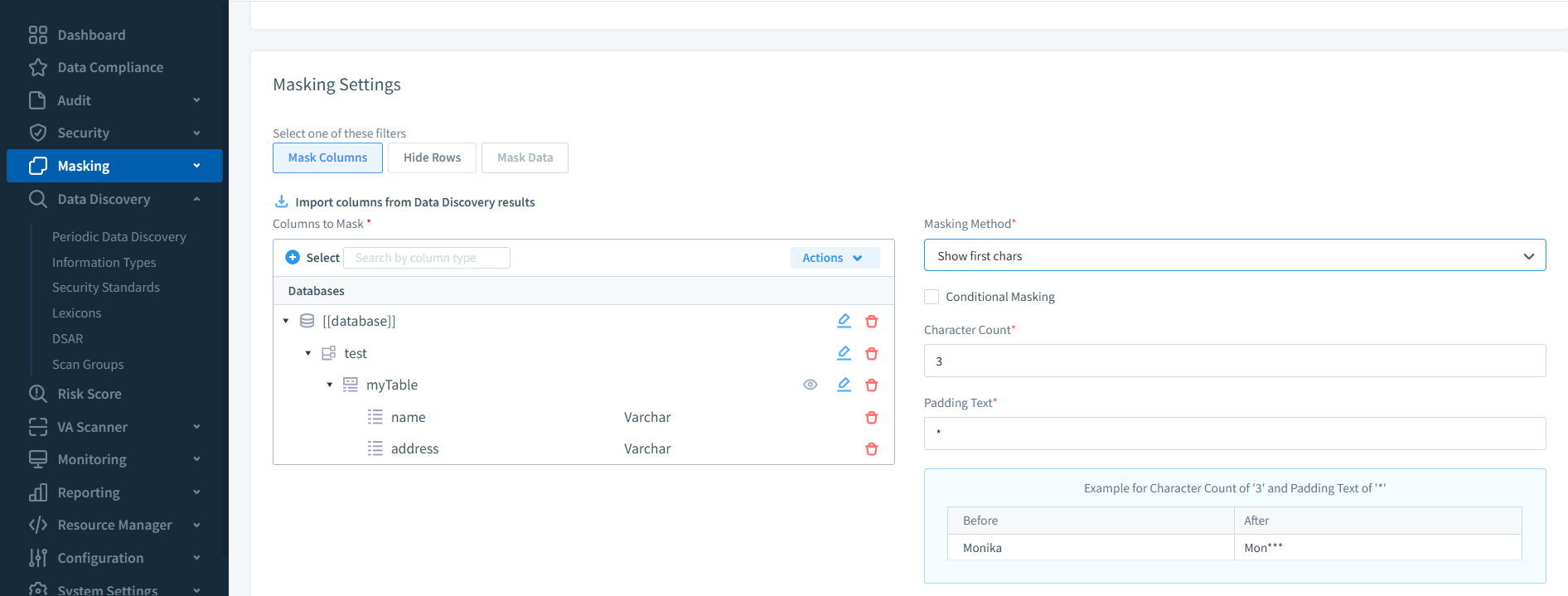
The platform’s real-time alerting feature notifies security teams immediately about suspicious activity, sending messages via email, Slack, or SIEM integrations. Sensitive values in query results can be concealed using dynamic data masking, ensuring unauthorized users never see actual personal, financial, or health-related information.
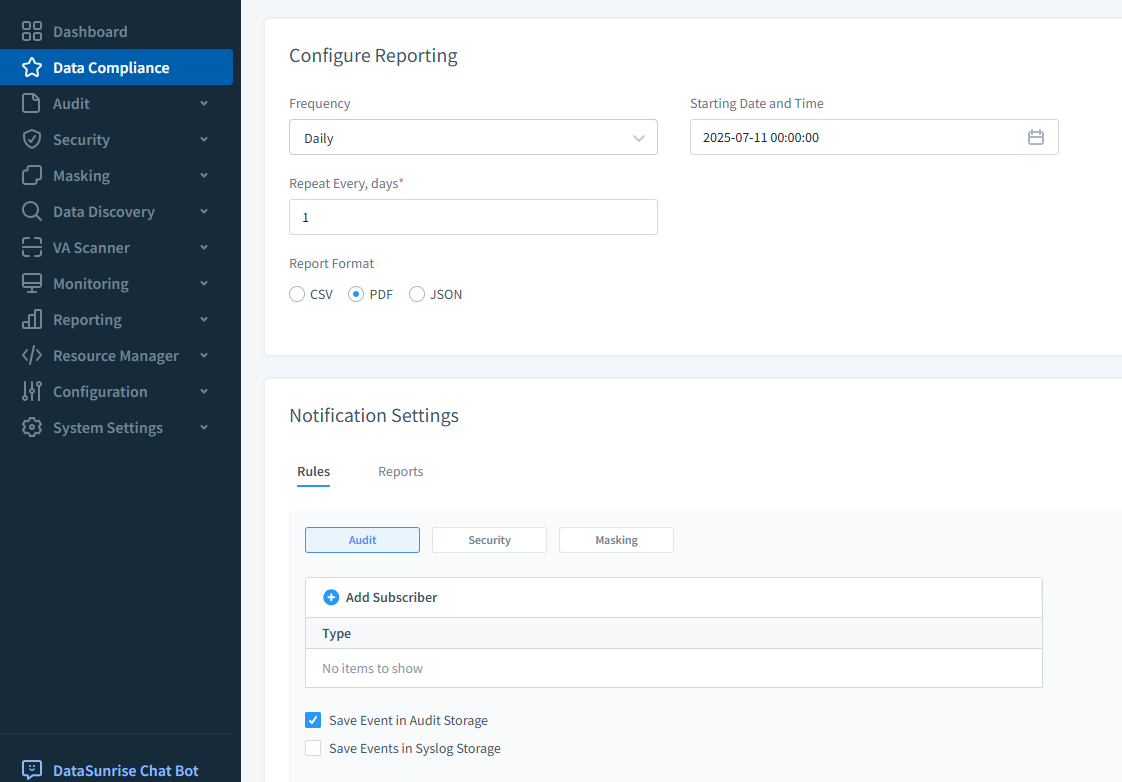
For organizations in regulated industries, DataSunrise’s automated compliance reporting simplifies the creation of auditor-ready evidence, aligning activity history with relevant legal and industry standards. Combined with its centralized monitoring dashboard, it turns raw logs into an actionable security and compliance resource.
Operational Scenarios and Use Cases
| Scenario | Description | Benefit |
|---|---|---|
| Investigating Suspicious Access Patterns | Detects multiple failed logins followed by a successful login from an unusual IP address; cross-check with historical account activity to confirm legitimacy. | Enables rapid threat validation and response. |
| Compliance Verification During Audits | Produces detailed records of sensitive data access, including timestamps, user IDs, and actions taken. | Provides ready-made evidence for GDPR, HIPAA, PCI DSS, and SOX audits. |
| Tracing Changes in Financial Transactions | Correlates SELECT, INSERT, and UPDATE operations to identify who altered financial data and when. | Ensures financial data integrity and supports fraud investigations. |
| Cross-Instance Behavior Analysis | Compares actions across production, staging, and reporting instances to detect suspicious simultaneous changes. | Improves oversight across environments. |
| Post-Incident Forensics | Reconstructs full event sequences after a breach, from initial access to executed SQL statements. | Supports root cause analysis and strengthens future defenses. |
Conclusion
Tracking database activity history in Google Cloud SQL is essential for both compliance and security. While native tools provide a strong starting point, DataSunrise adds centralized monitoring, real-time alerts, and dynamic masking, turning raw logs into a powerful defense and compliance asset.
By combining these approaches, organizations can ensure complete visibility into database operations, strengthen their security posture, and meet regulatory obligations without excessive administrative overhead.
Protect Your Data with DataSunrise
Secure your data across every layer with DataSunrise. Detect threats in real time with Activity Monitoring, Data Masking, and Database Firewall. Enforce Data Compliance, discover sensitive data, and protect workloads across 50+ supported cloud, on-prem, and AI system data source integrations.
Start protecting your critical data today
Request a Demo Download Now