How to Audit IBM Netezza

Generative AI is hungry for data, and IBM Netezza often feeds the models behind today’s chatbots and analytic pipelines. That convenience comes with risk: a single unchecked query can leak sensitive values, violate regulations, or skew an ML model’s output. Auditing fills the gap by showing who touched which records and why—live, in context, and with enough depth to prove compliance.
Why Netezza Needs Closer Watch
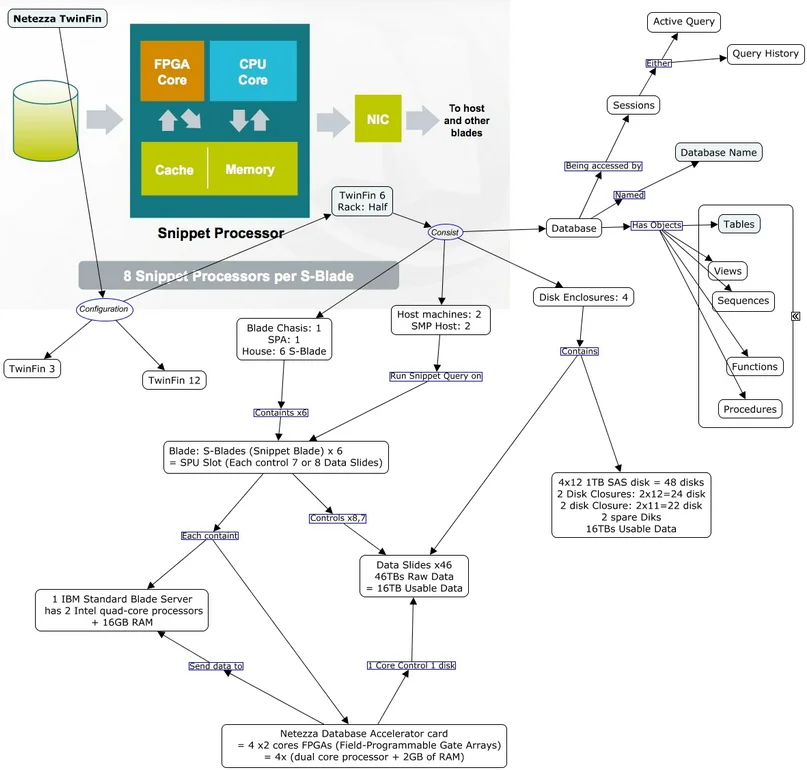
Netezza’s AMPP architecture excels at high‑throughput SQL. When GenAI jobs begin to pull vectors or fine‑tuning sets, the platform sees bursts of unpredictable statements. Without a solid audit trail, it is impossible to distinguish a legitimate research query from a rogue data scrape. Real‑time insight, dynamic masking, and discovery therefore become foundational safeguards rather than optional extras.
Consider a retrieval‑augmented generation step that scores customer vectors:
SELECT customer_name, credit_score
FROM customers
WHERE purchase_history_vector <=> 'vector_representation_of_prompt'
ORDER BY similarity_score DESC
LIMIT 5;
On its own the statement looks harmless, yet in the wrong hands those credit scores could violate PCI DSS or GDPR. Capturing the text, the user, and the application at run‑time is the first defensive layer.
Native Audit Options
IBM Netezza supplies basic system views—_v_qrystat, _v_sys_event_log, and the NZ Log—that record execution history. Administrators can forward these records through nzsql, ship them to log servers, and run ad-hoc queries such as:
SELECT usr, starttime, querytext
FROM _v_qrystat
WHERE starttime > current_date - interval '1 day';
For a step-by-step setup, see IBM’s audit configuration guide, which explains enabling event logging and choosing storage targets. A companion note on audit data flow shows what happens when the capture server reaches disk limits and how to avoid downtime. If you only need historical insights, IBM’s advanced query history feature captures query plans, table access, and failed authentications.
While useful for hindsight investigations, the built-in trail offers limited filtering, no masking, and no live alerting. Filling those gaps usually means deploying a dedicated auditing platform.
Setting Up a Netezza Instance in DataSunrise
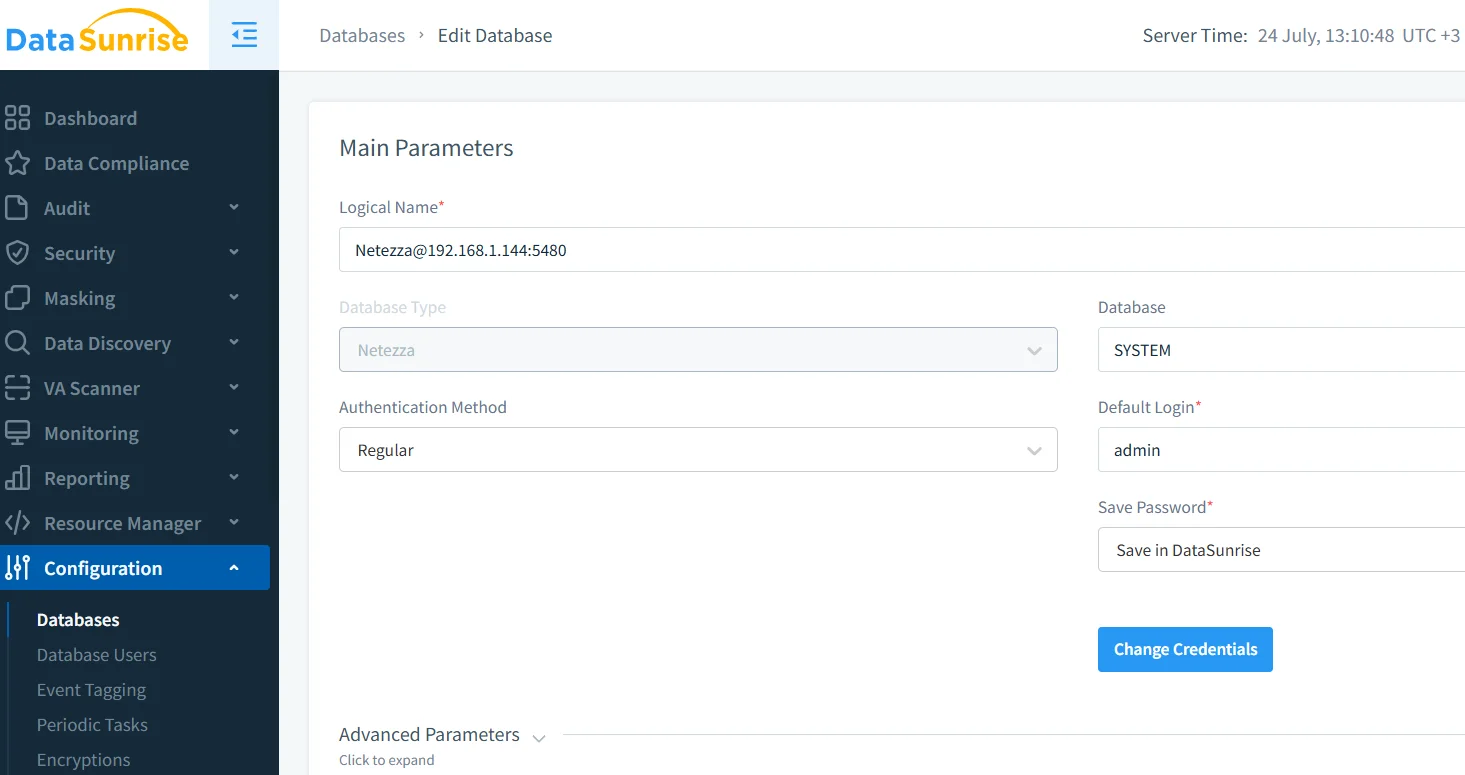
After pointing your Netezza host at the DataSunrise reverse proxy, open the Configuration → Instances screen, enter connection details, and verify credentials. The proxy tests the network path, creates a service account, and tags the instance so that auditing and masking rules know where to apply.
Creating an Audit Rule
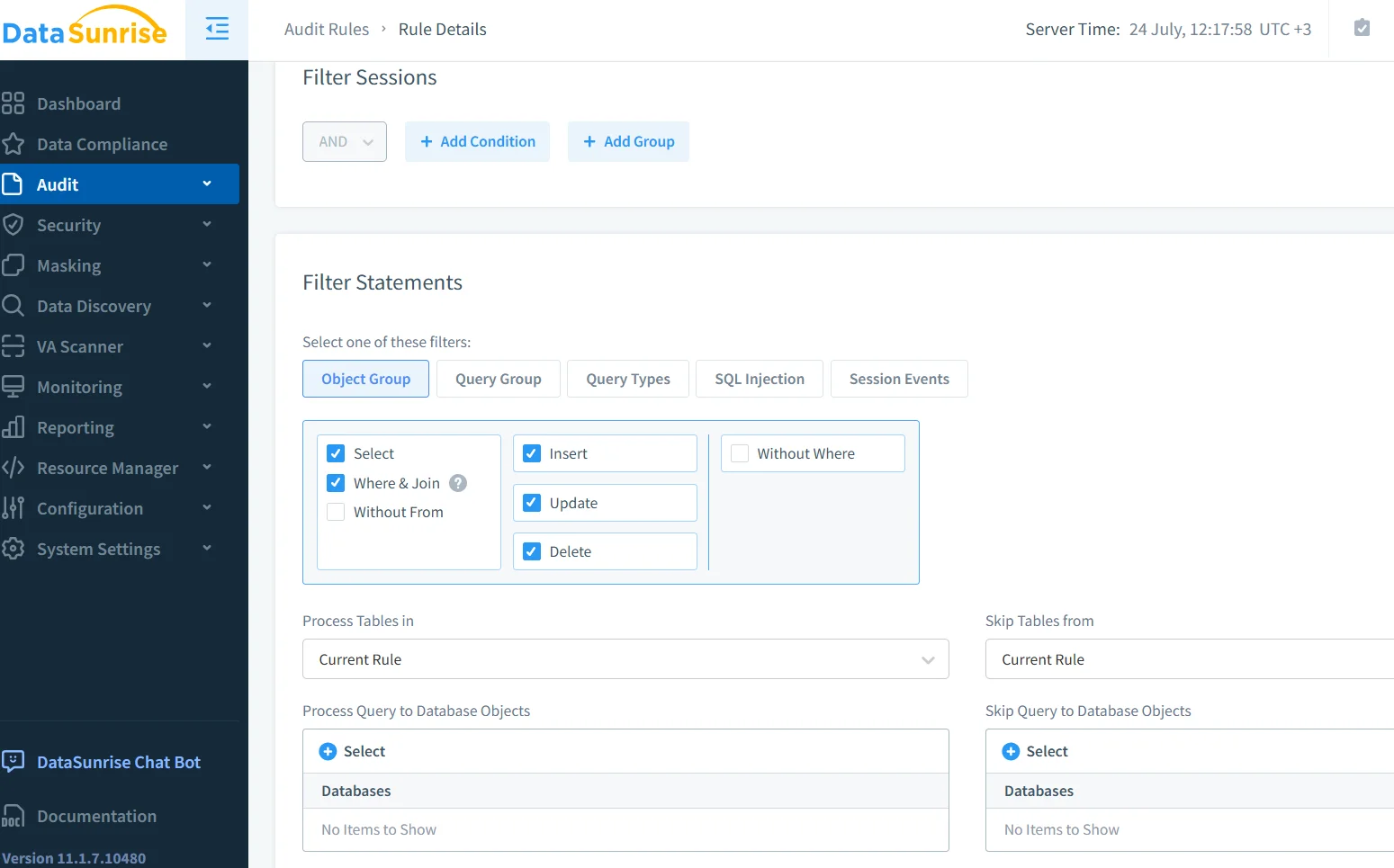
Inside Audit → Rules, choose Add Rule and specify the sessions you care about—perhaps all calls from the GenAI inference cluster—or narrow the scope to a single schema. The interface lets you tick statement types and object groups in one pass, so SELECT, UPDATE, DELETE, and INSERT each receive identical coverage.
Fine‑Tuning Actions and Logs
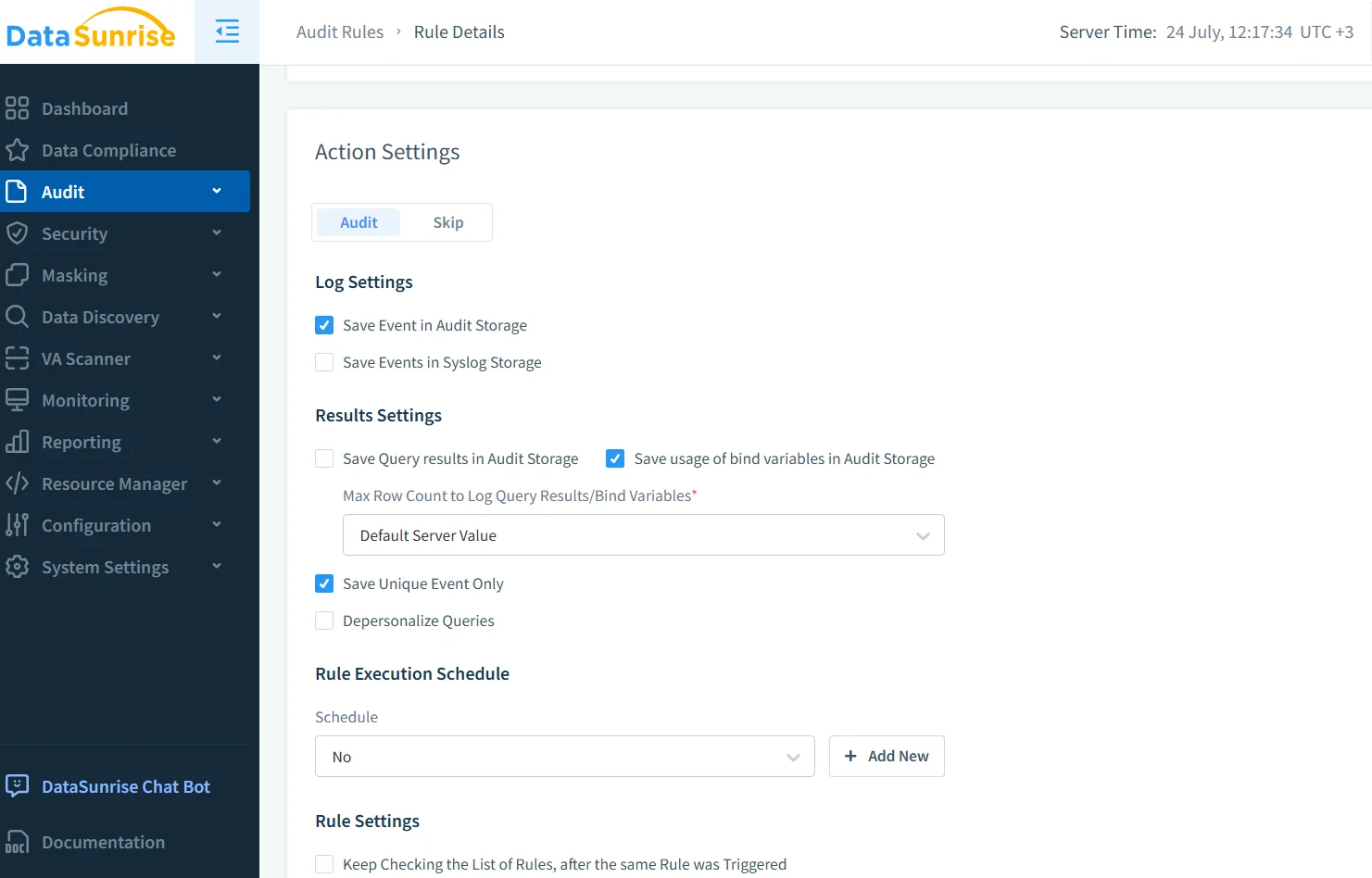
Next, decide how deep the log should go. Many teams record the full SQL plus bind variables, store only the first hundred rows of a result set, and allow DataSunrise to merge duplicates so disk usage stays predictable. Schedules can push low‑risk traffic into hourly batches while leaving critical objects on real‑time capture. Depersonalisation flags scramble PII before it ever leaves the proxy.
Real‑Time Alerts
Because DataSunrise sits inline, it can raise an immediate notification the moment an LLM asks for card numbers. Slack, Microsoft Teams, and SIEM channels all plug in through the built‑in subscriber system, described in the guide on sending events to Teams. A security analyst receives context—query text, user ID, source IP—within seconds and can choose to block, mask, or allow the statement in future.
Dynamic Masking Keeps Training Sets Clean
Full audits are crucial, yet logs alone do not prevent leakage during model training. Dynamic masking intercepts responses, replaces sensitive columns with pseudonyms or constants, and forwards the sanitised result back to the application. When an analyst later inspects logs, they still see the original values (access‑controlled, of course), but the GenAI pipeline never does. The dynamic data masking explainer covers strategies for conditional reveal and format‑preserving substitution.
Discover First, Then Protect
If you do not know where PII or PHI sits, you cannot mask it. DataSunrise’s discovery scan walks through every table, labels columns by sensitivity, and feeds those tags straight into rule templates. The outcome is a living map of high‑risk assets, simplifying both audit scope and compliance reports. Details sit in the data discovery guide.
A Compliance‑Driven Architecture
Whether you answer to GDPR, HIPAA, PCI DSS, or SOX, each framework ultimately asks similar questions: who viewed the data, what did they see, and was access justified? DataSunrise’s compliance manager packages the evidence into ready‑to‑submit reports, trimming days off audit prep. More on that process lives in the SOX compliance page.
Bringing It All Together
How to audit IBM Netezza is no longer a mystery: collect native logs for baseline visibility, place DataSunrise in front for deep inspection, automate alerts, apply masking, and keep discovery scans up‑to‑date. The result is a GenAI platform that satisfies curious data scientists without upsetting the CISO—or the regulator.
For a step‑by‑step walkthrough, visit the full Audit Guide or schedule a hands‑on session through the demo page.
Protect Your Data with DataSunrise
Secure your data across every layer with DataSunrise. Detect threats in real time with Activity Monitoring, Data Masking, and Database Firewall. Enforce Data Compliance, discover sensitive data, and protect workloads across 50+ supported cloud, on-prem, and AI system data source integrations.
Start protecting your critical data today
Request a Demo Download Now