How to Audit MySQL

Auditing MySQL today involves far more than simply logging queries. It has evolved into a comprehensive process that includes real-time monitoring, sensitive data discovery, dynamic masking, advanced reporting, and deep compliance integration. By combining native MySQL capabilities with advanced tools such as DataSunrise, organizations can create an audit framework that meets regulatory requirements, strengthens security, and provides actionable insights.
Why Auditing MySQL Matters
In the modern data landscape, every query, modification, or access attempt can have significant implications for security and compliance. Regulations such as GDPR, HIPAA, and PCI DSS demand auditable records of who accessed data, when, and why. A robust audit process helps identify unauthorized activity, investigate incidents, and prevent future breaches. Beyond compliance, effective auditing can also reveal usage patterns, highlight performance bottlenecks, and provide a historical view of database operations.
Native MySQL Auditing
MySQL’s Audit Log Plugin offers the ability to capture user actions, SQL statements, and connection details. It can log every query, filter events by account, and store data in XML or JSON formats for easier analysis.
To enable it:
INSTALL PLUGIN audit_log SONAME 'audit_log.so';
SET GLOBAL audit_log_policy = 'ALL';
SET GLOBAL audit_log_format = 'JSON';
SET GLOBAL audit_log_file = 'mysql_audit.log';
SET GLOBAL audit_log_include_accounts = 'admin@%, auditor@%';
SET GLOBAL audit_log_exclude_accounts = 'replication@%';
You can monitor activity in real time with:
tail -f /var/lib/mysql/mysql_audit.log
While the native plugin is useful for baseline tracking, it lacks automated log rotation, real-time alerts, and built-in masking capabilities. This means sensitive information may still be exposed in raw logs, requiring additional tooling for compliance and security hardening.
Real-Time Audit with DataSunrise
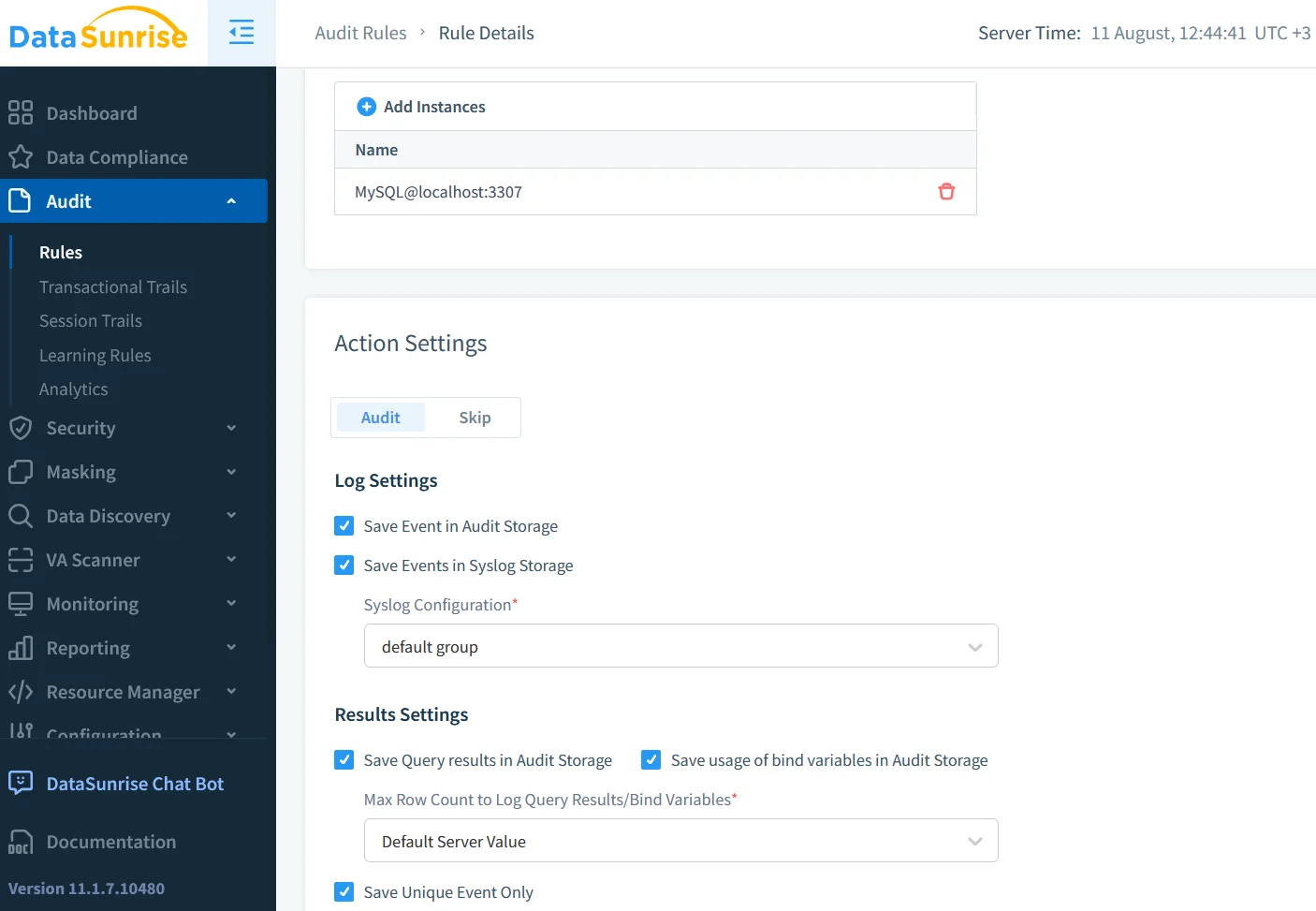
DataSunrise enhances native auditing by inspecting SQL traffic as it passes through a reverse proxy. This approach allows for immediate anomaly detection, role-based access enforcement, and integration with SIEM or SOAR platforms for sub-second alerting. The system can enforce granular rules—such as detecting SELECT * FROM customers queries containing sensitive fields—and either log, block, or mask results while still recording the attempt.
Dynamic Data Masking
Because MySQL does not offer native dynamic masking, sensitive data may appear in audit logs in plain text. DataSunrise closes this gap with policy-driven, real-time masking that is aware of the user’s role, IP address, or query context. For example, a support engineer could see only masked email addresses, while an administrator sees the full values. This masking is applied without altering the underlying data, ensuring operational workflows remain uninterrupted. More details can be found at dynamic data masking.
Automated Data Discovery
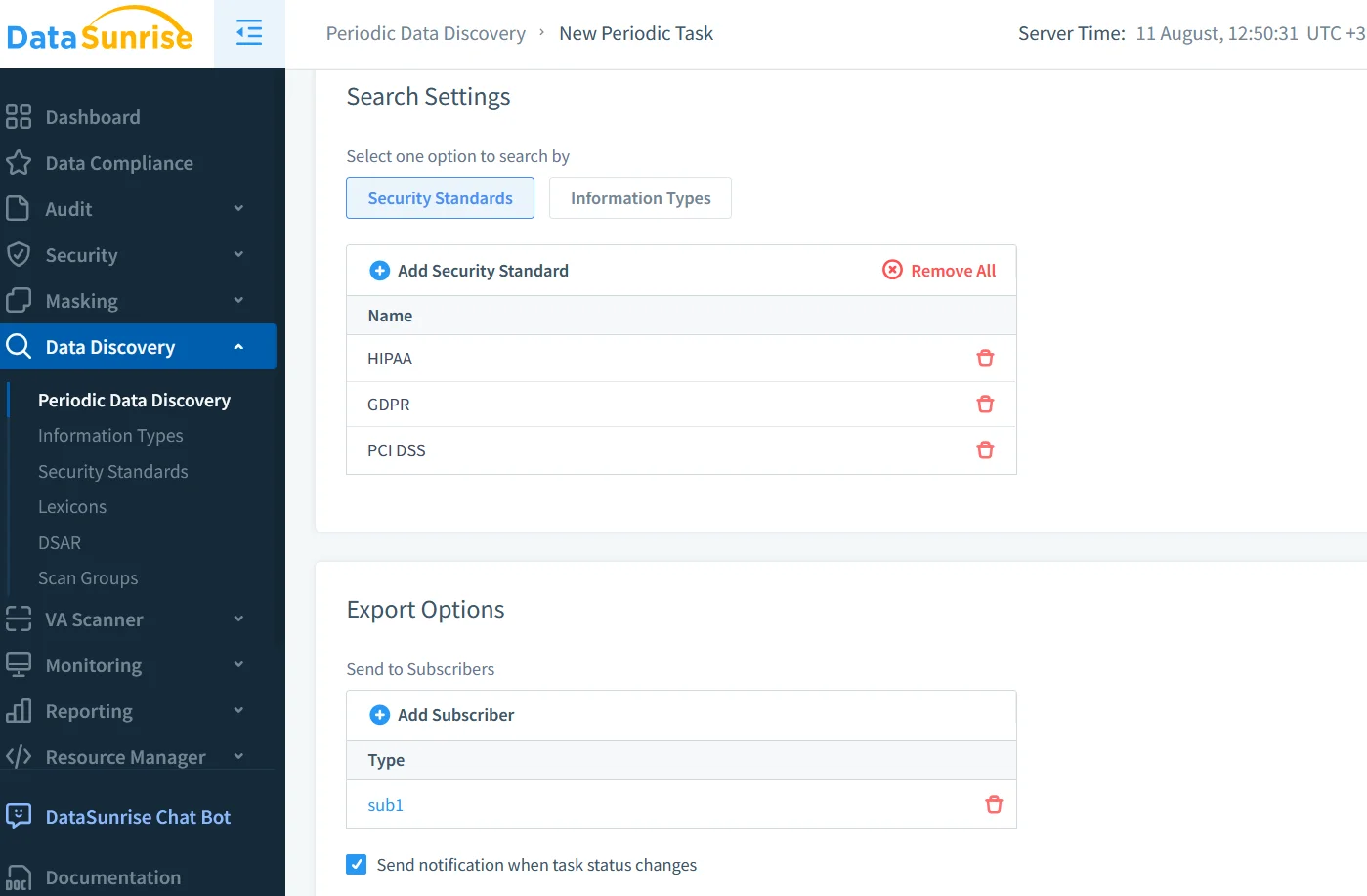
Auditing is most effective when you know exactly where sensitive data resides. With Data Discovery, DataSunrise scans databases for patterns that match personal identifiers, financial details, or protected health information. It automatically updates its inventory as schemas change, ensuring new tables or columns are not left unprotected. This continuous process helps organizations maintain a current compliance posture without manual re-auditing.
Security and Compliance Integration
When native MySQL logging is combined with DataSunrise, the result is a multi-layered defense. Native logs provide foundational evidence for audits, while DataSunrise overlays real-time anomaly detection, dynamic masking, and automatic mapping to specific compliance frameworks. With the Compliance Manager, reports can be generated to show alignment with GDPR, HIPAA, and PCI DSS controls, reducing the manual workload during external audits.
Practical Audit Workflow
A complete audit architecture might begin with MySQL writing logs in JSON format, which are shipped to a centralized log store such as Elasticsearch via Filebeat. DataSunrise, deployed as a reverse proxy, inspects all live traffic, applies masking to sensitive fields, and triggers alerts for suspicious behavior. Compliance dashboards then merge historical logs with real-time insights, enabling analysts to both investigate past incidents and respond to emerging threats in seconds.
Best Practices for MySQL Auditing
To maximize effectiveness:
- Keep audit logs on separate, secure storage to prevent tampering.
- Regularly review filtering rules to ensure all critical events are captured.
- Integrate with SIEM solutions for correlation across systems.
- Use masking for sensitive fields in both live queries and stored logs.
- Schedule automated discovery scans to catch new sensitive data assets.
External Resources
For deeper insights into MySQL auditing and security, refer to:
- MySQL Audit Plugin Documentation
- MariaDB Audit Plugin for MySQL Forks
- NIST Special Publication 800-53
Final Thoughts
Understanding How to Audit MySQL means looking beyond basic logging. A modern audit approach pairs MySQL’s native capabilities with advanced inspection, masking, and compliance automation tools like DataSunrise. This combination delivers tamper-proof records, actionable alerts, and the ability to produce regulator-ready reports on demand. In a world of evolving data privacy laws and persistent cyber threats, a well-designed audit system is not just a technical safeguard—it’s a core element of responsible data stewardship.
Protect Your Data with DataSunrise
Secure your data across every layer with DataSunrise. Detect threats in real time with Activity Monitoring, Data Masking, and Database Firewall. Enforce Data Compliance, discover sensitive data, and protect workloads across 50+ supported cloud, on-prem, and AI system data source integrations.
Start protecting your critical data today
Request a Demo Download Now