
How to Audit Teradata
This article presents a structured approach to auditing in Teradata. It explains how to enable and tune native capabilities—Access Logging and Database Query Logging (DBQL)—and how to operate them efficiently with appropriate scope, overhead controls, and retention.
It also describes how to extend native auditing with DataSunrise to centralize visibility across environments, correlate events for investigations, deliver timely alerts to operations and security teams, and produce repeatable, audit-ready reports at scale.
What is Audit ?
An audit is the structured capture of who did what, when, from where, and with what result—stored as trustworthy evidence. In databases it connects identities and roles to operations on data, records the context of each action (time, client, IP, session, tool), and preserves the outcome (granted or denied, rows read or changed, errors). A good audit is not only activity logging; it is policy-driven evidence management that enables accountability, investigation, and regulatory compliance.
Effective audits share key traits: completeness (no gaps for sensitive objects), fidelity (original SQL text and object references), provenance (clear source-of-truth tables and views), integrity (tamper-evident storage and checksums), and retention matched to policy. In Teradata, this evidence comes from two native pillars: Database Query Logging (DBQL) for statement context and performance, and Access Logging for privilege-check outcomes. Used together, they create a defensible audit trail that security, operations, and compliance teams can trust.
To align audit design with governance requirements, review your controls against Data Compliance and the broader Regulatory Compliance guidance. For Teradata-specific concepts and examples, see What Is Teradata Audit Trail and Teradata Database Activity History. To centralize monitoring across platforms, explore Database Activity Monitoring.
- Scope. Prioritize regulated schemas and privileged identities; capture both successful access and denials for full accountability.
- Evidence. Correlate DBQL context with Access Logging outcomes; retain original SQL/object references to preserve fidelity.
- Integrity & retention. Offload routinely and store evidence immutably with hashes; document rule versions and review cadences.
Independent research underscores the stakes: database misuse and unauthorized access remain leading breach vectors; see the latest IBM Security analysis in the Cost of a Data Breach Report for external benchmarking.
Native tools for auditing Teradata
Database Query Logging (DBQL)
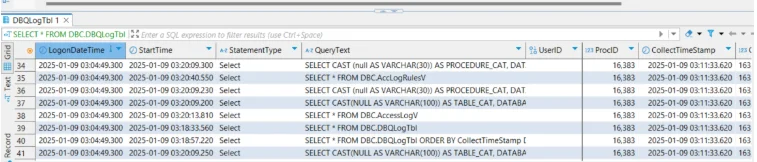
DBQL records who ran a request, when it ran, performance metrics (CPU/I/O), and—if enabled—SQL text and referenced objects. Administrators control scope and detail with BEGIN/REPLACE/END QUERY LOGGING and the WITH/LIMIT options. Logged data is available through dictionary objects such as DBC.DBQLogTbl and related views.
Enable and tune
-- Keep SQL text and object references for a sensitive user
BEGIN QUERY LOGGING WITH SQL, OBJECTS ON USER secure_user;

-- Control volume on busy systems (log only expensive queries)
BEGIN QUERY LOGGING LIMIT THRESHOLD = 100 CPUTIME ON ALL;

-- Show or end rules
SHOW QUERY LOGGING ON ALL;
END QUERY LOGGING ON USER secure_user;
DBQL can also log optimizer plans into DBC.DBQLXMLTbl when deep forensics are required.
Access Logging
Access Logging records the result of each privilege check on a protected object or operation (for example, table access or GRANT). Events are exposed via AccessLogV/AccLogTbl and can include request text when enabled with WITH TEXT.
Enable and review
-- Log GRANT activity and keep request text
BEGIN LOGGING WITH TEXT ON EACH USER, DATABASE, GRANT;

-- Scope by database (all objects under finance_db)
BEGIN LOGGING WITH TEXT ON EACH DATABASE finance_db;

-- Inspect outcomes
SELECT TOP 100 *
FROM DBC.AccessLogV
ORDER BY LogDate DESC, LogTime DESC;
Exact syntax can vary by release and scope (BY USER/ALL, TABLE vs DATABASE). Use official
BEGIN LOGGINGpatterns for your version.
Reviewing and managing logs
- Use
QryLogV/DBQLogTblfor request context and performance, andAccessLogVfor allow/deny outcomes. - Offload and summarize routinely with PDCR (Performance Data Collection & Reporting) to prevent dictionary bloat and retain history for analysis.
Enhancing audits with DataSunrise
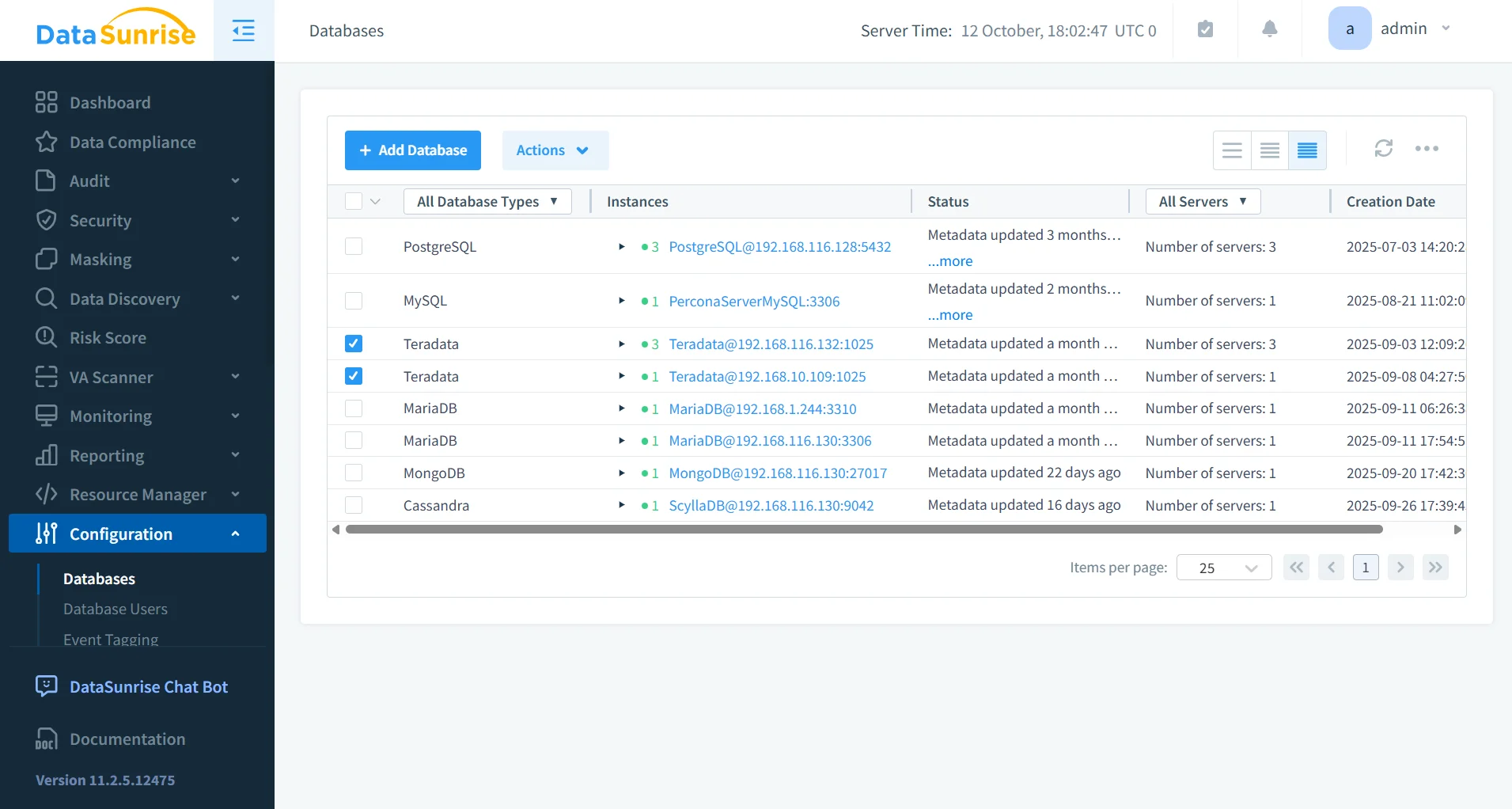
Centralized activity monitoring
DataSunrise consolidates Teradata events into a single, normalized timeline and correlates them with context such as user/role, client application, source IP, session, statement hash, and referenced objects. Analysts can pivot by actor, object, or time window, drill into original SQL (when captured), and compare similar requests across environments. Event streams can be forwarded to SIEM platforms while a complete, queryable history remains available for investigations. Ingest policies and filters keep overhead low without sacrificing evidence quality.
Granular audit rules
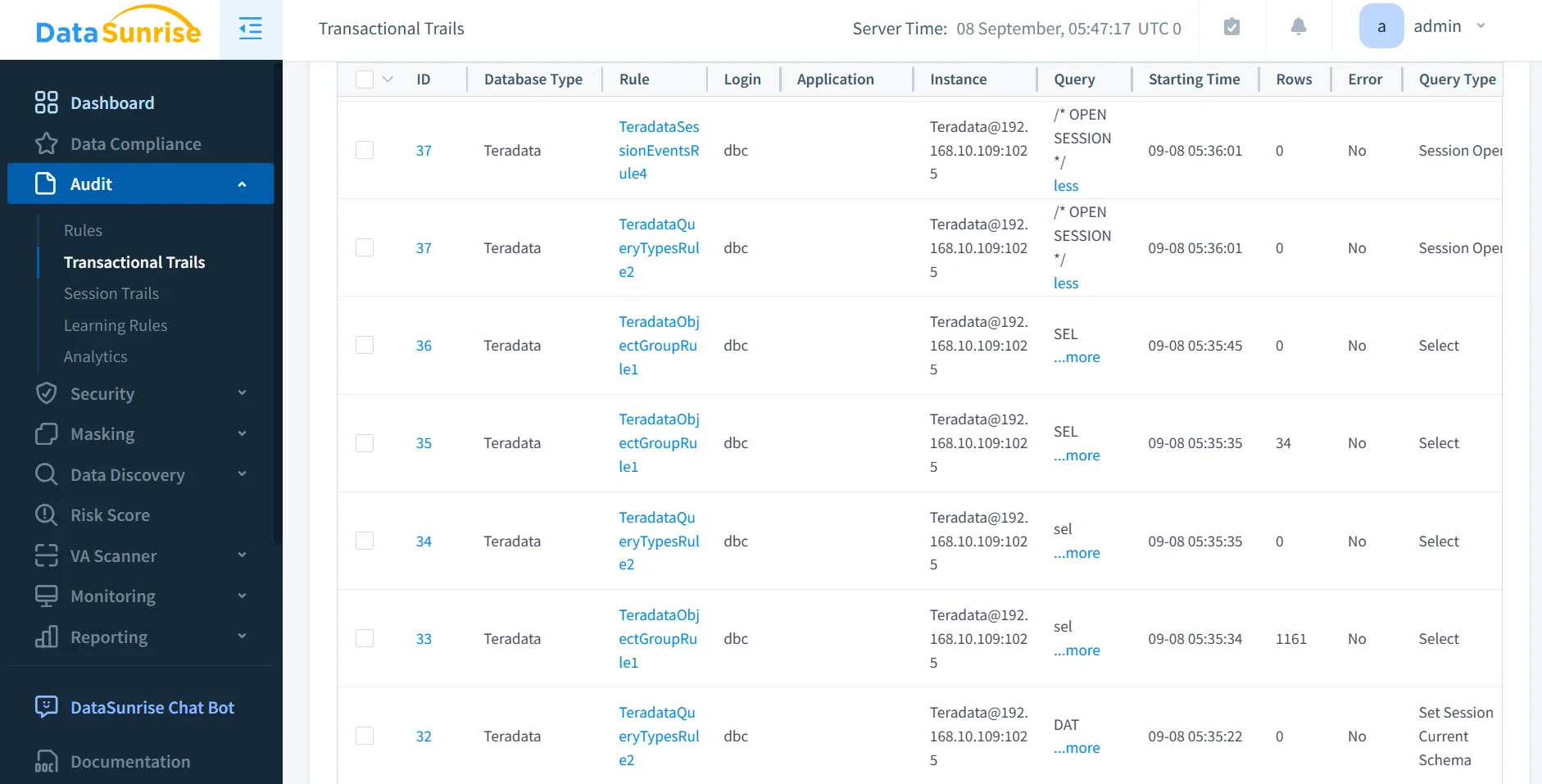
Rules define what to capture, when to capture it, and at which level of detail. Compose conditions by user or role, object path (database.table), operation type (SELECT/INSERT/UPDATE/DELETE/DDL), network zone, client tool, and time-of-day. Use exceptions for trusted service accounts and set thresholds for “long” or “expensive” queries to reduce noise. Version rules, test them in draft or dry-run mode, and promote them with approvals so changes are auditable. Align rule sets to specific controls (for example, “capture all DDL on regulated schemas after business hours”) to maintain clear policy-to-evidence mapping.
Behavioral analytics and alerting
DataSunrise profiles typical behavior by user, application, and object, then highlights deviations: unusual off-hours access, sudden spikes in row reads, atypical client tools, or unexpected source locations. Alerts include the context required for triage—who, what, where, when, and the relevant evidence snapshot—so responders can act without manual correlation. Severity, routing, and deduplication policies prevent alert fatigue and ensure high-value signals reach SOC channels, issue trackers, or chat systems with consistent metadata.
- Baselines adapt to seasonality and workload patterns; each alert carries a risk score and links to the contributing evidence.
- Delivery targets include SIEM/SOAR, Slack/Teams, email, and webhooks with structured JSON; throttling and deduplication avoid alert storms.
- Automated triage attaches the last N statements, object diffs, and geo/IP enrichment; playbooks open tickets, route owners, and capture feedback to improve future detections.
Compliance autopilot and reporting
Prebuilt report packs map audit evidence to common frameworks (GDPR, HIPAA, PCI DSS, SOX). Schedules generate period-bound evidence with control checklists, policy IDs, and reviewer sign-offs. Reports reference immutable storage locations and include hashes to verify integrity. Change history—who modified a rule, when, and why—appears alongside activity summaries to support auditor walk-throughs. The result is repeatable, defensible documentation without ad-hoc exports or one-off scripts.
- Control mapping includes pass/fail summaries, scope notes, and direct pointers to supporting events and policies.
- Scheduling produces monthly/quarterly evidence bundles to WORM/S3 Object Lock with SHA-256 hashes and defined retention.
- Auditor workflow supports approvals, attestations, redaction of non-essential fields, and export to PDF/CSV/JSON or API integration with GRC tools.
Comparison table
| Capability | Native Teradata (DBQL + Access Logging) | With DataSunrise |
|---|---|---|
| Scope & correlation | Custom SQL across DBQL/AccessLog views | Unified stream and correlation |
| Noise control | Manual tuning, thresholds | Precise rules by user/role/object/time |
| Alerting | Limited out of the box | Real-time alerts & behavior analytics |
| Reporting | Ad-hoc queries/exports | Scheduled, audit-ready reports |
| Retention | DIY offload/PDCR | Centralized, immutable evidence flow |
| Effort | Per-system DBA work | Policy-driven, centrally managed |
Conclusion
Start with DBQL for context and Access Logging for authorization outcomes. Correlate them into a single, predictable view and offload routinely with PDCR. Add DataSunrise when you need central visibility, precise capture, real-time detection, and repeatable, audit-ready reporting at scale.
For policy alignment and evidence retention, see the following resources: Data Compliance and Regulatory Compliance.
Related reading to deepen your Teradata audit strategy:
- What Is Teradata Audit Trail — concepts, scope, and common evidence models.
- Teradata Database Activity History — patterns for high-volume monitoring and triage.
- Database Activity Monitoring — centralized visibility and cross-platform correlation.
Protect Your Data with DataSunrise
Secure your data across every layer with DataSunrise. Detect threats in real time with Activity Monitoring, Data Masking, and Database Firewall. Enforce Data Compliance, discover sensitive data, and protect workloads across 50+ supported cloud, on-prem, and AI system data source integrations.
Start protecting your critical data today
Request a Demo Download Now