Automate Data Compliance for Azure Cosmos DB for NoSQL
In today's regulatory landscape, automating data compliance for NoSQL databases has become a critical business requirement. According to IBM's 2024 Cost of a Data Breach Report, organizations with automated compliance frameworks reduce regulatory violations by 78% and decrease compliance preparation time by up to 83%. With global data protection regulations imposing fines that can reach 4% of annual revenue, implementing automated compliance for Azure Cosmos DB is essential for business survival.
Azure Cosmos DB, Microsoft's globally distributed NoSQL database service, handles massive volumes of sensitive data across multiple regions and compliance jurisdictions. The distributed nature of Azure Cosmos DB introduces unique compliance considerations: multi-regional data sovereignty requirements, diverse API compliance frameworks, and real-time policy enforcement across global deployments.
This guide explores how to implement automated data compliance for Azure Cosmos DB using both native capabilities and enhanced solutions that deliver Zero-Touch Data Protection with automated compliance orchestration.
Understanding Data Compliance Challenges in Azure Cosmos DB
Azure Cosmos DB's globally distributed architecture creates unique compliance challenges:
- Multi-Regional Complexity: Organizations must simultaneously comply with GDPR in Europe, CCPA in California, LGPD in Brazil, and APPI in Japan within the same database deployment
- NoSQL Data Classification: Dynamic JSON schemas make traditional compliance tools struggle to identify sensitive data within documents
- API-Specific Requirements: Different compliance implications across SQL API, MongoDB API, Cassandra API, Gremlin API, and Table API
- Scale Constraints: High-throughput environments generate massive compliance-relevant events requiring real-time processing
Native Azure Cosmos DB Compliance Capabilities
Azure Cosmos DB includes several built-in features that provide foundational compliance functionality for NoSQL environments. These native capabilities offer essential building blocks for data security and regulatory adherence:
1. Azure Policy Integration for Compliance Automation
Azure Policy provides governance capabilities through built-in policy definitions:
{
  "mode": "All",
  "policyRule": {
    "if": {
      "field": "type",
      "equals": "Microsoft.DocumentDB/databaseAccounts"
    },
    "then": {
      "effect": "audit"
    }
  }
}
2. Microsoft Purview Integration for Data Discovery
Microsoft Purview provides automated data discovery and classification:
# Connect Purview to Cosmos DB for compliance scanning
az purview account create \
  --resource-group "ComplianceRG" \
  --name "cosmos-compliance-purview"

# Register Cosmos DB data source
az purview data-source create \
  --account-name "cosmos-compliance-purview" \
  --data-source-name "cosmos-nosql-source" \
  --kind "CosmosDb"
3. Azure Portal Web Interface for Compliance Management
The Azure Portal provides an intuitive interface for accessing compliance information without specialized expertise:
- Security Center Dashboard: View regulatory compliance posture across GDPR, HIPAA, PCI DSS assessments
- Policy Compliance: Monitor policy adherence and view non-compliant resources
- Microsoft Purview Hub: Access data classification results and sensitive data discovery
- Compliance Manager: Track regulatory requirements and implementation status
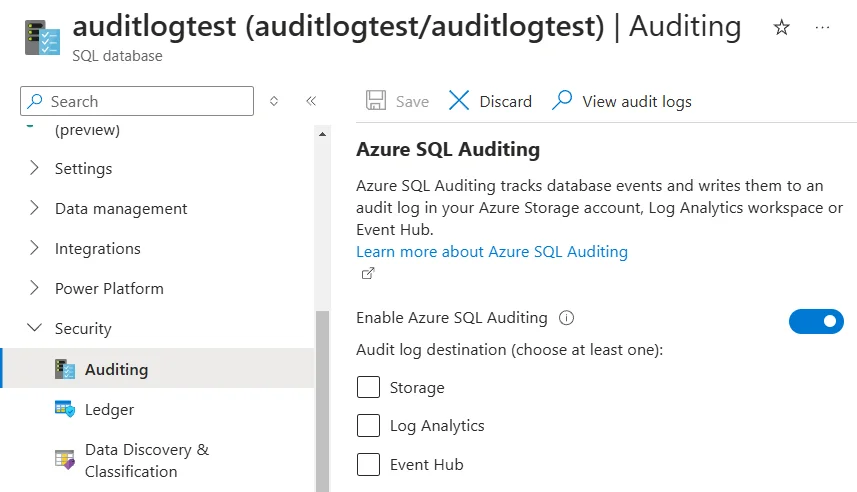
- Audit Logs: Review compliance-related administrative operations and configuration changes
Limitations of Native Compliance Capabilities
While Azure's native tools provide essential functionality, they have limitations:
| Native Feature | Key Limitation | Business Impact |
|---|---|---|
| Azure Policy | Limited NoSQL-specific rules | Generic policies miss document-level compliance |
| Microsoft Purview | Basic data classification | Cannot identify sensitive data in complex JSON |
| Security Center | Reactive compliance reporting | Manual remediation delays regulatory response |
Enhanced Compliance Automation with DataSunrise
DataSunrise significantly enhances regulatory automation through Autonomous Compliance Orchestration and Continuous Regulatory Calibration, delivering enterprise-grade database security with Zero-Touch Data Protection for NoSQL environments.
Setting Up DataSunrise for Azure Cosmos DB Compliance Automation
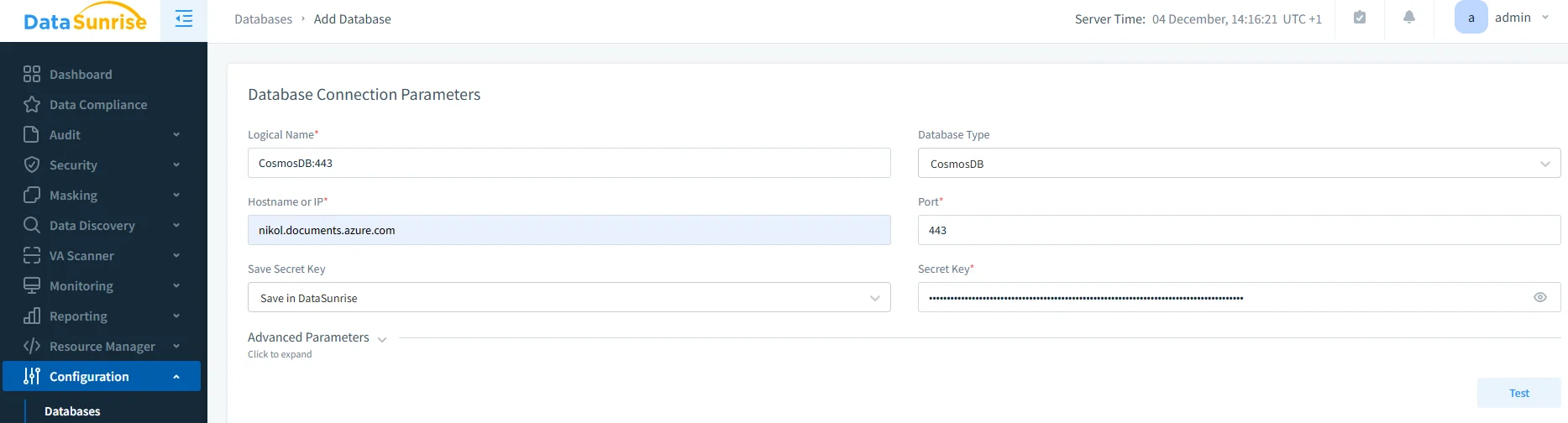
1. Connect to Azure Cosmos DB Instance
Establish a secure connection supporting all Cosmos DB API types for comprehensive compliance coverage.
2. Configure Automated Compliance Rules
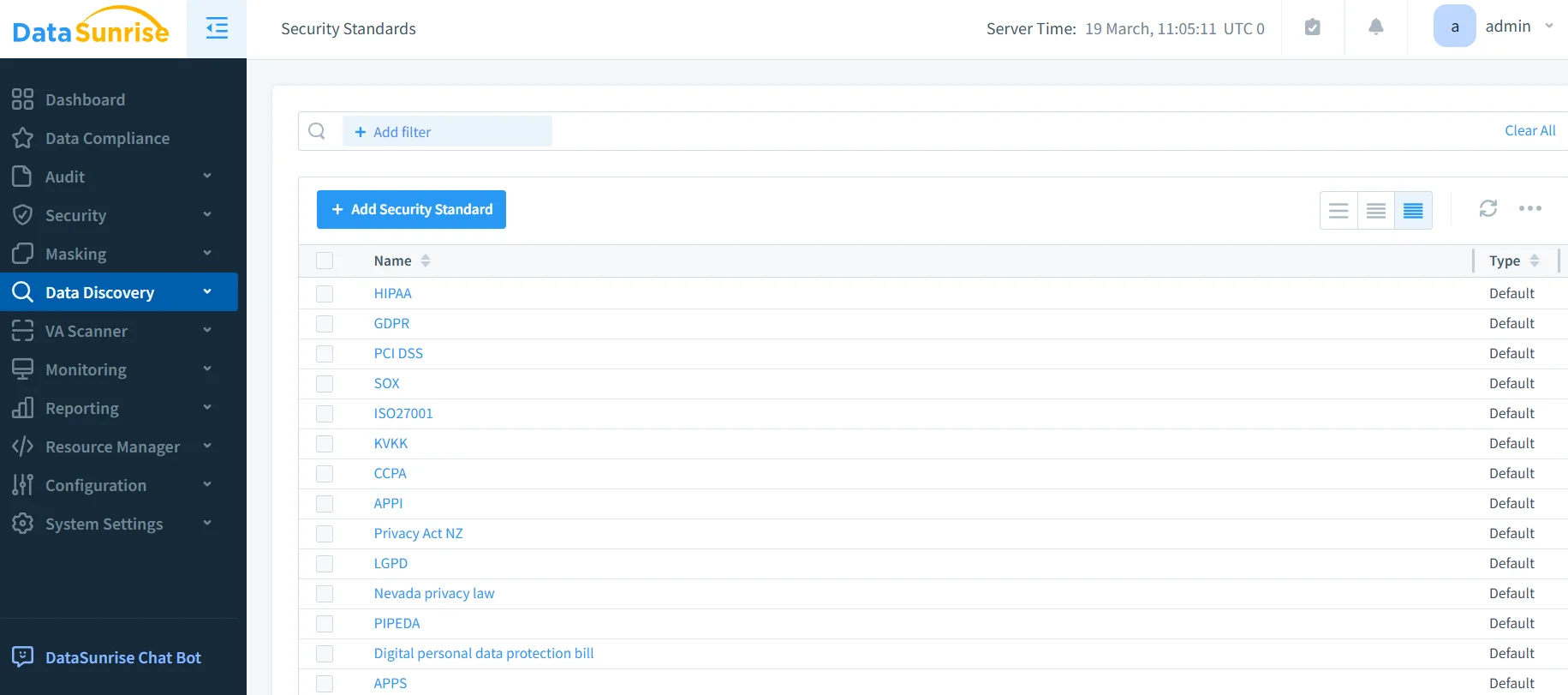
Create compliance policies using DataSunrise's No-Code Policy Automation interface with pre-configured templates for GDPR, HIPAA, PCI DSS, and other regulatory frameworks.
3. Enable Real-Time Compliance Monitoring
Activate continuous monitoring with Automated Compliance Reporting for instant regulatory posture assessment.
Key Advantages of DataSunrise for Azure Cosmos DB Compliance
Auto-Discover & Mask: Automatically identify and classify sensitive data using NLP Data Discovery and OCR Image Scanning across all document types without manual configuration.
Continuous Regulatory Calibration: Automatically update compliance policies as regulations evolve, ensuring ongoing adherence without manual intervention.
Real-Time Compliance Monitoring: Receive immediate real-time notifications for violations with automated remediation recommendations.
Cross-Platform Consistency: Apply uniform policies across 50+ Supported Data Storage Platforms for consistent regulatory adherence.
Dynamic Data Masking: Protect sensitive fields with Surgical Precision Masking while maintaining application functionality.
Best Practices for Azure Cosmos DB Compliance Automation
1. Data-Centric Compliance Strategy
- Focus automated discovery on PII, PHI, and financial data within JSON documents
- Configure policies to adapt to schema changes automatically
- Ensure consistent compliance across logical and physical partitions
2. Regulatory Framework Integration
- Configure multi-jurisdiction compliance for GDPR, HIPAA, PCI DSS simultaneously
- Implement automated data residency validation
- Automate consent management and data subject rights fulfillment
3. Enhanced Automation with DataSunrise
- Deploy Enterprise-Ready platform with Intelligent Policy Orchestration
- Utilize ML Suspicious Behavior Detection for compliance violations
- Enable unified governance across SQL and NoSQL environments
Conclusion
As organizations increasingly rely on Azure Cosmos DB for business-critical data across global markets, implementing automated data compliance has become essential for regulatory adherence and competitive success. While Azure Cosmos DB offers foundational compliance capabilities, organizations with complex requirements benefit significantly from enhanced automation solutions.
DataSunrise provides Comprehensive Data Compliance Platform with Zero-Touch Compliance Automation and Continuous Regulatory Calibration. With Flexible Deployment Modes and Scalable for Growth architecture, DataSunrise transforms compliance from resource-intensive manual processes into Strategic Security Assets.
Suitable for Any Business Size and Widely Adopted across industries, DataSunrise delivers Affordable, Yet Powerful compliance automation through Seamless Cloud Integration and Native Cloud Platform Support.
Protect Your Data with DataSunrise
Secure your data across every layer with DataSunrise. Detect threats in real time with Activity Monitoring, Data Masking, and Database Firewall. Enforce Data Compliance, discover sensitive data, and protect workloads across 50+ supported cloud, on-prem, and AI system data source integrations.
Start protecting your critical data today
Request a Demo Download Now