How to Ensure Compliance for Sybase

Sybase Adaptive Server Enterprise (ASE) is a high-performance relational database still widely used in industries like finance, telecom, and government. Due to its handling of sensitive workloads and legacy system integration, maintaining data compliance within Sybase environments is vital. In this guide, we explain how to ensure compliance using Sybase's native audit features and how DataSunrise strengthens security and reporting capabilities for modern regulatory needs.
Why Compliance Matters in Sybase Systems
Data compliance helps organizations follow laws such as GDPR, HIPAA, SOX, and PCI DSS. These regulations ensure that sensitive information is processed and stored responsibly. Sybase, often used for customer and transaction data, must support audit trails and access monitoring to meet these legal and industry obligations.
Neglecting compliance can lead to data breaches, fines, or legal actions. A reliable audit trail also helps in incident forensics, accountability, and trust with clients and regulators.
Native Compliance Features in Sybase ASE
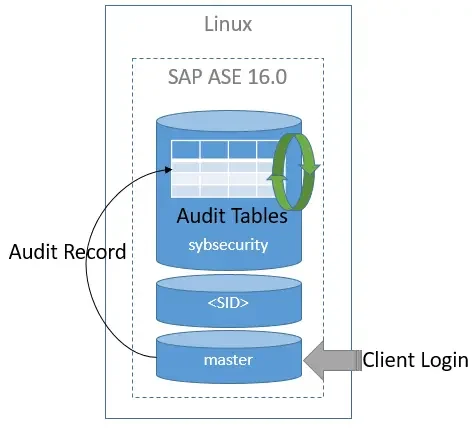
Sybase ASE includes a built-in auditing mechanism that logs server-level and database-level events. To use it effectively, database administrators must manually configure policies and ensure logs are securely stored.
Enabling the Audit Feature
Before auditing can begin, Sybase ASE requires initialization and configuration of the audit subsystem. Here's a detailed step-by-step guide:
- Enable the auditing option at the server level
Audit functionality must first be enabled:
sp_configure 'auditing', 1
To verify that the configuration change was successful:
sp_helpconfig 'auditing'
You may need to restart the ASE server for changes to take effect:
shutdown with nowait
-- restart ASE instance
- Initialize the audit system
Once auditing is enabled, initialize the audit system. This step creates the sybsecurity database and necessary system tables:
sp_auditinit
This must be run only once. It sets up audit logging infrastructure.
- Enable auditing for specific events
Use sp_audit to configure exactly what should be audited:
-- Audit all successful and failed login attempts
sp_audit 'login', 'all', 'all', 'on'

-- Audit all SELECT operations on sensitive tables
sp_audit 'select', 'table', 'customer_data', 'on'

-- Audit creation of new tables
sp_audit 'create', 'table', 'all', 'on'
You can scope the audit to:
- Specific actions:
select,update,delete,insert - Object types:
table,view,procedure - Users or groups:
'john_doe','all'
- Verify audit configuration
To confirm active audit policies:
sp_displayaudit
This procedure returns the list of current audit configurations and their scopes.
- Check audit activity logs
Audit events are logged in tables like sybsecurity..sysaudits_01. To view recent entries:
use sybsecurity

go

select top 50 * from sysaudits_01
order by eventtime desc
If log space is exhausted, new audit events may not be recorded. Regular review and archiving are recommended.
- Optional: Set up automated exports and rotation
Sybase ASE does not manage audit log rotation automatically. Administrators should regularly export and truncate audit logs using scripts or jobs. A common practice is to copy logs to external storage and purge old records using:
bcp sybsecurity..sysaudits_01 out audit_log.txt -S server_name -U sa -P password -c
truncate table sybsecurity..sysaudits_01
Schedule these steps via cron or Windows Task Scheduler to keep log size under control.
Reviewing Audit Logs
Administrators use sp_displayaudit and sp_audit to query and manage audit policies. For audit trail review, external tools or custom scripts are often used to export and analyze the logs.
Enhancing Sybase Compliance with DataSunrise
DataSunrise offers an intelligent security platform that integrates with Sybase ASE and enhances its compliance capabilities. It adds autonomous audit, alerting, and masking features that align with modern compliance frameworks.
Real-Time Activity Monitoring
DataSunrise captures all query-level activity in real time, including bind variables, user identity, and client IP. It supports:
- Audit trail storage in JSON or relational formats
- Forwarding events to SIEM/SOAR platforms
- Policy-based alert triggers
Customizable Audit Rules
Through its web interface or CLI, users can create precise audit rules that:
- Target specific schemas, roles, or operations
- Apply filters (e.g., only UPDATEs on finance tables)
- Trigger notifications via email, Slack, or Teams
Refer to the Audit Guide for configuration examples.
Compliance Autopilot and Templates
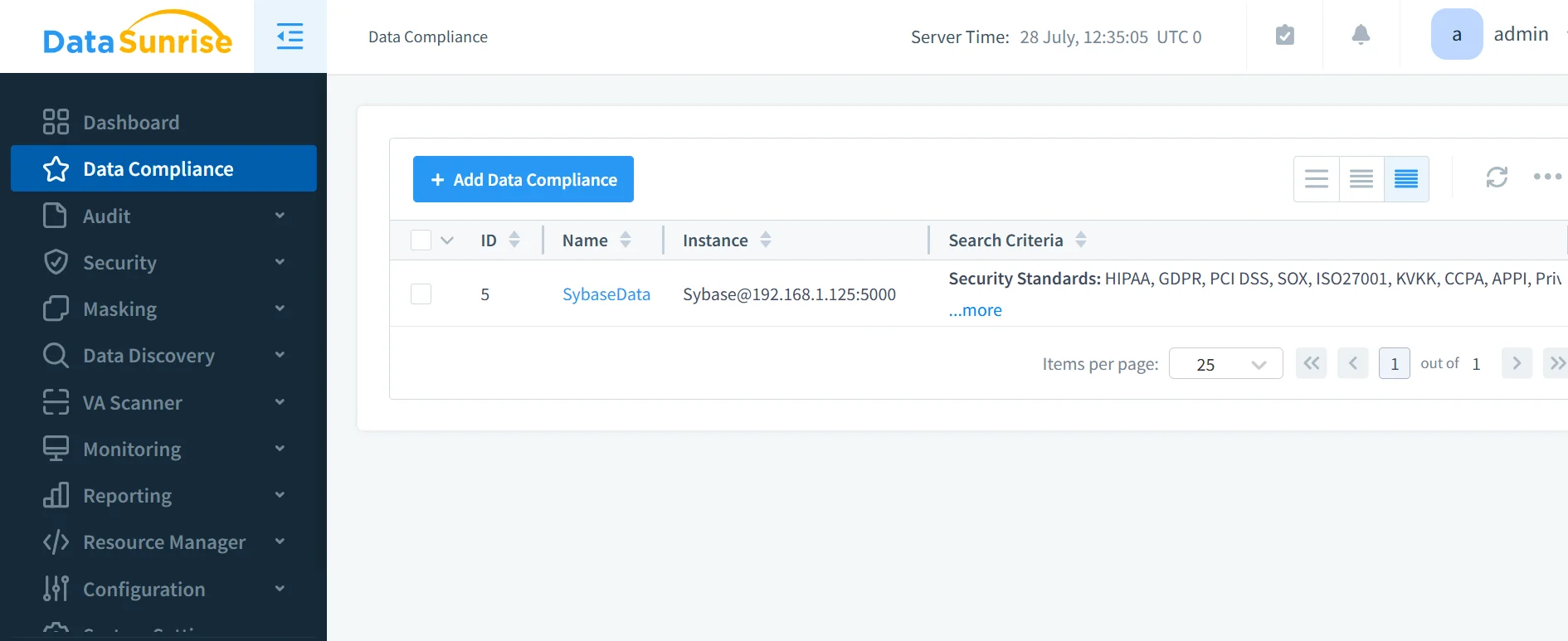
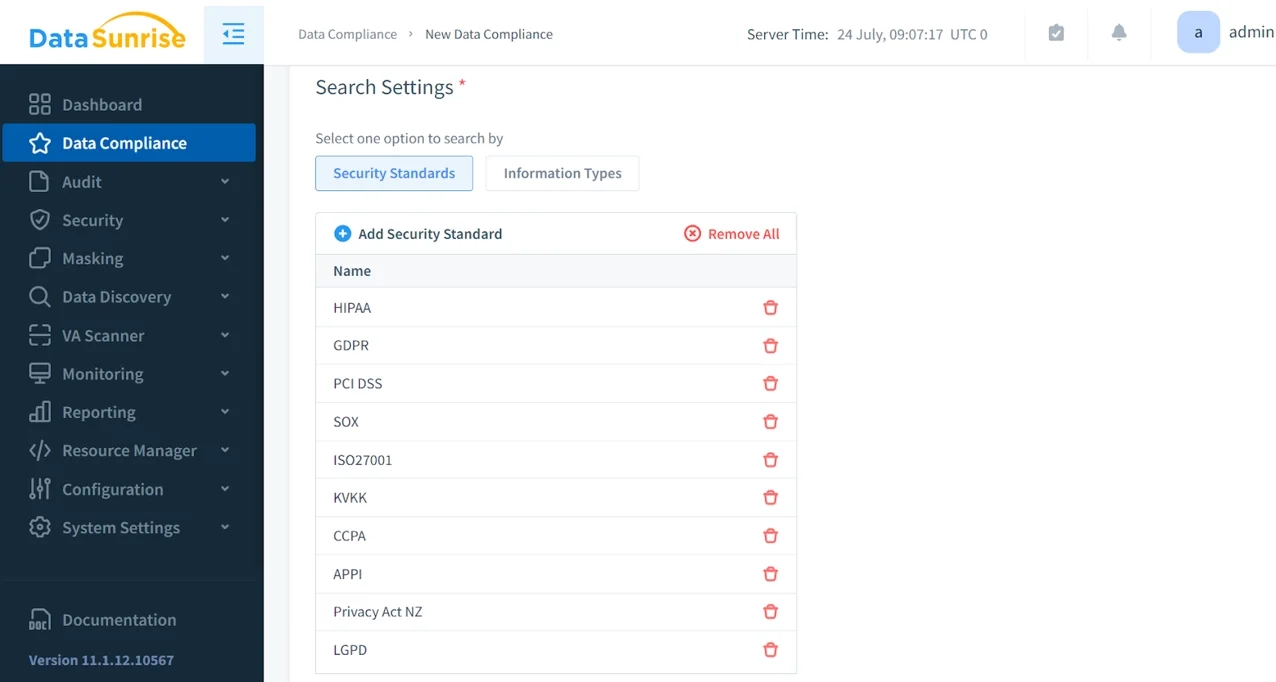
The built-in Compliance Manager includes templates for:
Templates come with preconfigured audit and masking policies. This reduces setup time and ensures alignment with regulations.
Data Discovery and Classification
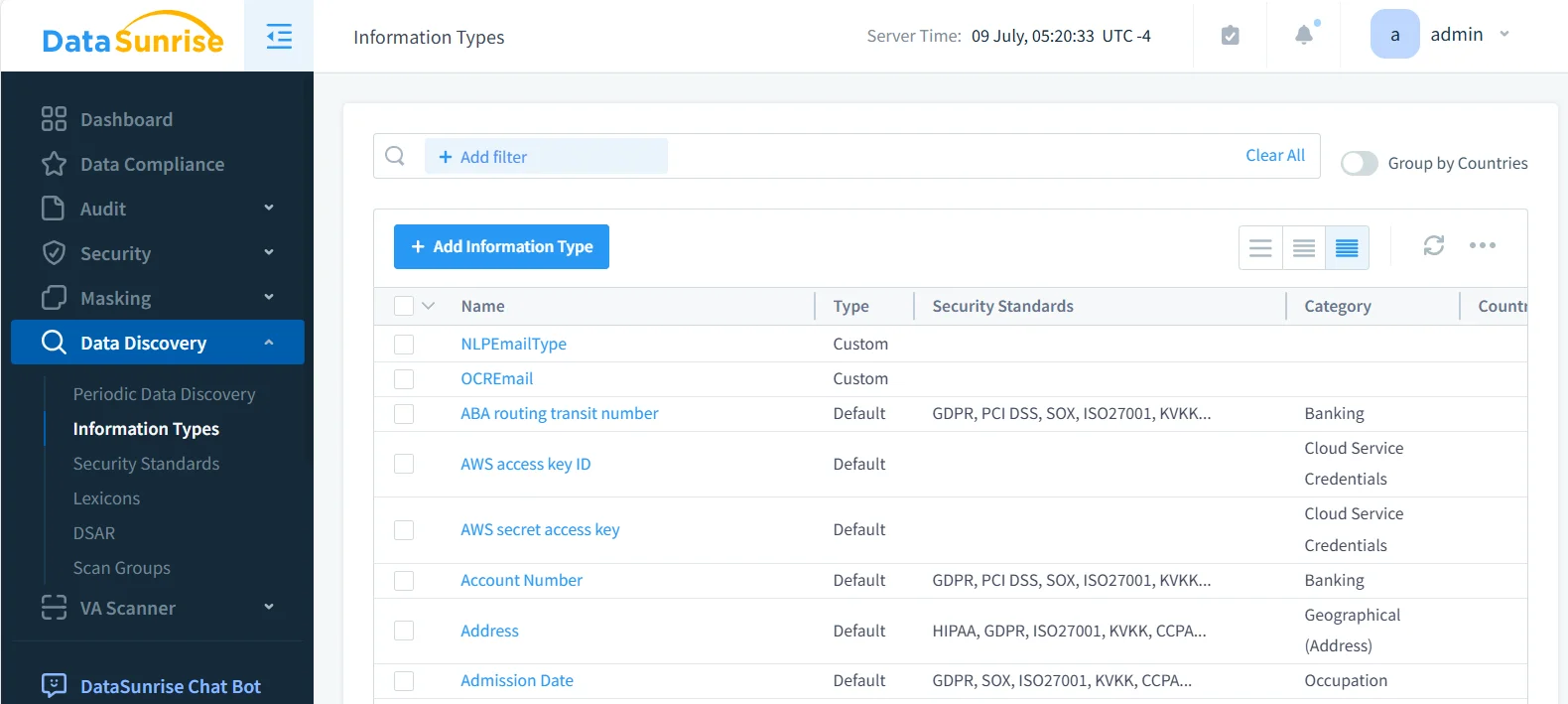
DataSunrise discovers PII, PHI, and payment card fields across Sybase instances. It scans structured and unstructured data for compliance classification.
Cross-Platform Audit Management
Unlike Sybase's per-instance setup, DataSunrise provides centralized policy control across Sybase and 40+ other platforms. With unified dashboards and API access, it simplifies compliance management.
Business Impact
| Business Objective | Native Sybase ASE | With DataSunrise Integration |
|---|---|---|
| Audit Complexity | Manual configuration, limited filters | Centralized, no-code rule engine with fine-grained filters |
| Compliance Coverage | Basic tracking only | Prebuilt templates for GDPR, HIPAA, PCI DSS, SOX |
| Incident Response Time | Delayed — no real-time alerts | Real-time alerting with SIEM/SOAR integration |
| Sensitive Data Protection | No masking available | Role-based, IP-aware dynamic data masking |
| Log Accessibility | Binary internal tables | Human-readable, exportable formats (JSON, CSV) |
| Reporting Workflow | Manual review and scripting | One-click audit-ready compliance reports |
| Cost of Maintenance | High (manual, per-instance setup) | Reduced via automation and centralized management |
| Scalability | Instance-specific only | Cross-database, cloud-ready platform with over 40 integrations |
With this transformation, organizations benefit from:
- Faster compliance alignment — automate controls with policy templates
- Lower operational risk — gain full visibility into access and changes
- Reduced staffing overhead — fewer manual tasks, streamlined reviews
- Enhanced business trust — demonstrable compliance posture with auditors
Conclusion
While Sybase ASE includes foundational auditing tools, compliance demands in regulated industries require deeper control and automation. DataSunrise extends Sybase's capabilities with centralized rule creation, real-time tracking, and dynamic masking. This ensures Sybase remains a viable and secure option in modern compliance-driven environments.
Protect Your Data with DataSunrise
Secure your data across every layer with DataSunrise. Detect threats in real time with Activity Monitoring, Data Masking, and Database Firewall. Enforce Data Compliance, discover sensitive data, and protect workloads across 50+ supported cloud, on-prem, and AI system data source integrations.
Start protecting your critical data today
Request a Demo Download Now