How to Mask Sensitive Data in Snowflake
In today's regulatory landscape, implementing effective data masking for Snowflake has become essential for protecting sensitive information. According to IBM's 2024 Cost of a Data Breach Report, organizations with comprehensive data masking solutions reduce breach-related costs by up to 62% and demonstrate compliance 91% faster during audits.
Snowflake, as a leading cloud data platform, handles massive volumes of sensitive information. Organizations must implement robust data masking strategies to protect PII, PHI, payment card data, and other confidential content. Snowflake offers native masking policies that provide a foundation for data protection, though many organizations require more advanced capabilities.
This guide explores Snowflake's native data masking capabilities and demonstrates how DataSunrise enhances protection through Zero-Touch Data Masking and Autonomous Compliance Orchestration.
Understanding Data Masking in Snowflake
Data masking in Snowflake refers to the process of obfuscating sensitive data while maintaining its utility for authorized users. Effective masking protects information by replacing original values with fictitious yet realistic alternatives, ensuring database security and compliance regulations adherence.
Key challenges in Snowflake's distributed architecture include:
- Multi-Regional Compliance: Different regulatory frameworks across geographic regions
- Diverse Access Patterns: Multiple interfaces requiring consistent masking enforcement
- Dynamic Schema Evolution: Maintaining coverage as data structures change
- Performance Requirements: Protecting data without degrading query performance
Native Snowflake Data Masking Capabilities
Snowflake provides built-in data masking through Dynamic Data Masking policies. These native features offer essential protection for sensitive columns through SQL commands and integrate with role-based access controls to enforce data security policies.
1. Creating Masking Policies
Define how sensitive data should be transformed based on user roles:
-- Create a masking policy for email addresses
CREATE OR REPLACE MASKING POLICY email_mask AS
  (val STRING) RETURNS STRING ->
    CASE
      WHEN CURRENT_ROLE() IN ('ADMIN', 'DATA_ANALYST') THEN val
      ELSE CONCAT(LEFT(val, 3), '***@***.com')
    END;

-- Create a masking policy for credit card numbers
CREATE OR REPLACE MASKING POLICY credit_card_mask AS
  (val STRING) RETURNS STRING ->
    CASE
      WHEN CURRENT_ROLE() IN ('FINANCE_ADMIN') THEN val
      ELSE CONCAT('****-****-****-', RIGHT(val, 4))
    END;
2. Applying Masking Policies to Columns
Apply masking policies to specific columns containing sensitive data:
-- Apply email masking policy
ALTER TABLE customers
  MODIFY COLUMN email SET MASKING POLICY email_mask;

-- Apply credit card masking policy
ALTER TABLE payment_methods
  MODIFY COLUMN card_number SET MASKING POLICY credit_card_mask;
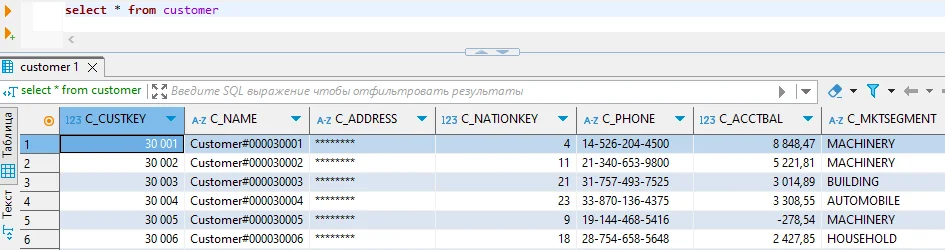
3. Testing Masking Implementation
Verify masking policies work correctly with different roles:
-- Test as privileged user (ADMIN role)
USE ROLE ADMIN;
SELECT email, card_number FROM customers LIMIT 5;
-- Output: [email protected], 4532-1234-5678-9010

-- Test as standard user
USE ROLE ANALYST;
SELECT email, card_number FROM customers LIMIT 5;
-- Output: joh***@***.com, ****-****-****-9010
Limitations of Native Snowflake Masking
While Snowflake's native masking capabilities provide essential functionality, organizations with complex requirements often encounter several limitations:
| Native Feature | Key Limitation | Business Impact |
|---|---|---|
| Policy Creation | Manual SQL coding required for each policy | Time-consuming implementation and maintenance |
| Sensitive Data Discovery | No automated identification of sensitive columns | Critical data may remain unprotected |
| Policy Management | Complex administration across multiple databases | Inconsistent protection and compliance gaps |
| Dynamic Classification | Manual updates needed as data evolves | Newly added sensitive data remains exposed |
| Cross-Platform Consistency | Limited to Snowflake environment only | Fragmented security policies across infrastructure |
| Compliance Mapping | No automated regulatory framework alignment | Difficult to demonstrate compliance to auditors |
Enhanced Data Masking with DataSunrise
DataSunrise significantly enhances data protection through Comprehensive Sensitive Data Detection and No-Code Policy Automation. Unlike manual approaches, DataSunrise delivers enterprise-grade dynamic data masking with intelligent policy orchestration that prevents security threats and data breaches.
Setting Up DataSunrise for Snowflake Data Masking
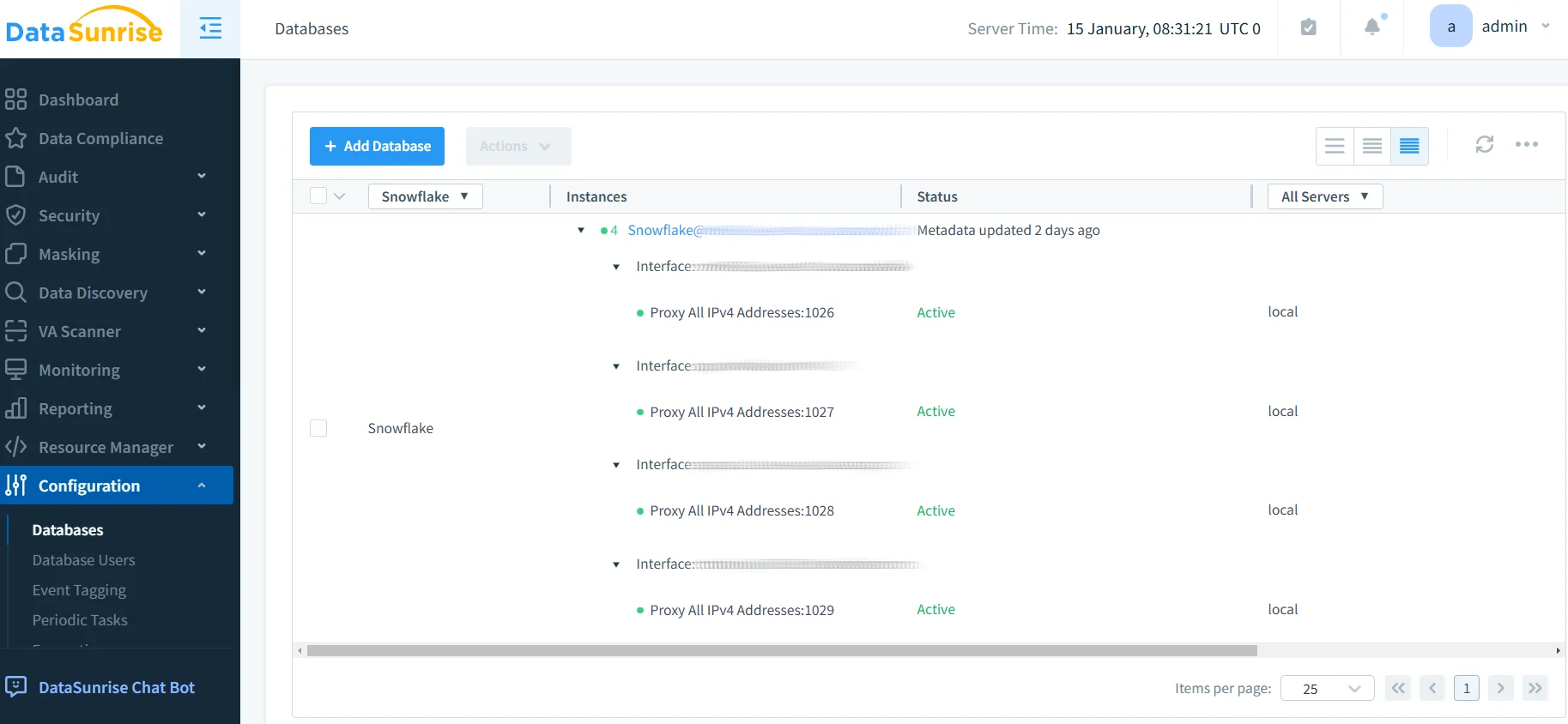
1. Connect to Snowflake Instance
Establish a secure connection between DataSunrise and your Snowflake environment.
2. Auto-Discover Sensitive Data
DataSunrise automatically scans your Snowflake environment to identify sensitive data including PII, payment card information, PHI, and SSNs.
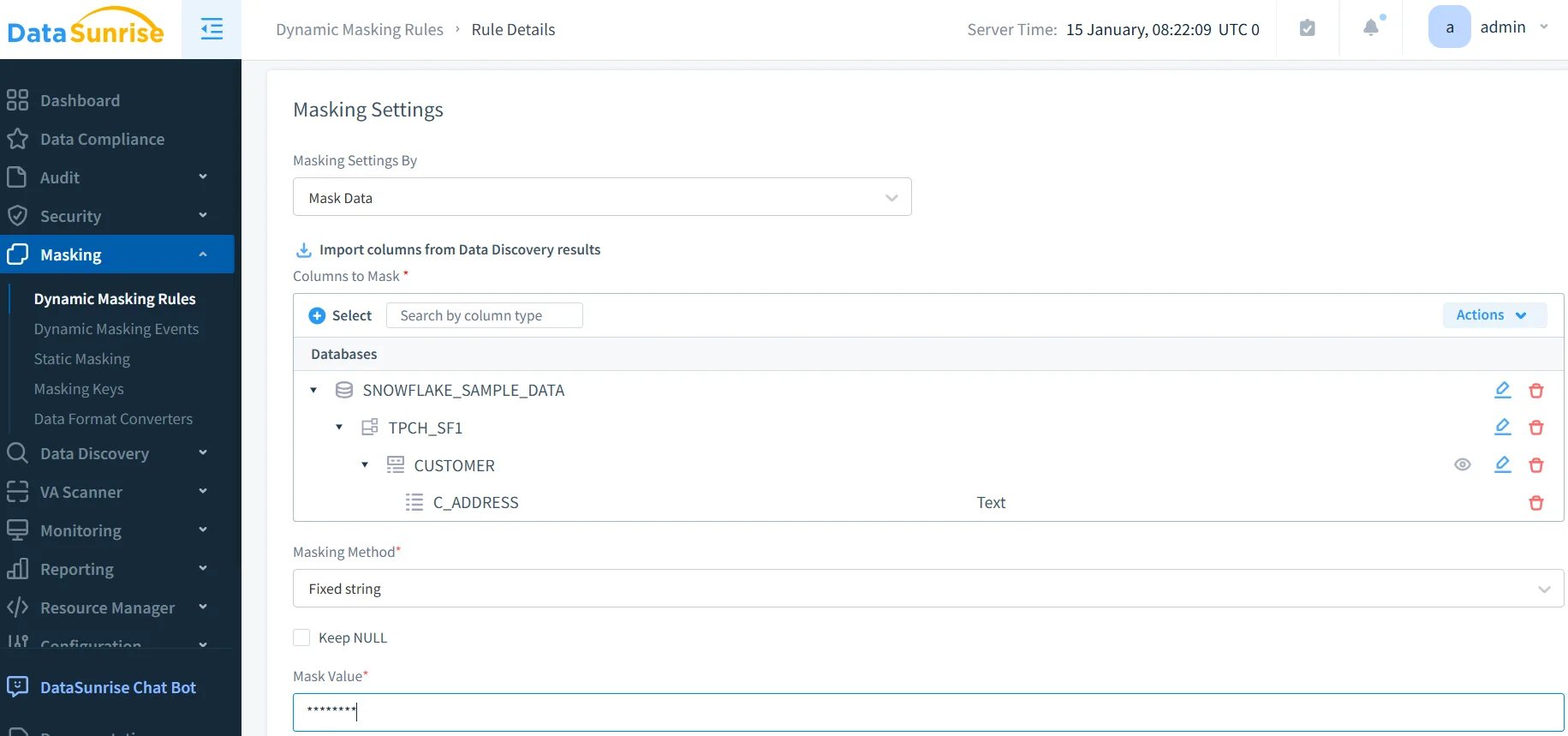
3. Create Masking Rules
Configure masking policies through DataSunrise's intuitive interface without writing SQL. Choose from 15+ masking algorithms and apply conditional masking based on user roles.
4. Test Masking Rules
Verify that masking works correctly for different user roles. Privileged users see unmasked data while standard analysts see masked data.
Key Advantages of DataSunrise for Snowflake
Zero-Touch Data Masking: Automatically discover, classify, and mask sensitive data without manual intervention, reducing implementation time from weeks to hours.
Surgical Precision Masking: Apply context-aware masking with granular control based on user identity, application context, and business requirements through access controls.
Compliance Autopilot: Automated compliance with GDPR, HIPAA, PCI DSS, and SOX through pre-configured templates and automated compliance reporting.
Cross-Platform Visibility: Implement consistent masking policies across Snowflake and over 40 other data storage platforms.
User Behavior Analytics: Leverage machine learning algorithms to detect anomalous attempts to access sensitive data.
Multiple Masking Types: Support for static masking and in-place masking beyond dynamic masking.
Conclusion
As organizations increasingly rely on Snowflake for sensitive business data, implementing comprehensive data masking has become essential for security and compliance. While Snowflake's native masking capabilities provide foundational functionality, DataSunrise delivers Zero-Touch Data Masking with Auto-Discover & Classify capabilities that automatically protect sensitive data.
With No-Code Policy Automation and Compliance Autopilot, DataSunrise transforms data masking from a manual process into an automated security framework that continuously adapts to evolving requirements. Unlike solutions requiring constant tuning, DataSunrise provides end-to-end automated compliance across Snowflake and 40+ other platforms, reducing administrative overhead significantly.
Protect Your Data with DataSunrise
Secure your data across every layer with DataSunrise. Detect threats in real time with Activity Monitoring, Data Masking, and Database Firewall. Enforce Data Compliance, discover sensitive data, and protect workloads across 50+ supported cloud, on-prem, and AI system data source integrations.
Start protecting your critical data today
Request a Demo Download Now