Teradata Data Compliance Automation
Organizations working with Teradata handle vast amounts of sensitive financial, healthcare, and customer data. Compliance with frameworks such as GDPR, HIPAA, PCI DSS, and SOX requires strong governance of how this data is accessed, stored, and processed.
Traditional compliance practices rely heavily on manual rule configuration, periodic audits, and fragmented monitoring. This often leads to compliance drift and delayed responses to violations. Teradata’s native logging and security mechanisms form a baseline, but they are not designed for continuous, autonomous compliance.
Recent research from Gartner highlights that organizations adopting automation-driven compliance reduce audit preparation times by up to 70%. Meanwhile, IBM’s Cost of a Data Breach Report shows that compliance failures are among the top cost amplifiers in security incidents. In addition, TechTarget underscores that compliance automation is now seen as essential for meeting evolving regulatory demands without overburdening IT teams.
DataSunrise addresses these gaps with advanced compliance automation. Through features such as Compliance Autopilot, machine learning–driven audit rules, and real-time policy alignment, organizations gain a zero-touch approach to sustaining regulatory posture across complex Teradata environments.
What is Data Compliance?
Data compliance refers to the set of processes, rules, and technologies that ensure data is managed in accordance with legal, regulatory, and organizational requirements. It covers data privacy, access control, auditing, and secure storage.
In practice, compliance ensures that organizations:
- Protect sensitive information such as PII and PHI.
- Maintain accurate data audit trails for accountability.
- Enforce proper database security measures to prevent breaches and unauthorized access.
- Apply safeguards like data masking to protect sensitive fields from exposure.
- Use compliance manager tools for automation of reporting and monitoring.
For enterprises using Teradata, compliance is not just a regulatory obligation — it is a strategic necessity to build trust, reduce risk, and maintain operational integrity.
Native Compliance Practices in Teradata
Teradata provides several tools and features to support compliance. These functions help administrators track user activity, secure sensitive information, and enforce access rules.
Access Logging
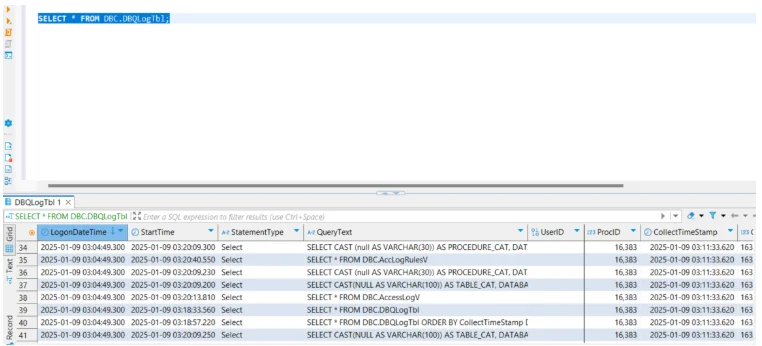
Teradata maintains detailed records of user logins, queries, and session-level activities. Administrators can query system tables to see who accessed the system and what actions were performed.
For example, reviewing the AccessLog table:
-- Retrieve last 100 login and query events
SELECT TOP 100
    UserName,
    LogDate,
    LogTime,
    Event,
    Text
FROM dbc.AccessLog
ORDER BY LogDate DESC, LogTime DESC;

-- Filter for failed login attempts
SELECT
    UserName,
    Event,
    LogDate,
    LogTime,
    Text
FROM dbc.AccessLog
WHERE Event = 'LOGON_FAILED'
ORDER BY LogDate DESC;
This query helps compliance teams verify login attempts, query executions, and object access. However, without automated correlation, these logs can quickly become overwhelming in high-volume environments.
Role-Based Access Control (RBAC)
RBAC in Teradata allows administrators to define roles and assign permissions based on least privilege principles. This ensures users have only the access necessary for their responsibilities.
Example of creating a role and granting privileges:
-- Create a new role for auditors
CREATE ROLE AuditRole;

-- Grant SELECT access on multiple sensitive tables
GRANT SELECT ON Sales.CustomerData TO AuditRole;
GRANT SELECT ON Finance.PaymentRecords TO AuditRole;

-- Grant UPDATE rights on log tables to system operators only
GRANT UPDATE ON Audit.EventTracking TO SysOpRole;

-- Assign roles to users
GRANT AuditRole TO User_AuditTeam;
GRANT SysOpRole TO User_SecurityOps;
This approach strengthens compliance with standards such as PCI DSS by limiting exposure of sensitive data. Yet, maintaining dozens of roles manually across large deployments can become complex.
Encryption at Rest and in Transit
Teradata supports native encryption to protect sensitive data both on disk and during transmission. Encryption at rest is configured at the storage level, while encryption in transit ensures secure client-to-database communication.
Enabling encryption for client connections:
# Secure BTEQ session with encryption
bteq <<EOF
.LOGON mydbs/myuser,mysecurepassword;

-- Enable session encryption
.SET SESSION ENCRYPTION ON;

-- Query sensitive table
SELECT CustomerID, AccountNumber
FROM SecureTable
WHERE Region = 'EU';

.LOGOFF;
EOF
Example of encrypting exports:
# Export query results with OpenSSL encryption
bteq <<EOF | openssl enc -aes-256-cbc -out export.enc -pass file:./key.txt
.LOGON mydbs/myuser,mysecurepassword;
.EXPORT REPORT FILE=stdout;
SELECT * FROM Finance.ConfidentialTransactions;
.EXPORT RESET;
.LOGOFF;
EOF
Although encryption improves security, it requires careful key management and policy enforcement to remain compliant with evolving standards such as GDPR and HIPAA.
System Views for Monitoring
Teradata provides system views like dbc.AccessLog and dbc.EventLog for deeper compliance monitoring. These views contain granular details about system events, DDL operations, and security changes.
Example query on EventLog:
-- Show last 50 schema modifications
SELECT TOP 50
    EventTime,
    UserName,
    EventText
FROM dbc.EventLog
WHERE EventText LIKE '%CREATE TABLE%'
   OR EventText LIKE '%DROP TABLE%'
ORDER BY EventTime DESC;

-- Check who altered security roles
SELECT
    EventTime,
    UserName,
    EventText
FROM dbc.EventLog
WHERE EventText LIKE '%GRANT ROLE%'
   OR EventText LIKE '%REVOKE ROLE%'
ORDER BY EventTime DESC;
This allows administrators to track schema changes or attempts to modify critical database objects. However, without centralized reporting and automation, organizations risk missing compliance violations hidden within large event datasets.
Limitations of Native Features
While useful, these mechanisms have important limitations:
- Logs require manual review and often lack correlation or context.
- Policies need frequent manual updates to keep pace with regulatory changes.
- There is no automated compliance reporting framework or built-in support for managing compliance across multiple databases.
These limitations are why enterprises turn to automation platforms such as DataSunrise for full compliance coverage.
DataSunrise for Teradata Data Compliance Automation
DataSunrise extends Teradata’s capabilities with autonomous compliance controls designed for large-scale, multi-environment deployments.
Centralized Monitoring
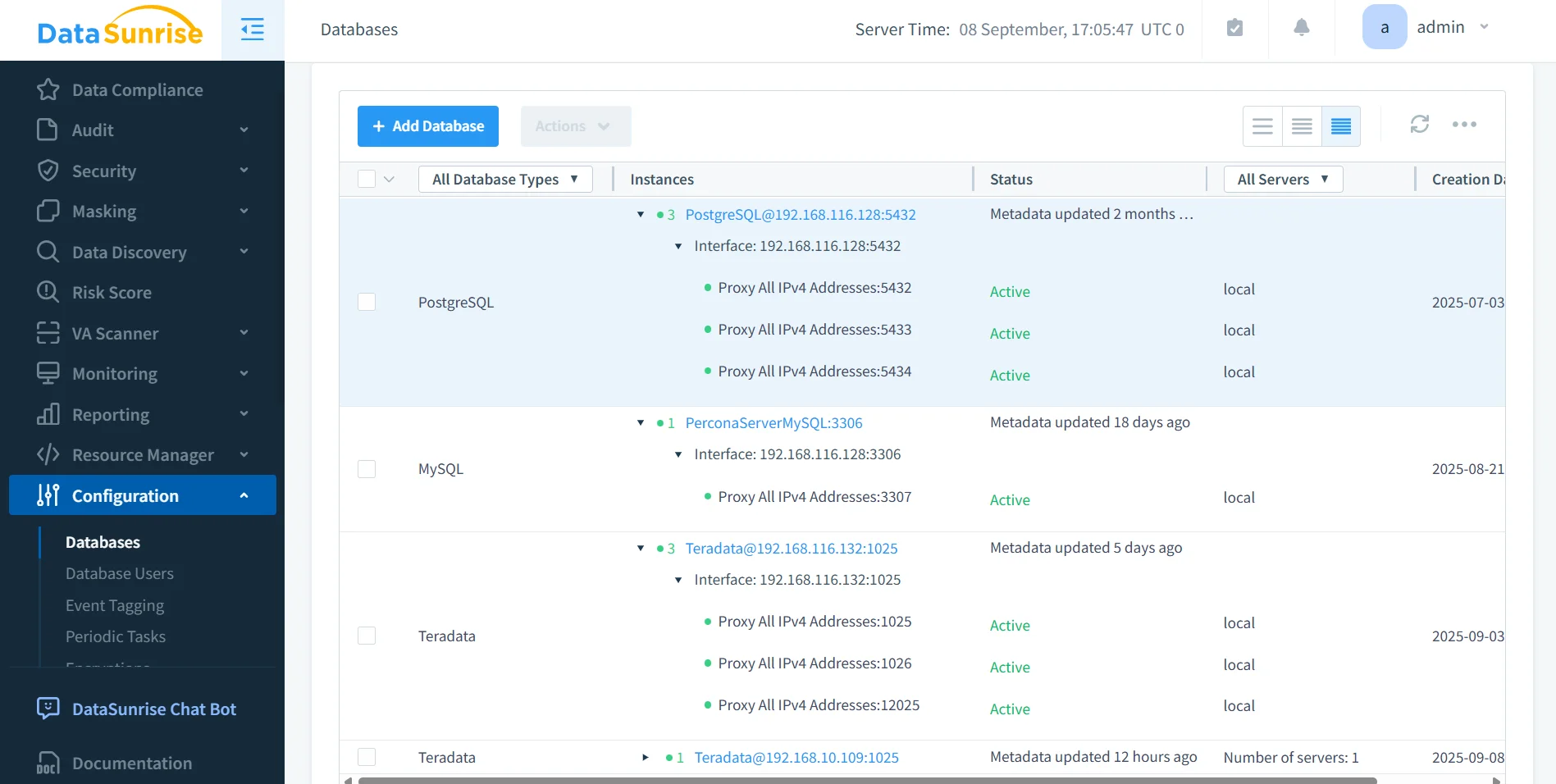
Instead of working with fragmented logs, DataSunrise consolidates all Teradata compliance data into a central dashboard.
Administrators gain:
- A unified view of compliance status across Teradata and 40+ supported data platforms.
- Real-time notifications of anomalies such as mass exports, abnormal queries, or repeated failed login attempts.
- SIEM integration, enabling compliance visibility across the entire IT ecosystem.
This level of centralized oversight ensures no activity is left unchecked, improving both security and compliance readiness.
Sensitive Data Discovery
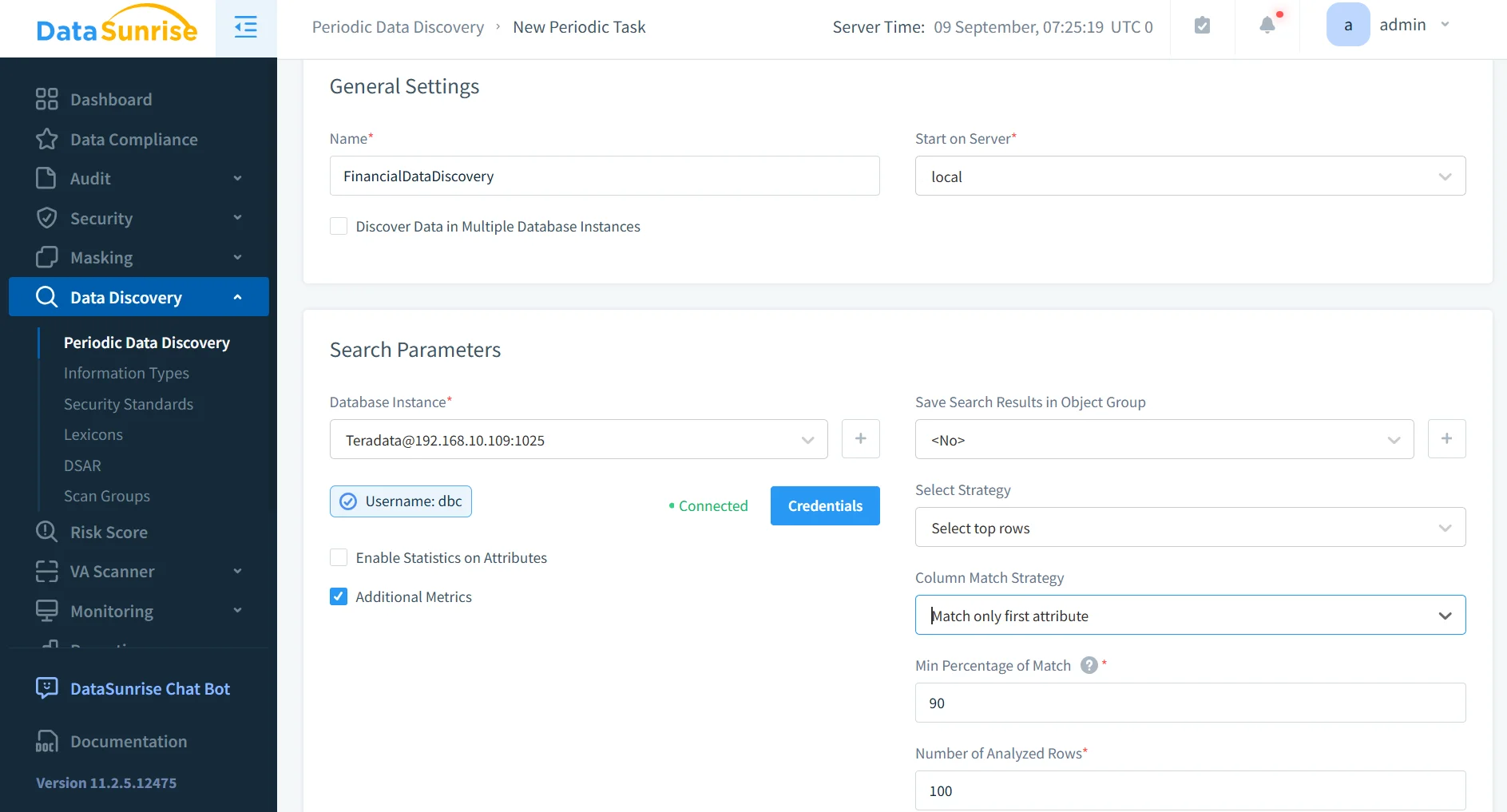
The sensitive data discovery engine in DataSunrise automates the classification of critical information.
It works across structured, semi-structured, and unstructured datasets by:
- Using pattern recognition for identifiers like credit cards or Social Security Numbers.
- Applying contextual analysis for personal details such as names, emails, and addresses.
- Leveraging OCR scanning to locate hidden sensitive content inside scanned documents and images.
The results feed directly into masking and auditing workflows, ensuring data is not just discovered but also protected with immediate enforcement.
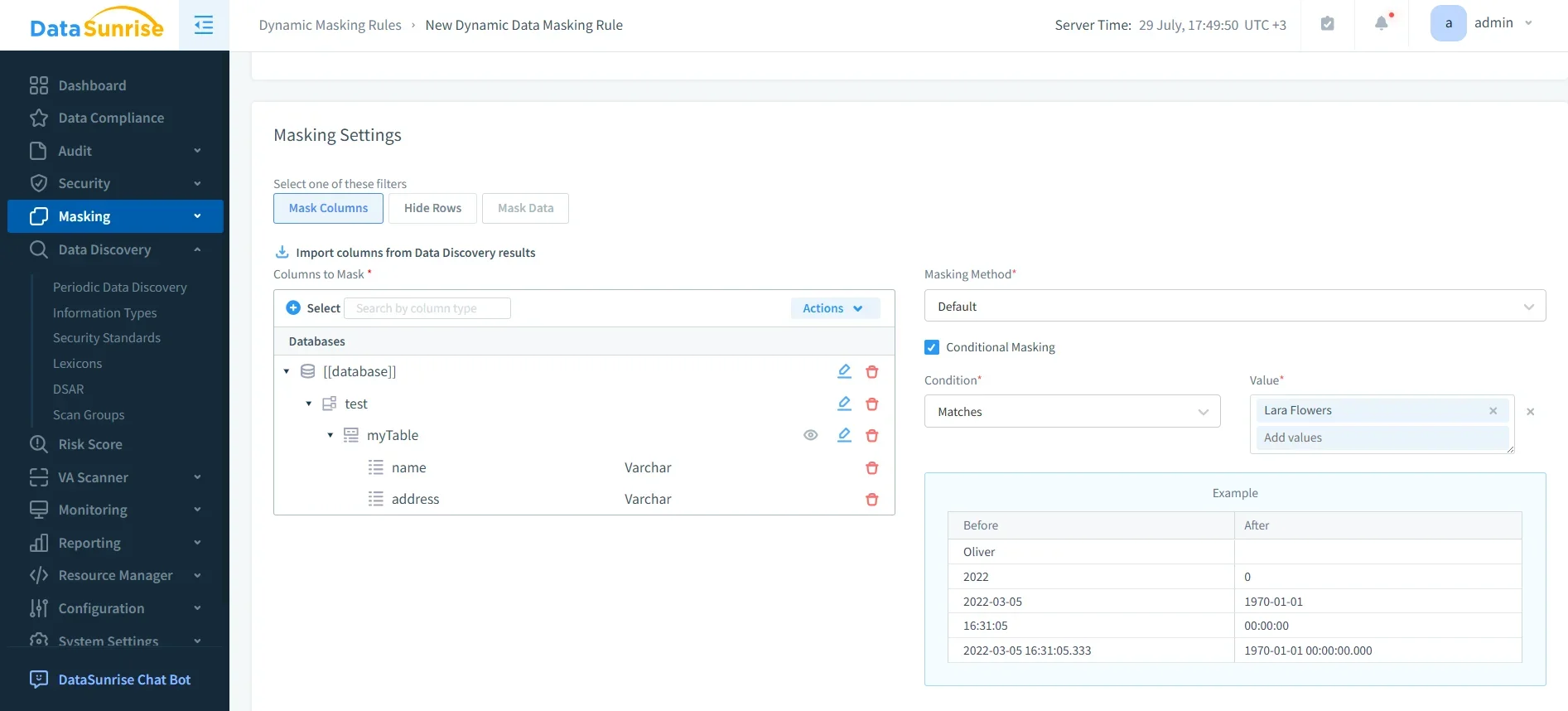
Dynamic Data Masking
With dynamic data masking, Teradata fields containing sensitive information are masked on the fly. This means:
- Analysts and non-privileged users only see masked or tokenized values.
- Applications remain fully functional without modification.
- Compliance with privacy regulations is ensured by preventing unauthorized visibility of raw data.
This real-time masking approach provides both flexibility and protection, especially in shared environments where multiple roles interact with the same datasets.
Compliance Autopilot
The Compliance Autopilot feature provides continuous regulatory alignment without manual intervention.
It eliminates the need for repetitive policy updates by:
- Continuous Regulatory Calibration: Ensuring compliance rules evolve in sync with GDPR, HIPAA, PCI DSS, and SOX requirements.
- Machine Learning Audit Rules: Identifying new schemas, users, or tables automatically and applying the correct compliance rules.
- Compliance Drift Detection: Running periodic scans to detect if policies are outdated or missing, then remediating them.
Beyond these core capabilities, Compliance Autopilot also leverages:
- Predefined Compliance Templates: Ready-to-use rulesets for industries like finance, healthcare, and government, accelerating deployment.
- Cross-Platform Policy Orchestration: Automatically synchronizing compliance policies across Teradata and other connected databases.
- Audit-Ready Evidence Generation: Producing structured compliance reports that can be exported for regulators or internal auditors with minimal effort.
- Continuous Improvement through ML: The system learns from historical events and adapts policy enforcement to emerging risks and new compliance mandates.
This proactive approach not only prevents compliance gaps but also reduces preparation time for audits, cuts operational overhead, and ensures regulatory alignment even as frameworks evolve.
Business Impact of Data Compliance Automation for Teradata
Adopting DataSunrise for Teradata compliance automation delivers measurable benefits:
| Benefit | Impact |
|---|---|
| Reduced Manual Oversight | Automated policy alignment eliminates repetitive configuration tasks. |
| Audit-Readiness | Compliance reporting simplifies evidence preparation for auditors. |
| Faster Incident Response | Real-time alerts minimize detection and reaction times for suspicious activity. |
| Cross-Platform Consistency | Unified compliance posture across Teradata and other databases prevents fragmented governance. |
| Lower Compliance Costs | Automation reduces the total cost of compliance management by minimizing manual labor. |
| Risk Reduction | Continuous monitoring and ML-driven policy updates close compliance gaps before they escalate. |
| Regulatory Confidence | Demonstrates strong compliance to regulators, partners, and customers, strengthening trust. |
| Future-Proof Compliance | Ensures policies adapt automatically to evolving standards and new regulatory frameworks. |
Conclusion
While Teradata’s native logging and access controls provide a foundation for compliance, they cannot deliver continuous regulatory alignment or enterprise-scale automation.
DataSunrise enables Teradata Data Compliance Automation through Compliance Autopilot, sensitive data discovery, dynamic masking, and centralized monitoring. By eliminating compliance drift and streamlining regulatory reporting, DataSunrise ensures Teradata environments remain secure, compliant, and audit-ready.
Protect Your Data with DataSunrise
Secure your data across every layer with DataSunrise. Detect threats in real time with Activity Monitoring, Data Masking, and Database Firewall. Enforce Data Compliance, discover sensitive data, and protect workloads across 50+ supported cloud, on-prem, and AI system data source integrations.
Start protecting your critical data today
Request a Demo Download Now