Amazon S3 Audit Log
For developers, cloud engineers, and site reliability teams, Amazon S3 audit log are the frontline of operational visibility. They help identify bottlenecks, unauthorized access, and costly misconfigurations—often before security teams get involved.
But S3 logging isn’t a single system—it’s a set of tools: CloudTrail, Server Access Logs, and application-side instrumentation. To be effective, logs must be structured, filtered, correlated, and retained in a format that’s both searchable and actionable.
Logging Options for Amazon S3
Amazon S3 offers two primary native logging tools:
CloudTrail Data Events
Logs object-level API activity (GET,PUT,DELETE) with user identity, source IP, and request metadata. Not enabled by default. Stored in JSON inside S3 buckets. Great for tracing access over time.Server Access Logs
Legacy feature that logs low-level HTTP-style records (referrer, user agent, status codes). Useful for troubleshooting performance issues and access patterns. Hard to parse without external tools.
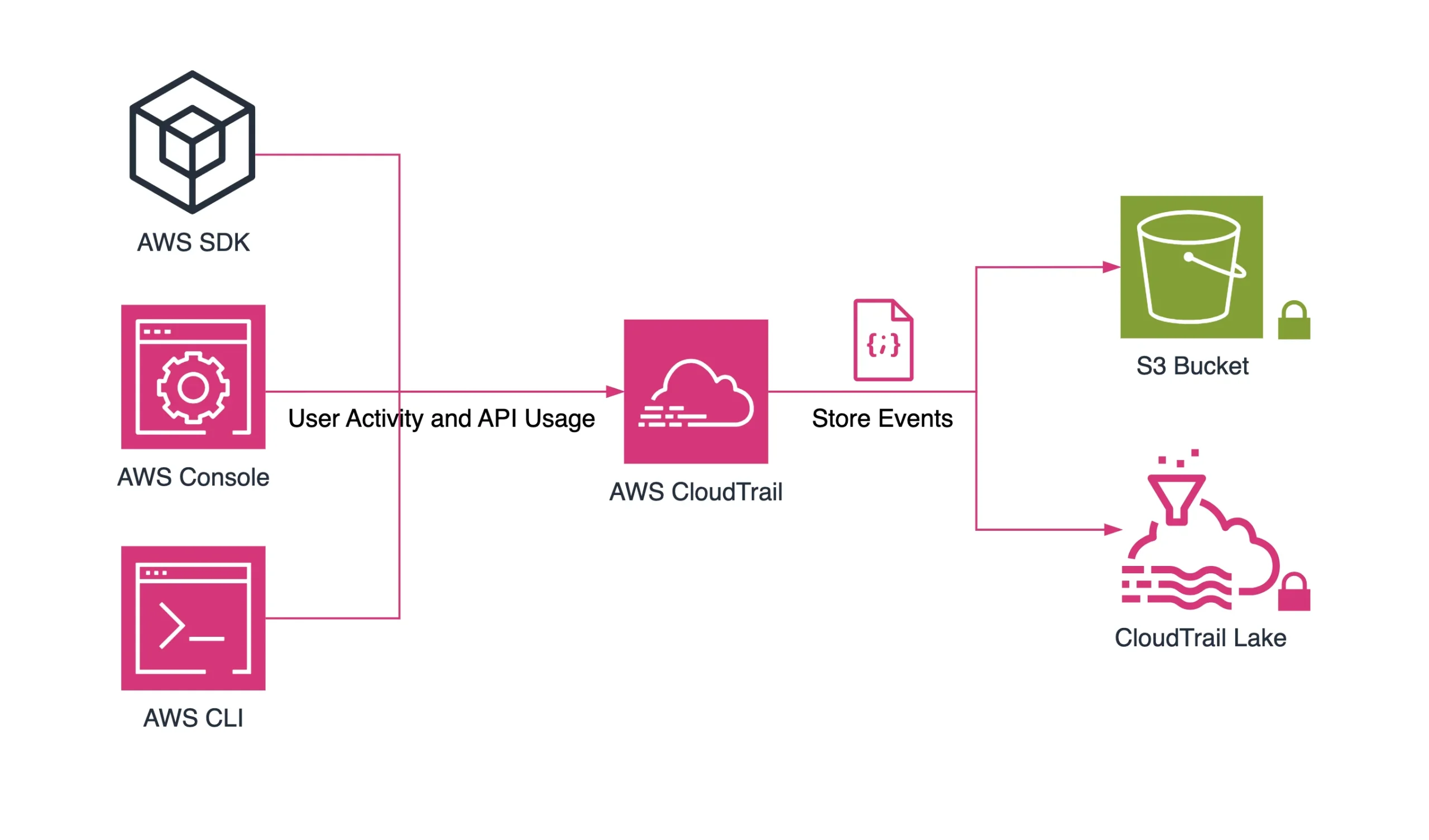
Each has different use cases. CloudTrail is audit-grade; access logs are more operational and best-effort.
Want to capture S3 logs across accounts? Use EventBridge + S3 and centralize in a logging bucket.
Where Native Logging Falls Short
Despite their power, native S3 logging has limits:
| Challenge | Native Support |
|---|---|
| Log noise reduction | ❌ Manual filtering required |
| Access tagging context | ❌ Not included in logs |
| Content-level classification | ❌ No native discovery |
| Alerting on suspicious activity | ❌ Requires SIEM or Lambda |
| Retention enforcement | ❌ You manage your own lifecycle |
Without enhancement, these logs become storage overhead—not insight.
What Should Be in an Amazon S3 Audit Log?
A useful S3 audit log answers 5 key questions:
- What was done? (
GetObject,PutObject, etc.) - Who did it? (user identity or assumed role)
- When did it happen? (timestamp with timezone context)
- From where? (source IP, user agent, geo-location)
- Was it authorized and compliant?
Native logs can capture 1–4. But #5 requires correlation with internal policy and tagging systems.
Adding Visibility to Amazon S3 Audit Log with DataSunrise
DataSunrise enhances Amazon S3 logging by wrapping telemetry with intent, policy context, and risk classification.
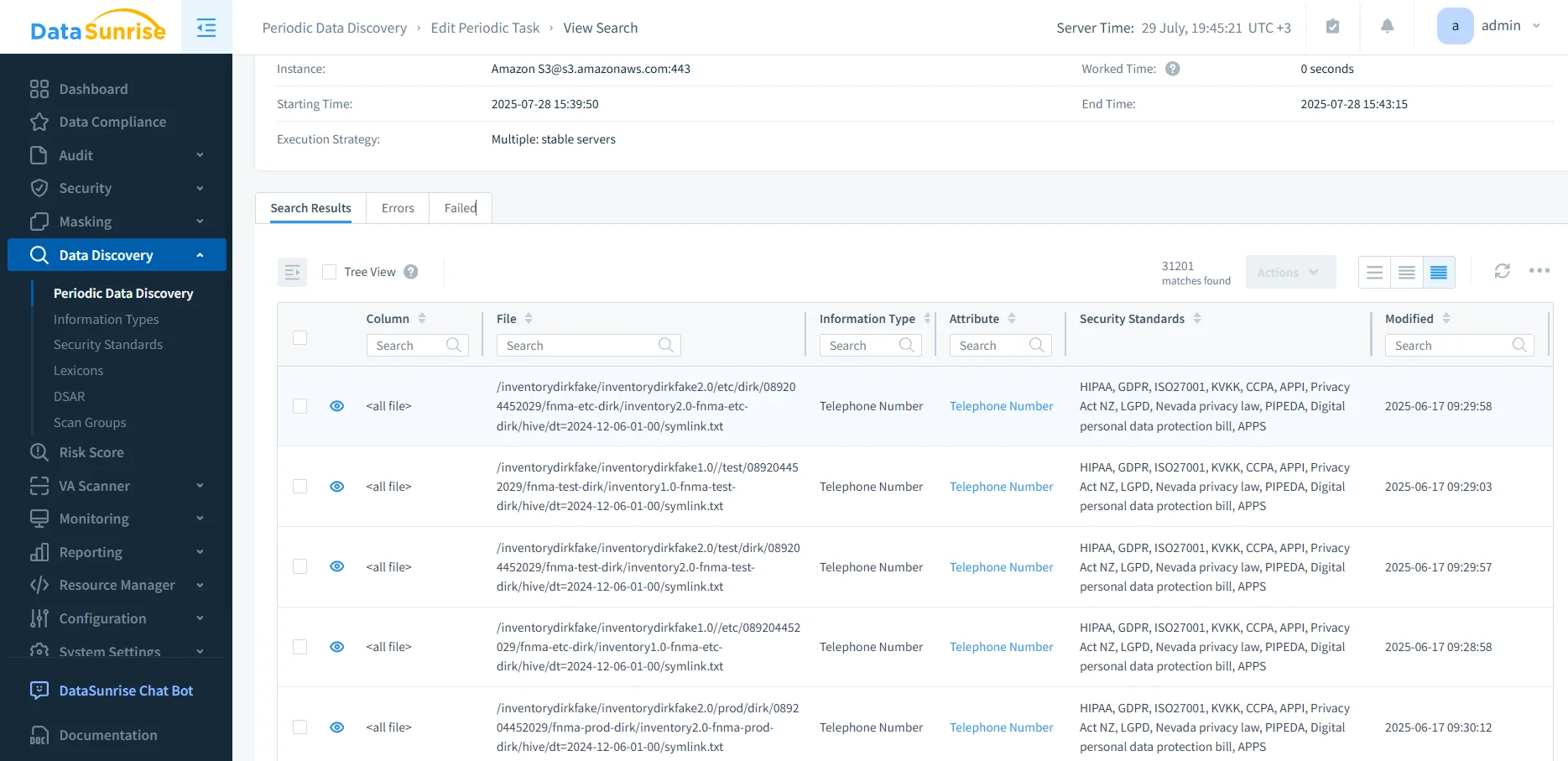
Here’s how it works:
CloudTrail Log Ingestion
Use DataSunrise’s parsing connectors to ingest native CloudTrail logs.Sensitive Data Mapping
Attach context via PII classification and data discovery so logs show not just what was accessed—but what kind of data was touched.Audit Trail Generation
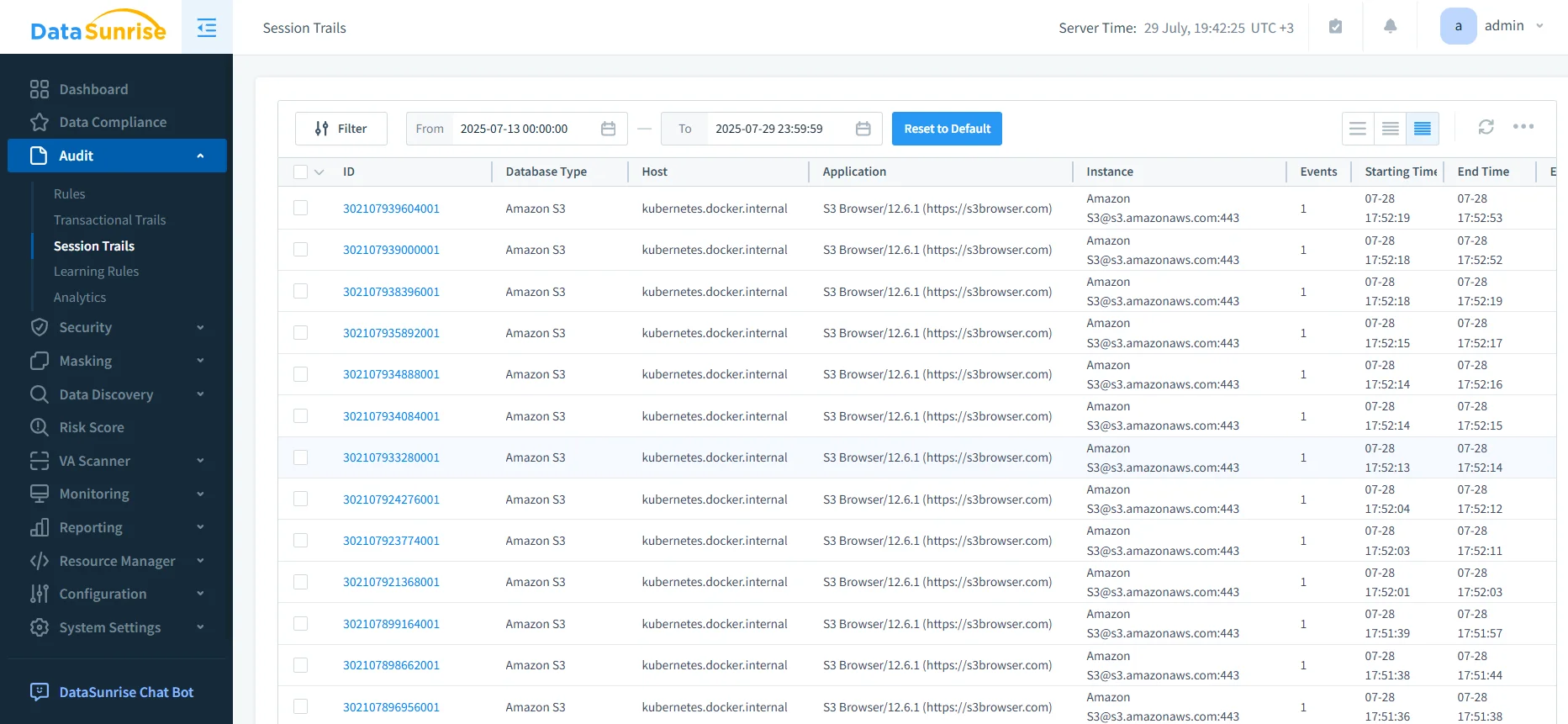
Convert noisy logs into structured audit trails enriched with access tags, user roles, and compliance labels.Real-Time Alerting
Trigger SIEM events or Slack alerts for access to sensitive or masked objects.Searchable Log Store
Index logs into OpenSearch or Athena for fast filtering, geo-grouping, and anomaly detection.
Who Benefits from Better Logging?
Whether you're troubleshooting failed sync jobs, validating regulatory access, or just trying to make sense of who touched what and when—clear, enriched logging is a force multiplier. The right audit tools don’t just help security; they streamline work across the stack.
| Persona | Benefit |
|---|---|
| SREs & DevOps | Faster incident root-cause analysis |
| Developers | Self-service access visibility |
| Data Platform Teams | Enforced tagging and lifecycle control |
| Security Engineers | Anomaly detection, risk scoring |
| Auditors | Clean trails with policy context |
If you're maintaining dozens of apps, services, and buckets, this matters.
Final Thoughts
Amazon S3 audit logs are only as good as what you do with them. CloudTrail and Server Access Logs are a starting point—but platforms like DataSunrise make them intelligent, actionable, and compliance-ready.
Don’t just store logs—turn them into insight.
Need help building that pipeline? Schedule a demo or check out our audit guides for for more detailed information.
Protect Your Data with DataSunrise
Secure your data across every layer with DataSunrise. Detect threats in real time with Activity Monitoring, Data Masking, and Database Firewall. Enforce Data Compliance, discover sensitive data, and protect workloads across 50+ supported cloud, on-prem, and AI system data source integrations.
Start protecting your critical data today
Request a Demo Download Now