Data Masking Tools and Techniques for SAP HANA
In today's data-driven enterprise landscape, protecting sensitive information in SAP HANA databases has become critical. According to IBM's 2024 Data Breach Report, organizations implementing comprehensive data masking solutions detect unauthorized access 78% faster and reduce compliance costs by up to 64%.
SAP HANA, SAP's high-performance in-memory database, handles sensitive business data including financial records, customer information, and proprietary analytics. While SAP HANA provides native security features, organizations often require sophisticated data masking tools to satisfy compliance requirements and protect PII.
This guide explores SAP HANA's native data masking capabilities and demonstrates how DataSunrise enhances data security for SAP HANA environments.
Native SAP HANA Data Masking Capabilities
SAP HANA includes built-in features for implementing data masking that protect sensitive information during development, testing, and analytics operations. These native capabilities provide essential database security controls for SAP environments.
1. SAP HANA Data Anonymization
SAP HANA's data anonymization provides basic masking for non-production environments, supporting test data management requirements:
-- Create a view with anonymized data
CREATE VIEW masked_customer_data AS
SELECT
    customer_id,
    HASH_SHA256(CAST(customer_name AS VARBINARY)) AS customer_name,
    SUBSTRING(email, 1, 3) || '***@' ||
    SUBSTRING(email, LOCATE(email, '@') + 1) AS email,
    LEFT(phone, 3) || '-***-****' AS phone
FROM customer_data;
2. SAP HANA Structured Privileges
SAP HANA's structured privileges enable role-based access control and data masking:
-- Create analytical privilege with masking
CREATE STRUCTURED PRIVILEGE "MASK_SENSITIVE_DATA"
FOR SELECT ON "customer_data"
MASK "ssn" USING CASE
    WHEN SESSION_CONTEXT('USER_ROLE') = 'ANALYST'
    THEN 'XXX-XX-' || RIGHT("ssn", 4)
    ELSE "ssn"
END;
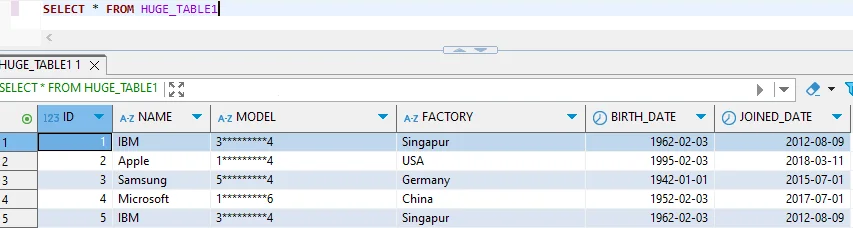
3. SAP HANA Studio for Configuration
SAP HANA Studio provides a graphical interface for configuring basic data masking through security management and analytical privilege definition.
Enhanced Data Masking for SAP HANA with DataSunrise
DataSunrise significantly enhances data protection through Zero-Touch Data Masking and sophisticated automation. Unlike basic native approaches, DataSunrise delivers comprehensive dynamic data masking with Surgical Precision Masking capabilities that enforce security policies across your entire SAP environment.
Implementing DataSunrise for SAP HANA Data Masking
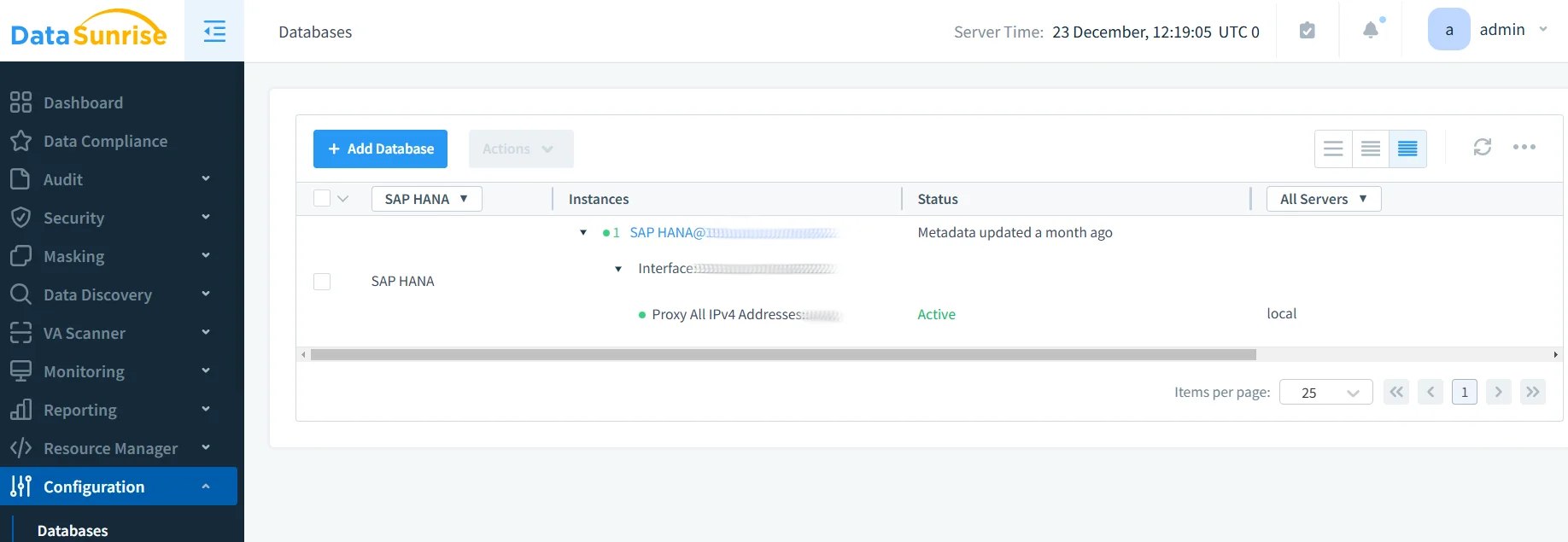
1. Connect to SAP HANA Instance
Establish a secure connection between DataSunrise and your SAP HANA environment. DataSunrise supports all SAP HANA deployment modes including single-node, scale-out, and cloud-based instances.
2. Auto-Discover Sensitive Data
DataSunrise's Auto-Discover & Mask engine automatically scans your SAP HANA database to identify sensitive data according to GDPR, HIPAA, and PCI DSS. The data discovery process identifies PII, financial data, healthcare information, and proprietary business data.
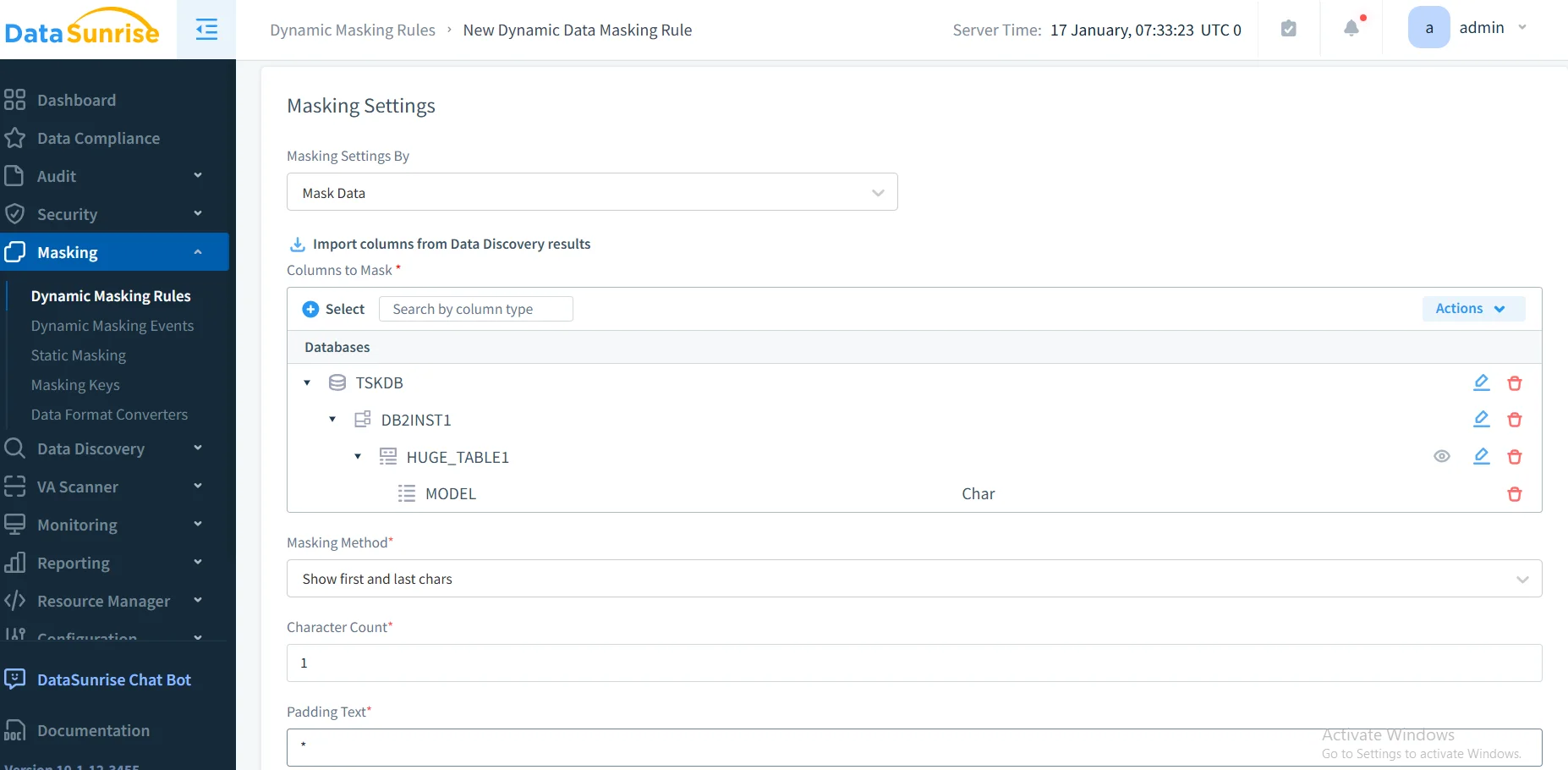
3. Create Dynamic Masking Rules
Configure masking policies using DataSunrise's No-Code Policy Automation interface to define tables, columns, user-specific criteria, and context-aware masking based on application source.
4. Monitor Masking Effectiveness
Access comprehensive masking logs through DataSunrise's dashboard with detailed analytics, compliance reporting, and policy enforcement verification.
Key Advantages of DataSunrise for SAP HANA
| Advantage | Description |
|---|---|
| Autonomous Compliance Orchestration | Compliance Autopilot automatically maintains alignment with GDPR, HIPAA, PCI DSS, and SOX. The system continuously monitors regulatory changes and updates masking policies automatically, ensuring Continuous Compliance Posture. |
| Surgical Precision Masking | DataSunrise implements Context-Aware Protection that applies masking based on user identity, application source, data sensitivity, query context, and time-based requirements. This ensures authorized users receive necessary visibility while maintaining data protection. |
| Multiple Masking Techniques | DataSunrise supports diverse masking types: Static Data Masking permanently masks data in non-production environments, Dynamic Data Masking applies real-time masking during query execution, and In-Place Masking updates sensitive data directly in production tables. Advanced algorithms include randomization, substitution, shuffling, truncation, hashing, and tokenization. |
| Real-Time Monitoring | DataSunrise provides real-time notifications for unauthorized access, policy violations, and unusual patterns, enabling rapid incident response. |
| Cross-Platform Support | With support for over 40 data storage platforms, DataSunrise ensures Unified Security Framework across heterogeneous environments where SAP HANA coexists with other database systems. |
Data Masking Techniques for SAP HANA
Effective data masking requires selecting appropriate techniques based on data types and business requirements. These techniques complement other data protection measures like database encryption to ensure comprehensive security:
Format-Preserving Masking: Maintains data format while obscuring values (e.g., credit cards: 4532-–-7891)
Deterministic Masking: Produces consistent masked values for the same input, maintaining referential integrity
Conditional Masking: Applies different masking rules based on user roles and context
Reversible vs. Irreversible Masking: Encryption-based reversible masking for authorized unmasking, or one-way hashing for permanent obscuring
Conclusion
As organizations increasingly rely on SAP HANA for business-critical operations, implementing robust data masking has become essential for security and compliance. While SAP HANA offers foundational capabilities through view-based masking and structured privileges, organizations with complex regulatory requirements benefit significantly from enhanced solutions like DataSunrise.
DataSunrise provides comprehensive security designed for enterprise databases, offering Zero-Touch Data Masking, Autonomous Compliance Orchestration, and Surgical Precision Masking capabilities. With Seamless Multi-Environment Coverage, flexible deployment modes, and intuitive interfaces, DataSunrise transforms SAP HANA data masking from manual configuration into strategic security assets that support effective data management practices.
Protect Your Data with DataSunrise
Secure your data across every layer with DataSunrise. Detect threats in real time with Activity Monitoring, Data Masking, and Database Firewall. Enforce Data Compliance, discover sensitive data, and protect workloads across 50+ supported cloud, on-prem, and AI system data source integrations.
Start protecting your critical data today
Request a Demo Download Now