
Data Masking Tools and Techniques for Snowflake
In today's data-driven landscape, implementing robust data masking for Snowflake has become essential for protecting sensitive information. According to IBM's 2024 Cost of a Data Breach Report, organizations with comprehensive data masking reduce breach-related costs significantly.
With the average breach cost reaching $4.88 million and compliance regulations constantly evolving, organizations must implement sophisticated masking strategies that balance data security with accessibility. Unauthorized exposure of PII can result in severe penalties and reputational damage.
This guide explores Snowflake's native masking capabilities and demonstrates how DataSunrise enhances protection with Zero-Touch Data Masking and Autonomous Compliance Orchestration.
Understanding Data Masking for Snowflake
Data masking obscures sensitive information while preserving format and usability. In Snowflake environments, effective masking must address:
- Cloud-Native Architecture: Multi-cluster shared data requires consistent masking across virtual warehouses
- Role-Based Access: Complex RBAC with varying data accessibility needs
- Performance at Scale: Maintaining query performance across distributed datasets
- Compliance Requirements: GDPR, HIPAA, PCI DSS mandate specific masking approaches
- Development Workflows: Non-production environments need realistic yet protected data for data-driven testing
Native Snowflake Data Masking Capabilities
Snowflake provides built-in masking features through policy-based mechanisms and column-level security policies.
1. Dynamic Data Masking Policies
Snowflake's native dynamic masking uses masking policies to control data visibility based on user roles and access controls:
-- Create a masking policy for email addresses
CREATE OR REPLACE MASKING POLICY email_mask AS (val STRING)
  RETURNS STRING ->
  CASE
    WHEN CURRENT_ROLE() IN ('ADMIN', 'COMPLIANCE_OFFICER') THEN val
    WHEN CURRENT_ROLE() IN ('ANALYST', 'DEVELOPER') THEN REGEXP_REPLACE(val, '.+@', '****@')
    ELSE '***masked***'
  END;

-- Apply the masking policy to a column
ALTER TABLE customers MODIFY COLUMN email
  SET MASKING POLICY email_mask;
2. Reviewing Masking Policy Coverage
Monitor masking policy application:
-- Query masking policy information
SELECT
    policy_name,
    policy_owner,
    created_on
FROM
    TABLE(INFORMATION_SCHEMA.POLICY_REFERENCES(
        REF_ENTITY_NAME => 'DATABASE_NAME.SCHEMA_NAME.TABLE_NAME',
        REF_ENTITY_DOMAIN => 'TABLE'
    ))
WHERE
    policy_kind = 'MASKING_POLICY';
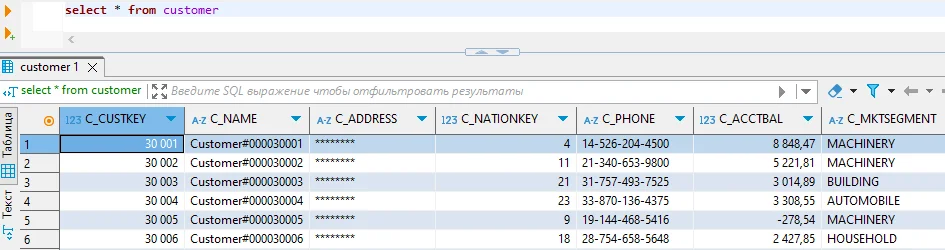
Enhanced Data Masking for Snowflake with DataSunrise
DataSunrise enhances Snowflake's native masking through Surgical Precision Masking with Auto-Discover & Mask technology. Unlike basic policy-based approaches, DataSunrise delivers enterprise-grade database security with comprehensive automation and advanced threat detection.
Setting Up DataSunrise for Snowflake Data Masking
Implementing DataSunrise's advanced masking capabilities follows a streamlined process:
1. Connect to Snowflake: Establish a secure connection through DataSunrise's intuitive interface.
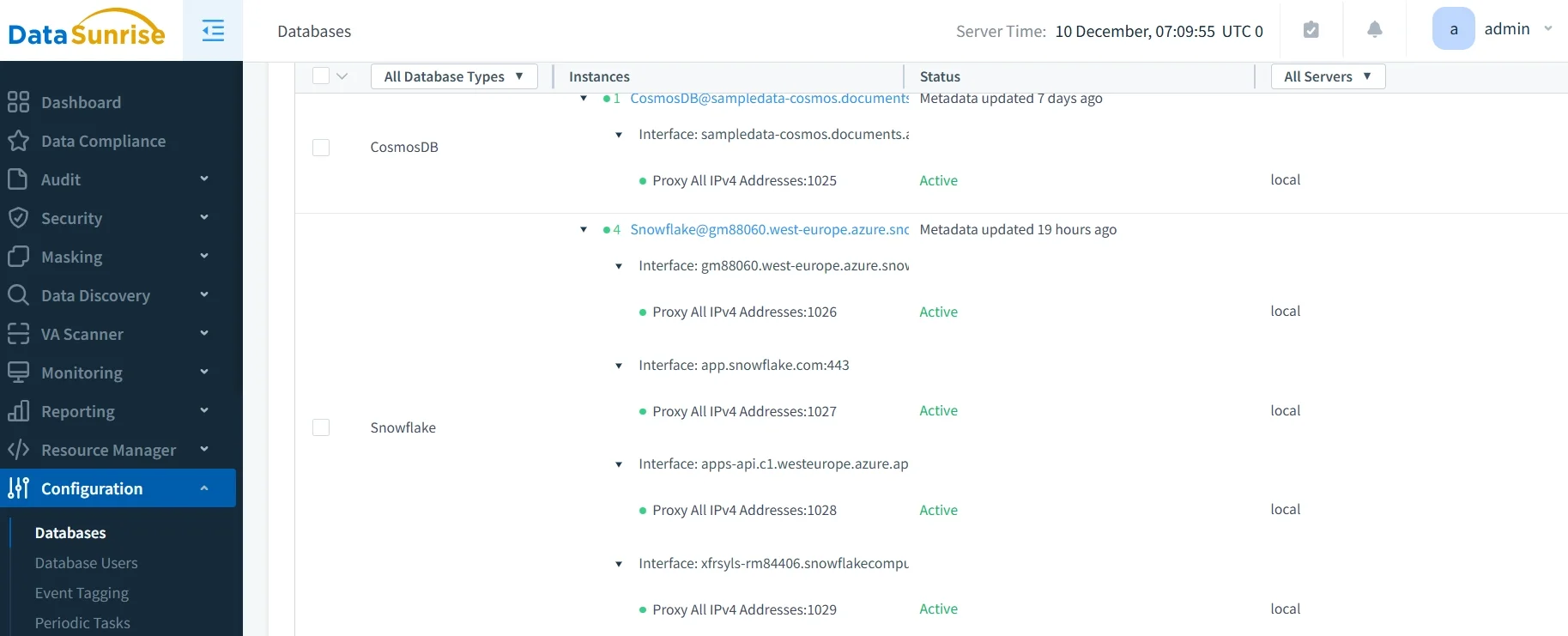
2. Automated Discovery: DataSunrise's NLP engine automatically identifies sensitive columns through data discovery and maps them to compliance frameworks (GDPR, HIPAA, PCI DSS).
3. Create Masking Rules: Configure context-aware policies through No-Code Policy Automation based on user roles and query patterns.
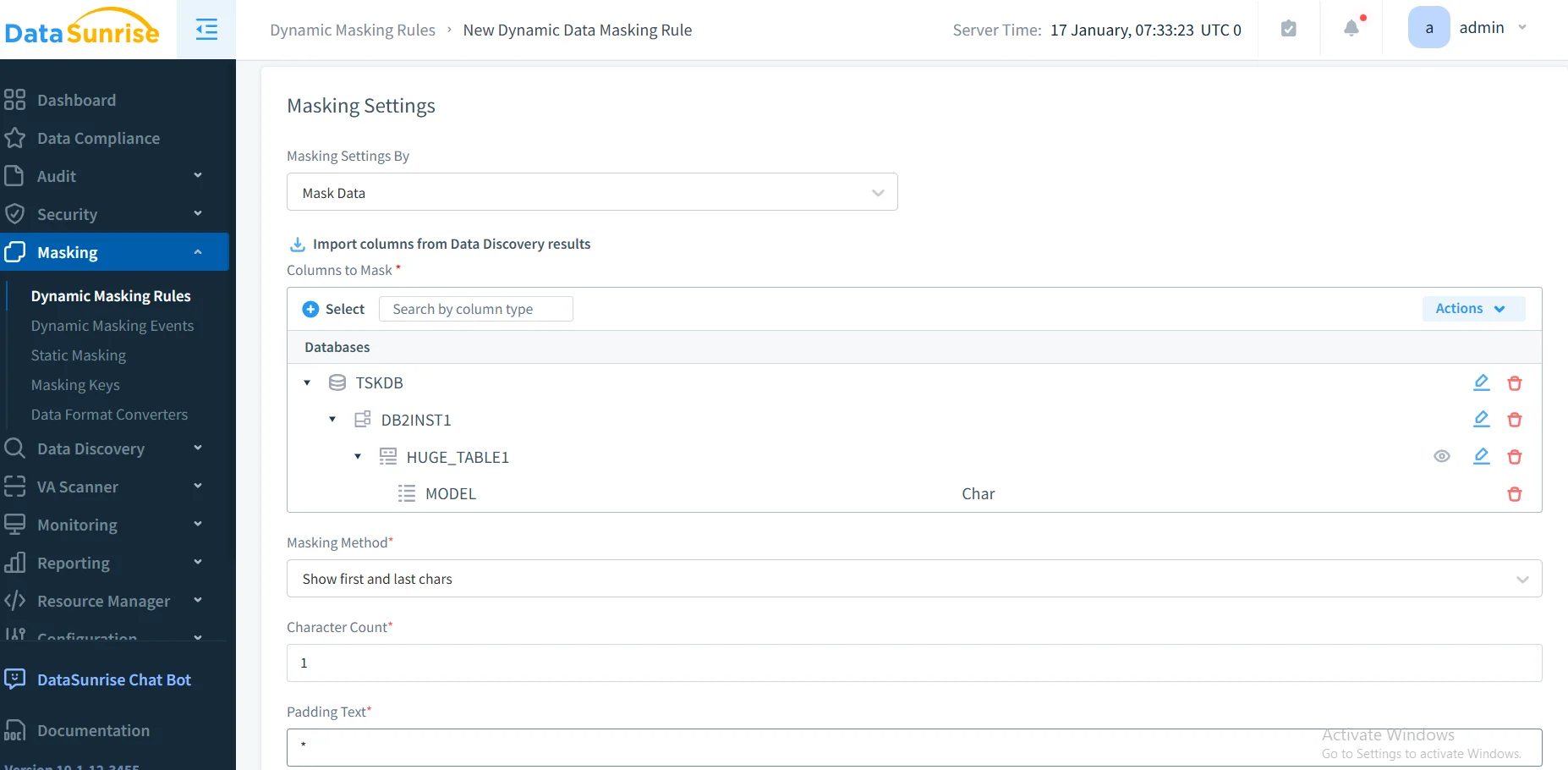
4. Monitor Results: Access real-time tracking and compliance verification through the unified dashboard with audit trails.
Key Advantages of DataSunrise for Snowflake Data Masking
Auto-Discover & Mask: Automatically identify sensitive data and apply masking policies without manual configuration. ML algorithms classify data with high accuracy through data management capabilities.
Surgical Precision Masking: Implement format-preserving encryption, tokenization, shuffling, and custom algorithms. Maintains referential integrity and realistic data distribution.
Context-Aware Protection: Apply masking dynamically based on user roles, query patterns, and business purpose.
Zero-Touch Implementation: Deploy policies across multiple Snowflake accounts through centralized Intelligent Policy Orchestration with flexible deployment modes.
Static Masking: Create masked copies for development through in-place masking that preserves relationships.
Cross-Platform Visibility: Manage masking across Snowflake and over 40 data platforms from unified console with database firewall protection.
Automated Compliance: Generate reports for GDPR, HIPAA, PCI DSS, and SOX compliance through the Compliance Manager.
Business Benefits of Robust Data Masking
Implementing comprehensive data masking for Snowflake delivers multiple strategic advantages:
| Benefit | Description | Impact |
|---|---|---|
| Risk Mitigation | Prevent unauthorized access to sensitive data even if security controls are bypassed, reducing security threats | Significantly reduce breach impact and associated costs |
| Regulatory Compliance | Satisfy requirements for GDPR, HIPAA, PCI DSS, and other frameworks | Accelerate compliance verification with automated reporting |
| Development Agility | Enable developers to work with realistic test data without security concerns through test data management | Dramatically reduce test environment provisioning time |
| Operational Efficiency | Automate masking policy management and eliminate manual configuration overhead | Save substantial administrative time on security tasks |
| Stakeholder Confidence | Demonstrate commitment to data protection and privacy to customers and partners | Build trust and competitive advantage through security excellence |
| Cost Optimization | Avoid breach-related fines, legal costs, and reputational damage from data breaches | Prevent significant breach costs through proactive protection |
Conclusion
As organizations increasingly rely on Snowflake for business-critical operations, implementing robust data masking has become essential for security and compliance. While Snowflake offers foundational capabilities through policy-based protection, organizations with complex requirements benefit significantly from enhanced solutions like DataSunrise.
DataSunrise delivers comprehensive data masking with Zero-Touch Data Masking, Auto-Discover & Mask capabilities, and Autonomous Compliance Orchestration. Unlike solutions requiring constant tuning, DataSunrise delivers true zero-touch compliance across all major regulations with intelligent policy orchestration, suitable for businesses from startups to Fortune 500 enterprises.
Protect Your Data with DataSunrise
Secure your data across every layer with DataSunrise. Detect threats in real time with Activity Monitoring, Data Masking, and Database Firewall. Enforce Data Compliance, discover sensitive data, and protect workloads across 50+ supported cloud, on-prem, and AI system data source integrations.
Start protecting your critical data today
Request a Demo Download Now