How to Apply Data Governance for Teradata
Enterprises running Teradata face unique challenges in safeguarding sensitive data across large, distributed analytics environments. With regulatory frameworks such as GDPR, HIPAA, PCI DSS, and SOX placing strict demands on data handling, applying structured data governance is no longer optional.
Teradata plays a critical role in enterprise-scale analytics, powering industries from finance to healthcare. However, the complexity of modern data ecosystems often leads to governance blind spots. According to the recently published IBM Cost of a Data Breach Report, the global average cost of a data breach reached $4.88 million in 2024, driven by increasingly disruptive incidents.
This article provides a practical overview of how to implement governance on Teradata using built-in functions, followed by an exploration of how DataSunrise strengthens those capabilities through automation, sensitive data discovery, and compliance orchestration.
What is Data Governance?
Data governance is the structured approach organizations use to manage, protect, and utilize data effectively. It establishes policies, standards, and controls to ensure that information is accurate, secure, and compliant with regulations.
Strong governance frameworks include:
- Data Ownership & Stewardship: Assigning responsibility for sensitive assets.
- Access Controls: Ensuring only authorized users can view or modify critical data.
- Data Quality Management: Maintaining accuracy, completeness, and consistency.
- Compliance Alignment: Meeting requirements for regulatory compliance, including GDPR, HIPAA, PCI DSS, and SOX.
In the context of Teradata, governance ensures that large-scale analytics operations remain trustworthy and secure, while reducing risk exposure from insider threats and regulatory audits.
Native Governance Capabilities in Teradata
Logging and Event Triggers
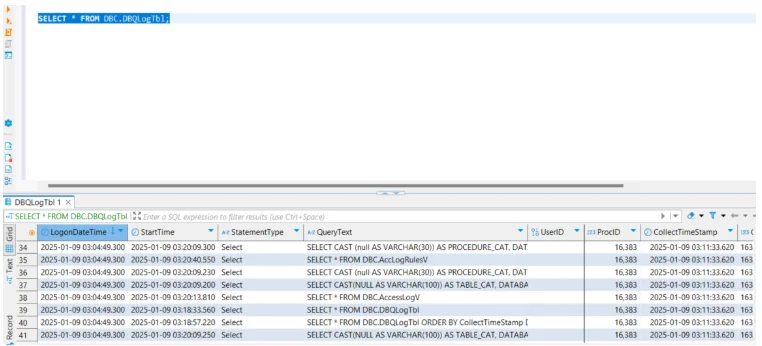
Although not as comprehensive as dedicated auditing systems, Teradata supports query logging via DBQL. Administrators can track query history, execution time, and user activity to support governance reporting.
-- Enable query logging with detailed information
BEGIN QUERY LOGGING WITH SQL, OBJECTS, STEPINFO, ROWCOUNT
ON ALL;

-- Log queries for a specific user
BEGIN QUERY LOGGING ON user_a;

-- Log queries for a specific account string
BEGIN QUERY LOGGING ON ACCOUNT = 'FinanceDept';

-- Disable query logging when no longer needed
END QUERY LOGGING ON user_a;
This enables monitoring of workload patterns and helps identify non-compliant usage.
Role-Based Access Controls (RBAC)
Teradata administrators can assign users to roles and restrict actions based on privilege groups. For example:
-- Create a role for compliance officers
CREATE ROLE compliance_officer;

-- Grant read-only access to sensitive schema
GRANT SELECT ON FinanceDB TO compliance_officer;

-- Restrict UPDATE and DELETE from financial tables
REVOKE UPDATE, DELETE ON FinanceDB.Transactions FROM compliance_officer;

-- Assign role to multiple users
GRANT compliance_officer TO user_a;
GRANT compliance_officer TO user_b;

-- Create a more restrictive role for external auditors
CREATE ROLE external_auditor;
GRANT SELECT ON FinanceDB.Reports TO external_auditor;

-- Assign external auditor role
GRANT external_auditor TO auditor_user;
RBAC ensures clear separation of duties, so teams like developers, analysts, and auditors only access what’s relevant to their roles.
Data Dictionary Views
Teradata’s system views, such as DBC.TablesV and DBC.ColumnsV, provide metadata visibility into which tables store specific data types. Administrators can query these catalogs to build manual data inventories and check ownership of sensitive objects.
-- Search for columns that may contain sensitive information
SELECT DatabaseName, TableName, ColumnName, ColumnType
FROM DBC.ColumnsV
WHERE ColumnName LIKE '%SSN%'
   OR ColumnName LIKE '%CARD%'
   OR ColumnName LIKE '%EMAIL%'
   OR ColumnName LIKE '%PHONE%';

-- List all tables and owners in FinanceDB
SELECT DatabaseName, TableName, OwnerName
FROM DBC.TablesV
WHERE DatabaseName = 'FinanceDB';

-- Identify last altered dates for key compliance objects
SELECT DatabaseName, TableName, LastAlterTimeStamp
FROM DBC.TablesV
WHERE DatabaseName IN ('FinanceDB', 'HRDB');
These views are essential for building an internal catalog of sensitive data, though the process is manual and time-consuming without automation.
Enhanced Data Governance for Teradata with DataSunrise
While Teradata provides the foundation, DataSunrise extends governance into a unified, automated, compliance-first architecture.
Real-Time Alerts
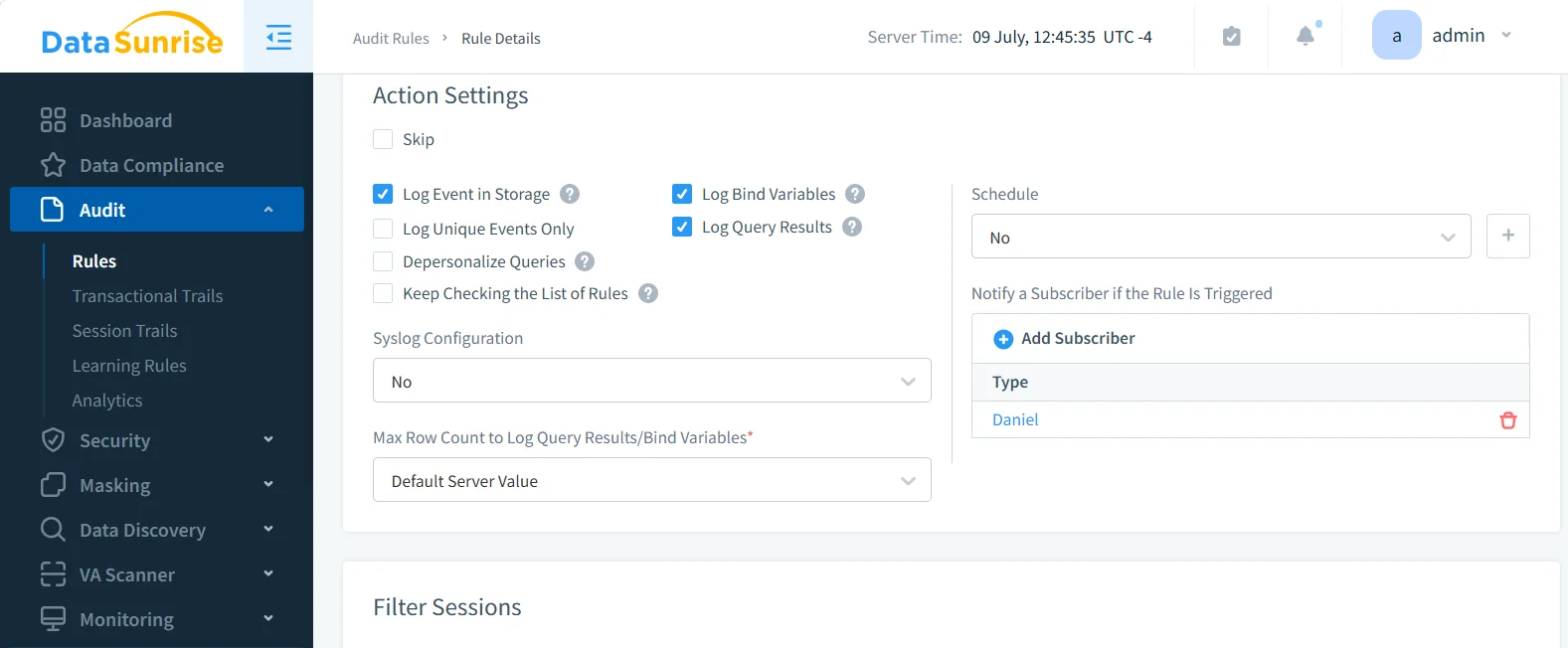
DataSunrise delivers immediate notifications about suspicious activity through email, Slack, or Microsoft Teams. Alerts can be configured for failed login attempts, mass data exports, or unusual query patterns. By integrating with SIEM tools, it extends Teradata governance into enterprise-wide threat detection workflows, reducing response times during incidents. Learn more about real-time alerts and notifications.
Sensitive Data Discovery
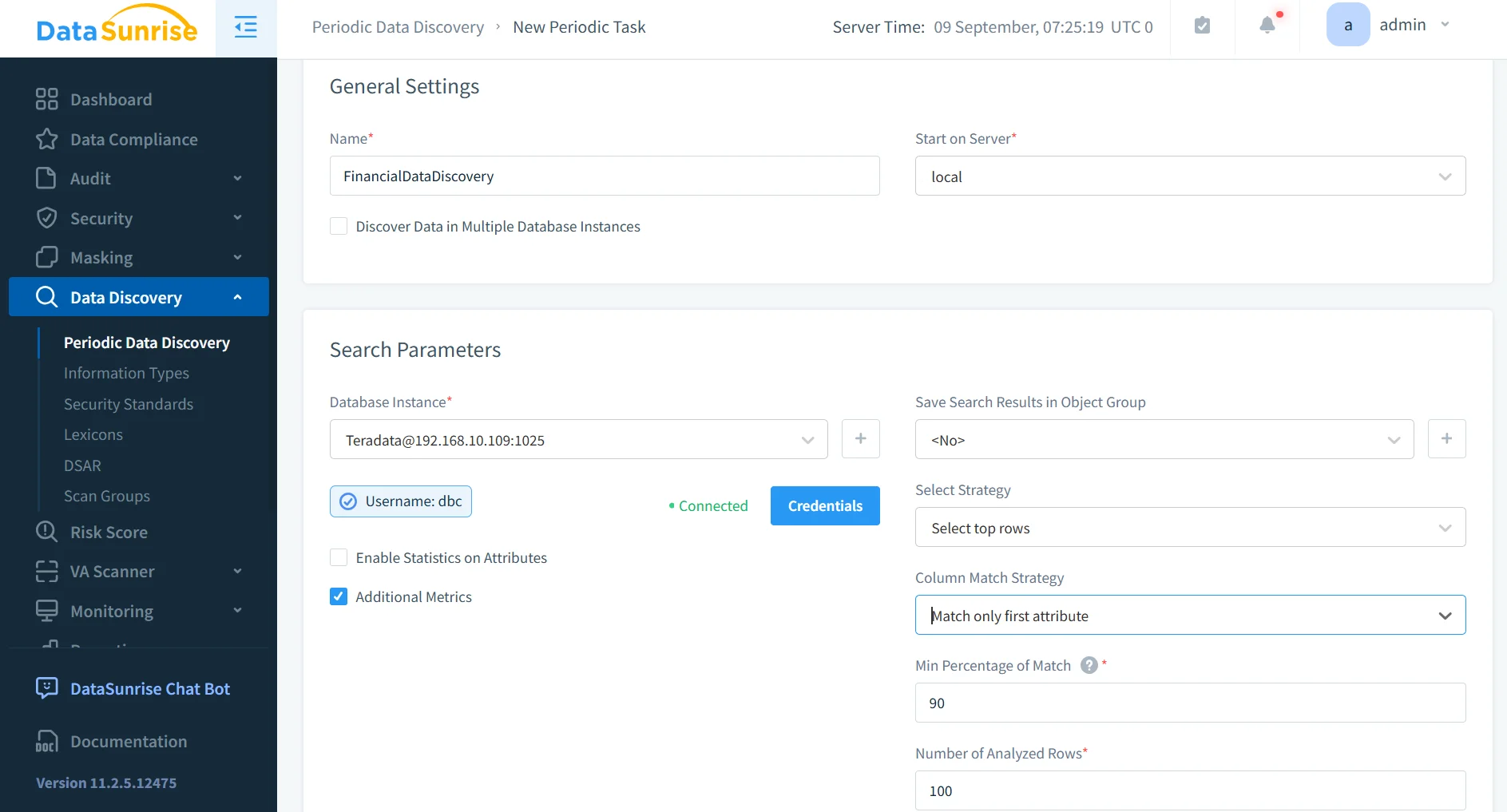
DataSunrise continuously scans Teradata databases to locate PII, PHI, and financial data. It uses pattern recognition, dictionaries, and contextual analysis, combined with OCR to detect sensitive information in unstructured sources like scanned invoices or contracts. Discovery can be scheduled, ensuring new objects are automatically classified. Results integrate with masking and auditing rules, streamlining compliance workflows.
Dynamic Data Masking
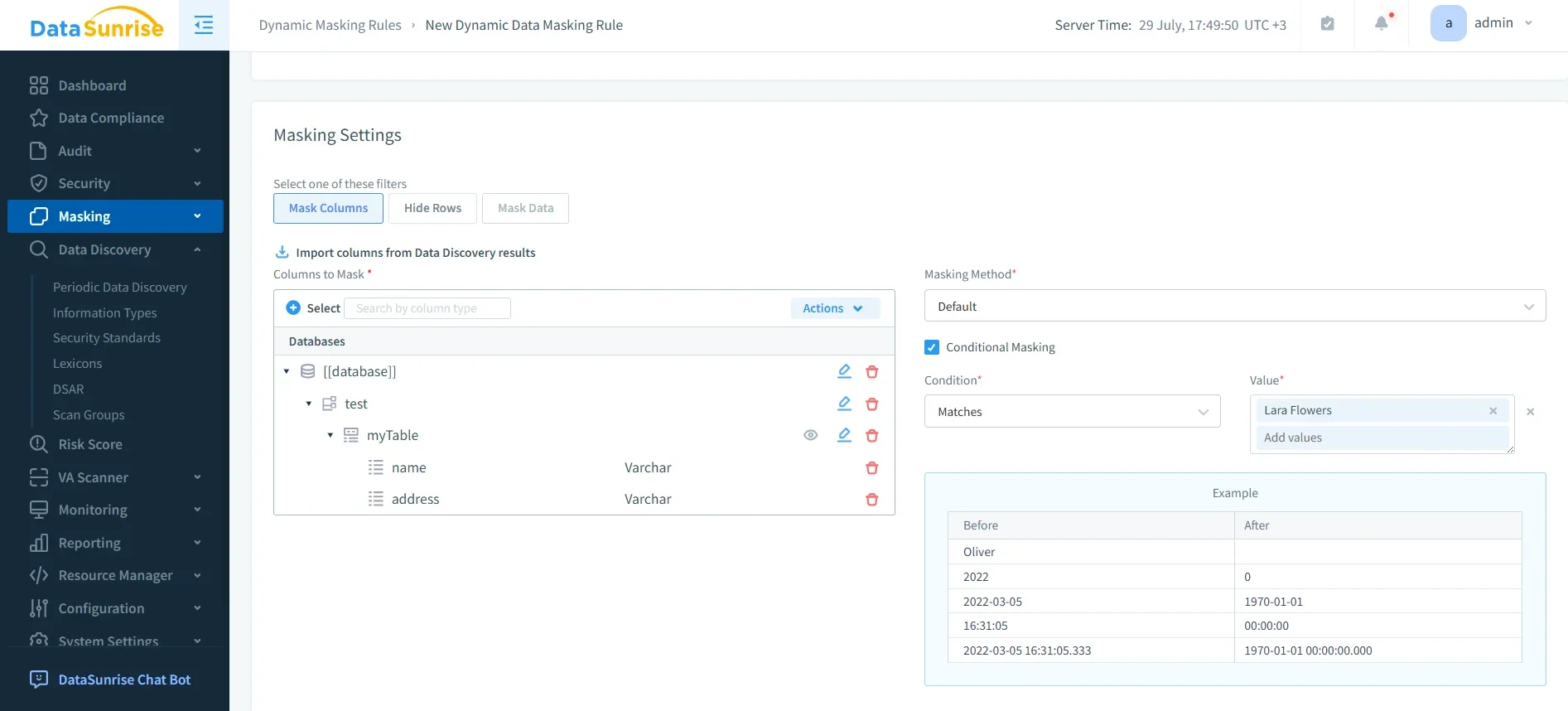
Zero-touch dynamic masking ensures unauthorized users never see raw sensitive values such as credit cards or patient IDs. Unlike static methods, it adapts in real time to user roles and query context. For example, an analyst may only see the last four digits of a card number, while authorized finance staff retain full access. This dynamic data masking capability provides surgical precision masking that prevents leakage while keeping data usable.
Centralized Monitoring
Instead of siloed logging, DataSunrise consolidates Teradata oversight with 40+ supported platforms in one dashboard. This database activity monitoring delivers unified visibility, allowing enterprises to enforce consistent policies across hybrid and multi-cloud infrastructures. Administrators can detect cross-database anomalies, compare user activity across systems, and generate consolidated compliance reports.
- Provides unified dashboards for multi-database visibility.
- Correlates events across different environments for deeper insights.
- Enables faster root cause analysis of suspicious activity.
- Reduces administrative overhead by centralizing governance controls.
Compliance Autopilot
Through continuous regulatory calibration, DataSunrise aligns Teradata governance with GDPR, HIPAA, PCI DSS, and SOX requirements. Built-in compliance templates automate policy creation, while drift detection flags gaps as standards evolve. This compliance manager feature removes the need for constant manual oversight and ensures audit readiness with one-click compliance evidence for regulators.
- Automates mapping of data elements to compliance requirements.
- Provides pre-built templates for major regulatory frameworks.
- Detects and reports compliance drift in real time.
- Generates auditor-ready reports with minimal effort.
Comparison Table
| Feature | Native Teradata Governance | DataSunrise for Teradata |
|---|---|---|
| Sensitive Data Discovery | Manual searches via system views | Automated discovery with patterns, dictionaries, and OCR |
| Data Masking | Limited or manual | Real-time dynamic masking with role-based rules |
| Compliance Alignment | Requires manual policy updates | Compliance Autopilot with GDPR, HIPAA, PCI DSS, SOX templates |
| Monitoring | DBQL-based, siloed | Centralized monitoring across 40+ platforms |
| Alerts | Minimal | Real-time alerts via email, Slack, Teams, SIEM |
| Reporting | Basic logs and manual exports | Automated audit-ready compliance reports |
| Cross-Platform Governance | Limited | Unified, multi-cloud and hybrid coverage |
Conclusion
Applying data governance for Teradata requires more than manual catalog checks or role-based privileges. Native capabilities provide a baseline, but modern enterprises demand automation, dynamic protection, and unified compliance frameworks.
DataSunrise delivers these advanced governance features, ensuring sensitive data is protected, compliance gaps are eliminated, and organizations are always audit-ready.
Protect Your Data with DataSunrise
Secure your data across every layer with DataSunrise. Detect threats in real time with Activity Monitoring, Data Masking, and Database Firewall. Enforce Data Compliance, discover sensitive data, and protect workloads across 50+ supported cloud, on-prem, and AI system data source integrations.
Start protecting your critical data today
Request a Demo Download Now