How to Apply Dynamic Masking in SAP HANA
In today's data-driven enterprise landscape, protecting sensitive information while maintaining operational efficiency has become critical. According to IBM's 2024 Data Breach Report, organizations with comprehensive data masking implementations reduce breach-related costs by up to 68% and detect unauthorized access 82% faster.
SAP HANA, SAP's in-memory database platform, provides native data masking capabilities for protecting personally identifiable information, financial data, and other sensitive content. However, enterprises often require advanced solutions that extend beyond basic native functionality. For detailed information about SAP HANA's security features, refer to the official SAP HANA security guide.
This guide explores SAP HANA's native dynamic masking capabilities and demonstrates how DataSunrise enhances data protection with Zero-Touch Data Masking and Intelligent Policy Orchestration.
Native SAP HANA Dynamic Masking Capabilities
SAP HANA includes built-in data masking features that allow administrators to protect sensitive data while maintaining database security functionality:
1. Creating Custom Masking Functions
Create user-defined functions for masking:
-- Create masking function for emails
CREATE FUNCTION MASKING_FUNCTIONS.MASK_EMAIL (email VARCHAR(255))
RETURNS VARCHAR(255)
LANGUAGE SQLSCRIPT
AS
BEGIN
    DECLARE masked_email VARCHAR(255);
    DECLARE at_position INT;
    at_position = LOCATE(email, '@');
    IF at_position > 0 THEN
        masked_email = REPEAT('*', at_position - 1) || SUBSTRING(email, at_position);
    ELSE
        masked_email = REPEAT('*', LENGTH(email));
    END IF;
    RETURN masked_email;
END;
2. Creating Views with Masking Logic
Implement masking through database views with role-based access controls:
-- Create masked view
CREATE VIEW CUSTOMER_DATA_MASKED AS
SELECT
    customer_id,
    full_name,
    MASKING_FUNCTIONS.MASK_EMAIL(email) AS email,
    SUBSTRING(phone_number, 1, 3) || '-***-****' AS phone_number,
    account_balance
FROM CUSTOMER_DATA;
3. Testing Masking Implementation
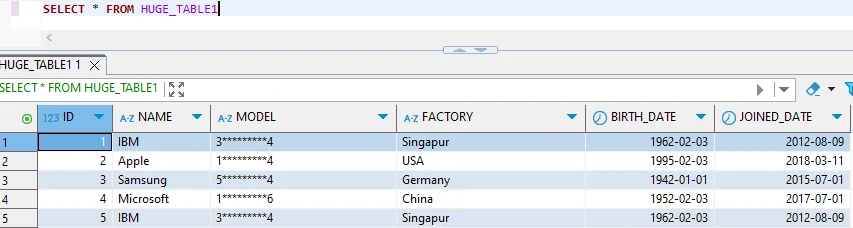
Verify masking with test queries to ensure proper data protection:
INSERT INTO CUSTOMER_DATA VALUES
(1, 'Alice Johnson', '[email protected]', '555-123-4567', 25000.00, CURRENT_DATE);

-- Query returns masked data: email shows as *******************@example.com
SELECT * FROM CUSTOMER_DATA_MASKED;
4. SAP HANA Studio for Masking Management
SAP HANA Studio provides a graphical interface for managing masking configurations without requiring extensive SQL expertise.
Enhanced Dynamic Masking with DataSunrise
While SAP HANA provides native masking, DataSunrise significantly enhances protection with Auto-Discover & Mask capabilities and No-Code Policy Automation. Unlike basic view-based approaches, DataSunrise delivers Surgical Precision Masking with Context-Aware Protection.
Setting Up DataSunrise for SAP HANA Dynamic Masking
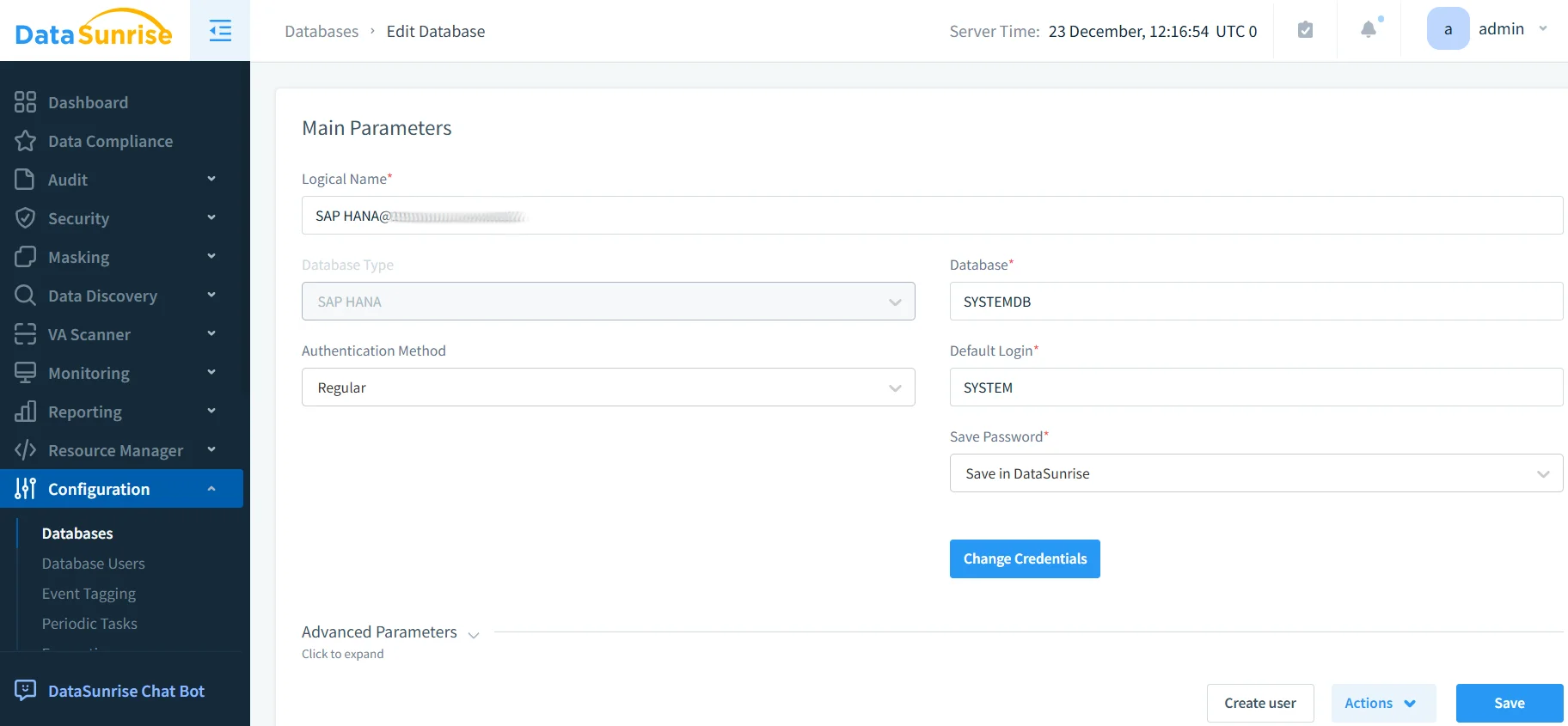
1. Connect to SAP HANA Instance
Establish a secure connection through DataSunrise's interface, supporting both single-node and distributed deployments.
2. Configure Sensitive Data Discovery
DataSunrise automatically identifies sensitive data using NLP Data Discovery and machine learning algorithms, detecting PII, financial data, healthcare information, and custom patterns.
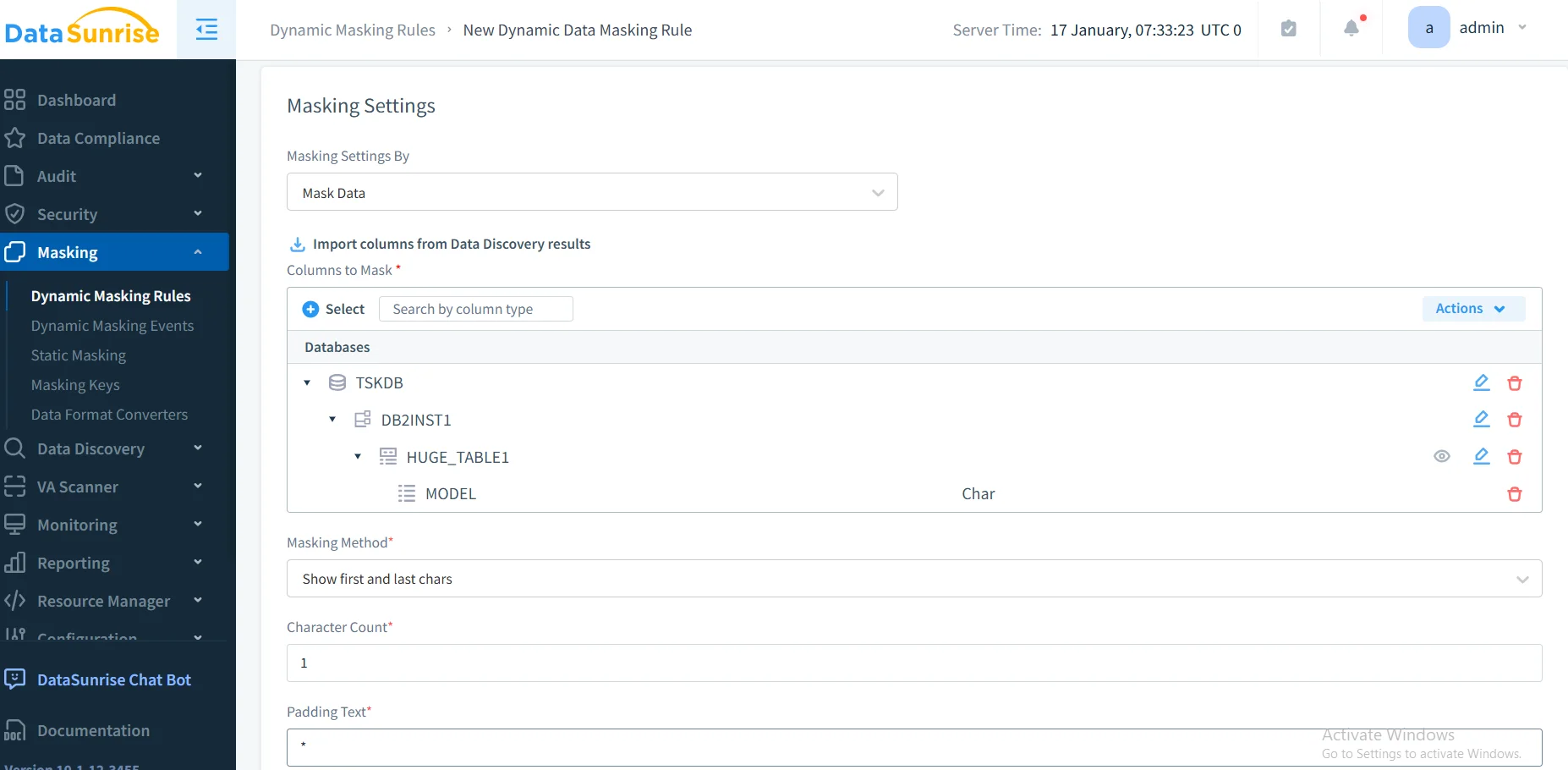
3. Create Dynamic Masking Rules
Configure granular policies through the intuitive interface. Define masking algorithms, implement role-based policies, and set up format-preserving masking for testing environments.
4. Review Masked Data Access
Monitor through DataSunrise's dashboard with visibility into user access, applied algorithms, performance metrics, and compliance audit trails.
Key Advantages of DataSunrise for SAP HANA
DataSunrise provides significant enhancements over native masking:
- Zero-Touch Data Masking: Automatically discovers and masks sensitive data across all tables, adapting as schemas evolve
- Continuous Regulatory Calibration: Adjusts policies automatically for GDPR, HIPAA, PCI DSS, and SOX compliance
- Context-Aware Protection: Analyzes query context and user roles to apply appropriate masking dynamically
- Unified Security Framework: Manages policies across SAP HANA and over 40 data storage platforms from a centralized console
- Compliance Autopilot: Automated frameworks with compliance manager ensure continuous adherence without manual policy management
- Audit-Ready Reporting: One-click compliance documentation with automated reporting for auditors and regulators
Business Benefits of Dynamic Masking for SAP HANA
| Benefit | Description |
|---|---|
| Enhanced Data Protection | Reduce data breach costs and detect unauthorized access faster |
| Streamlined Compliance Workflows | Automate regulatory compliance with intelligent masking policies |
| Improved Development Efficiency | Enable safe work with production-like data through static masking |
| Minimized Compliance Gaps | Continuous policy evolution with regulatory changes |
| Quantifiable Risk Reduction | Measurable decreases in data exposure incidents with security policies |
| Operational Flexibility | Maintain full functionality while protecting sensitive data |
Conclusion
As SAP HANA powers mission-critical enterprise applications, implementing robust dynamic masking is essential for data protection and compliance. While SAP HANA offers native capabilities, organizations with complex requirements benefit significantly from enhanced solutions.
DataSunrise provides comprehensive protection specifically designed for SAP HANA environments, offering Zero-Touch Data Masking, Auto-Discover & Mask capabilities, and No-Code Policy Automation. With flexible deployment modes supporting on-premise, cloud, and hybrid architectures, DataSunrise delivers enterprise-grade protection with minimal administrative overhead.
Unlike solutions requiring constant tuning, DataSunrise delivers Autonomous Compliance Orchestration with Context-Aware Protection that adapts dynamically to user roles, regulatory requirements, and business needs.
Protect Your Data with DataSunrise
Secure your data across every layer with DataSunrise. Detect threats in real time with Activity Monitoring, Data Masking, and Database Firewall. Enforce Data Compliance, discover sensitive data, and protect workloads across 50+ supported cloud, on-prem, and AI system data source integrations.
Start protecting your critical data today
Request a Demo Download Now