How to Apply Static Masking in SAP HANA
In today's data-driven enterprise landscape, protecting sensitive information within SAP HANA databases has become critical. According to IBM's 2024 Cost of a Data Breach Report, organizations with comprehensive data masking strategies reduce breach-related costs by up to 42%. With average breach costs exceeding $4.88 million, implementing effective static data masking for SAP HANA is essential for protecting personally identifiable information (PII) and ensuring database security.
SAP HANA, SAP's in-memory database platform, powers mission-critical applications handling sensitive business data. According to SAP HANA security documentation, implementing proper data protection measures is crucial for enterprise deployments. Static masking creates permanent, irreversible copies of production data with sensitive values replaced by realistic but fictitious information—essential for development, testing, and analytics environments.
This guide explores both native SAP HANA static masking capabilities and demonstrates how DataSunrise transforms static masking from a manual process into an automated, compliance-driven framework.
Understanding Static Masking in SAP HANA
Static masking for SAP HANA creates persistent, masked copies of production data by permanently replacing sensitive values with realistic but fictitious information. Unlike dynamic masking, which transforms data in real-time, static masking physically modifies target databases—ideal for development, testing, analytics, third-party collaboration, and training environments. This approach is particularly valuable for test data management where realistic datasets are required without exposing actual sensitive information.
Organizations can implement various masking types depending on their specific requirements. Critical considerations include maintaining referential integrity across complex table relationships, managing performance impact on large datasets, satisfying GDPR, HIPAA, and PCI DSS compliance regulations, and preserving data quality for accurate testing and analytics.
Native SAP HANA Static Masking Approaches
SAP HANA lacks built-in static masking functionality, requiring manual approaches through custom SQL scripts and procedures. While SAP HANA's SQL reference guide provides comprehensive documentation for database operations, it offers no dedicated masking features. Organizations must implement their own data security measures to protect sensitive information in non-production environments.
Manual SQL-Based Static Masking
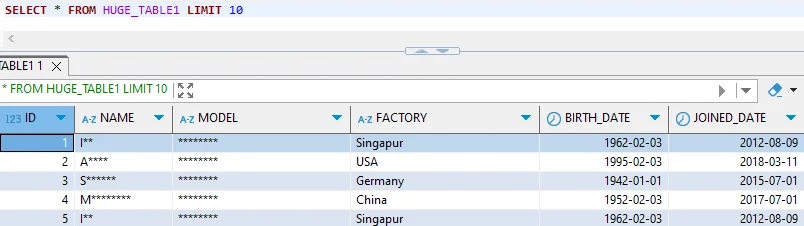
-- Create backup and apply masking
CREATE COLUMN TABLE CUSTOMER_DATA_MASKED LIKE CUSTOMER_DATA;
INSERT INTO CUSTOMER_DATA_MASKED SELECT * FROM CUSTOMER_DATA;

UPDATE CUSTOMER_DATA_MASKED
SET
    CUSTOMER_NAME = CONCAT('Customer_', TO_VARCHAR(CUSTOMER_ID)),
    EMAIL_ADDRESS = CONCAT('user', TO_VARCHAR(CUSTOMER_ID), '@example.com'),
    PHONE_NUMBER = CONCAT('+1-555-', LPAD(TO_VARCHAR(MOD(CUSTOMER_ID, 10000)), 4, '0'));
Limitations of Native Approaches
| Challenge | Impact |
|---|---|
| Manual Configuration | High administrative overhead, inconsistent implementation |
| Limited Algorithms | Basic transformations lack realistic distributions |
| No Referential Integrity | Manual relationship tracking causes data inconsistencies |
| Performance Concerns | Large operations consume significant resources |
| No Compliance Templates | Time-consuming manual regulatory mapping |
| Lack of Audit Trail | Difficulty demonstrating compliance |
Enhanced Static Masking for SAP HANA with DataSunrise
DataSunrise transforms SAP HANA static masking through Autonomous Compliance Orchestration and Zero-Touch Data Protection. Unlike manual SQL approaches, DataSunrise delivers No-Code Policy Automation that reduces implementation time from weeks to hours with Surgical Precision Masking across complex database structures. This comprehensive approach combines advanced data discovery with intelligent security policies to protect sensitive information.
Setting Up DataSunrise for SAP HANA Static Masking
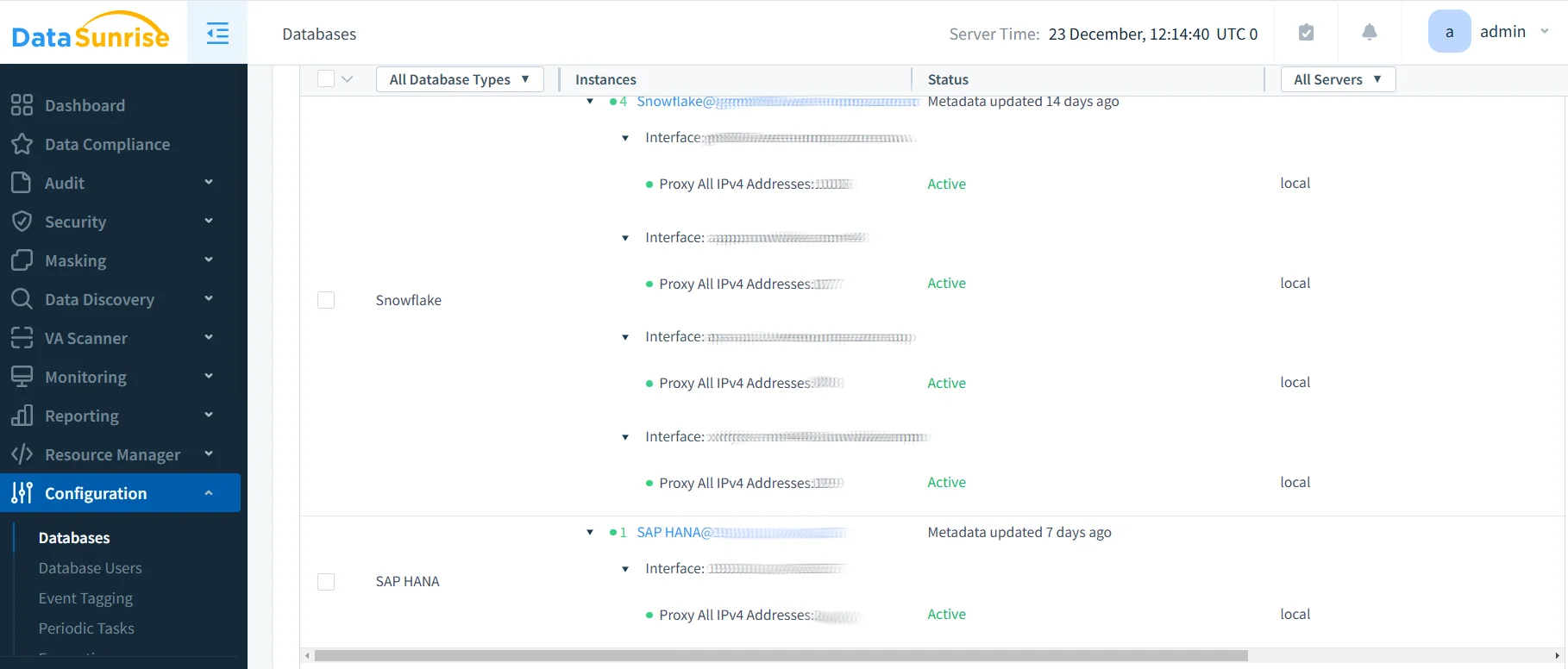
1. Connect to SAP HANA Instance
Establish a secure connection through DataSunrise's administrative interface, supporting both single-container and multi-tenant database container (MDC) architectures with robust access controls.
2. Auto-Discover Sensitive Data
DataSunrise's Auto-Discover & Classify engine automatically scans SAP HANA to identify sensitive data using NLP Data Discovery algorithms, detecting personal information, financial data, health records, government identifiers, and business confidential data according to regulatory frameworks. This automated process ensures comprehensive data management across all database objects.
3. Configure Static Masking Rules
Create sophisticated rules through the No-Code Policy Automation interface with pre-built masking algorithms including substitution, shuffling, number variance, date shifting, partial masking, nulling, and custom transformations. DataSunrise automatically preserves referential integrity across foreign key relationships while enforcing role-based access controls.
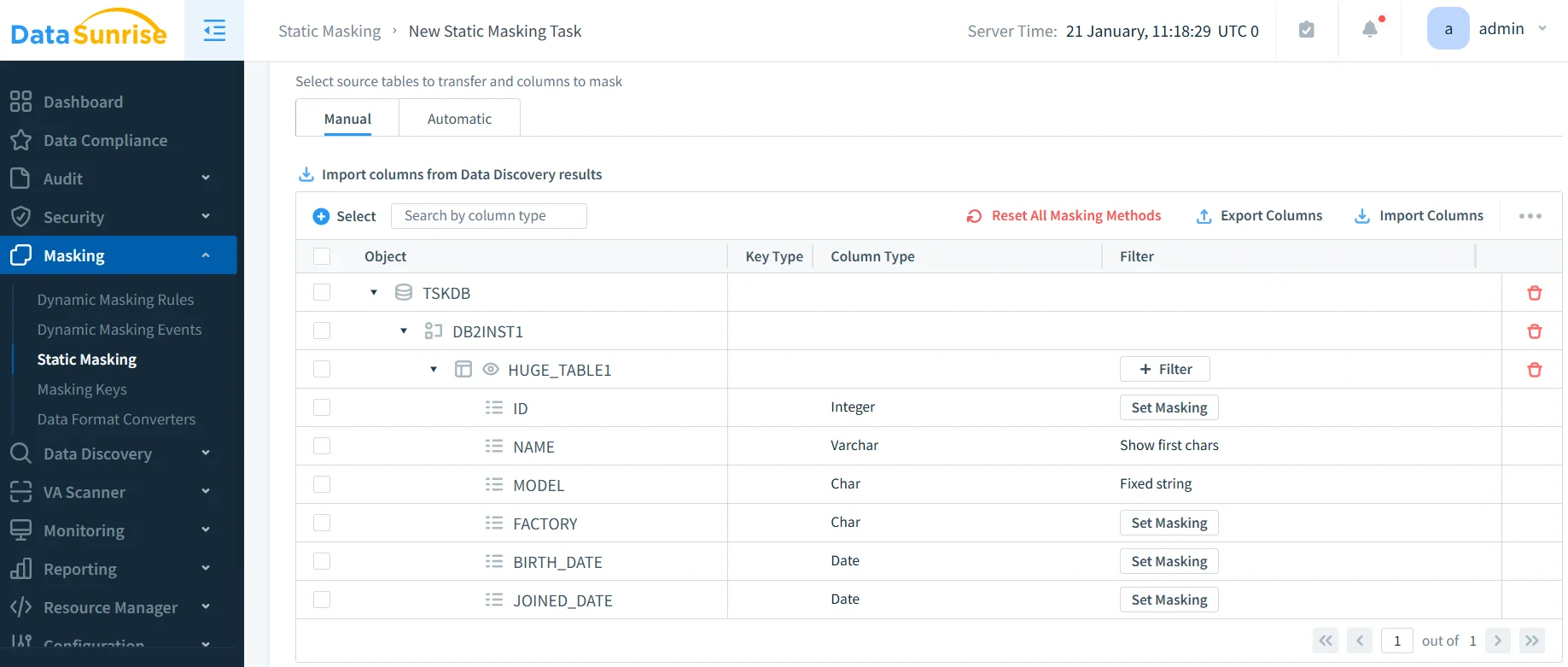
4. Execute Static Masking Operations
DataSunrise's In-Place Masking enables direct transformation of target databases or creation of masked copies with optimized performance for SAP HANA's in-memory architecture.
5. Validate Masking Results
Comprehensive validation includes before/after comparison, statistical analysis, relationship validation, and compliance verification.
Key Advantages of DataSunrise for SAP HANA Static Masking
- Autonomous Sensitive Data Detection: Auto-Discover & Mask eliminates weeks of manual classification using ML algorithms
- Intelligent Policy Orchestration: No-Code Policy Automation reduces implementation time by 90%
- Referential Integrity Preservation: Automatic detection and preservation of foreign key constraints
- Compliance Autopilot: Pre-configured templates for GDPR, HIPAA, PCI DSS, and SOX
- Performance Optimization: Context-Aware Protection for SAP HANA's in-memory architecture
- Comprehensive Audit Trails: Detailed audit trails for compliance demonstration
- Cross-Platform Consistency: Support for over 40 data storage platforms
- Synthetic Data Generation: Advanced capabilities for creating artificial datasets
Conclusion
As SAP HANA continues powering mission-critical enterprise applications with sensitive business data, implementing robust static masking has evolved from a technical consideration to a business imperative. While manual SQL-based approaches provide basic functionality, they present significant implementation complexity and compliance challenges. Organizations must adopt comprehensive strategies that combine static masking with other database security measures including database encryption and proper access controls.
DataSunrise delivers a comprehensive static masking solution specifically designed for SAP HANA environments, transforming data protection through Auto-Discover & Mask capabilities, No-Code Policy Automation, and Surgical Precision Masking. Implementation time reduces by up to 90% while ensuring Continuous Compliance Alignment with GDPR, HIPAA, PCI DSS, and SOX requirements.
With flexible deployment modes supporting on-premise, cloud, and hybrid SAP HANA architectures, DataSunrise provides Enterprise-Grade Policy Enforcement that scales from startups to Fortune 500 deployments. This Widely Adopted, Cost-Effective solution is suitable for organizations of all sizes seeking to protect sensitive SAP HANA data while accelerating development, testing, and analytics.
Protect Your Data with DataSunrise
Secure your data across every layer with DataSunrise. Detect threats in real time with Activity Monitoring, Data Masking, and Database Firewall. Enforce Data Compliance, discover sensitive data, and protect workloads across 50+ supported cloud, on-prem, and AI system data source integrations.
Start protecting your critical data today
Request a Demo Download Now