How to Apply Static Masking in Sybase
Protecting sensitive data in Sybase (SAP ASE) is not just about restricting access—it is about controlling how data is replicated, exported, and used outside production systems.
While Sybase provides solid foundations such as Role-Based Access Controls and encryption, it does not include native mechanisms for static data masking. Once data leaves the production environment—for testing, analytics, or external sharing—it often remains fully exposed.
Static masking solves this by transforming sensitive data into a sanitized version before it is copied or shared. This ensures that downstream environments operate on realistic but non-sensitive datasets. For additional context on Sybase security architecture, refer to the official SAP ASE Security Administration Guide and industry guidance from NIST data protection recommendations.
In this guide, we walk through how static masking is implemented in Sybase using native techniques, and how centralized platforms improve scalability, consistency, and compliance.
What is Static Masking?
Static masking is the process of permanently transforming sensitive data into a sanitized format within a copy of a database. The original data remains unchanged in production, while the replicated dataset is modified to remove or obfuscate sensitive values.
Unlike runtime protection methods, static masking is applied before data is accessed or distributed. This makes it suitable for environments where full datasets are required but direct exposure of sensitive information is not acceptable.
As a result, static masking is commonly used in test and QA environments, development datasets, analytics and reporting pipelines, as well as scenarios where data must be shared with third parties.
The masking process replaces sensitive values with realistic substitutes while preserving structure and relationships. This ensures that applications and queries continue to function correctly without exposing actual data.
Typical targets include personally identifiable information (PII) (see PII definition), financial records, authentication data and credentials, and other business-sensitive identifiers.
For a deeper overview, see Data Masking, Static Masking, as well as related practices like Test Data Management and Data Security.
Native Static Masking Techniques in Sybase
Sybase does not provide built-in masking functions. Instead, static masking is implemented using SQL operations, export pipelines, or manual data transformations. These approaches allow basic protection of sensitive data but require careful handling to avoid breaking data integrity and consistency.
1. In-Place Data Masking with SQL Updates
The most direct method is modifying data in a cloned database using SQL update statements.
UPDATE customers
SET email = 'user_' + CONVERT(VARCHAR, id) + '@example.com',
    phone = '000-000-0000',
    credit_card = 'XXXX-XXXX-XXXX-' + RIGHT(credit_card, 4);
This approach replaces sensitive fields with synthetic or partially masked values while preserving referential integrity, provided that relationships between tables are handled correctly. However, it permanently alters the dataset, which makes rollback difficult. In addition, masking must be carefully sequenced to avoid breaking dependencies across related tables.
2. Data Export and Transformation
Another approach is applying masking logic during data extraction.
SELECT
    id,
    'masked_' + name AS name,
    NULL AS ssn,
    city
INTO masked_customers
FROM customers;
The resulting dataset can then be exported and used in downstream systems. This method avoids modifying production data and allows controlled generation of masked datasets. At the same time, it requires building and maintaining transformation logic, which quickly becomes complex when multiple tables and relationships are involved.
3. Substitution and Randomization
Sensitive values can also be replaced using lookup tables or generated data sets.
UPDATE employees
SET name = (SELECT TOP 1 fake_name FROM fake_names ORDER BY NEWID());
This technique introduces variability into masked datasets, but it also brings several challenges. Maintaining consistency across related tables becomes difficult, especially when the same value must be replaced deterministically. In addition, poorly designed substitution logic can produce unrealistic datasets, and ensuring repeatability for testing scenarios requires additional control mechanisms.
Applying Static Masking with DataSunrise
DataSunrise delivers static masking through Zero-Touch Data Masking and No-Code Policy Automation, transforming dataset protection into a centralized, policy-driven process. Instead of maintaining fragile SQL pipelines, organizations define masking logic once and apply it consistently across environments.
Flexible Integration with Sybase
DataSunrise integrates with Sybase using proxy, sniffer, or log-based deployment modes (see Deployment Modes). This allows static masking to be introduced without modifying database schemas or application logic. As a result, organizations achieve non-intrusive deployment while maintaining full coverage across production and non-production environments.
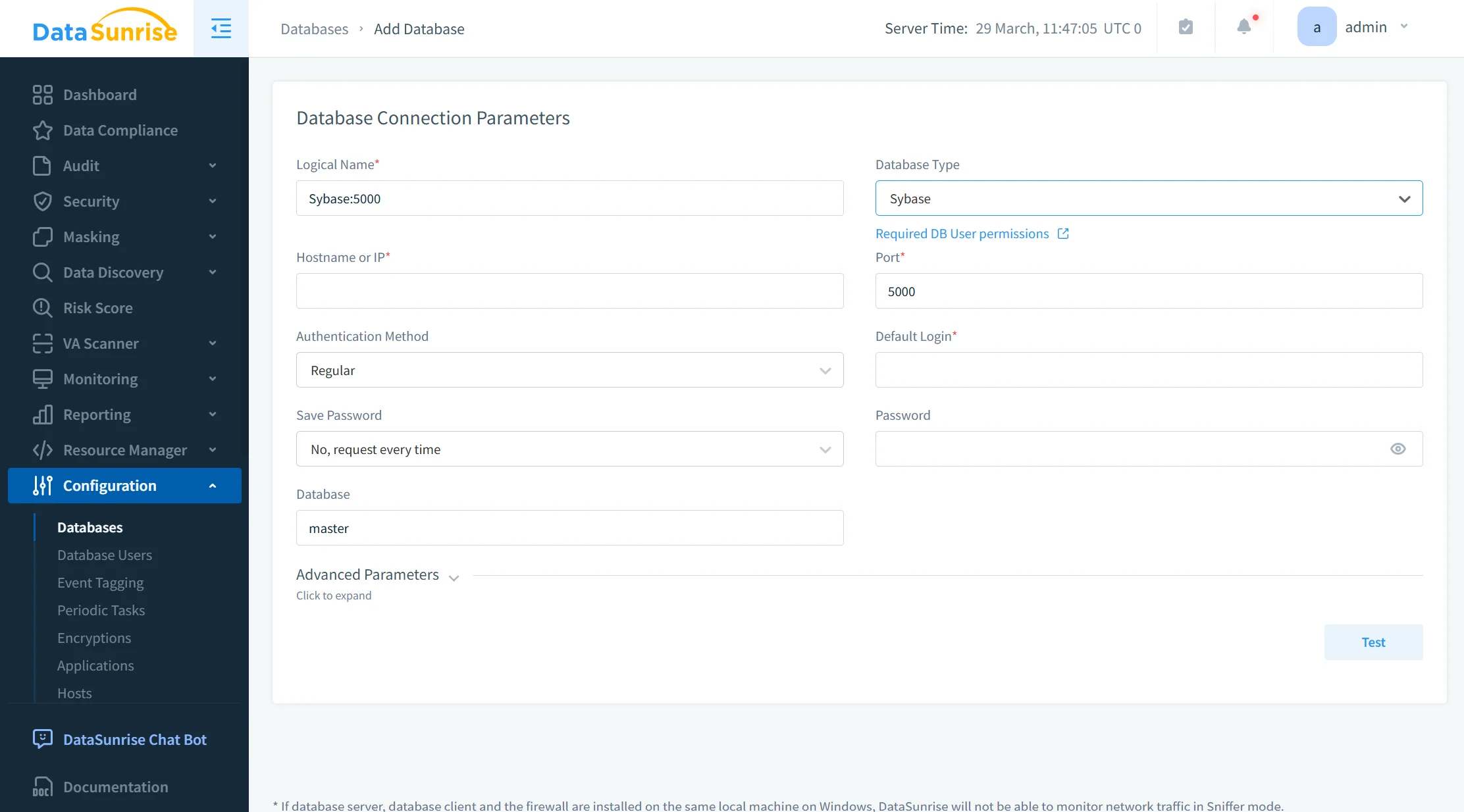
Automated Sensitive Data Discovery
The platform uses Data Discovery to automatically identify sensitive data, including PII fields, financial attributes, and high-risk columns. This capability enables Auto-Discover & Mask workflows, eliminating manual data classification and reducing the risk of missed sensitive fields.
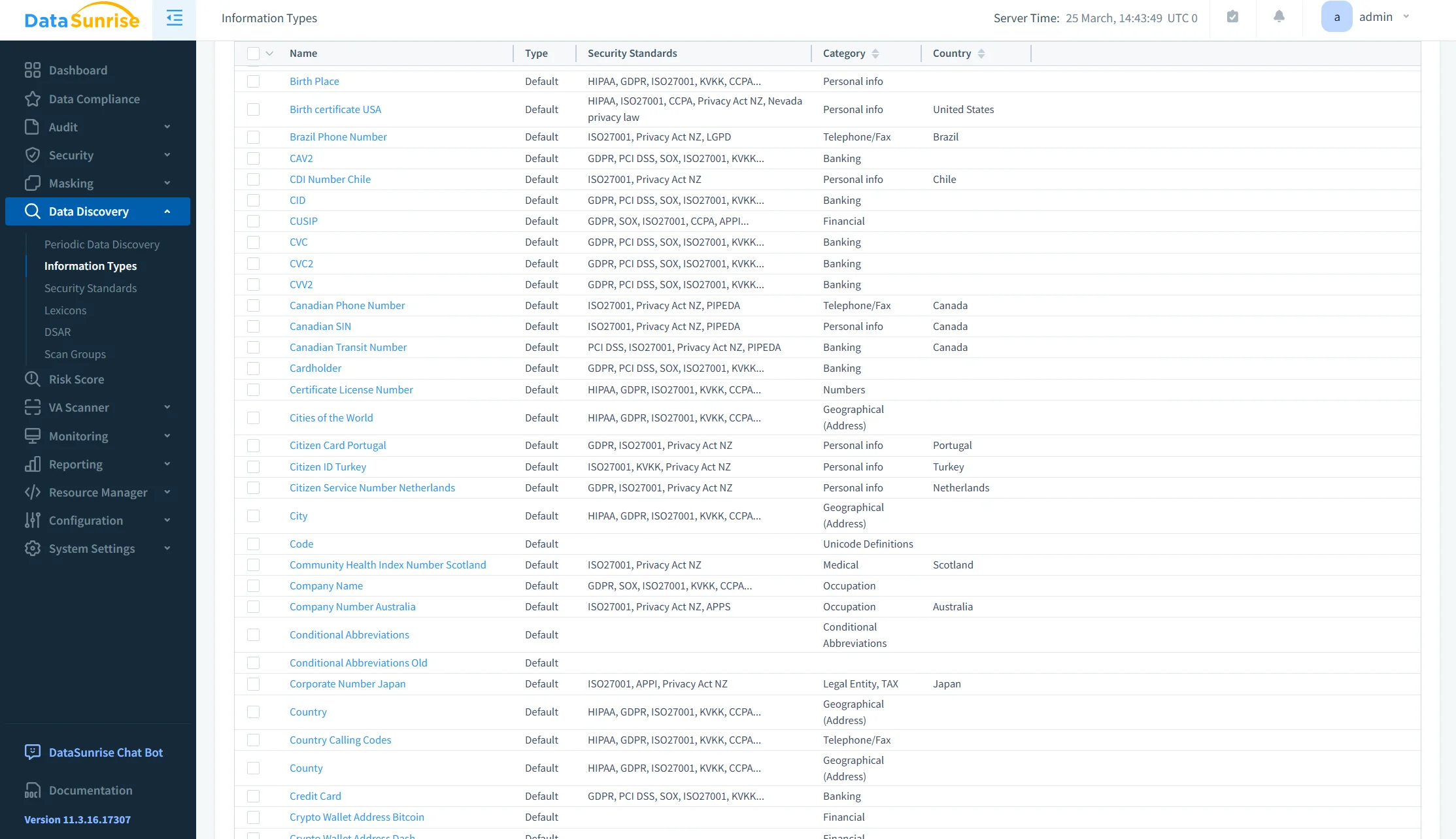
Policy-Driven Masking Configuration
Static masking policies are defined using configurable techniques such as substitution, shuffling, and tokenization. With support from Static Masking and In-Place Masking, policies can be applied consistently across tables, columns, and entire datasets. This ensures uniform enforcement without the need for custom scripts or manual coordination.
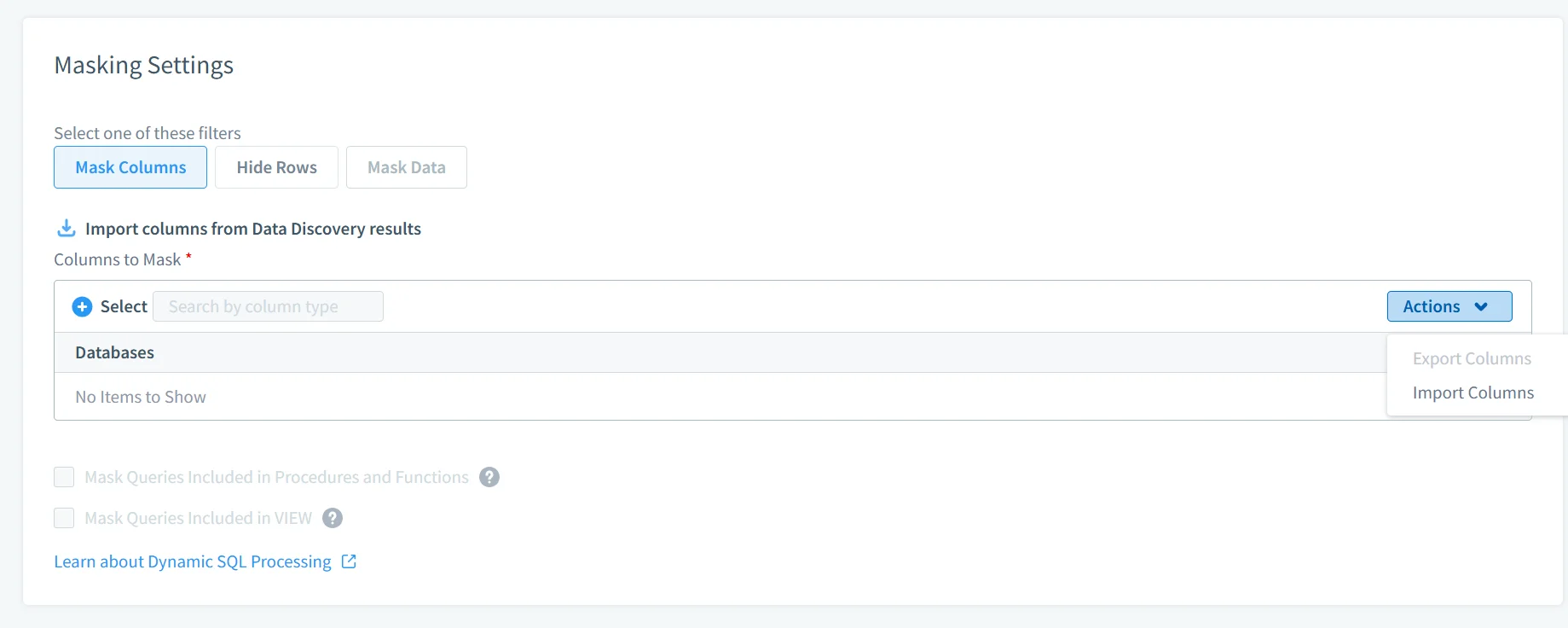
Automated Dataset Generation
DataSunrise enables automated execution of masking jobs to generate sanitized datasets for development, testing, analytics, and external sharing. The process is repeatable and controlled, ensuring that each dataset follows the same masking rules without introducing inconsistencies or operational overhead.
Monitoring, Audit, and Validation
Masking operations are supported by Database Activity Monitoring and Audit Logs, providing full visibility into data access and transformation processes. This ensures traceability, simplifies audit preparation, and enables continuous validation of masking policies.
Business Impact of Static Masking in Sybase
| Impact | Description |
|---|---|
| Reduced Data Exposure | Sensitive data never leaves production in usable form, strengthening overall Data Security |
| Safer Testing | Teams work with realistic but sanitized datasets aligned with Test Data Management practices |
| Faster Compliance | Automated alignment with regulatory standards supported by Compliance Regulations |
| Lower Operational Cost | Eliminates custom masking pipelines through centralized Static Masking |
| Audit Readiness | Full visibility into masking operations with support from audit trails and monitoring |
Conclusion
Sybase provides strong database-level controls; however, it does not address data protection once datasets are copied, exported, or replicated outside the production environment. Native static masking techniques—SQL updates, export-based transformations, and substitution logic—are inherently manual, difficult to maintain, and do not scale effectively in multi-environment architectures compared to approaches such as Static Masking.A centralized masking model addresses these limitations. DataSunrise implements policy-driven static masking combined with automated discovery via Data Discovery and unified control across environments. This eliminates reliance on custom scripts and ensures consistent protection of sensitive data as part of an integrated Data Security framework, supported by continuous monitoring through Database Activity Monitoring. In production-scale environments, static masking must be implemented as a controlled, repeatable process rather than an ad hoc operational task.
Protect Your Data with DataSunrise
Secure your data across every layer with DataSunrise. Detect threats in real time with Activity Monitoring, Data Masking, and Database Firewall. Enforce Data Compliance, discover sensitive data, and protect workloads across 50+ supported cloud, on-prem, and AI system data source integrations.
Start protecting your critical data today
Request a Demo Download Now