How to Audit Apache Cassandra

Auditing Apache Cassandra is critical for ensuring security, compliance, and operational visibility. As a distributed NoSQL database, Cassandra manages vast amounts of data across multiple nodes, making it essential to track who accessed what data and when. This guide explores native auditing and advanced auditing with DataSunrise, alongside real-time audit, dynamic masking, data discovery, and compliance alignment. By understanding the full range of capabilities, organizations can build a robust and compliant audit infrastructure.
Why Auditing Matters in Cassandra
Auditing in Apache Cassandra is more than just query logging — it creates a verifiable record of database activity to meet standards like GDPR, HIPAA, and PCI DSS. A comprehensive audit trail can reveal unauthorized data access, assist in forensic investigations, and provide evidence for compliance audits. In distributed environments, this consistency is vital to prevent blind spots.
In real-world deployments, Cassandra often powers mission-critical workloads in finance, healthcare, and telecom. Without proper auditing, a malicious query could go unnoticed until damage is irreversible. A strong audit framework transforms logs into actionable intelligence.
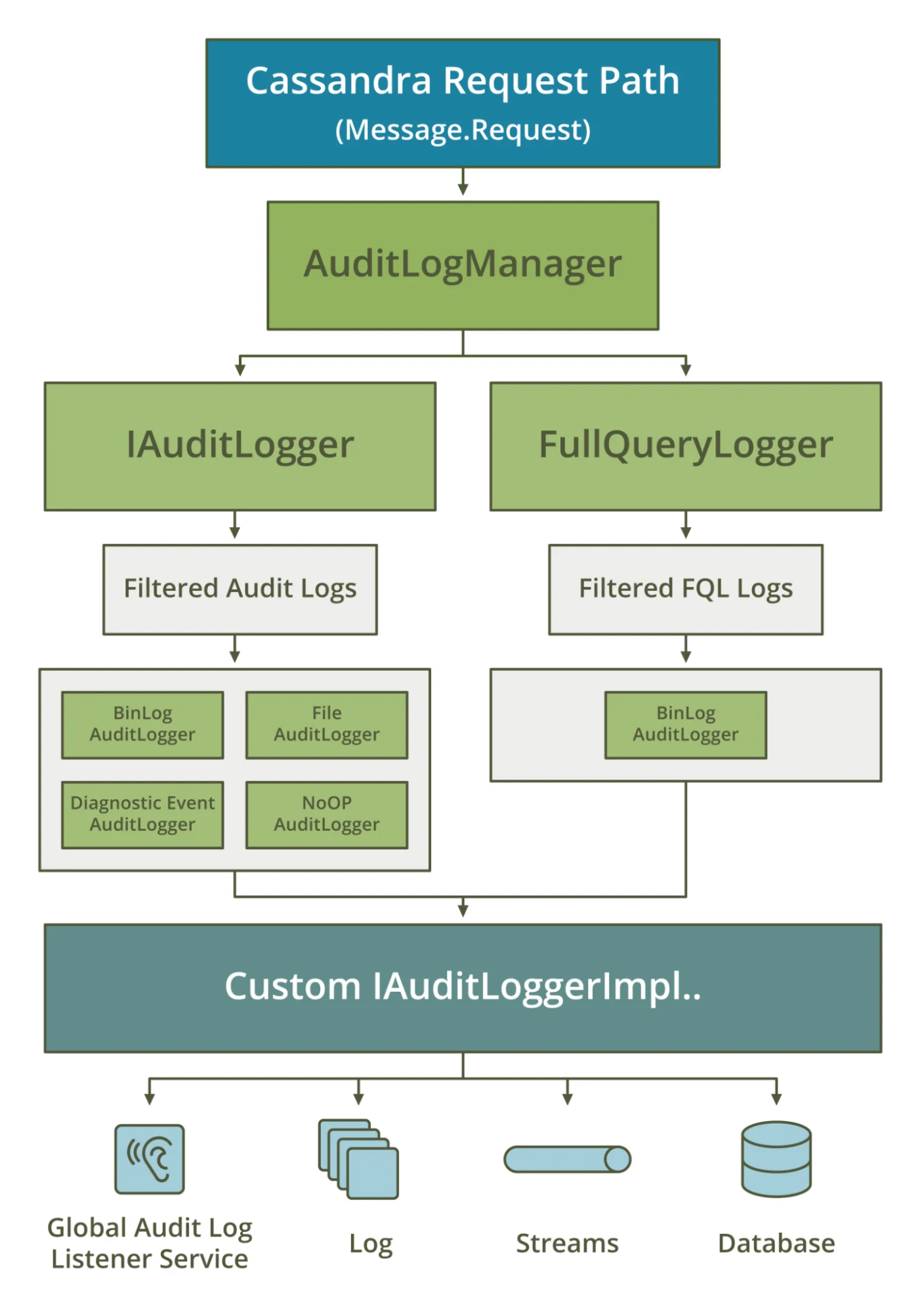
Native Apache Cassandra Auditing
Starting with version 4.0, Cassandra includes a built-in audit logging framework. It records authentication attempts, DML, and DDL statements, helping administrators maintain accountability.
Enable Native Audit Logging:
audit_logging_options:
    enabled: true
    logger: BinAuditLogger
    audit_logs_dir: /var/log/cassandra/audit/
    roll_cycle: HOURLY
    block: true
Restart Cassandra to apply changes:
sudo systemctl restart cassandra
Enable auditing for specific keyspaces:
ALTER ROLE cassandra WITH OPTIONS = {
  'audit' : '{"keyspaces": ["customer_data"]}'
};
Any query, such as:
SELECT * FROM customer_data.orders WHERE order_id='ORD123';
will be recorded in the audit logs. These logs can be forwarded to ELK Stack or Splunk for analysis and alerting.
Native audit logging is straightforward but lacks deeper analytics, masking, and compliance mapping.
Real-Time Audit with DataSunrise
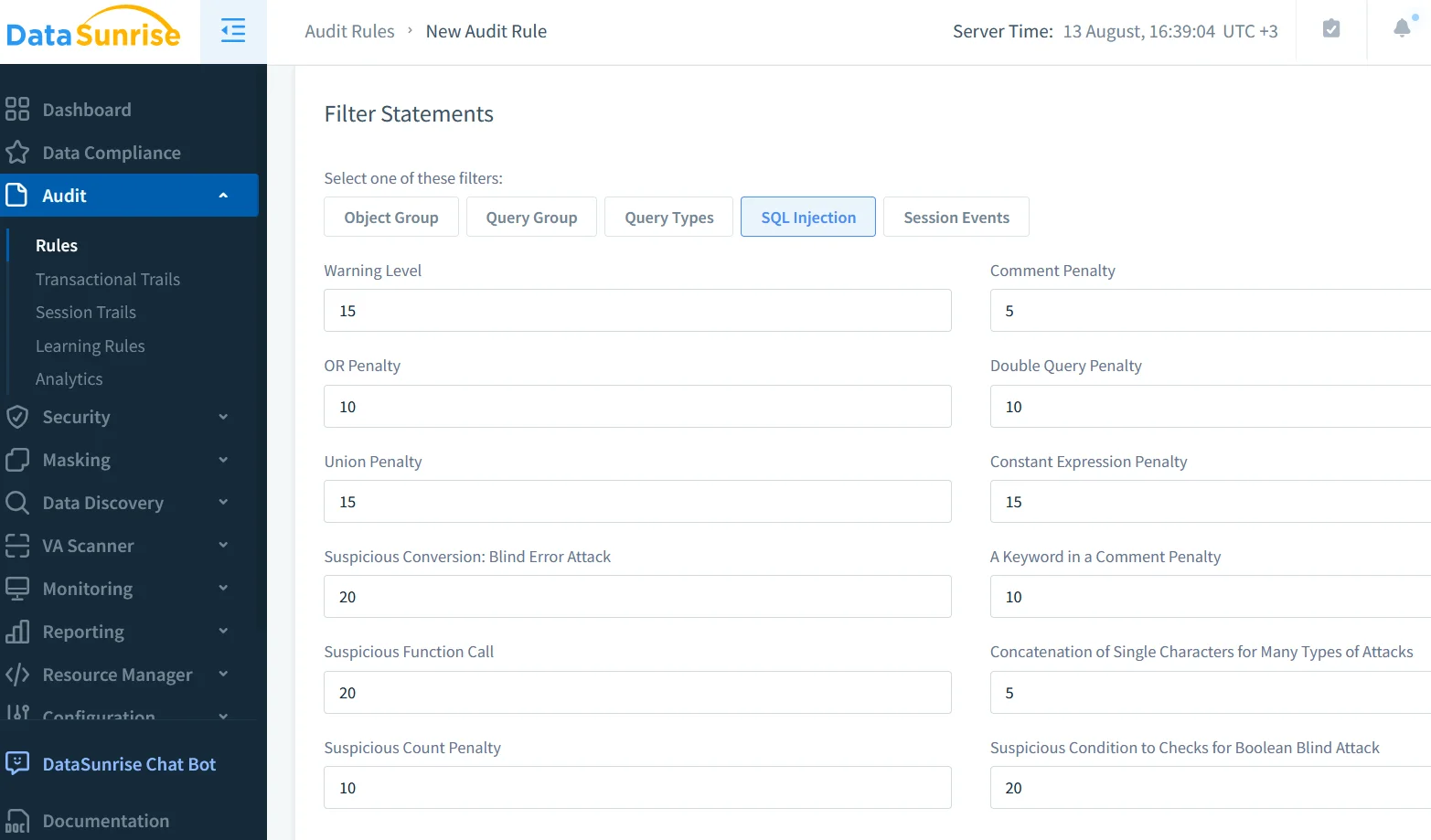
DataSunrise’s audit engine builds on Cassandra’s native capabilities by providing enriched metadata, such as client IPs, query classifications, and sensitivity levels. Events can be streamed to SIEMs in real time, ensuring immediate detection of anomalies.
For example, if an unexpected bulk export query is executed by a non-privileged role, DataSunrise can trigger real-time notifications via Slack or email, and block the request if necessary. This proactive approach shortens incident response time and reduces the risk of data exfiltration.
Dynamic Data Masking in Cassandra
With dynamic masking, sensitive data is protected at the query level without changing stored values. For instance:
MASKING POLICY mask_card_number ON customer_data.payments
USING FUNCTION partial_mask(card_number, 0, 4, '****-****-****-')
FOR ROLE 'support_team';
This policy ensures that support staff can work with relevant data while the full credit card number remains hidden, maintaining compliance with PCI DSS.
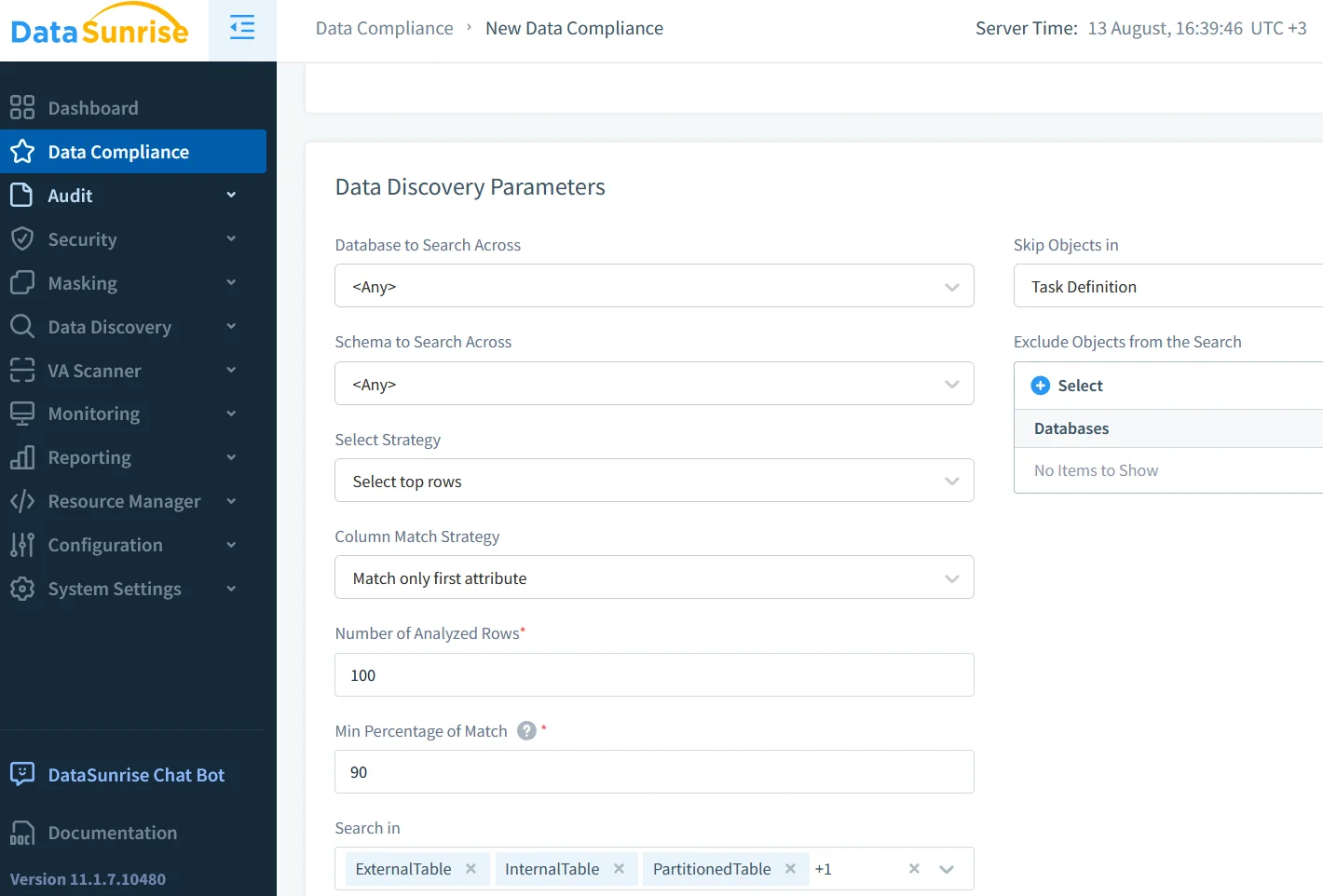
Data Discovery and Classification
Data discovery helps organizations locate sensitive data across Cassandra keyspaces, automating the process of building a sensitive data inventory. This is crucial for:
- Targeting high-risk data with audit policies.
- Mapping sensitive assets to regulatory requirements.
- Reducing the scope of compliance audits.
Automated classification can distinguish between PII, PHI, and financial data, enabling tailored security controls.
Security and Compliance Integration
Strong auditing reinforces database security by enforcing role-based access control and supporting SOX, GDPR, HIPAA, and PCI DSS compliance. With DataSunrise, audit data can be correlated with security rules, allowing suspicious queries to be blocked in real time.
Additionally, integrating audit logs with vulnerability assessments and incident response playbooks creates a closed-loop security process.
Setting Up DataSunrise Audit for Cassandra
To implement a full DataSunrise audit:
- Connect Cassandra to DataSunrise as a monitored source.
- Define audit rules by keyspace, table, query type, and user role.
- Enable dynamic masking for fields containing sensitive information.
- Integrate alerts into SIEMs and monitoring tools.
- Review compliance dashboards to track alignment with regulatory standards.
The combination of targeted auditing, real-time alerts, and masking ensures both operational visibility and data protection.
Final Thoughts
Mastering how to audit Apache Cassandra requires combining native event capture with DataSunrise’s advanced analysis, masking, and compliance capabilities. Native auditing provides a foundation, but DataSunrise transforms logs into actionable insights, ensuring a secure, compliant, and resilient Cassandra environment.
For further reading, consult Apache Cassandra Documentation – Auditing, Audit Logs, Data Compliance Regulations, and external resources such as Cassandra Audit Logging Best Practices for deployment insights.
Protect Your Data with DataSunrise
Secure your data across every layer with DataSunrise. Detect threats in real time with Activity Monitoring, Data Masking, and Database Firewall. Enforce Data Compliance, discover sensitive data, and protect workloads across 50+ supported cloud, on-prem, and AI system data source integrations.
Start protecting your critical data today
Request a Demo Download Now