Automate Data Compliance for AlloyDB for PostgreSQL
Automating data compliance for AlloyDB for PostgreSQL has become essential for organizations managing sensitive information in Google Cloud. According to IBM's 2024 Data Breach Report, organizations with automated compliance systems detect violations significantly faster and reduce compliance costs substantially. With non-compliance costs reaching millions annually, manual approaches cannot keep pace with modern regulatory requirements.
AlloyDB for PostgreSQL, Google Cloud's fully managed PostgreSQL-compatible database service, offers enterprise-grade performance. However, implementing robust automated compliance mechanisms is essential for maintaining security and satisfying regulatory obligations across GDPR, HIPAA, PCI DSS, SOX, and other frameworks.
This guide explores native AlloyDB compliance capabilities and demonstrates how DataSunrise's Zero-Touch Compliance Automation transforms compliance from reactive manual processes into proactive automated governance.
Native AlloyDB for PostgreSQL Compliance Capabilities
AlloyDB includes built-in features for implementing compliance controls, providing the foundation for tracking activities, enforcing access controls, and maintaining audit trails.
1. Google Cloud Audit Logs Integration
AlloyDB integrates with Google Cloud's audit logging infrastructure:
# Enable comprehensive audit logging
gcloud logging sinks create alloydb-compliance-sink \
  bigquery.googleapis.com/projects/PROJECT_ID/datasets/compliance_logs \
  --log-filter='resource.type="alloydb.googleapis.com/Instance"'
2. AlloyDB Studio for Compliance Management
AlloyDB Studio provides a web-based interface for managing database operations and monitoring compliance activities. This integrated development environment offers several features beneficial for database security and compliance management:
Query Monitoring: AlloyDB Studio allows you to view and analyze query execution patterns, helping identify potentially non-compliant data access attempts.
Schema Management: Track schema changes and modifications to sensitive data structures, maintaining an audit trail of database evolution.
User Activity Visibility: Monitor active database sessions and connections, providing insight into who is accessing your AlloyDB instance.
Performance Insights: Analyze query performance metrics to identify unusual access patterns that might indicate compliance violations or security threats.
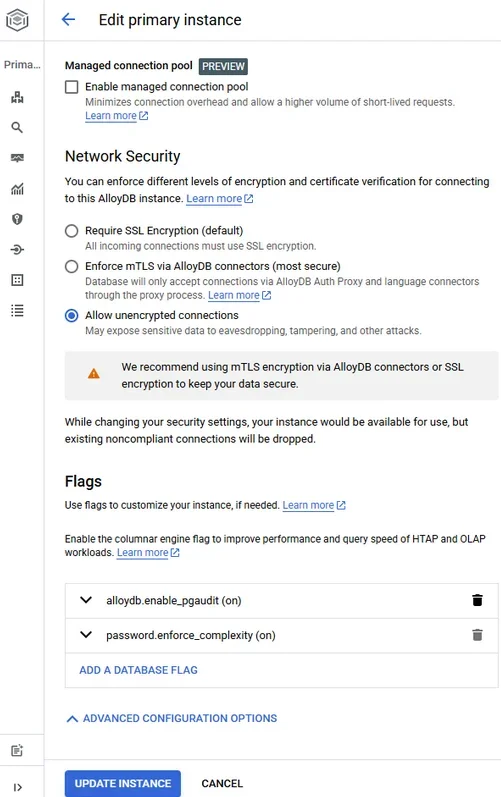
While AlloyDB Studio provides essential data management capabilities, it lacks advanced compliance automation features such as automated sensitive data discovery, policy-based access control, and regulatory framework mapping.
3. Analyzing Compliance Logs in Google Cloud Console
Review audit logs through Google Cloud Console and query in BigQuery:
-- Query AlloyDB audit logs
SELECT timestamp, protoPayload.authenticationInfo.principalEmail AS user_email,
       protoPayload.methodName AS operation
FROM `PROJECT_ID.compliance_logs.cloudaudit_googleapis_com_data_access_*`
WHERE resource.type = 'alloydb.googleapis.com/Instance'
ORDER BY timestamp DESC;
Automating Compliance with DataSunrise for AlloyDB
DataSunrise transforms AlloyDB compliance through Compliance Autopilot with Real-Time Regulatory Alignment, delivering enterprise-grade automated compliance reporting with comprehensive sensitive data detection.
Implementing DataSunrise for AlloyDB Compliance Automation
1. Connect to AlloyDB Instance
Establish a secure connection between DataSunrise and your AlloyDB environment through the administrative interface.
2. Configure Automated Data Discovery
DataSunrise automatically scans your AlloyDB database to identify sensitive data including PII, financial information, and healthcare records. This eliminates manual classification effort while providing comprehensive coverage.
3. Create Compliance Policies
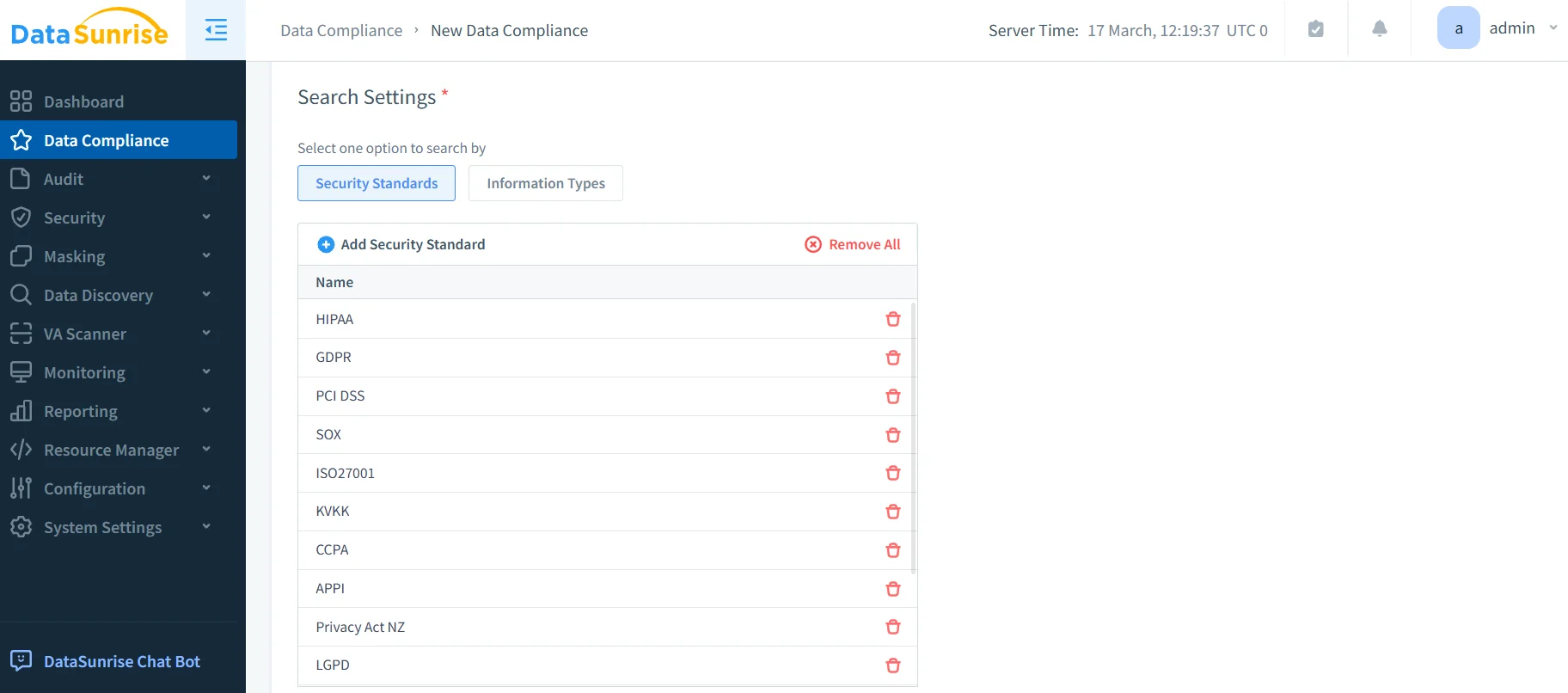
Configure compliance rules through DataSunrise's intuitive interface using pre-configured templates for GDPR, HIPAA, PCI DSS, and SOX, or create custom data security policies tailored to your organization's needs.
4. Enable Monitoring and Alerting
Activate real-time compliance monitoring with automated alerts for policy violations through email, Slack, or MS Teams.
5. Generate Compliance Reports
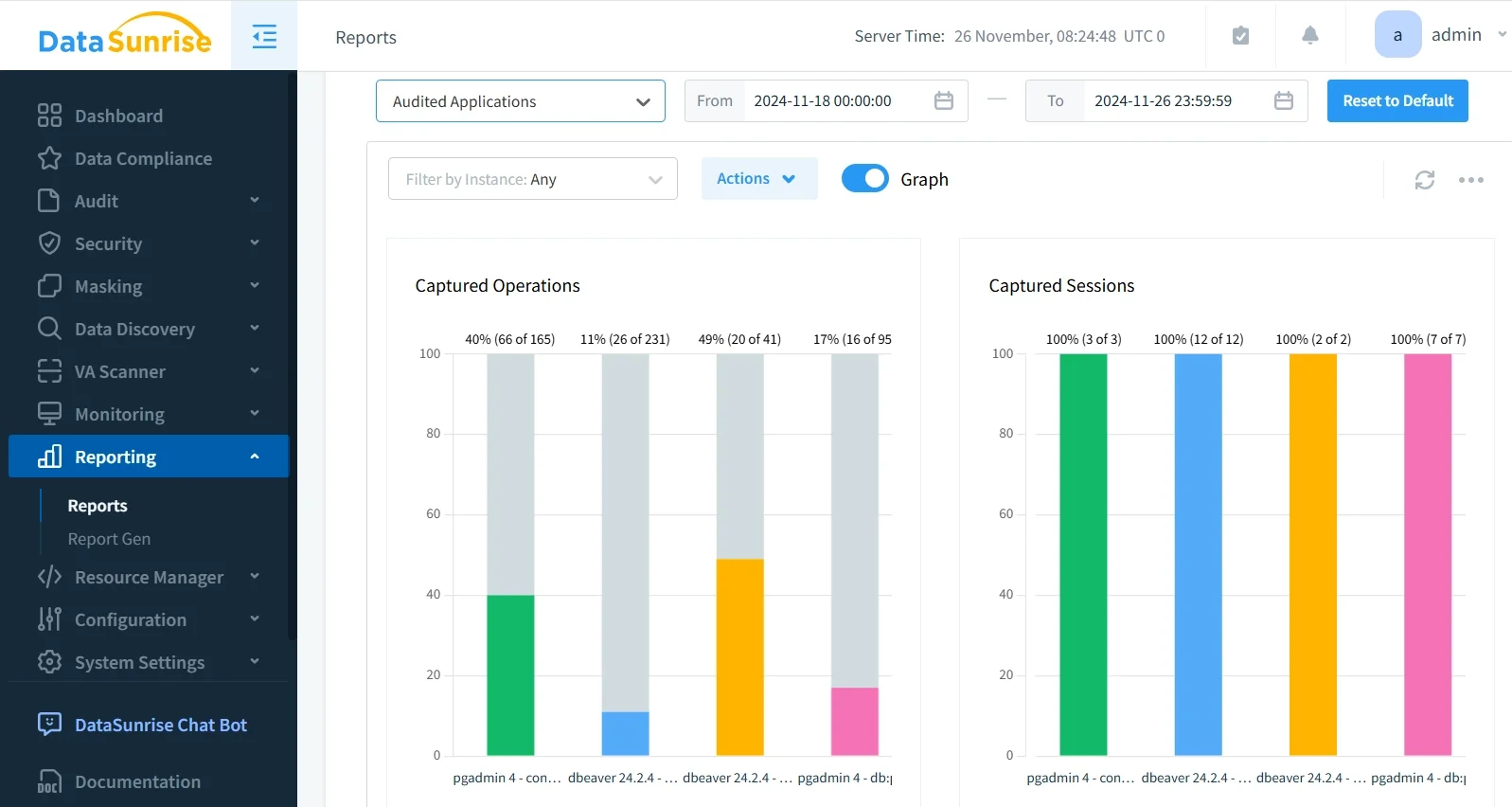
Access one-click compliance reports with audit-ready documentation for regulatory frameworks.
Key Advantages of DataSunrise for AlloyDB Compliance
| Feature | Description |
|---|---|
| Zero-Touch Data Protection | Automatically discovers, classifies, and protects sensitive data without manual configuration |
| Compliance Autopilot | Maintains continuous regulatory alignment with automatic policy updates |
| Surgical Precision Masking | Implements context-aware protection adapting to user roles and data sensitivity |
| Centralized Policy Management | Apply consistent policies across multiple AlloyDB instances and 40+ database platforms |
| ML-Powered Threat Detection | Leverages machine learning to identify violations bypassing traditional approaches |
| Continuous Compliance Alignment | Dynamically adjusts policies ensuring seamless, zero-touch governance |
Best Practices for AlloyDB Compliance Automation
1. Risk-Based Compliance Strategy
Implement tiered protection for high-risk data while applying standard monitoring to operational data. Categorize by regulatory requirements and configure dynamic policy adjustment.
2. Continuous Validation Framework
Schedule automated discovery scans, test policy effectiveness periodically, and use compliance drift detection to identify gaps early.
3. Cross-Functional Collaboration
Provide role-appropriate compliance dashboards, configure intelligent alerting workflows, and link policies to business requirements for traceability.
4. Performance-Optimized Implementation
Structure efficient compliance rules, apply selective deep inspection, and leverage flexible deployment modes to optimize costs.
5. Enhanced Security Integration
Deploy DataSunrise's comprehensive suite including database firewall, vulnerability assessment, and dynamic masking. Integrate with SIEM platforms and configure automated remediation for threat detection.
Regulatory Framework Coverage
DataSunrise addresses requirements across major compliance regulations:
GDPR Compliance: Automated PII discovery, right to be forgotten support, processing activity logging, cross-border monitoring.
HIPAA Compliance: PHI identification, access control enforcement, audit trails, breach notification support.
PCI DSS Compliance: Cardholder data monitoring, access control enforcement, transmission verification.
SOX Compliance: Financial data logging, segregation of duties, change management documentation.
Conclusion
As organizations rely on AlloyDB for PostgreSQL for regulated data, automated compliance has become a fundamental operational requirement. While AlloyDB's native capabilities provide essential building blocks, organizations with complex obligations benefit from comprehensive solutions like DataSunrise.
DataSunrise transforms AlloyDB compliance through Autonomous Compliance Orchestration that eliminates manual processes and ensures continuous regulatory alignment. With Auto-Discover & Mask, No-Code Policy Automation, and comprehensive reporting, DataSunrise delivers Zero-Touch Data Protection that scales with your business.
Protect Your Data with DataSunrise
Secure your data across every layer with DataSunrise. Detect threats in real time with Activity Monitoring, Data Masking, and Database Firewall. Enforce Data Compliance, discover sensitive data, and protect workloads across 50+ supported cloud, on-prem, and AI system data source integrations.
Start protecting your critical data today
Request a Demo Download Now