How to Automate Data Compliance for Apache Cassandra
Introduction
Apache Cassandra is trusted for high-performance, distributed workloads in industries that often face strict regulatory requirements. But when it comes to compliance automation, Cassandra’s built-in capabilities are limited. Audit logging, query capture, and role-based access controls exist, but they require node-by-node configuration, YAML edits, and manual scripting to centralize results.
This article explores what Cassandra can do natively, but focuses on how to automate data compliance for Apache Cassandra using DataSunrise. The goal: reduce repetitive manual tasks and create a sustainable, audit-ready environment.
Automation here means more than just turning on logs — it’s about continuous discovery, policy enforcement, and reporting without manual intervention.
Native Cassandra: Limited Automation
Cassandra does provide important compliance features, but its automation capabilities are very narrow. Most tasks that sound like automation are, in practice, manual steps that need to be repeated across nodes or maintained through scripting.
- Audit Logging: Enabled per node via
cassandra.yaml. Lacks centralization or built-in alerting. - Full Query Logging (FQL): Lets administrators replay queries for analysis, but requires manual enabling/disabling and doesn’t capture failed attempts.
- RBAC: Permissions can be scripted, but Cassandra has no scheduler for periodic access reviews or time-based grants.
- Dynamic Masking (5.0+): Schema-level and static. Every update requires DDL changes; there is no policy-driven or contextual automation.
Example: Automating Access with RBAC
Even role management, which looks like a natural candidate for automation, requires writing custom CQL scripts.
-- Create a compliance auditor role
CREATE ROLE compliance_auditor
WITH LOGIN = true
AND PASSWORD = 'StrongPass#2025'
AND SUPERUSER = false;

-- Grant read-only access to finance_data
GRANT SELECT ON KEYSPACE finance_data TO compliance_auditor;

-- Revoke permissions manually (no time-bound expiry available)
REVOKE SELECT ON KEYSPACE finance_data FROM compliance_auditor;
While you can wrap these commands in a script to simulate automation, Cassandra does not provide:
- Expiration dates for roles (e.g., auto-revoking temporary auditor access).
- Scheduled access reviews to check for unused or risky permissions.
- Drift detection to alert when roles no longer match policy.
Example: Full Query Logging
FQL adds visibility, but automation is limited:
# Enable full query logging
$ nodetool enablefullquerylog --path /var/log/cassandra/fql

# Replay queries manually
$ bin/fqltool replay --target localhost:9042 /var/log/cassandra/fql
This captures queries but only successful ones, meaning compliance teams need additional tooling to cover authentication failures or rejected statements.
Automating Data Compliance for Apache Cassandra with DataSunrise
DataSunrise provides a true compliance automation layer for Cassandra. It sits transparently between applications and the database, applying policies consistently across the cluster without requiring configuration changes or restarts.
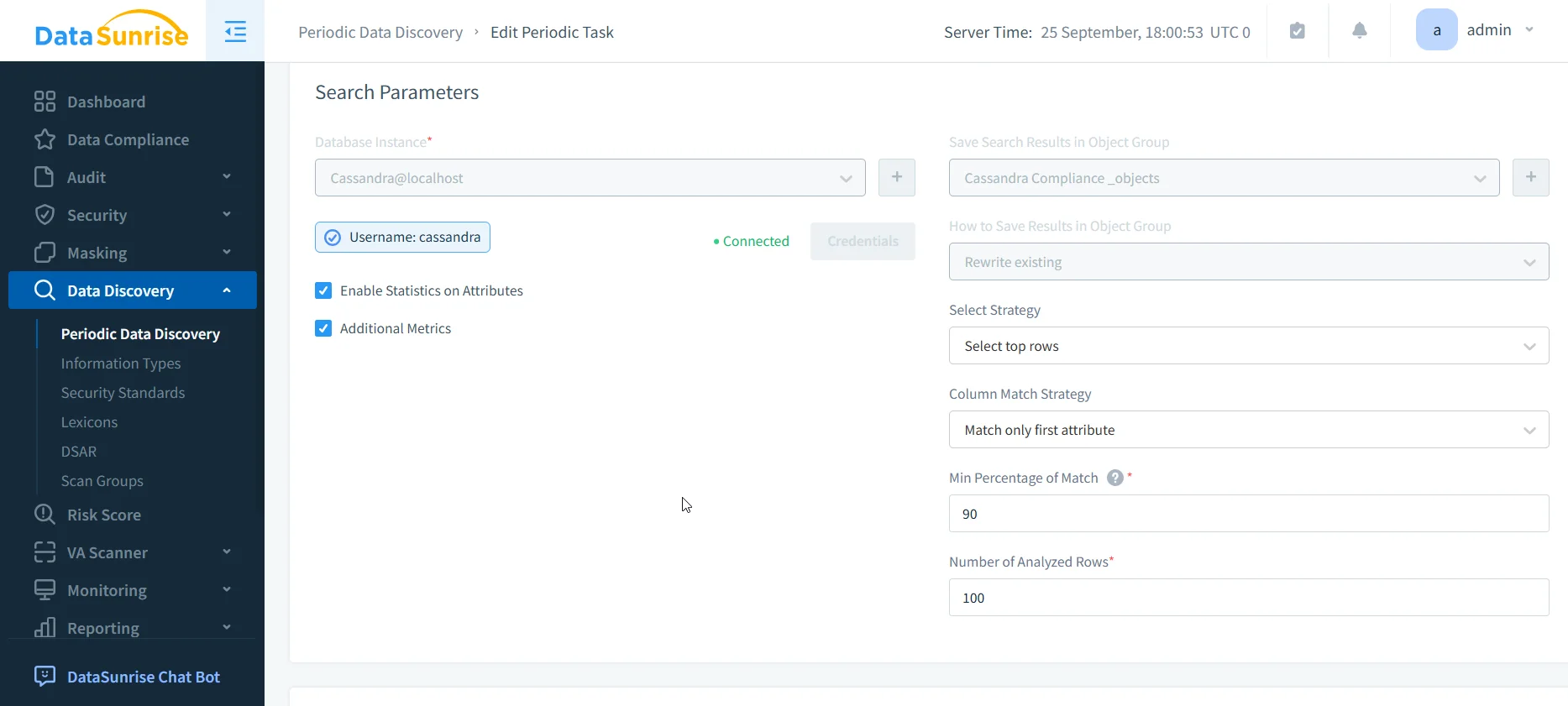
Step 1: Discover and Classify Sensitive Data
- Navigate to Data Compliance → Discovery.
- Select your Cassandra instance and run a scan.
- DataSunrise uses NLP and pattern recognition to automatically identify PII, PHI, PCI, and custom patterns.
- The scan produces a compliance map, forming the basis for masking and reporting policies.
Step 2: Apply Masking and Enable Centralized Monitoring
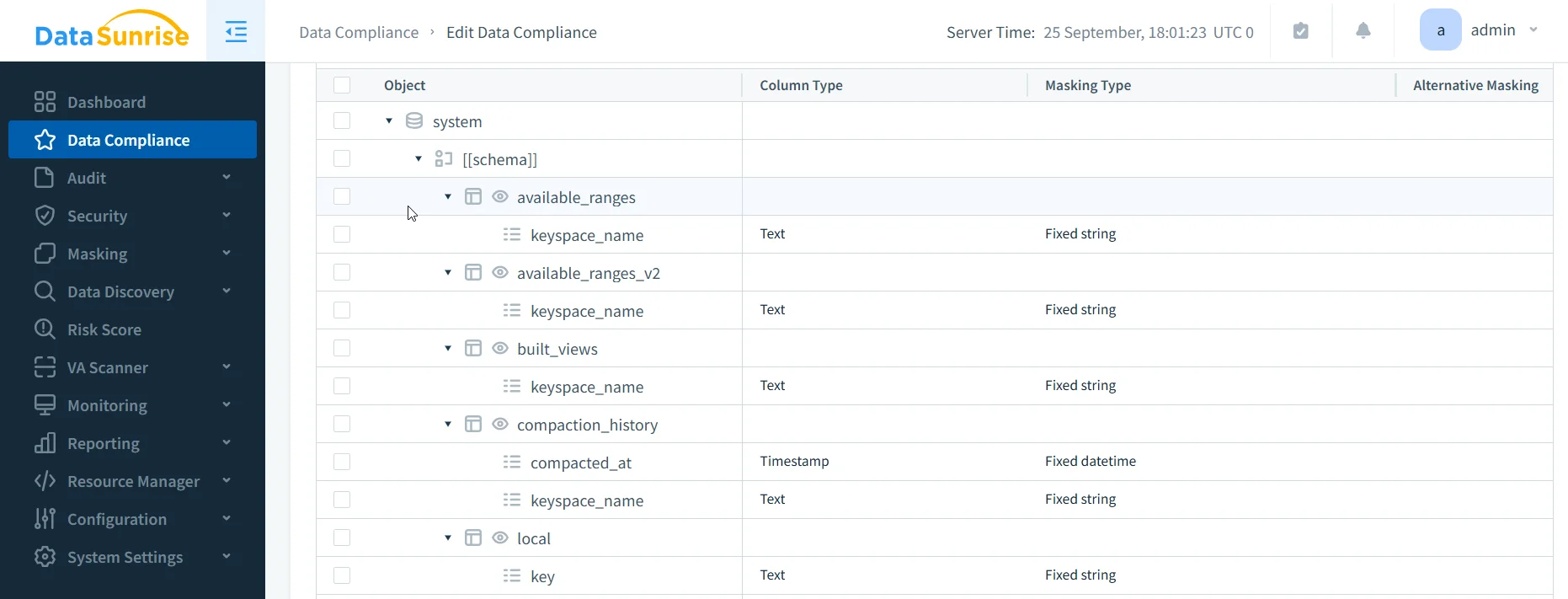
- From the Masking menu, apply dynamic masking for real-time protection or static masking for safe testing datasets.
- Masking rules adapt to context and user role (e.g., doctors see full data, nurses partial).
- Enable centralized audit trails so all activity — including failed logins — is captured in one repository.
- Use database activity monitoring to detect anomalies and trigger real-time alerts.
Step 3: Automate Reporting and Continuous Enforcement
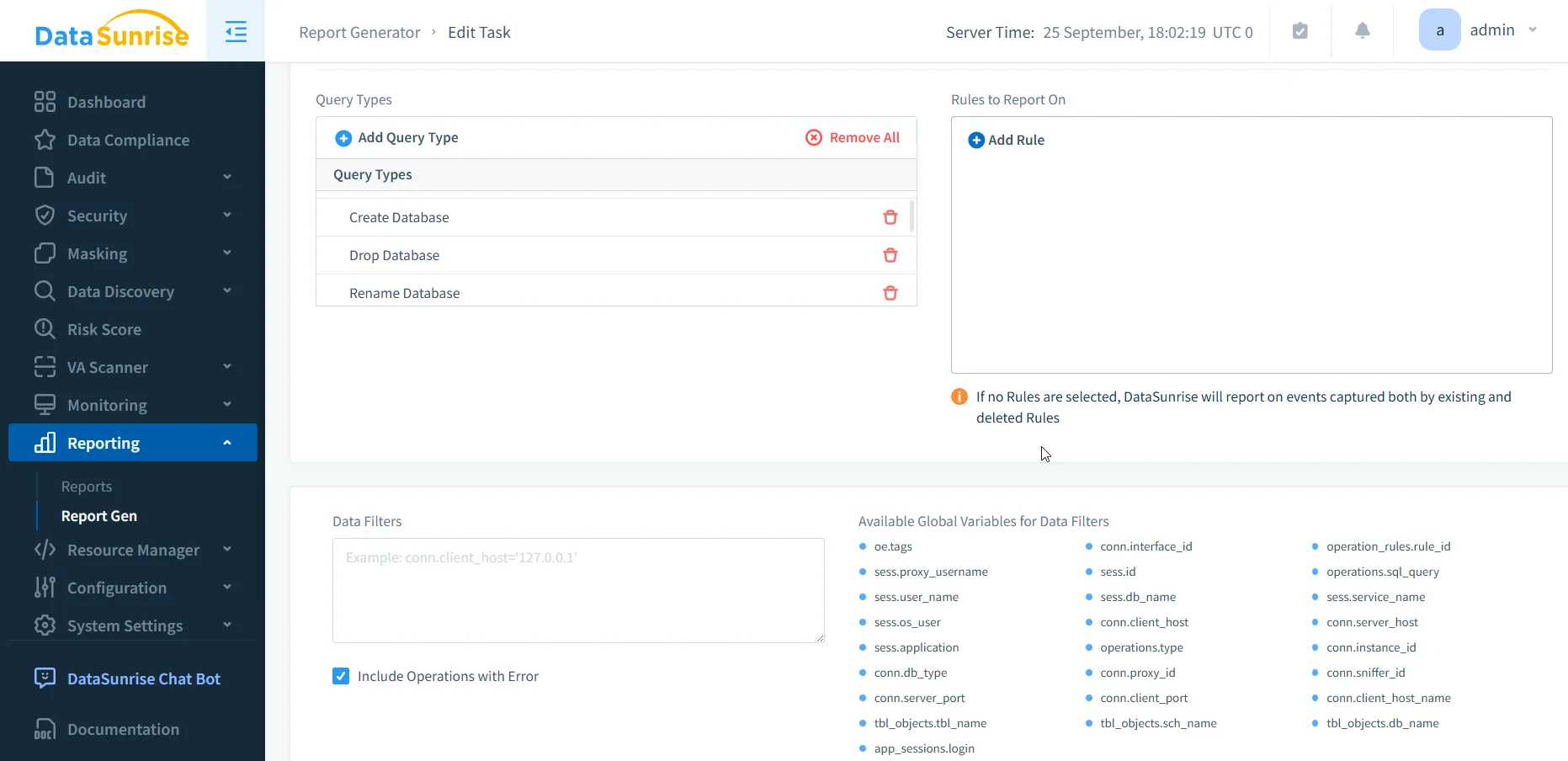
- Navigate to Reporting → Report Generation.
- Choose templates for GDPR, HIPAA, PCI DSS, or SOX. Reports can be scheduled or generated on demand.
- Compliance evidence is auditor-ready in PDF/HTML format.
- Behind the scenes, DataSunrise’s Policy Autopilot adjusts rules automatically as schemas or roles change, reducing compliance drift.
Key differences in effort:
- Audit Logging → Cassandra: node-local logs that need custom scripts. DataSunrise: centralized, cluster-wide logs searchable in real time.
- Query Capture → Cassandra: manual FQL with partial coverage. DataSunrise: continuous trails including failed attempts, correlated across nodes.
- RBAC & Access Control → Cassandra: roles created manually, no automated reviews. DataSunrise: centralized policies, drift detection, and time-bound grants.
- Data Masking → Cassandra: schema-bound, only in 5.0+. DataSunrise: role-aware, real-time masking without schema edits.
- Data Discovery → Cassandra: manual SQL queries. DataSunrise: NLP/OCR-driven classification across keyspaces.
- Compliance Reporting → Cassandra: none, reports must be assembled manually. DataSunrise: pre-built, scheduled, auditor-ready reports.
Taken together, the contrast shows why compliance with Cassandra alone often means “automation by script,” while with DataSunrise it becomes automation by design. For organizations managing large clusters, that difference is what separates constant firefighting from a compliance program that runs smoothly in the background.
Conclusion
Native Cassandra tools help enforce compliance, but they offer little true automation — most tasks require manual scripts and constant oversight.
DataSunrise transforms compliance into a continuous, automated process: sensitive data is discovered, masked, monitored, and reported on without node-by-node effort.
For organizations looking to automate data compliance in Apache Cassandra, DataSunrise provides the practical, scalable solution to keep clusters secure, compliant, and audit-ready.
Protect Your Data with DataSunrise
Secure your data across every layer with DataSunrise. Detect threats in real time with Activity Monitoring, Data Masking, and Database Firewall. Enforce Data Compliance, discover sensitive data, and protect workloads across 50+ supported cloud, on-prem, and AI system data source integrations.
Start protecting your critical data today
Request a Demo Download Now