How to Automate Data Compliance for Google Cloud SQL
Ensuring regulatory compliance in cloud databases is an ongoing challenge. Google Cloud SQL provides a managed relational database service, but organizations must implement additional measures to meet standards such as GDPR, HIPAA, or PCI DSS. This article explores How to Automate Data Compliance for Google Cloud SQL, covering native audit features, advanced tools like DataSunrise, and methods to integrate real-time monitoring, dynamic masking, and automated compliance reporting.
Why Compliance Matters in Cloud SQL
Cloud SQL often holds sensitive records such as financial transactions, healthcare data, or personal identifiers. A single breach can trigger regulatory penalties and reputational damage. Automating compliance reduces human error and ensures consistent enforcement. It also helps generate trusted reports for auditors. Central components include real-time audit, data discovery, and dynamic masking.
For additional background, Google provides compliance resources that map Cloud SQL features to industry standards.
Native Google Cloud SQL Compliance Features
Google Cloud SQL integrates with Cloud Audit Logs and Cloud Logging to capture activity. Administrators can enable logs, monitor queries, and export results for analysis.
Enabling Audit Logs
By default, Cloud SQL sends logs to Cloud Logging. To capture detailed activity:
-- Enable audit logging at the instance level
-- Executed with gcloud

gcloud sql instances patch my-sql-instance \
  --database-flags=cloudsql.enable_audit_logs=on
Query-Level Monitoring
SQL statements can be logged using the general log:
SET GLOBAL general_log = 'ON';
SHOW VARIABLES LIKE 'general_log_file';
Exporting Logs
Audit logs can be exported to BigQuery for analysis:
gcloud logging sinks create sql-audit-sink \
   bigquery.googleapis.com/projects/my-project/datasets/sql_audit
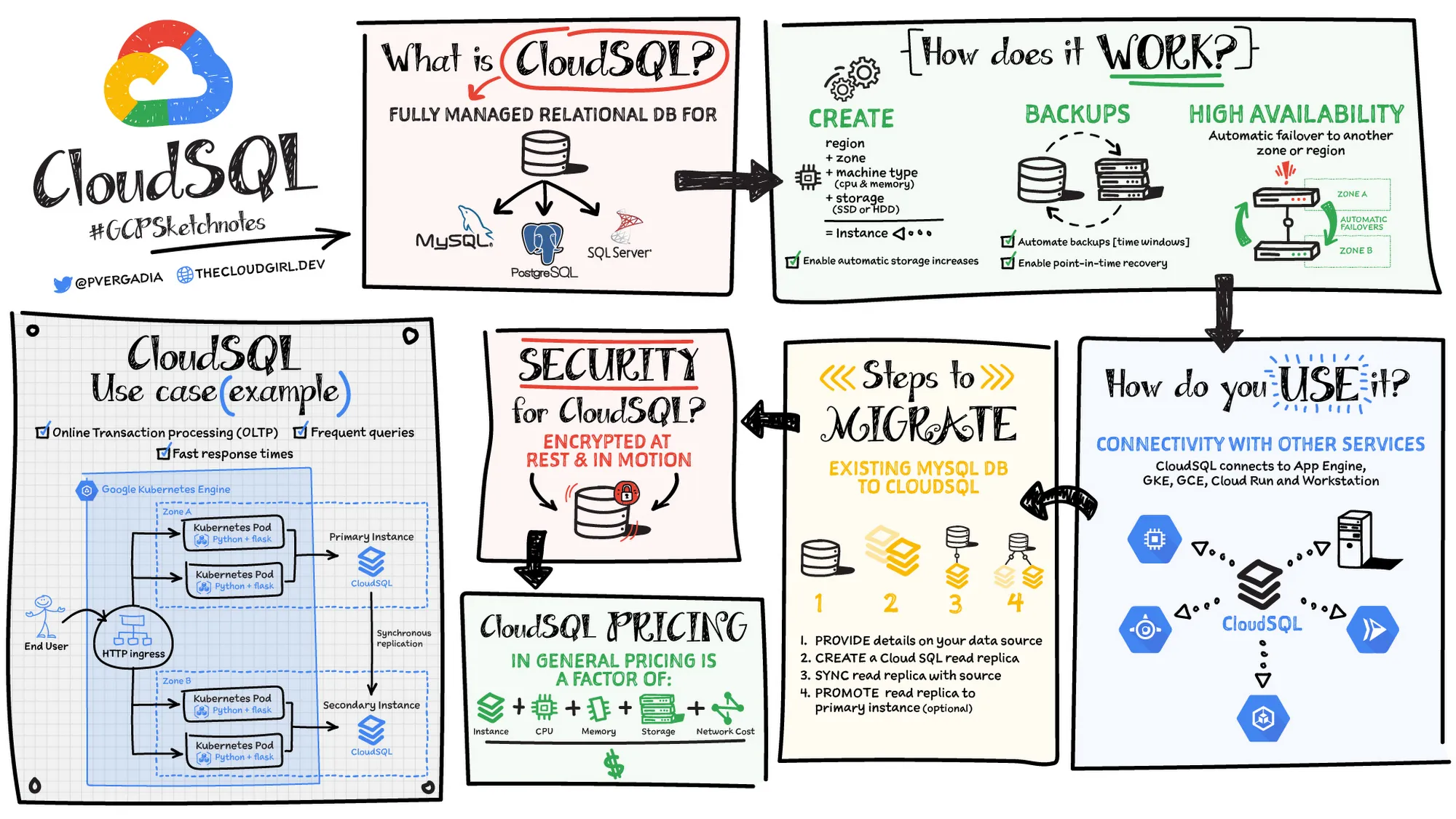
These exports support correlation with SIEM systems or compliance dashboards.
Limitations of Native Tools
Native logging establishes visibility, but lacks dynamic data masking, fine-grained audit policies, and automated compliance workflows. Analysis often requires manual effort, which slows down audit readiness. To address these gaps, platforms like DataSunrise provide automation and richer controls.
Enhancing Compliance with DataSunrise
DataSunrise extends Google Cloud SQL security with Audit, Dynamic Masking, and Compliance Manager.
Real-Time Auditing
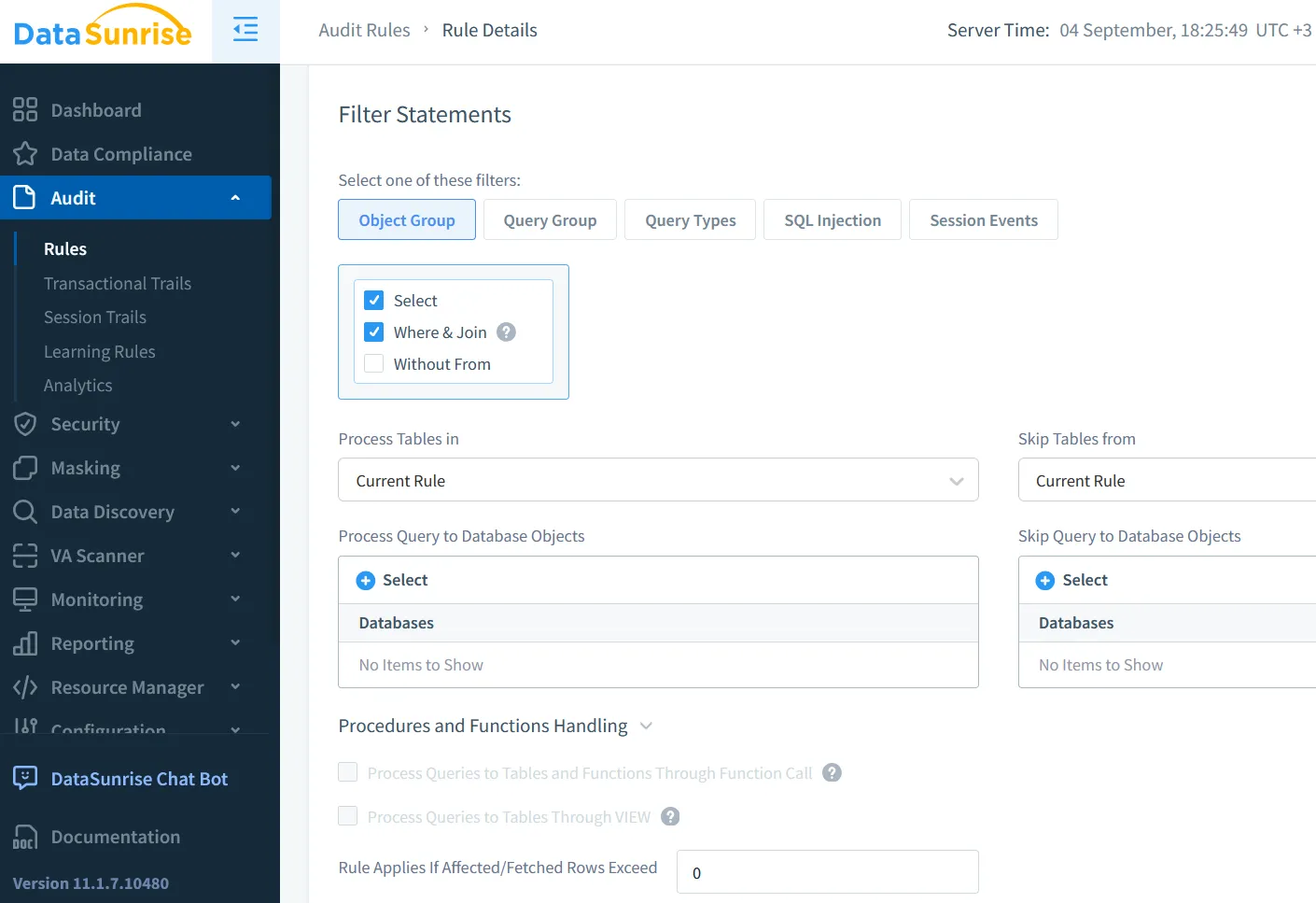
DataSunrise monitors queries, schema changes, and user actions. Logs are protected from tampering and can trigger real-time notifications.
Dynamic Masking
Masking hides sensitive data without schema changes. For instance, customer service staff may see partial card numbers:
-- Mask credit card except last four digits
XXXX-XXXX-XXXX-1234
Discovery and Classification
The discovery engine scans databases for PII, PHI, or financial records. This creates an up-to-date inventory for compliance.
Compliance Templates
Predefined policies align with SOX, HIPAA, and GDPR. Reports can be automated to simplify audits.
Security Integration
Compliance automation also strengthens data security. Role-based controls limit exposure, the database firewall blocks malicious queries, and SQL injection detection adds another layer of defense. Together, these measures reduce risks while maintaining compliance.
For deeper technical insights, see Google’s Cloud SQL security overview.
Practical Workflow
A streamlined compliance setup could follow this approach:
- Enable audit logs and export them to BigQuery.
- Place DataSunrise in proxy mode to capture traffic.
- Define rules for privileged users and sensitive fields.
- Schedule automated scans to refresh data inventories.
- Generate reports mapped to regulatory frameworks.
This layered method leverages both native logging and DataSunrise automation.
Business Impact
Automating compliance for Google Cloud SQL reduces manual reporting costs, minimizes risk of data exposure, and strengthens audit readiness. Organizations gain operational efficiency and regulatory assurance, ensuring data handling meets international standards.
Conclusion
The key to How to Automate Data Compliance for Google Cloud SQL lies in blending Google’s built-in logging with automation platforms. Cloud SQL audit logs provide the foundation, while DataSunrise enables advanced features like masking, discovery, and reporting. This combination creates a robust compliance framework that adapts to evolving regulations.
For more, explore Audit Logs, Data Audit, and Google’s compliance documentation.
Protect Your Data with DataSunrise
Secure your data across every layer with DataSunrise. Detect threats in real time with Activity Monitoring, Data Masking, and Database Firewall. Enforce Data Compliance, discover sensitive data, and protect workloads across 50+ supported cloud, on-prem, and AI system data source integrations.
Start protecting your critical data today
Request a Demo Download Now