How to Automate Data Compliance for MariaDB
As organizations scale their use of MariaDB, maintaining compliance with regulations such as GDPR, HIPAA, and PCI DSS becomes increasingly complex. Manual policy enforcement is no longer sustainable in environments with distributed databases, hybrid deployments, and evolving compliance frameworks.
This article explains how MariaDB’s native features support compliance, and how DataSunrise automates the process with centralized controls, masking, audit, and reporting. The goal is to reduce manual overhead, eliminate compliance drift, and deliver continuous alignment with regulations.
Importance of Data Compliance Automation
Automation in compliance is no longer optional. Regulations expand rapidly, and manual enforcement often leaves gaps that can expose organizations to fines and breaches.
A report by Gartner highlights that compliance automation is a critical trend for enterprises adopting large-scale data platforms. Automated enforcement reduces human error and ensures policies are consistently applied across systems.
With DataSunrise Compliance Manager, companies gain real-time oversight of compliance posture across MariaDB and other supported databases. This works hand-in-hand with audit trails to provide the transparency regulators demand.
Native Compliance Capabilities in MariaDB
MariaDB provides foundational tools to help administrators track and control sensitive data.
Access Control and Roles
MariaDB supports role-based access control (RBAC). Administrators can grant privileges at the schema, table, or column level:
-- Create a role for auditors
CREATE ROLE compliance_auditor;

-- Assign privileges to view logs
GRANT SELECT ON mysql.general_log TO compliance_auditor;

-- Add a user to the role
GRANT compliance_auditor TO 'jane'@'localhost';
This allows consistent enforcement of least privilege principles.
Audit Plugins
MariaDB includes an audit plugin that captures login attempts, query execution, and schema changes. Enabling it ensures that database events are recorded for review:
INSTALL SONAME 'server_audit';
SET GLOBAL server_audit_logging = ON;
SET GLOBAL server_audit_events = 'CONNECT,QUERY,TABLE';
Audit logs provide visibility into who accessed data and how it was modified.

Encryption
MariaDB offers data encryption at multiple layers:
# Enable tablespace encryption
innodb_encrypt_tables = ON
innodb_encrypt_log = ON

# Configure key management plugin
plugin_load_add = file_key_management
file_key_management_filename = /etc/mysql/encryption_keys.txt
This protects data at rest, ensuring compliance with frameworks that mandate encryption of sensitive records.
Automating Compliance with DataSunrise
While MariaDB’s native capabilities provide a solid base, they require manual oversight and lack centralized management across multiple instances. DataSunrise Compliance Manager addresses these challenges through automation. It consolidates compliance workflows into a single platform, reducing complexity for administrators and ensuring policies remain consistent across hybrid or multi-cloud deployments. Additionally, it provides flexible deployment options — proxy, sniffer, or native log trailing modes — enabling non-intrusive integration into existing MariaDB environments without downtime.
Compliance Autopilot
The Compliance Autopilot ensures MariaDB remains aligned with regulatory frameworks at all times. It continuously monitors changes in user roles, database structures, and access patterns, applying corrective measures when misconfigurations or non-compliant actions occur. Predefined templates for GDPR, HIPAA, PCI DSS, and SOX simplify configuration, while the system adapts automatically as regulations evolve. This transforms compliance from a reactive process into an ongoing, self-regulating workflow.
- Automatic Enforcement: Applies compliance policies when new users, roles, or objects are created.
- Continuous Regulatory Calibration: Adjusts to evolving requirements of GDPR, HIPAA, PCI DSS, and SOX.
- Drift Detection: Monitors for compliance drift and corrects deviations in real time.
- Audit-Ready Reporting: Generates documentation for external audits on demand.
This eliminates repetitive manual tasks and guarantees consistency across environments.
Centralized Monitoring
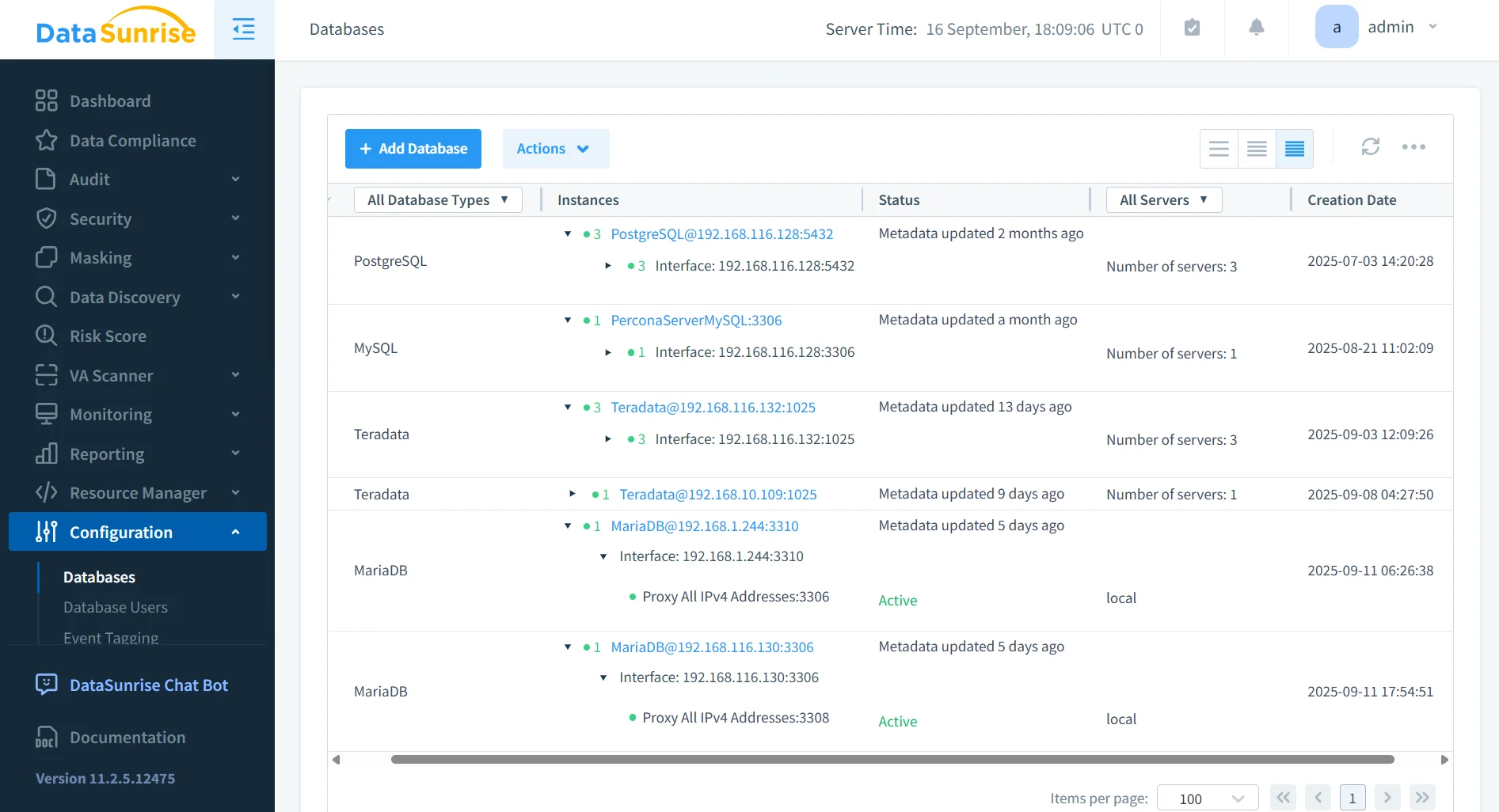
Instead of managing each instance individually, DataSunrise offers a centralized activity monitoring platform.
Capabilities include:
- Consolidated audit logs across MariaDB and 40+ other databases.
- Cross-database policy enforcement.
- Unified alerts for suspicious behavior.
- Integration with SIEM systems for enterprise-wide visibility.
This reduces complexity for organizations operating in multi-cloud or hybrid deployments.
Dynamic Data Masking
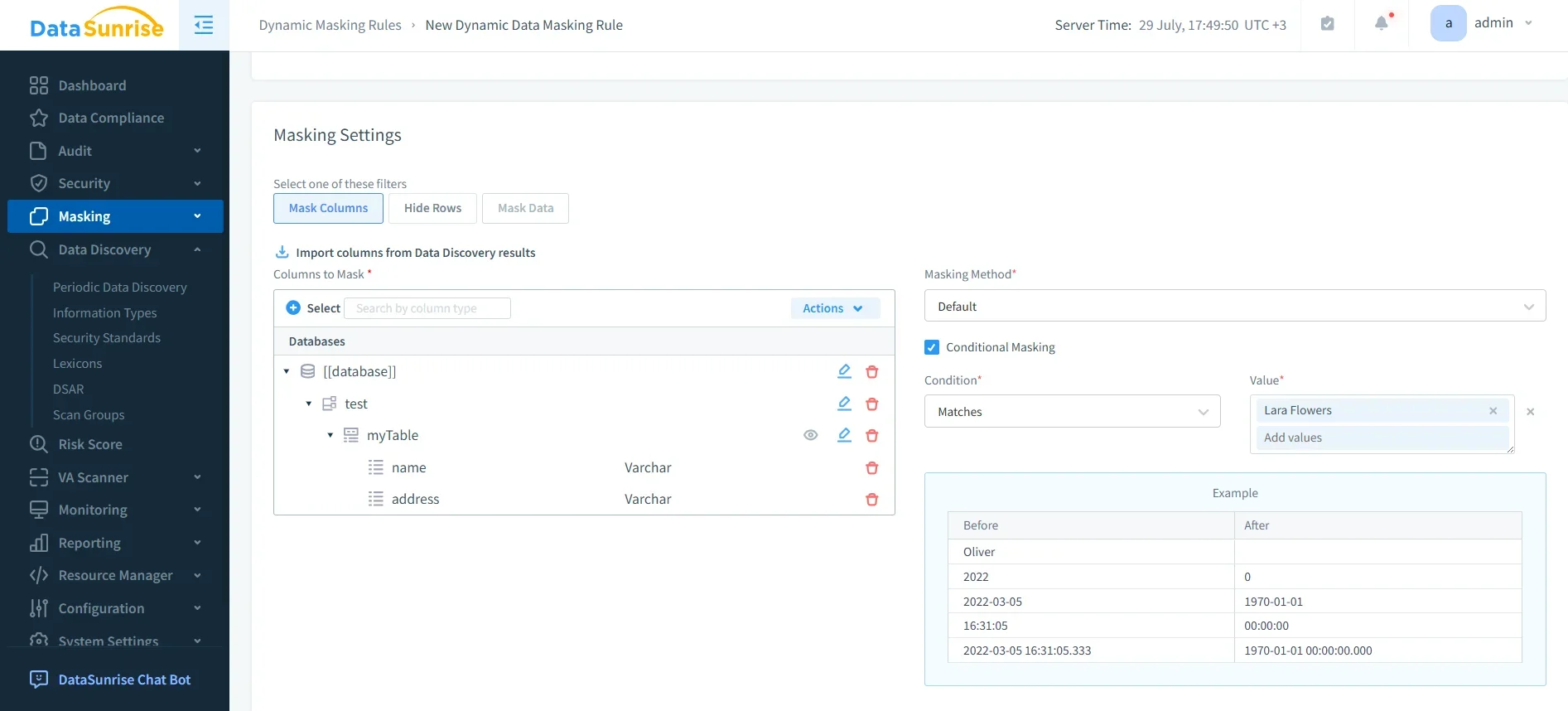
DataSunrise extends MariaDB with dynamic data masking, which prevents exposure of sensitive data in queries:
- Masks PII and PHI in real time, based on user role.
- Ensures applications continue to function without modification.
- Supports surgical precision masking at the column level.
This feature is vital for organizations subject to data minimization requirements.
Automated Compliance Reporting
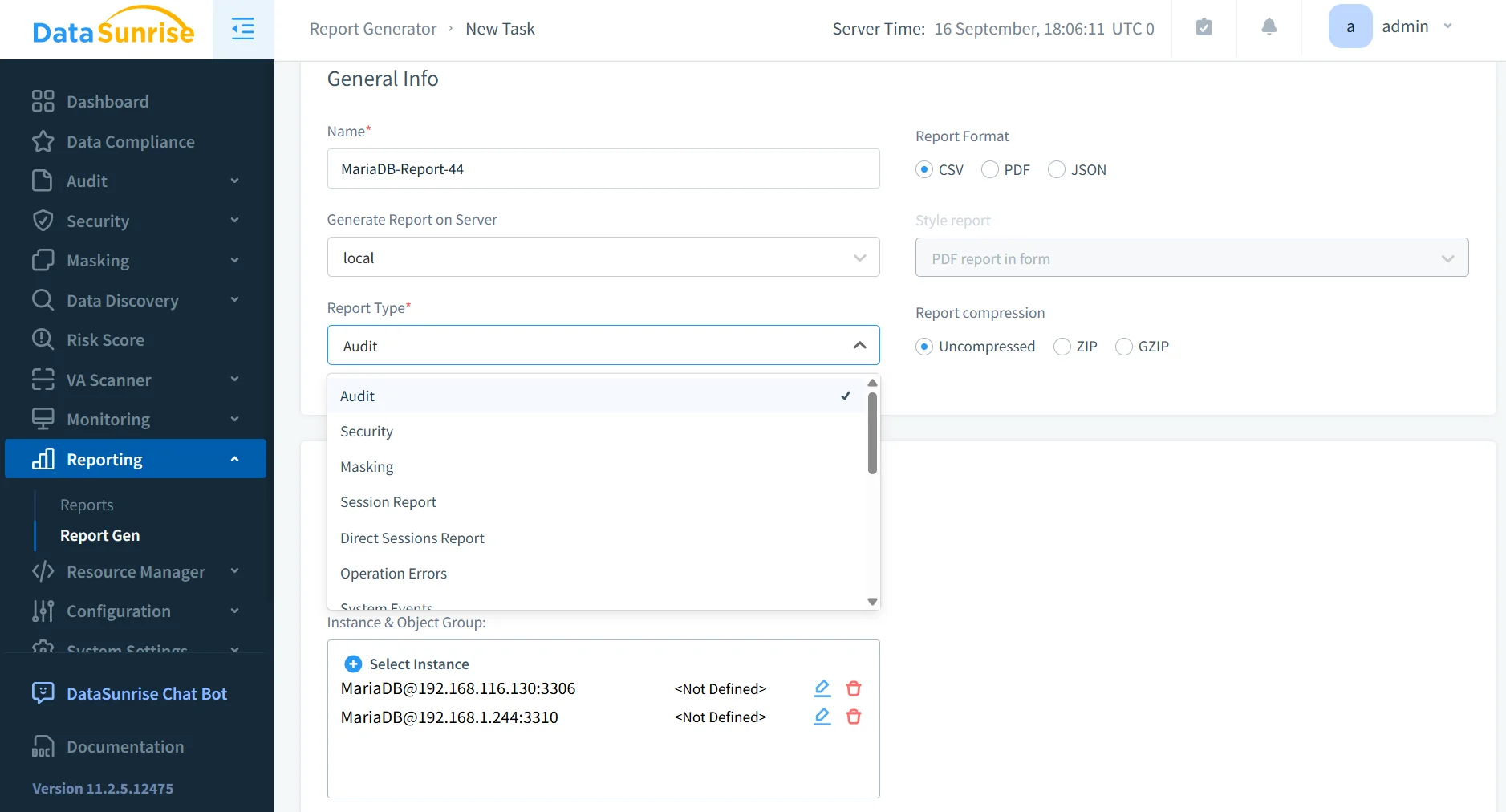
With automated report generation, compliance documentation becomes a one-click process. Reports cover GDPR, HIPAA, PCI DSS, SOX, and custom internal policies. Scheduled reports ensure continuous readiness for inspections.
- Integration with external auditors to simplify compliance verification
- Customizable templates for industry-specific regulations
- Automatic distribution of reports to compliance officers and security teams
Business Impact of Automating MariaDB Compliance
Implementing automation reduces both risk and cost. The table below highlights tangible outcomes:
| Benefit | Impact |
|---|---|
| Reduced Manual Effort | Cuts administrative workload by up to 60% |
| Continuous Alignment | Prevents costly compliance drift |
| Faster Audit Prep | Shortens external audits from weeks to days |
| Centralized Oversight | Improves visibility across multi-database environments |
| Enhanced Data Security | Lowers risk of breaches and insider threats |
| Regulatory Readiness | Keeps pace with evolving global frameworks |
Conclusion
MariaDB provides essential security tools, but true compliance requires automation. By combining native capabilities with DataSunrise, organizations gain real-time compliance enforcement, advanced masking, and centralized monitoring.
This approach ensures MariaDB deployments remain audit-ready, secure, and aligned with international frameworks — without overwhelming administrators. To see how this works in practice, explore the DataSunrise demo.
Protect Your Data with DataSunrise
Secure your data across every layer with DataSunrise. Detect threats in real time with Activity Monitoring, Data Masking, and Database Firewall. Enforce Data Compliance, discover sensitive data, and protect workloads across 50+ supported cloud, on-prem, and AI system data source integrations.
Start protecting your critical data today
Request a Demo Download Now