How to Ensure Compliance for Apache Cassandra
Introduction
Apache Cassandra is a distributed NoSQL database known for scalability and high availability. Organizations increasingly rely on Cassandra to store sensitive workloads—such as financial transactions, healthcare data, and personal identifiers—that fall under strict regulations like GDPR, HIPAA, and PCI DSS.
Ensuring compliance in Cassandra involves auditing, access control, encryption, and masking. This guide explores Cassandra’s native compliance features and demonstrates how DataSunrise enhances them through automation and centralized governance.
Compliance for Cassandra requires more than enabling logging—it demands continuous enforcement, monitoring, and reporting.
Compliance for Apache Cassandra with Native Capabilities
Step 1: Enable Audit Logging
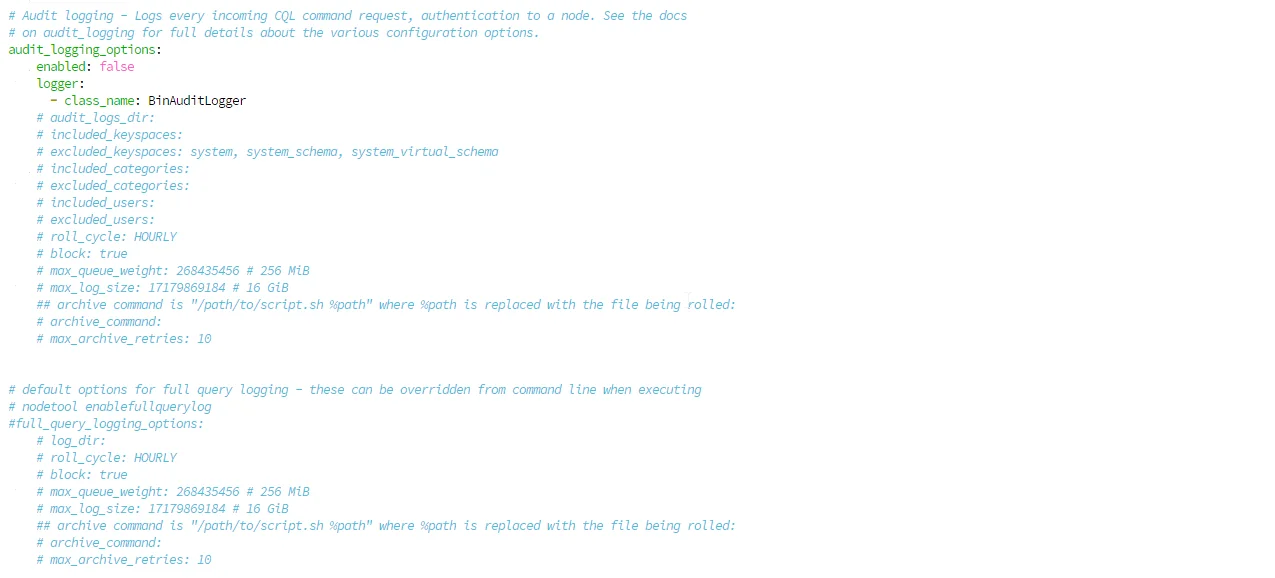
Cassandra includes Audit Logging to track database activity. Enable it in cassandra.yaml:
audit_logging_options:
    enabled: true                              # Default: false
    logger:
      - class_name: BinAuditLogger             # Binary format logger
    audit_logs_dir: /var/log/cassandra/audit   # Required: specify log directory
    included_categories: DML, DDL, AUTH        # Categories to audit
    excluded_keyspaces: system, system_schema  # Skip system keyspaces
    roll_cycle: HOURLY                         # Log rotation frequency
    block: true                                # Block if queue fills (ensures no audit loss)
    max_log_size: 17179869184                  # 16 GiB per log file
Key parameters:
audit_logs_dir: Must be specified when enabling audit loggingincluded_categories: Choose from QUERY, DML, DDL, DCL, AUTH, ERROR, PREPAREblock: Set totruefor strict compliance (never lose audit events)
This provides audit trails for compliance but logs remain node-local and must be manually aggregated in clusters.
Step 2: Capture Query Activity
Use Full Query Logging (FQL) for investigations. Note that FQL is disabled by default and must be configured:
full_query_logging_options:
    log_dir: /var/log/cassandra/fql     # Required: specify log directory
    roll_cycle: HOURLY                  # Log rotation frequency
    block: true                         # Block if queue fills
    max_queue_weight: 268435456         # 256 MiB queue weight
    max_log_size: 17179869184           # 16 GiB per log file
Enable FQL dynamically via nodetool:
$ nodetool enablefullquerylog --path /var/log/cassandra/fql
Replay captured queries for analysis:
$ bin/fqltool replay --target localhost:9042 /var/log/cassandra/fql
Note: FQL captures only successful queries, creating blind spots for failed authentication attempts or unauthorized access attempts—critical for compliance monitoring.
Step 3: Enforce Role-Based Access Control
Prerequisites: RBAC requires authentication to be enabled in cassandra.yaml:
authenticator: PasswordAuthenticator
authorizer: CassandraAuthorizer
role_manager: CassandraRoleManager
Restart Cassandra after changing these settings. Without proper authentication configuration, role management commands will fail with "You have to be logged in and not anonymous" errors.
Cassandra supports RBAC for restricting access:
CREATE ROLE compliance_auditor
WITH LOGIN = true
AND PASSWORD = 'StrongPass#2025'
AND SUPERUSER = false;

GRANT SELECT ON KEYSPACE finance_data TO compliance_auditor;
This enforces basic role-based access control (RBAC). However, RBAC lacks contextual policies and conditional masking.
Step 4: Protect Data with Masking (Cassandra 5.0+)
Cassandra 5.0 introduces Dynamic Data Masking (DDM).
Prerequisites: DDM must be enabled in cassandra.yaml:
dynamic_data_masking_enabled: true # Default: false
Restart Cassandra after changing this setting. Without it, CREATE TABLE with MASKED columns will fail with "dynamic data masking is not enabled" error.
Example implementation:
-- Create a keyspace first (if not exists)
CREATE KEYSPACE IF NOT EXISTS healthcare
WITH replication = {'class': 'SimpleStrategy', 'replication_factor': 1};

USE healthcare;

-- Create table with masked columns
CREATE TABLE patients (
   id UUID PRIMARY KEY,
   name TEXT MASKED WITH mask_inner(1, null),
   birth DATE MASKED WITH mask_default()
);
Unprivileged users see masked values, while privileged users with UNMASK permission can view clear data.
Caveat: Earlier Cassandra versions lack masking; compliance required application-side workarounds.
Step 5: Encrypt Data at Rest and in Transit
At Rest
Cassandra doesn't provide native at-rest encryption. Use file system or disk-level encryption (LUKS, dm-crypt, or cloud provider encryption).
In Transit
Configure both client-to-node and node-to-node encryption in cassandra.yaml:
Client-to-node encryption (applications to Cassandra):
client_encryption_options:
    enabled: true                        # Enable encryption
    optional: false                      # Reject unencrypted connections
    keystore: conf/.keystore            # Server certificate location
    keystore_password: cassandra        # Keystore password
    require_client_auth: false          # Set true for mutual TLS
    # If require_client_auth is true:
    # truststore: conf/.truststore
    # truststore_password: cassandra
Node-to-node encryption (between cluster nodes):
server_encryption_options:
    internode_encryption: all            # Options: none, dc, rack, all
    keystore: conf/.keystore
    keystore_password: cassandra
    truststore: conf/.truststore
    truststore_password: cassandra
Encryption levels for internode_encryption:
none: No encryption (default)dc: Encrypt only cross-datacenter trafficrack: Encrypt cross-rack trafficall: Encrypt all inter-node communication (recommended for compliance)
Encryption is essential for GDPR and HIPAA compliance.
Native Cassandra Compliance: Key Considerations
Implementation Note: After implementing Steps 1-5, organizations should be aware that Cassandra ships with all compliance features disabled by default. This requires:
- Editing
cassandra.yamlon every node for each compliance requirement - Cluster-wide restarts after configuration changes
- Writing CQL scripts for user and role management
- Building infrastructure to aggregate audit logs from distributed nodes
- Creating parsers for audit format processing
- Developing custom compliance dashboards and reporting
This approach requires significant Cassandra expertise and becomes increasingly complex when managing compliance across multiple database types (MySQL, PostgreSQL, MongoDB, etc.). Each system uses different configuration files, audit formats, and administrative commands—potentially creating operational challenges and inconsistent policies.
How DataSunrise Simplifies Cassandra Compliance
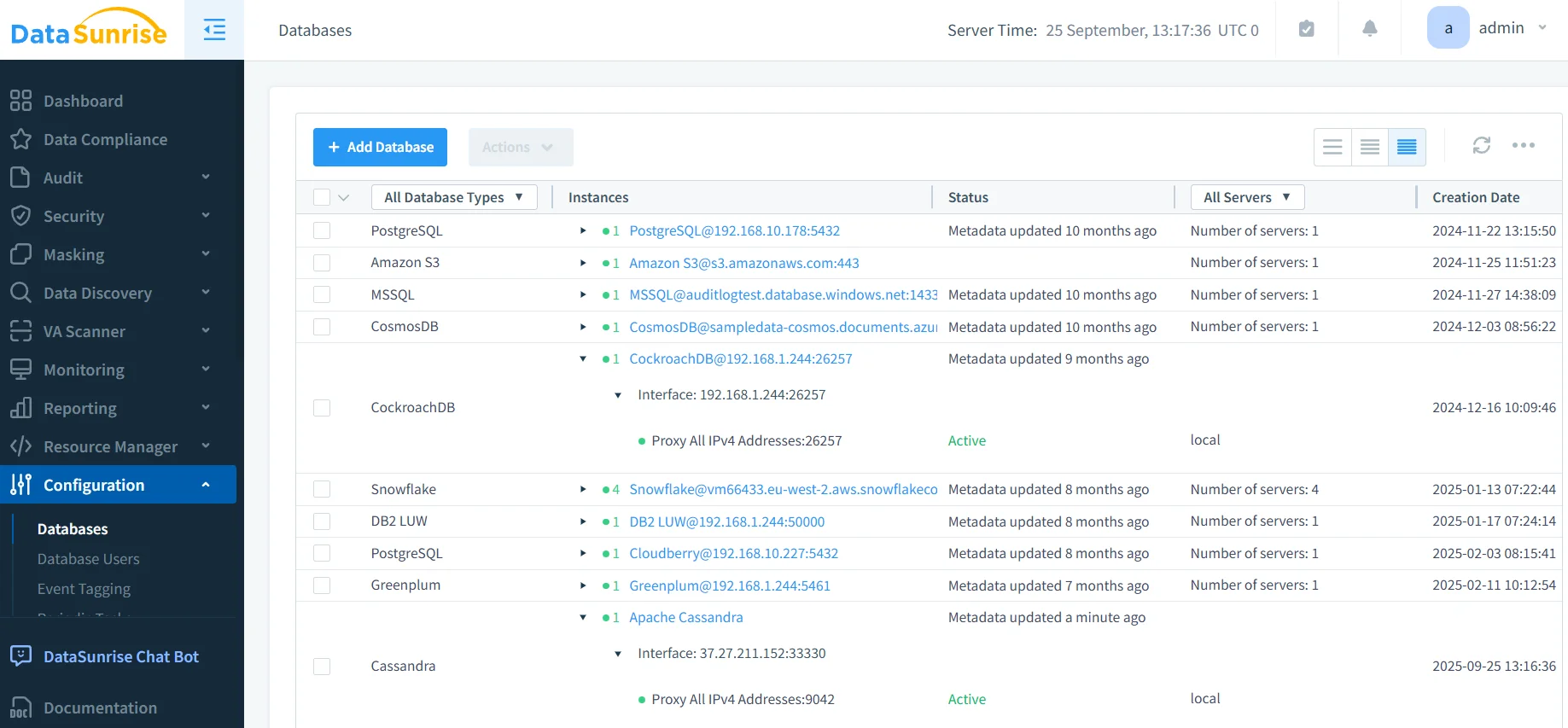
Where native Cassandra requires manual configuration across every node and constant restarts, DataSunrise provides a single point of control for all compliance needs—without touching cassandra.yaml or restarting clusters.
Zero-Configuration Compliance
Problem with Native Cassandra: Every compliance feature requires editing YAML files, writing CQL scripts, and cluster restarts. Even enabling basic authentication can break role management if not configured perfectly.
DataSunrise Solution: Deploy once, configure through a web interface. No YAML editing, no CQL scripting, no restarts. DataSunrise acts as a transparent proxy—your applications don't even know it's there.
Unified Multi-Database Governance
Problem with Native Cassandra: Managing compliance across Cassandra, MySQL, PostgreSQL, and MongoDB means learning four different configuration syntaxes, audit formats, and administrative tools.
DataSunrise Solution: One interface controls compliance for 40+ database types. Set a policy once, apply everywhere. Your Cassandra audit logs look identical to your PostgreSQL logs—same format, same dashboard, same reports.
Cassandra vs. DataSunrise: Governance and Compliance
| Capability | Native Cassandra | DataSunrise |
|---|---|---|
| Data Masking | Requires Cassandra 5.0+ with dynamic_data_masking_enabled in cassandra.yaml; needs cluster restart; forces schema changes with MASKED WITH; existing tables must be recreated |
Dynamic Masking on any version (3.x, 4.x, 5.x) with no schema changes; Static Masking for dev/test; context-aware policies (doctors see full, nurses partial, others none); automatic Sensitive Data Discovery |
| Audit Logging | Logs scattered across nodes; configured separately per node; binary format requires special tools; no failed authentication tracking; no cluster-wide correlation | Centralized repository across the cluster; captures both successful and failed attempts; human-readable and searchable; correlates distributed transactions; Real-time alerts for suspicious behavior; direct export to SIEM, Splunk, compliance tools |
Automated Compliance Without Manual Reports
Native Approach: Manually aggregate logs, write custom parsers, build reports, hope auditors accept your format.
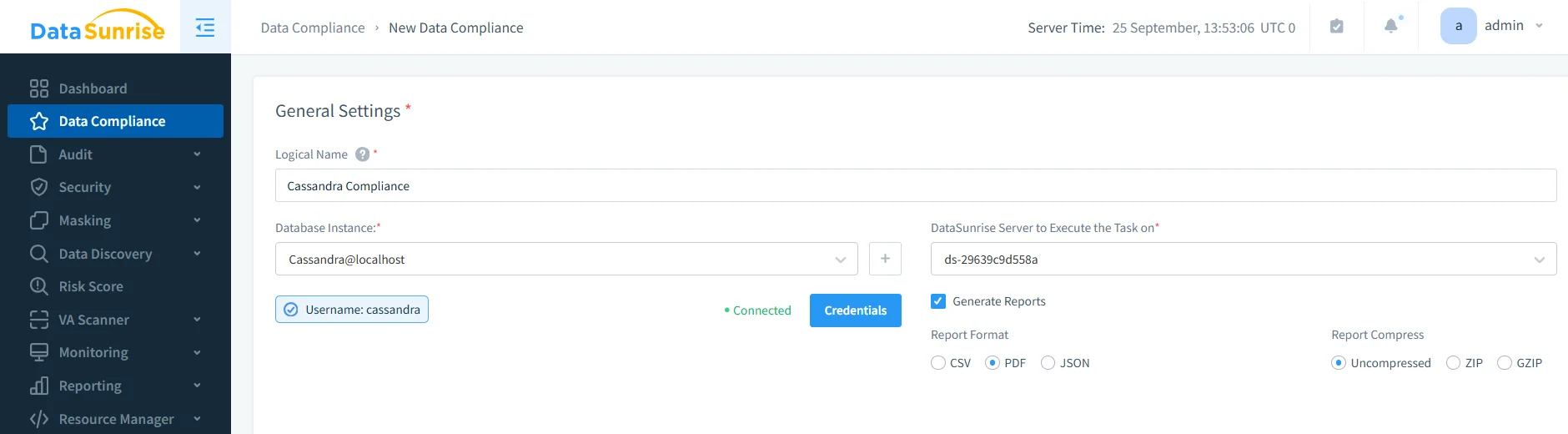
DataSunrise Approach: Click "Generate Report" → Choose regulation (GDPR, HIPAA, PCI DSS, SOX) → Download auditor-ready documentation. The Compliance Manager knows exactly what each regulation requires and formats reports accordingly.
Business Impact
Adopting DataSunrise for Cassandra compliance yields:
- Reduced Risk – Automated enforcement prevents misconfigurations.
- Operational Efficiency – Eliminates manual log reviews.
- Audit Readiness – Always prepared with exportable compliance reports.
- Cross-Platform Coverage – Supports 40+ DBMS beyond Cassandra.
Conclusion
Native Cassandra compliance tools—audit logs, RBAC, and new DDM—offer a starting point but remain fragmented. For organizations asking how to ensure compliance for Apache Cassandra, the answer is automation.
DataSunrise unifies monitoring, masking, discovery, and reporting, transforming Cassandra into a compliant, audit-ready platform.
Protect Your Data with DataSunrise
Secure your data across every layer with DataSunrise. Detect threats in real time with Activity Monitoring, Data Masking, and Database Firewall. Enforce Data Compliance, discover sensitive data, and protect workloads across 50+ supported cloud, on-prem, and AI system data source integrations.
Start protecting your critical data today
Request a Demo Download Now