How to Ensure Compliance for SAP HANA
In today's regulatory landscape, ensuring compliance for SAP HANA has become a critical business requirement. According to IBM's 2024 Data Breach Report, organizations with comprehensive audit trail systems identify potential security threats significantly faster and reduce breach-related costs substantially. With the average cost of a data breach reaching $5.7 million in 2024, implementing robust compliance regulations for SAP HANA is essential for protecting your organization's data.
SAP HANA, SAP's high-performance in-memory database platform, powers mission-critical business applications across industries. For comprehensive information about SAP HANA's security architecture, refer to the SAP HANA Security Guide. As organizations handle increasingly sensitive information, establishing comprehensive compliance frameworks becomes paramount. With regulations like GDPR, HIPAA, and PCI DSS imposing strict requirements, organizations must implement sophisticated monitoring and continuous data protection mechanisms.
This guide explores SAP HANA's native compliance capabilities and demonstrates how implementing advanced solutions can enhance regulatory adherence while streamlining data security operations.
Native SAP HANA Compliance Capabilities
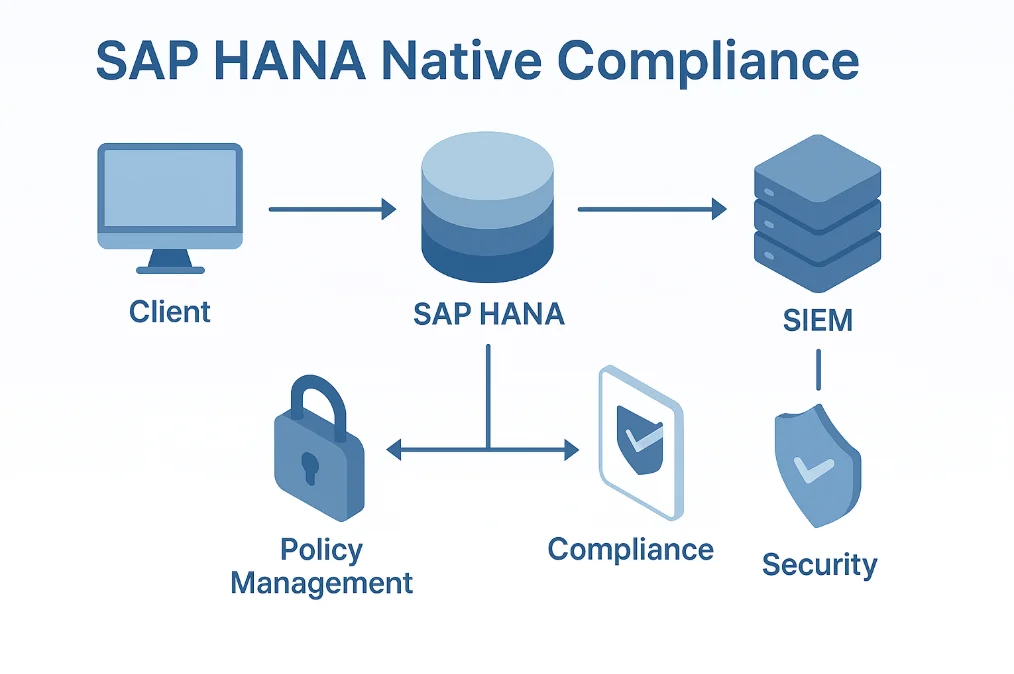
SAP HANA includes several built-in features for implementing compliance controls that track database activity history, enforce security policies, and maintain audit trails.
1. SAP HANA Audit Trail Configuration
SAP HANA's audit logging functionality captures database activities essential for compliance monitoring. To enable comprehensive audit trails, configure audit policies through SQL commands:
-- Enable audit trail for compliance monitoring
ALTER SYSTEM ALTER CONFIGURATION ('global.ini', 'SYSTEM')
SET ('auditing configuration', 'global_auditing_state') = 'true'
WITH RECONFIGURE;

-- Configure audit policy for sensitive operations
CREATE AUDIT POLICY compliance_policy
AUDITING SUCCESSFUL GRANT PRIVILEGE,
         SUCCESSFUL REVOKE PRIVILEGE,
         SUCCESSFUL SELECT ON SCHEMA "FINANCIAL_DATA",
         SUCCESSFUL UPDATE ON SCHEMA "CUSTOMER_INFO",
         FAILED CONNECT
LEVEL CRITICAL;

-- Enable the compliance audit policy
AUDIT POLICY compliance_policy;
2. Testing Compliance Scenarios
Execute sample operations to verify your compliance monitoring captures required activities:
-- Create test table with sensitive data
CREATE COLUMN TABLE COMPLIANCE_TEST (
    customer_id INTEGER PRIMARY KEY,
    customer_name NVARCHAR(100),
    ssn NVARCHAR(11),
    account_balance DECIMAL(15,2)
);

-- Insert and query sensitive data
INSERT INTO COMPLIANCE_TEST VALUES
    (1, 'Michael Thompson', '123-45-6789', 25000.00);

SELECT customer_name, account_balance
FROM COMPLIANCE_TEST
WHERE account_balance > 20000;
3. Reviewing SAP HANA Audit Logs
Examine captured audit data through SAP HANA's audit log views:
-- Query audit trail for compliance review
SELECT
    TIMESTAMP,
    USER_NAME,
    CLIENT_IP,
    STATEMENT_STRING,
    AUDIT_ACTION,
    SCHEMA_NAME
FROM SYS.AUDIT_LOG
WHERE TIMESTAMP >= ADD_DAYS(CURRENT_TIMESTAMP, -7)
ORDER BY TIMESTAMP DESC;
You can refer to the SAP HANA Auditing Documentation for comprehensive information about audit configuration options.
Limitations of Native SAP HANA Compliance Tools
While SAP HANA's native compliance capabilities provide essential functionality, organizations with advanced regulatory requirements often encounter limitations including manual configuration requirements, no automated sensitive data discovery, basic logging without regulatory framework mapping, limited real-time threat detection, and complex log retention management.
Enhanced SAP HANA Compliance with DataSunrise
While SAP HANA provides foundational compliance capabilities, DataSunrise significantly enhances regulatory adherence through Zero-Touch Compliance Automation and intelligent policy orchestration.
Implementing DataSunrise for SAP HANA Compliance
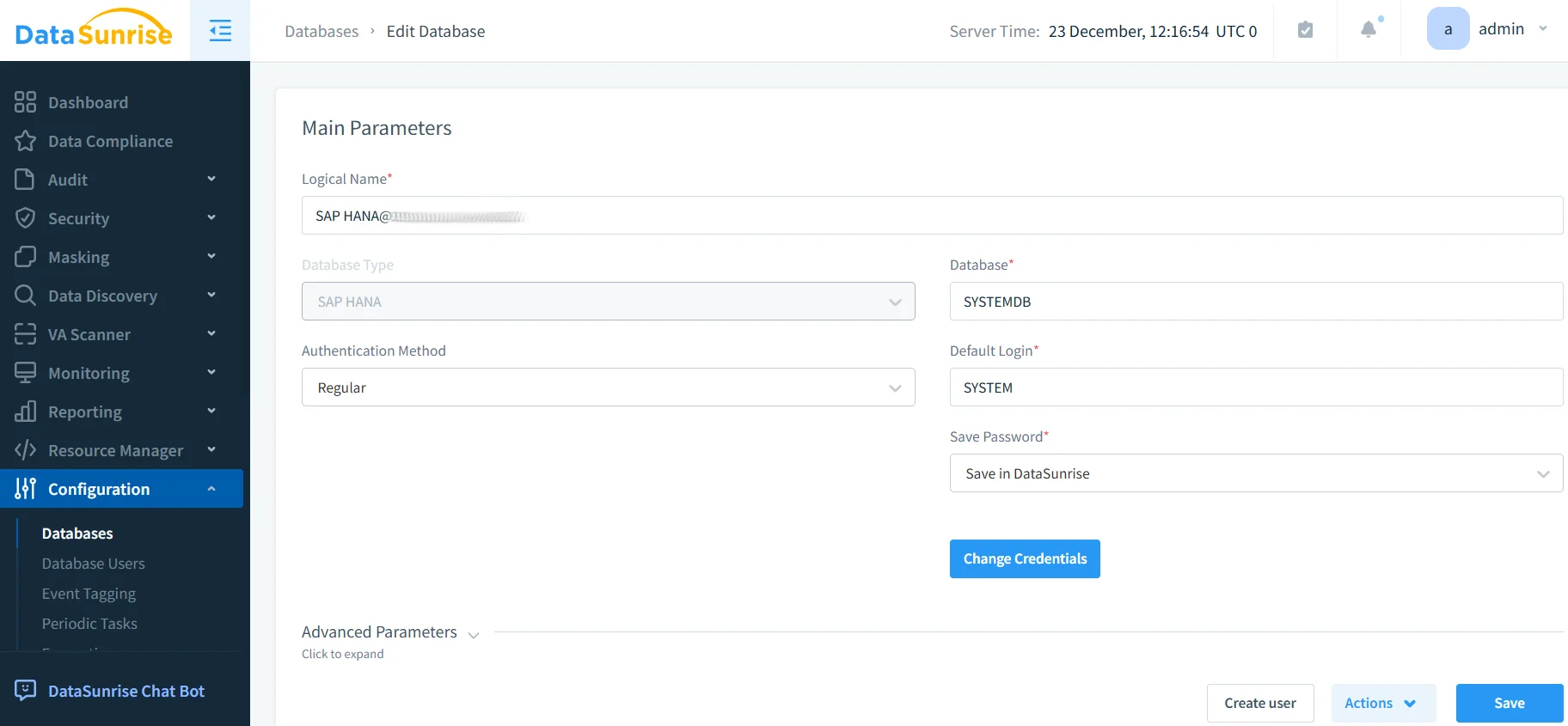
1. Connect to SAP HANA System
Begin by establishing a secure connection between DataSunrise and your SAP HANA environment through the intuitive administrative interface.
2. Auto-Discover Sensitive Data
Leverage DataSunrise's Auto-Discover & Classify engine to automatically identify sensitive data using NLP and machine learning algorithms to detect PII, PHI, payment card data, and financial records.
3. Configure Compliance Rules
Create sophisticated compliance policies through DataSunrise's No-Code Policy Automation interface for data access monitoring, sensitive data masking, real-time blocking, and automated alerting.
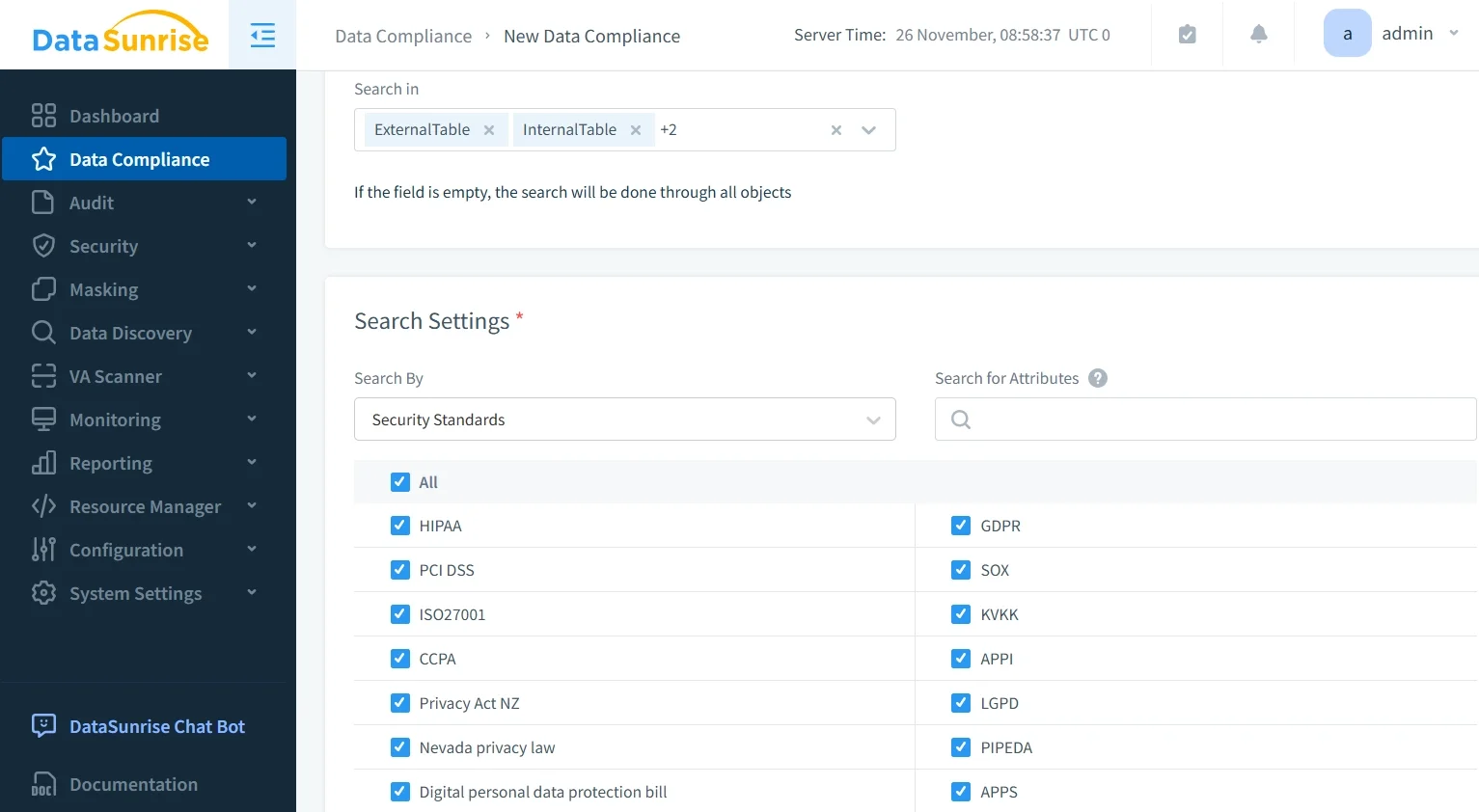
4. Review Compliance Reports
Access detailed compliance documentation through DataSunrise's unified dashboard with pre-configured templates for major regulatory frameworks.
Key Advantages of DataSunrise for SAP HANA
Comprehensive Sensitive Data Detection: Automatically discover and classify sensitive information across structured tables, including PII.
No-Code Policy Automation: Create sophisticated compliance policies without complex SQL scripting, reducing implementation time significantly.
Real-Time Compliance Monitoring: Receive immediate notifications when compliance violations occur with automated report generation.
Automated Regulatory Reporting: Generate pre-configured compliance reports for GDPR compliance, HIPAA compliance, PCI DSS compliance, and SOX compliance.
Dynamic Data Masking: Protect sensitive SAP HANA data in real-time based on user roles.
User Behavior Analytics: Establish baselines for normal access patterns and detect anomalies.
Cross-Platform Consistency: Apply uniform compliance policies across SAP HANA and over 40 other database platforms.
Best Practices for SAP HANA Compliance Implementation
| Best Practice | Description |
|---|---|
| Risk-Based Compliance Strategy | Focus comprehensive compliance controls on sensitive or regulated information. Implement tiered protection with different monitoring levels based on data sensitivity and role-based access controls. |
| Automated Data Classification | Leverage data discovery tools to automatically identify sensitive information. Schedule regular scans to detect newly created tables with regulated data. |
| Comprehensive Audit Trail Management | Establish clear guidelines for audit log retention that align with regulatory requirements. Protect logs from tampering with database encryption and access controls. |
| Real-Time Compliance Enforcement | Implement security rules that automatically block non-compliant queries. Configure intelligent alerting for critical compliance violations. |
| Enhanced Implementation with DataSunrise | Deploy DataSunrise to extend beyond native SAP HANA capabilities with Continuous Regulatory Calibration and intelligent database firewall protection. |
Conclusion
As organizations increasingly rely on SAP HANA for mission-critical business processes, ensuring comprehensive compliance has become essential for regulatory adherence and continuous data protection. While SAP HANA offers foundational native compliance capabilities, organizations with complex regulatory requirements benefit significantly from enhanced solutions like DataSunrise.
DataSunrise provides comprehensive database security specifically designed for enterprise database environments, offering Zero-Touch Compliance Automation with advanced monitoring, dynamic data masking, and automated reporting capabilities. With support for SAP HANA and over 40 other data platforms, DataSunrise transforms compliance from a resource-intensive burden into a streamlined, automated process.
Protect Your Data with DataSunrise
Secure your data across every layer with DataSunrise. Detect threats in real time with Activity Monitoring, Data Masking, and Database Firewall. Enforce Data Compliance, discover sensitive data, and protect workloads across 50+ supported cloud, on-prem, and AI system data source integrations.
Start protecting your critical data today
Request a Demo Download Now