How to Ensure Compliance for Teradata
Organizations managing large-scale data environments such as Teradata face stringent compliance requirements across industries like finance, healthcare, and government. Meeting standards such as GDPR, HIPAA, PCI DSS, and SOX requires precise monitoring, auditing, and protection of sensitive data.
Teradata is widely adopted for high-performance analytics and mission-critical workloads, which means compliance lapses can result in severe financial penalties, reputational damage, and loss of customer trust. According to European Commission GDPR guidelines, fines for non-compliance can reach millions of euros, while U.S. regulations like HIPAA impose strict safeguards on healthcare data. For organizations processing payment transactions, PCI DSS documentation outlines mandatory controls to protect cardholder information.
Teradata provides native capabilities to assist compliance efforts, but these features may lack the scalability and automation needed for enterprise-grade governance. This article explores how to use Teradata’s tools for compliance and then demonstrates how DataSunrise extends these capabilities with zero-touch compliance orchestration, adaptive intelligence, and audit-ready reporting.
What is Compliance and Why it Matters?
Compliance refers to the process of adhering to laws, industry standards, and internal policies designed to protect sensitive data and ensure fair business practices. For databases like Teradata, compliance means more than just meeting technical requirements — it represents trust, accountability, and risk management.
- Regulatory Requirements: Frameworks such as SOX compliance overview, GDPR, HIPAA, and PCI DSS define strict rules for how data must be handled, stored, and reported.
- Risk Management: Compliance frameworks reduce the likelihood of breaches, fraud, and data misuse, which can otherwise lead to lawsuits and reputational damage.
- Operational Discipline: By enforcing policies and controls, compliance ensures consistency across complex data environments like Teradata.
- Business Trust: Demonstrating compliance helps organizations build credibility with customers, partners, and regulators.
In short, compliance is not optional. It safeguards sensitive information, reduces organizational risk, and enables businesses to operate confidently in highly regulated markets.
Native Teradata Compliance Features
Teradata’s architecture includes features that support compliance readiness:
1. Teradata Logging and Auditing
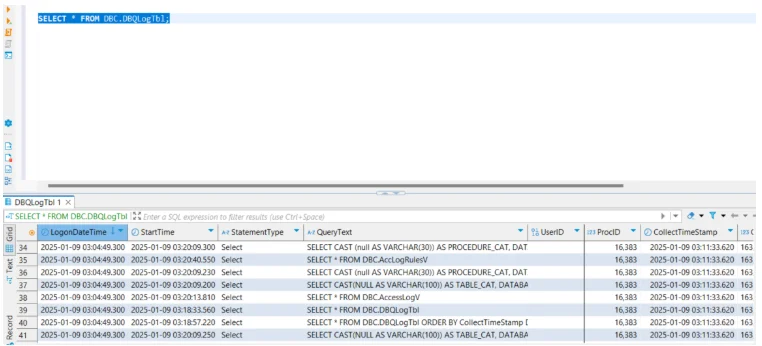
Teradata offers an integrated auditing facility (DBQL and DBC tables) that records SQL queries, access attempts, and session details. This creates an essential activity history for compliance investigations.
-- Example: Enable DBQL logging for a user
BEGIN LOGGING WITH SQL, OBJECTS, STEPINFO ON ALL
    FOR User Finance_Analyst;
Audit tables can then be queried for analysis:
SELECT * FROM dbc.dbqlogtbl
WHERE username = 'Finance_Analyst';
2. Role-Based Access Controls
Teradata supports fine-grained role-based access control (RBAC), ensuring only authorized users can access sensitive objects.
-- Grant access to a specific role
GRANT SELECT ON Payroll_Records TO ROLE HR_Auditor;

-- Revoke access if no longer required
REVOKE SELECT ON Payroll_Records FROM ROLE HR_Auditor;
3. Data Protection
Native encryption for data at rest and network traffic, combined with strong password policies, help meet regulatory data security requirements.
-- Example: Enable encryption for a tablespace
CREATE TABLESPACE SecureSpace
    PASSWORD = 'StrongPassword123!'
    ENCRYPTION = AES256;

-- Example: Force encrypted connections
LOGON tdpid/user,password,ENCRYPTED;
4. Logging Limitations
While DBQL is powerful, it can create large volumes of logs, making long-term retention, filtering, and centralized review difficult without external tools.
-- Example: Check DBQL log size
SELECT DatabaseName, TableName, SUM(CurrentPerm) AS Size_MB
FROM DBC.TableSize
WHERE DatabaseName = 'DBC' AND TableName LIKE 'DBQLog%'
GROUP BY 1,2;

-- Example: Rotate or archive DBQL logs manually
DELETE FROM DBC.DBQLogTbl WHERE CollectTime < CURRENT_DATE - 30;
Ensuring Compliance with DataSunrise for Teradata
Although Teradata provides a strong compliance foundation, DataSunrise enhances it with enterprise-ready compliance automation, advanced data masking, and centralized activity monitoring.
Centralized Monitoring
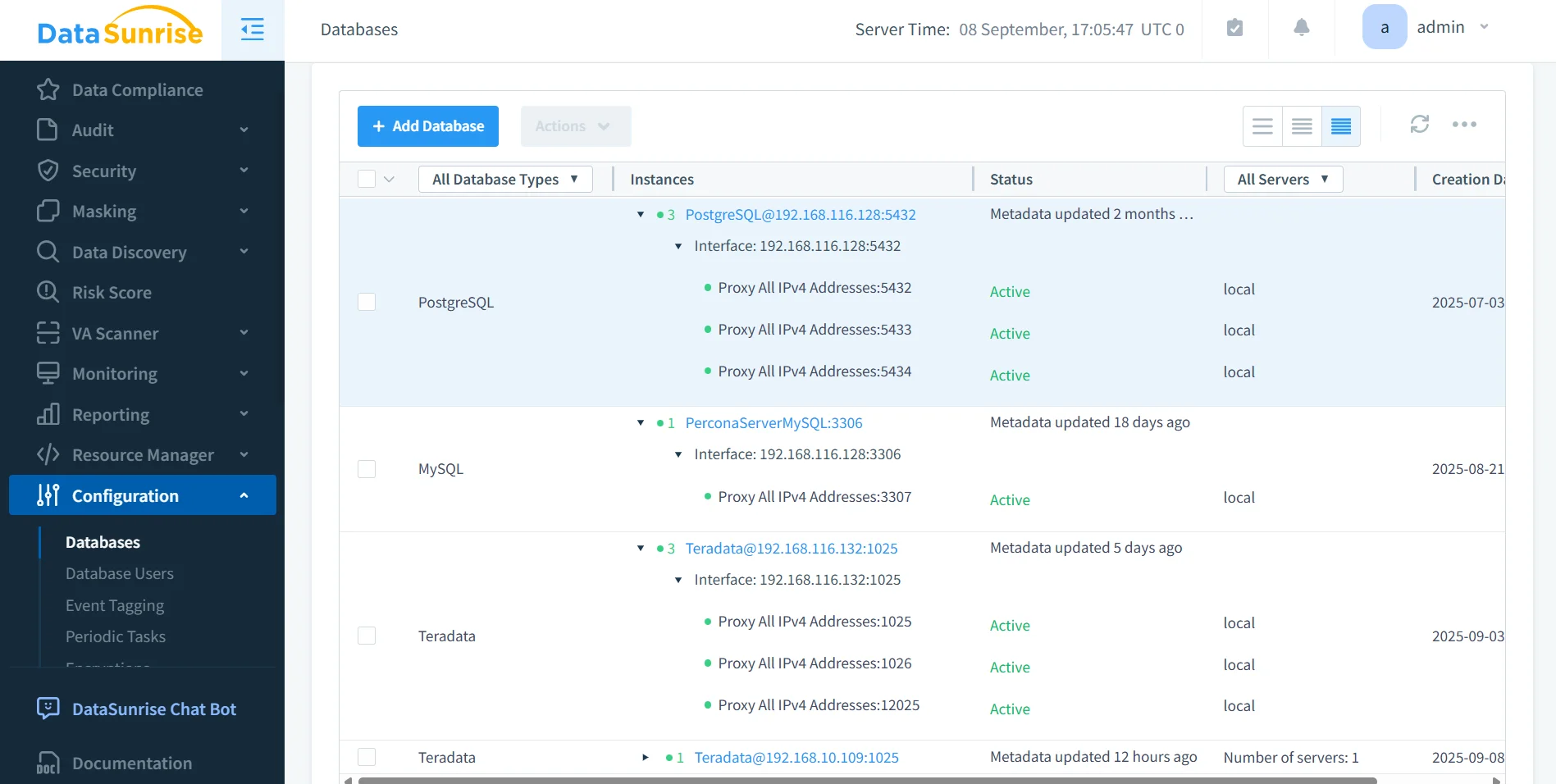
Database activity monitoring in DataSunrise consolidates logs and events across Teradata and over 40 other supported platforms.
Benefits include:
- Unified view: Monitor multiple Teradata instances and hybrid environments from a single dashboard.
- Real-time alerts: Notifications for suspicious activities, such as abnormal query volumes or failed logins.
- Cross-database consistency: Apply the same compliance and security policies across diverse environments.
This reduces administrative burden and ensures consistent enforcement of compliance standards.
Dynamic Data Masking
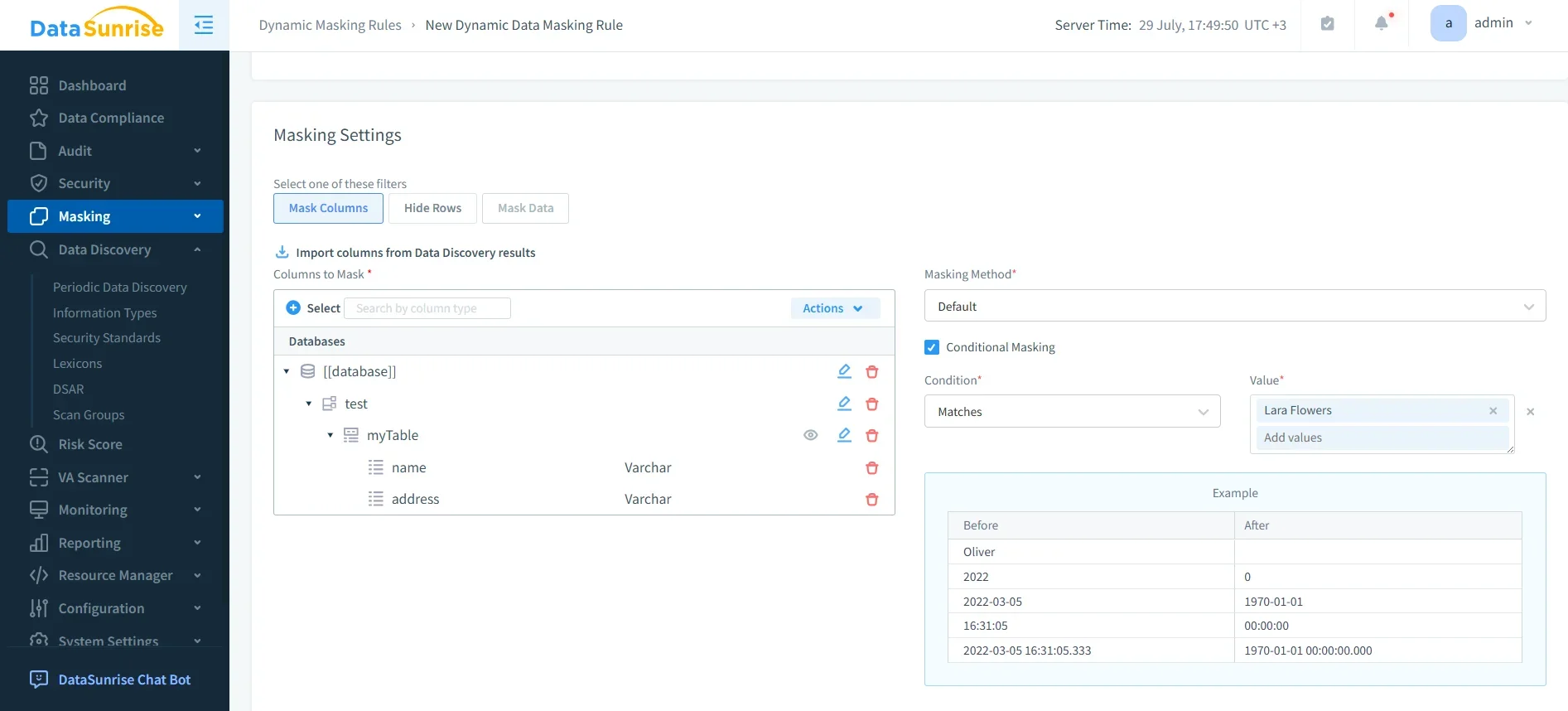
Dynamic data masking prevents unauthorized users from viewing sensitive information in Teradata while still allowing legitimate operations.
- Role-based rules: Different users see masked or clear values based on permissions.
- Real-time masking: Sensitive fields such as Social Security numbers or account balances are masked on query execution.
- Non-intrusive design: Applications continue functioning without modification.
This ensures compliance with privacy regulations by controlling exposure of sensitive data without disrupting business workflows.
Audit-Ready Reporting
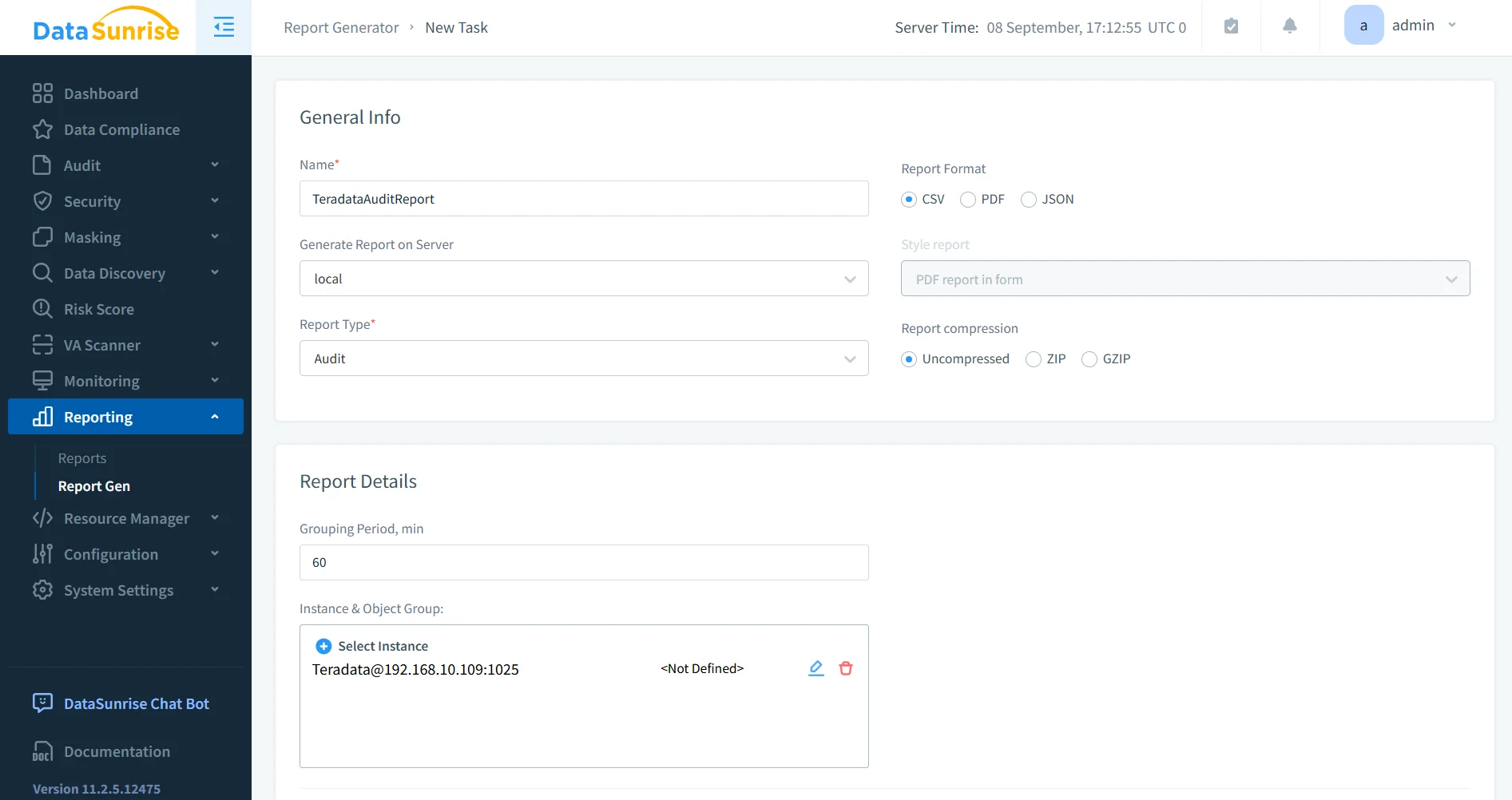
DataSunrise provides audit-ready reporting that simplifies compliance validation:
- One-click generation of compliance reports for GDPR, HIPAA, PCI DSS, and SOX.
- Customizable templates to satisfy both internal audits and regulator inspections.
- Forensic-ready data for investigations in case of incidents.
This reduces manual effort, speeds up compliance checks, and provides clear, standardized documentation for auditors.
Sensitive Data Discovery
DataSunrise’s discovery engine automatically identifies sensitive data types such as PII, PHI, and financial records inside Teradata tables. It uses:
- Pattern recognition for structured data like credit card numbers.
- Dictionaries and contextual analysis for personal identifiers such as names and addresses.
- OCR-based scanning for unstructured content, including scanned files and images.
In addition, DataSunrise supports scheduled discovery tasks, ensuring that newly ingested or modified Teradata data is automatically scanned without requiring manual intervention. Discovered data is classified into categories (financial, personal, health-related, etc.) and linked to the appropriate compliance framework, such as GDPR or HIPAA.
This proactive discovery ensures that no sensitive dataset remains hidden, enabling organizations to apply appropriate masking and auditing rules before compliance issues arise. By integrating with dynamic data masking, discovered information can be instantly protected without waiting for lengthy security reviews.
Compliance Autopilot
The Compliance Autopilot feature delivers continuous regulatory calibration. It automatically updates compliance rules in real time to align with evolving frameworks such as GDPR, HIPAA, PCI DSS, and SOX.
Key advantages include:
- Automatic policy updates without manual intervention.
- Ongoing monitoring of new Teradata data objects and users.
- Immediate alignment with industry standards to prevent compliance drift.
- Integration with machine learning audit rules, which adapt to user behavior patterns and detect anomalies that may indicate compliance risks.
Compliance Autopilot also provides real-time dashboards for compliance teams, giving them clear visibility into violations, remediation status, and historical trends. Reports can be exported directly as evidence for external audits, supporting frameworks like SOX compliance overview or PCI DSS.
This approach eliminates the need for repetitive manual audits and ensures audit-readiness at all times, reducing the overall cost of compliance management while improving accuracy and speed.
Business Benefits
| Benefit | Description |
|---|---|
| Risk Reduction | Detects and blocks unauthorized access attempts in real time. |
| Efficiency Gains | Automates reporting, eliminating repetitive compliance tasks. |
| Regulatory Alignment | Maintains continuous compliance across SOX, PCI DSS, GDPR, and HIPAA. |
| Scalable Protection | Supports hybrid architectures, including on-prem, cloud, and multi-cloud. |
| Trust & Transparency | Provides clear evidence of compliance to customers and regulators. |
| Lower Compliance Costs | Reduces overhead by automating audits and minimizing manual reviews. |
| Faster Audit Cycles | Generates ready-to-use reports that speed up regulatory inspections. |
| Improved Visibility | Centralized monitoring ensures full visibility across all Teradata systems. |
Conclusion
While Teradata’s native features offer a strong starting point for compliance, enterprises benefit from a more holistic and automated approach. DataSunrise provides adaptive compliance orchestration, centralized monitoring, and audit-ready reporting.
By unifying native Teradata capabilities with DataSunrise’s advanced compliance manager, organizations can eliminate compliance drift, reduce operational overhead, and maintain a resilient security posture.
Protect Your Data with DataSunrise
Secure your data across every layer with DataSunrise. Detect threats in real time with Activity Monitoring, Data Masking, and Database Firewall. Enforce Data Compliance, discover sensitive data, and protect workloads across 50+ supported cloud, on-prem, and AI system data source integrations.
Start protecting your critical data today
Request a Demo Download Now