MongoDB Audit Tools

Modern enterprises rely on effective auditing to ensure database activity is traceable, secure, and compliant with regulations. MongoDB offers native auditing capabilities, but these are available only in the Enterprise and Atlas editions. DataSunrise extends these features with dynamic masking, data discovery, and automated compliance reporting. Combined, they enable real-time monitoring, sensitive data protection, and streamlined compliance with standards such as GDPR, PCI DSS, and HIPAA.
Why MongoDB Audit Tools Matter
Auditing in MongoDB Enterprise allows teams to detect breaches, track privileged user activity, and preserve immutable operation records. This is crucial for meeting industry compliance mandates and for responding quickly to suspicious behavior. Real-time audit capabilities shorten detection time and integrate seamlessly with layered data security strategies.
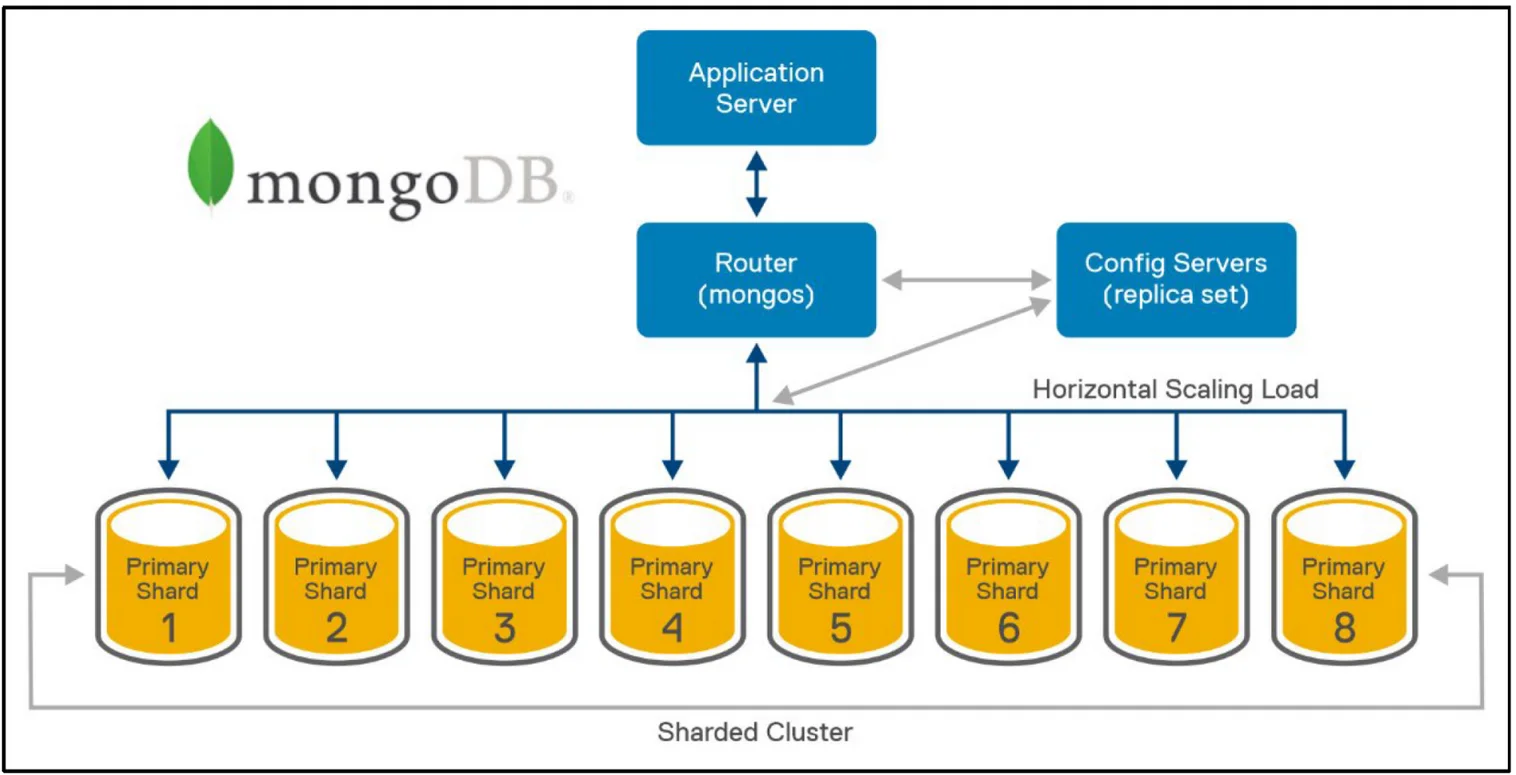
Real-Time Audit in MongoDB Enterprise
MongoDB’s audit framework can log events to JSON or syslog, making it easy to integrate with SIEM platforms such as Splunk or Elastic Stack. Event filtering helps reduce noise and focus on specific actions like authentication attempts, DDL changes, or write operations.
// Enable auditing in MongoDB Enterprise
db.adminCommand({
  setParameter: 1,
  auditAuthorizationSuccess: true
})
The full configuration process is detailed in the MongoDB Enterprise Auditing documentation. This includes setting destinations, formats, and event filters.
Configuring Native MongoDB Enterprise Audit
Native auditing is configured in the mongod.conf file or via runtime parameters. Example for file-based JSON logging:
# mongod.conf
auditLog:
  destination: file
  format: JSON
  path: /var/log/mongodb/auditLog.json
  filter: '{ atype: { $in: ["authenticate", "insert", "update", "remove"] } }'
After saving changes:
sudo systemctl restart mongod
To find failed logins:
grep 'atype":"authenticate"' /var/log/mongodb/auditLog.json | grep 'result":0'
More configuration scenarios, such as syslog output, can be found in the MongoDB Syslog Audit Integration guide.
Dynamic Data Masking with DataSunrise
While MongoDB Enterprise audit logs capture activity, they do not mask sensitive field values. DataSunrise applies dynamic masking at query execution, ensuring only authorized roles can view original PII or financial data.

Data Discovery for Compliance Readiness
MongoDB’s native tools do not provide automated sensitive data discovery. DataSunrise’s data discovery scans collections, classifies sensitive fields, and tags them for monitoring or masking, reducing the risk of oversight.
Auditing with DataSunrise
DataSunrise operates as a transparent proxy between MongoDB and applications, enabling granular audit rules for specific users, roles, queries, or classifications. These rules can trigger real-time alerts and generate compliance-ready reports automatically.
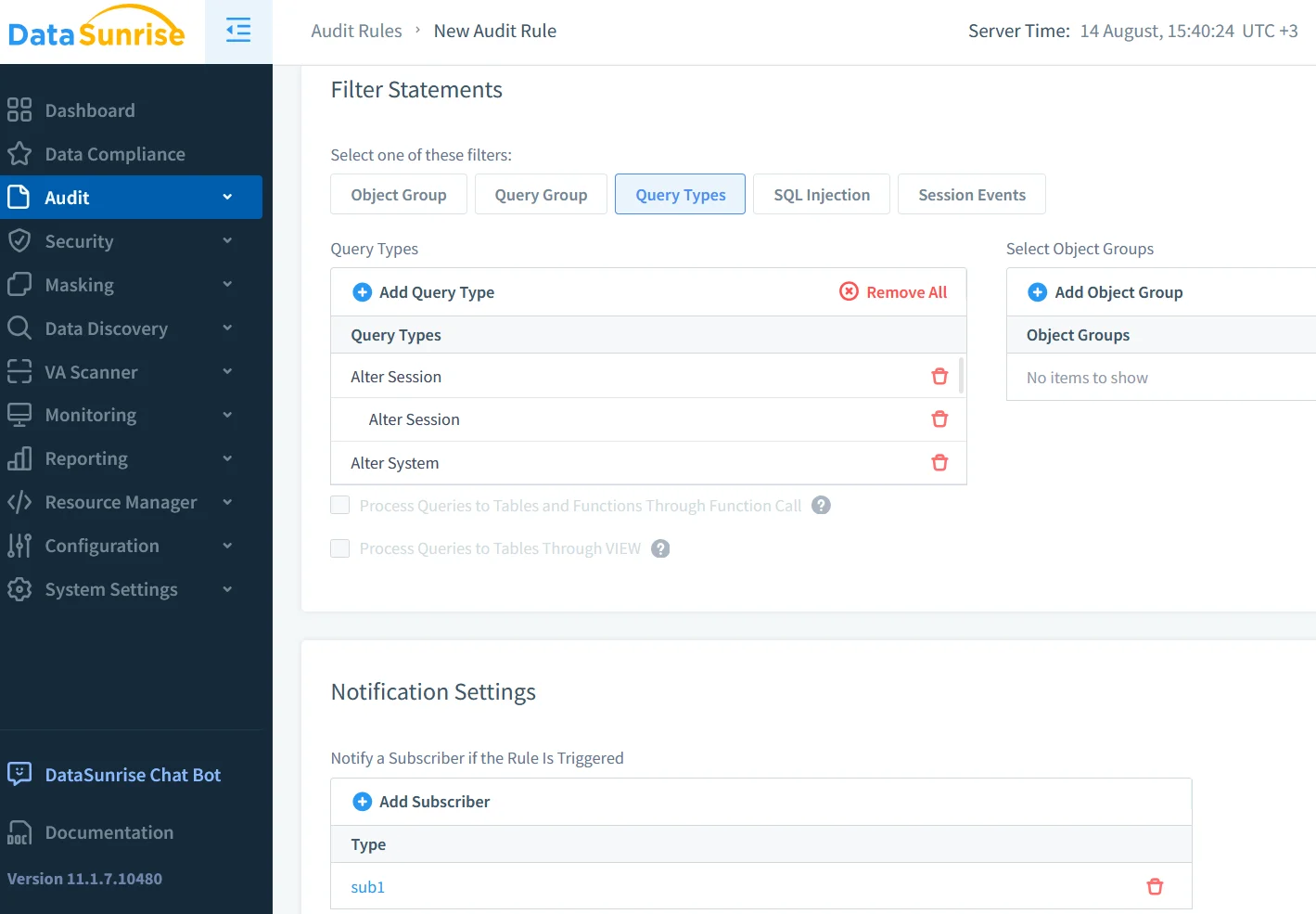
Security and Compliance Advantages
Combining MongoDB Enterprise audit with DataSunrise delivers:
- Detailed logs for GDPR, HIPAA, PCI DSS compliance.
- Real-time detection via database and proxy layers.
- Prevention of sensitive data leaks with dynamic masking.
- Faster audits through automated discovery and reporting.
Conclusion
Native auditing in MongoDB Enterprise is a powerful tool for securing database operations, but it is limited to certain editions. By integrating with DataSunrise, organizations gain enhanced masking, discovery, and compliance automation. For in-depth configuration details, see MongoDB’s Auditing Documentation, Syslog Output Integration, and SIEM setup guides from Splunk or Elastic.
Protect Your Data with DataSunrise
Secure your data across every layer with DataSunrise. Detect threats in real time with Activity Monitoring, Data Masking, and Database Firewall. Enforce Data Compliance, discover sensitive data, and protect workloads across 50+ supported cloud, on-prem, and AI system data source integrations.
Start protecting your critical data today
Request a Demo Download Now