MongoDB Data Compliance Automation

As enterprises increasingly rely on MongoDB for flexible and scalable data management, the pressure to maintain compliance with regulations such as GDPR, HIPAA, and PCI DSS grows stronger. Ensuring compliance in a distributed NoSQL environment can be challenging due to unstructured data, complex access patterns, and rapid schema evolution.
MongoDB provides native tools like auditing and role-based access controls. However, organizations that depend solely on native controls often face limitations in automation, centralization, and advanced reporting. This is where DataSunrise extends MongoDB compliance by delivering Compliance Autopilot, Automated Reporting, and Intelligent Policy Orchestration.
In this guide, we will review MongoDB’s built-in compliance capabilities, then demonstrate how DataSunrise automates compliance enforcement to reduce risk, simplify audits, and eliminate compliance drift.
Importance of Data Compliance Automation
Automating compliance processes is no longer optional for organizations that handle sensitive information in MongoDB. Manual oversight cannot keep pace with evolving regulations and dynamic data environments. Key reasons for adopting compliance automation include:
- Eliminating Human Error: Automation reduces mistakes caused by manual policy updates and log reviews.
- Continuous Alignment: Regulations such as GDPR, HIPAA, and SOX evolve frequently, and automation ensures MongoDB policies stay updated.
- Faster Response to Risks: Automated detection highlights compliance drift in real time, preventing costly violations.
- Efficiency Gains: Teams save time otherwise spent on repetitive audit preparations, enabling focus on strategic initiatives.
- Audit Readiness: With automation, organizations maintain a state of constant compliance, simplifying regulator interactions.
By leveraging automation, enterprises can maintain MongoDB compliance seamlessly while reducing operational costs and risk exposure.
Native MongoDB Compliance Capabilities
MongoDB’s native toolkit provides a foundation for regulatory compliance. The main elements include:
1. Role-Based Access Controls (RBAC)
MongoDB allows administrators to assign granular roles to users, controlling access to collections and databases.
// Create a dedicated user for compliance audits
use admin;

db.createUser({
  user: "complianceAuditor",
  pwd: "securePass123",
  roles: [
    { role: "readAuditLogs", db: "admin" },
    { role: "read", db: "finance" },
    { role: "read", db: "healthcare" }
  ]
});

// Verify roles for the created user
db.getUser("complianceAuditor");
This ensures auditors can review logs and access critical collections without the ability to modify data.
2. Native Audit Logs
Enterprise editions of MongoDB include an audit log facility that captures authentication, authorization, and administrative events. Logs can be written in JSON for SIEM integration:
# Enable auditing in mongod.conf
auditLog:
  destination: file
  format: JSON
  path: /var/log/mongodb/audit.json
  filter: '{ atype: { $in: ["authenticate", "createUser", "dropDatabase"] } }'

# Example JSON output (audit.json)
{
  "atype": "authenticate",
  "ts": { "$date": "2025-09-23T18:32:45Z" },
  "local": { "ip": "127.0.0.1", "port": 27017 },
  "remote": { "ip": "192.168.1.15", "port": 50022 },
  "param": { "user": "complianceAuditor", "db": "admin" },
  "result": 0
}
This allows administrators to track key compliance-related actions directly.
3. Encryption at Rest and In Transit
MongoDB supports TLS/SSL for encrypted network connections and integrates with KMIP servers for encrypted data at rest.
# Enable TLS/SSL encryption in mongod.conf
net:
  ssl:
    mode: requireSSL
    PEMKeyFile: /etc/ssl/mongodb.pem
    CAFile: /etc/ssl/ca.pem

# Example: enable KMIP encryption
security:
  enableEncryption: true
  kmip:
    serverName: kmipServer.local
    port: 5696
    serverCAFile: /etc/ssl/kmipCA.pem
    clientCertificateFile: /etc/ssl/kmipClient.pem
This ensures data is protected both in storage and during transmission.
4. Manual Reporting and Monitoring
Administrators can query logs or use built-in monitoring tools like mongostat and mongotop.
# View real-time database operations
mongostat --host localhost --port 27017

# Check collection-level usage
mongotop 5

# Example query to fetch failed login attempts from audit logs
db.getSiblingDB("admin").system.users.find(
  { "mechanisms": { $exists: true }, "roles": { $exists: true } }
);
However, these tasks require manual effort and lack centralized automation.
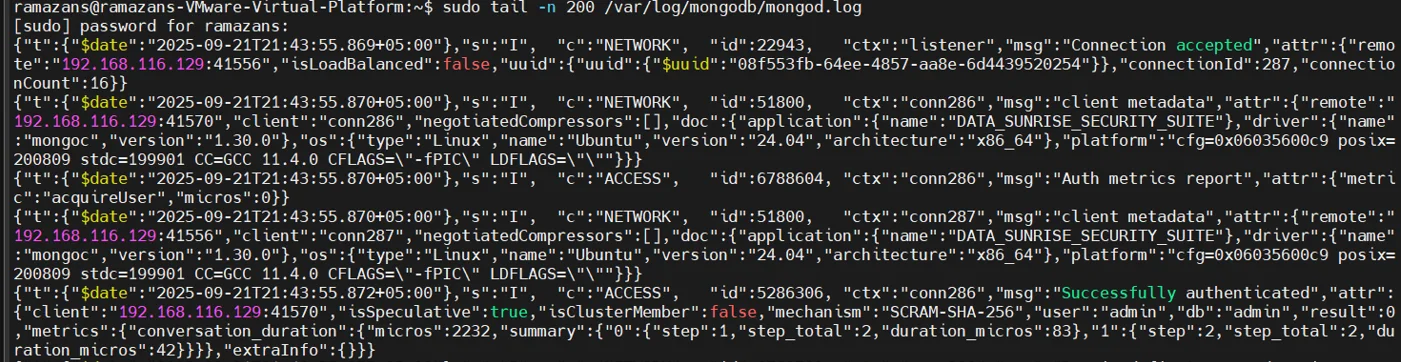
DataSunrise for MongoDB Compliance Automation
1. Compliance Autopilot
The Compliance Autopilot dynamically enforces rules for GDPR, HIPAA, SOX, and PCI DSS. It eliminates the need for constant administrator input and ensures MongoDB configurations remain aligned with regulations at all times.
- Automatic Enforcement: Applies updated compliance policies whenever new users, roles, or collections are created.
- Drift Detection: Detects compliance drift caused by schema changes, privilege escalations, or role misconfigurations.
- Continuous Calibration: Ensures ongoing alignment with evolving frameworks such as SOX, GDPR, and HIPAA.
- Audit-Ready Output: Generates enforcement logs that can be used as direct evidence for regulatory inspections.
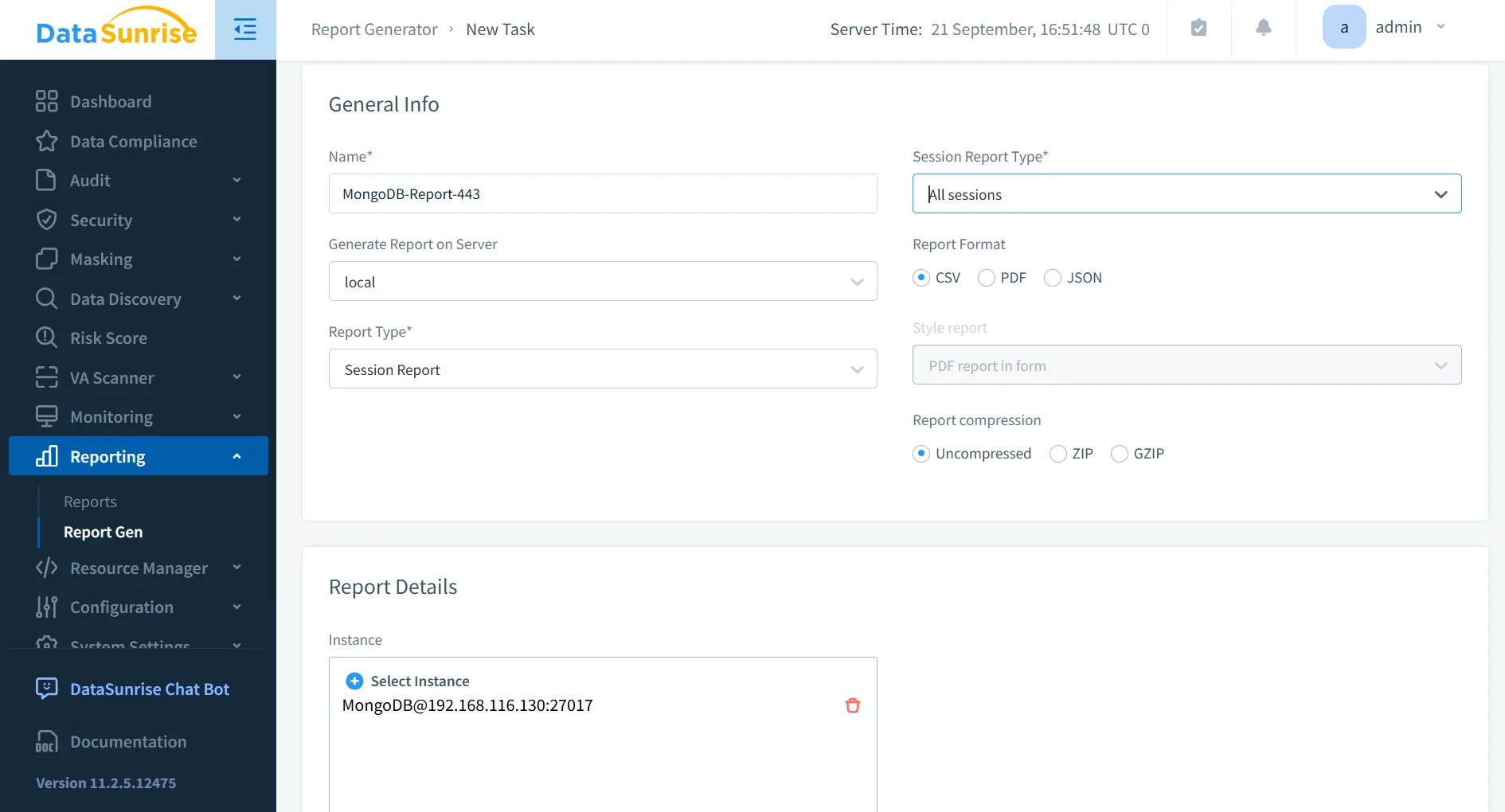
2. Automated Compliance Reporting
DataSunrise enables one-click automated compliance reporting with templates for GDPR, HIPAA, SOX, and PCI DSS. These reports are generated in real time, reducing audit preparation time significantly.
- Scheduled Reports: Configure reports to run daily, weekly, or monthly to maintain compliance visibility.
- Multiple Formats: Export to PDF, HTML, or CSV for regulator-friendly documentation.
- Evidence Collection: Automatically gathers audit trails, masking policies, and access logs for compliance reviews.
- Time Savings: Reduces manual preparation from days to minutes during audits.
3. Centralized Multi-Database Compliance
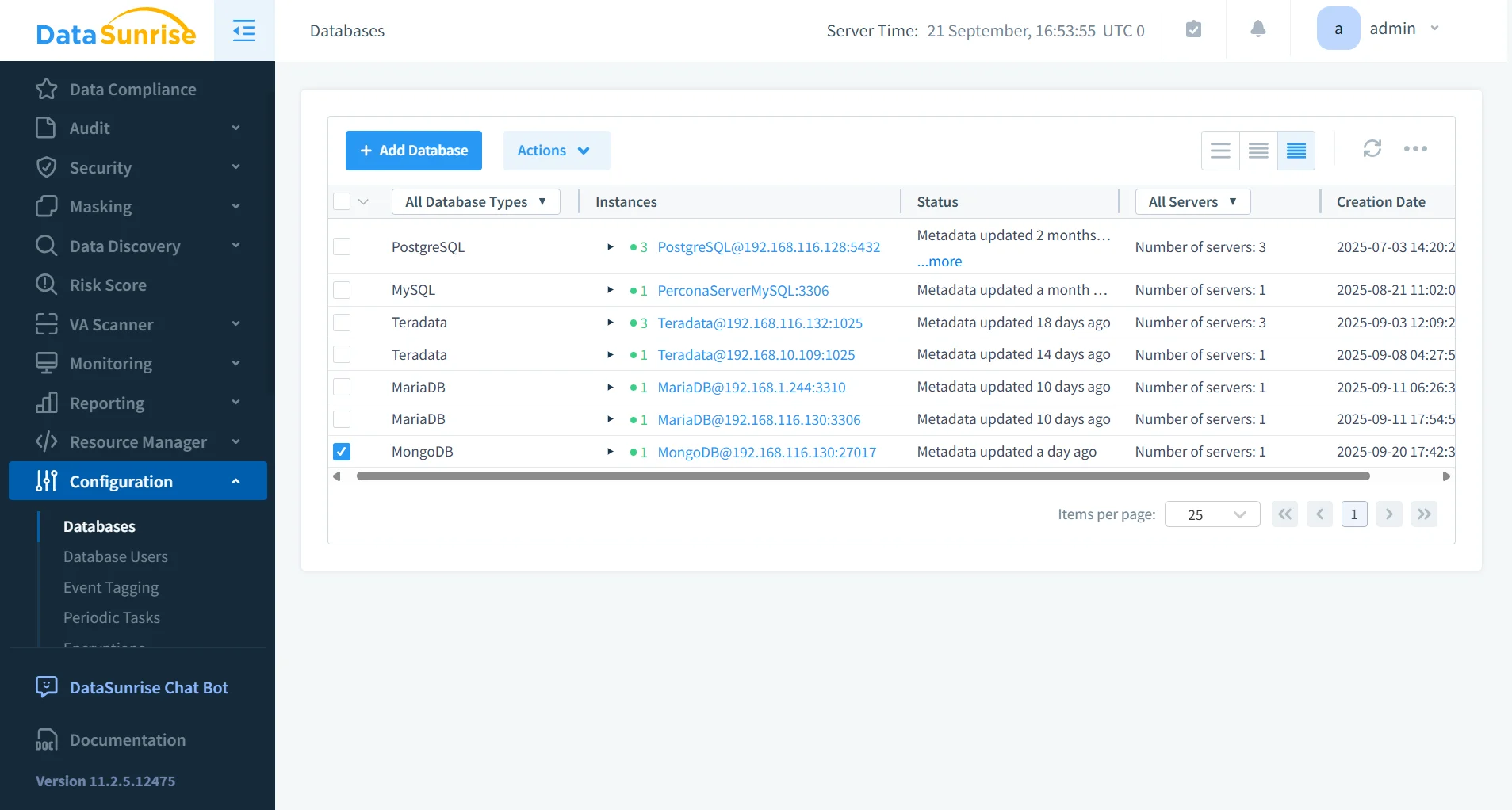
Unlike MongoDB’s local-only auditing, DataSunrise offers centralized database activity monitoring across SQL, NoSQL, and cloud platforms. This creates a unified compliance framework for diverse infrastructures.
- Cross-Platform Governance: Supports more than 40 databases and storage systems.
- Consistent Policy Management: Ensures uniform compliance rules across hybrid and multi-cloud environments.
- Unified Dashboard: Provides a single pane of glass for monitoring compliance across MongoDB clusters and beyond.
- Scalable Integration: Ideal for enterprises with large-scale, distributed deployments.
4. Machine Learning Audit Rules
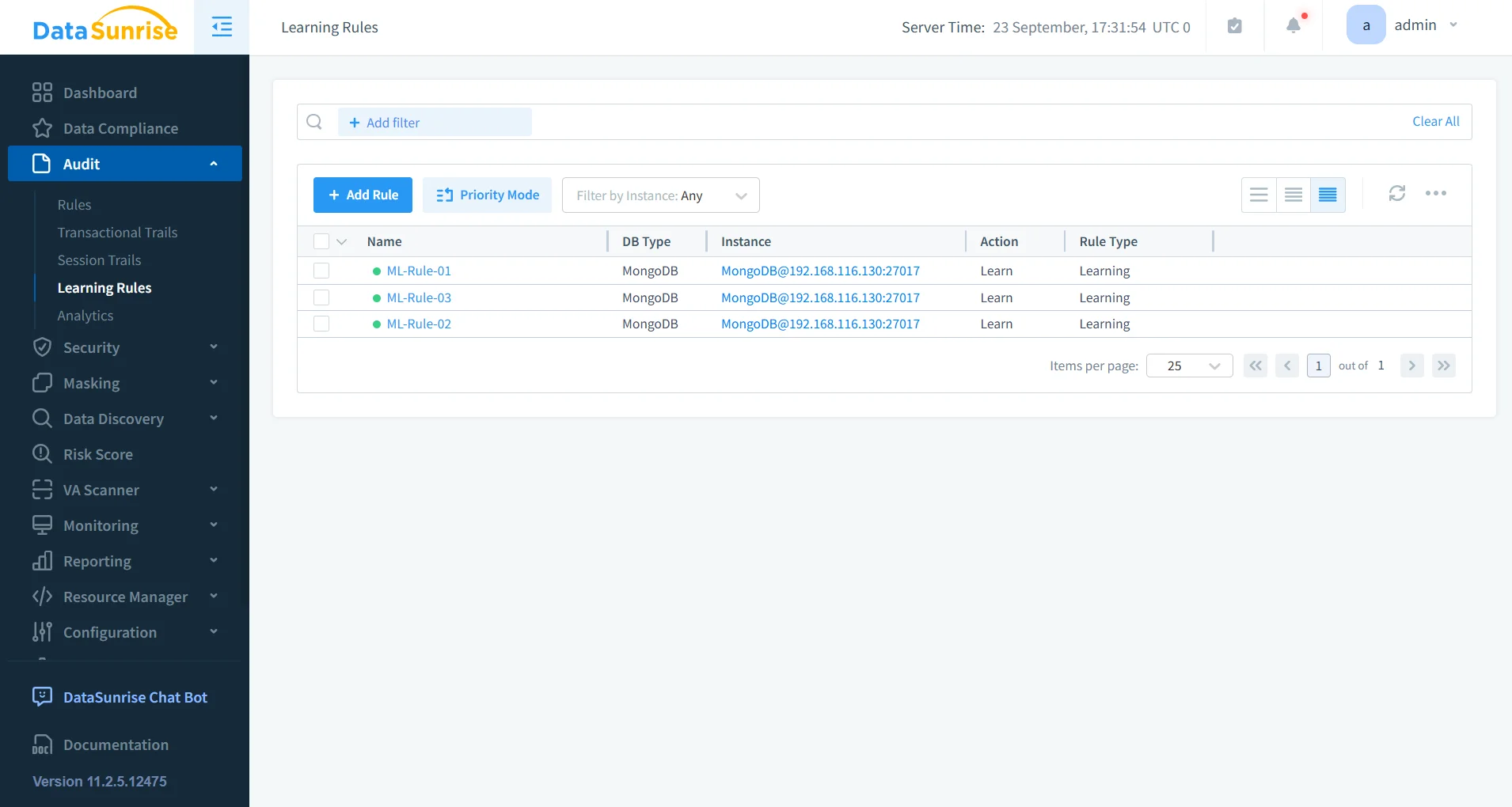
With ML-powered audit rules, DataSunrise enhances MongoDB auditing by applying intelligence to compliance monitoring.
- Anomaly Detection: Identifies unusual query behavior, such as abnormal frequency or unusual access locations.
- Behavioral Profiling: Creates baselines of normal activity to detect insider threats.
- Adaptive Rules: Continuously adjusts rules based on observed MongoDB usage patterns.
- Proactive Compliance: Flags potential risks before they escalate into violations.
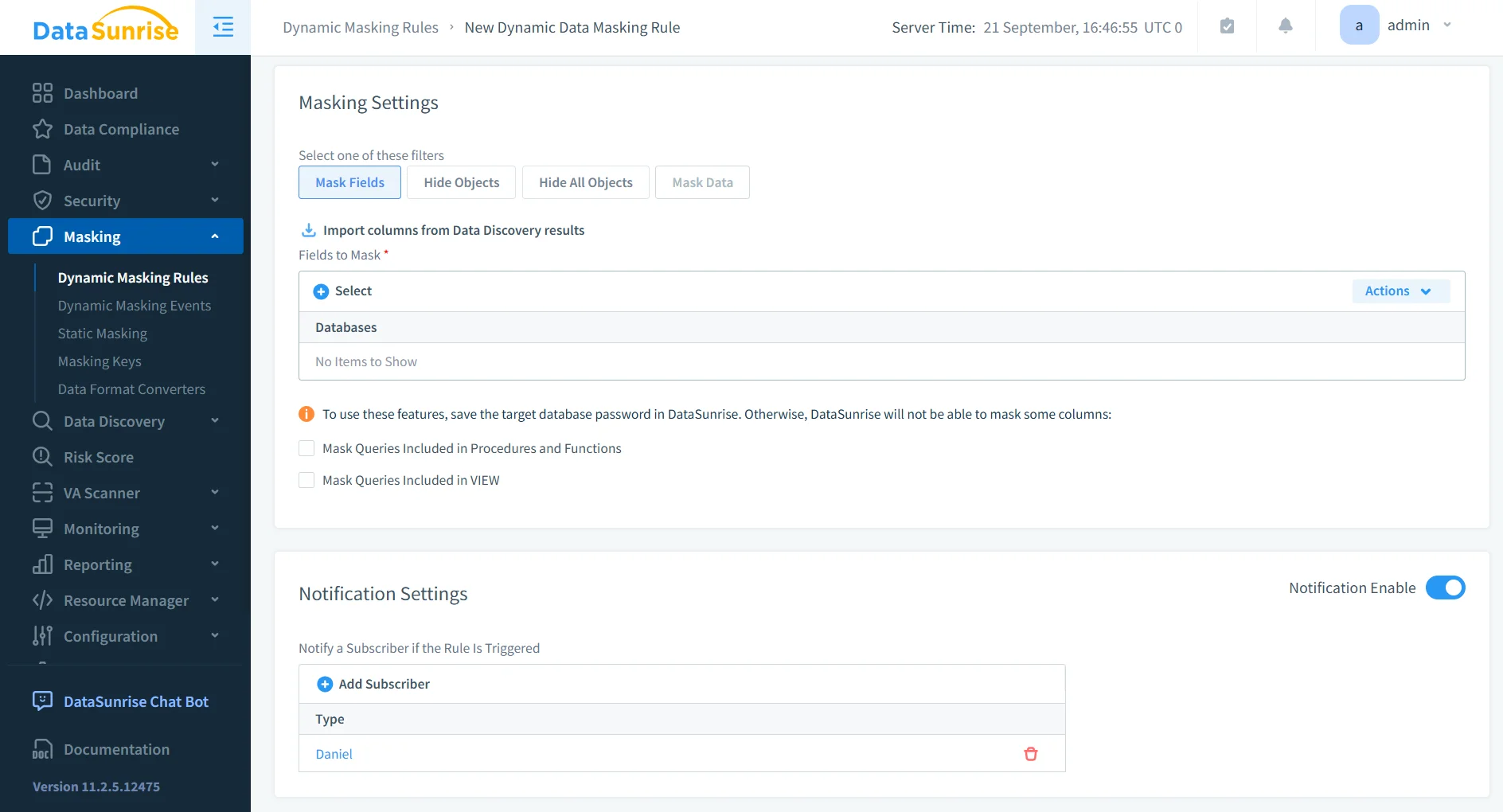
5. Dynamic Data Masking
MongoDB often contains sensitive personal and financial records. DataSunrise enforces dynamic data masking, ensuring unauthorized users never see raw PII or PHI.
- Role-Based Masking: Displays real data only to privileged users while masking sensitive fields for others.
- Real-Time Protection: Masks query results instantly without changing the underlying MongoDB data.
- Flexible Rules: Supports column-level, row-level, and conditional masking based on business requirements.
- Compliance Assurance: Ensures sensitive data is never exposed in logs, queries, or reports.
Business Benefits of Compliance Automation in MongoDB
| Benefit | Description |
|---|---|
| Risk Reduction | Continuous monitoring prevents compliance gaps and reduces exposure. |
| Operational Efficiency | Automation replaces manual audits and reporting, freeing resources. |
| Audit-Readiness | One-click reporting ensures organizations are always prepared for inspections. |
| Scalable Governance | Centralized compliance works across multi-cloud and hybrid MongoDB deployments. |
| Cost Optimization | Reduces the overhead of manual processes and lowers audit preparation time. |
Conclusion
MongoDB’s built-in tools provide an essential baseline for security and compliance. However, in environments where regulations evolve rapidly, automation becomes indispensable.
DataSunrise delivers zero-touch compliance automation through its Compliance Autopilot, centralized monitoring, and automated reporting. By continuously enforcing rules and detecting compliance drift, it ensures MongoDB remains aligned with global standards at all times.
Protect Your Data with DataSunrise
Secure your data across every layer with DataSunrise. Detect threats in real time with Activity Monitoring, Data Masking, and Database Firewall. Enforce Data Compliance, discover sensitive data, and protect workloads across 50+ supported cloud, on-prem, and AI system data source integrations.
Start protecting your critical data today
Request a Demo Download Now