NLP, LLM & ML Data Compliance Tools for ScyllaDB

As AI applications evolve, ScyllaDB, known for its low-latency and high-throughput architecture, increasingly supports workloads powered by Natural Language Processing (NLP), Large Language Models (LLM), and Machine Learning (ML). These intelligent systems require strict data compliance and security controls to ensure that sensitive data used in model training, fine-tuning, and inference remains protected.
Unstructured data, such as documents, chat logs, and image captions, introduces compliance risks that go beyond standard database auditing. This article explores how ScyllaDB integrates with DataSunrise to automate compliance tasks for NLP and ML pipelines—ensuring regulatory alignment with GDPR, HIPAA, and PCI DSS, while maintaining high performance and minimal latency.
Understanding NLP, LLM, and ML Data Compliance Challenges
When working with NLP or LLM systems, organizations often process massive datasets that include user-generated text, documents, or transactional records. Within these, personally identifiable information (PII), personal health information (PHI), or payment data can inadvertently appear.
Common Challenges:
- Hidden sensitive information within embeddings or vectorized text.
- Compliance drift during model retraining or data ingestion.
- Lack of visibility into which datasets were used in model input or output pipelines.
- High cost of manual classification for mixed-structured datasets.
In ScyllaDB, these challenges amplify because its distributed nature spreads data across multiple nodes. Ensuring that every partition containing sensitive information adheres to compliance policies requires an intelligent, autonomous compliance layer.
Native Data Handling in ScyllaDB
ScyllaDB natively supports distributed storage and column-oriented access, which makes it suitable for scalable AI workloads. However, native compliance tools are limited to access control and encryption.
Role-Based Access Control (RBAC)
ScyllaDB implements Role-Based Access Control to manage which users can access, modify, or query specific datasets. This mechanism helps enforce the principle of least privilege and prevents unauthorized data exposure.
Administrators can create roles and assign permissions using CQL (Cassandra Query Language).
For example:
-- Create a role with login privileges
CREATE ROLE ml_data_reader WITH LOGIN = true AND PASSWORD = 'secure_reader_pass';

-- Grant read access on a keyspace containing ML training data
GRANT SELECT ON KEYSPACE ai_training_data TO ml_data_reader;

-- Create an administrator role with full privileges
CREATE ROLE ml_data_admin WITH SUPERUSER = true AND LOGIN = true AND PASSWORD = 'admin_secure_pass';

-- Grant full permissions to admin role
GRANT ALL PERMISSIONS ON KEYSPACE ai_training_data TO ml_data_admin;
RBAC helps ensure that only designated accounts can read or write data within sensitive datasets.
However, RBAC alone cannot classify or mask sensitive data such as PII, which may exist in training datasets or user prompts.
Client-to-Node Encryption
To secure communication between clients and database nodes, ScyllaDB supports SSL/TLS encryption. This prevents attackers from intercepting traffic during query execution—especially critical when ML workloads stream data from distributed inference endpoints.
You can enable client-to-node encryption in scylla.yaml:
client_encryption_options:
    enabled: true
    optional: false
    certificate: /etc/scylla/db.crt
    keyfile: /etc/scylla/db.key
    truststore: /etc/scylla/ca.crt
    require_client_auth: true
Then restart the ScyllaDB service:
sudo systemctl restart scylla-server
Once enabled, all traffic—such as queries, data streaming, or embedding retrieval—is protected.
Still, while encryption safeguards data in transit, it doesn’t inspect or classify what kind of sensitive data is being transferred.
Audit Logging via Scylla Manager
Scylla Manager can be configured to collect and store audit logs that track queries and access events across the cluster. Administrators can enable detailed audit logging to review who queried what data and when.
However, these logs remain syntactic—they do not perform semantic classification to determine whether inserted or queried content contains sensitive or regulated information.

Data-at-Rest Encryption
ScyllaDB supports data-at-rest encryption to secure data stored on disk. This protects against unauthorized physical access or theft of storage media.
Encryption can be configured via key management services (KMS) or local key files:
data_file_directories:
    - /var/lib/scylla/data

transparent_data_encryption:
    enabled: true
    key_provider: kms
    key_provider_options:
        name: localfile
        key_file: /etc/scylla/encryption_key.json
Once enabled, ScyllaDB encrypts SSTables and commit logs at rest.
However, encryption does not provide regulatory visibility—it cannot determine which tables contain sensitive data or generate compliance reports for auditors.
These features provide foundational security, but they don’t automatically detect sensitive content in datasets used for training or inference. That’s where DataSunrise’s NLP- and ML-driven compliance capabilities come in.
Enhancing ScyllaDB Compliance with DataSunrise
DataSunrise introduces a Zero-Touch Compliance Framework that uses Natural Language Processing, Machine Learning, and Large Language Model capabilities to automatically detect, classify, and secure sensitive data across ScyllaDB environments.
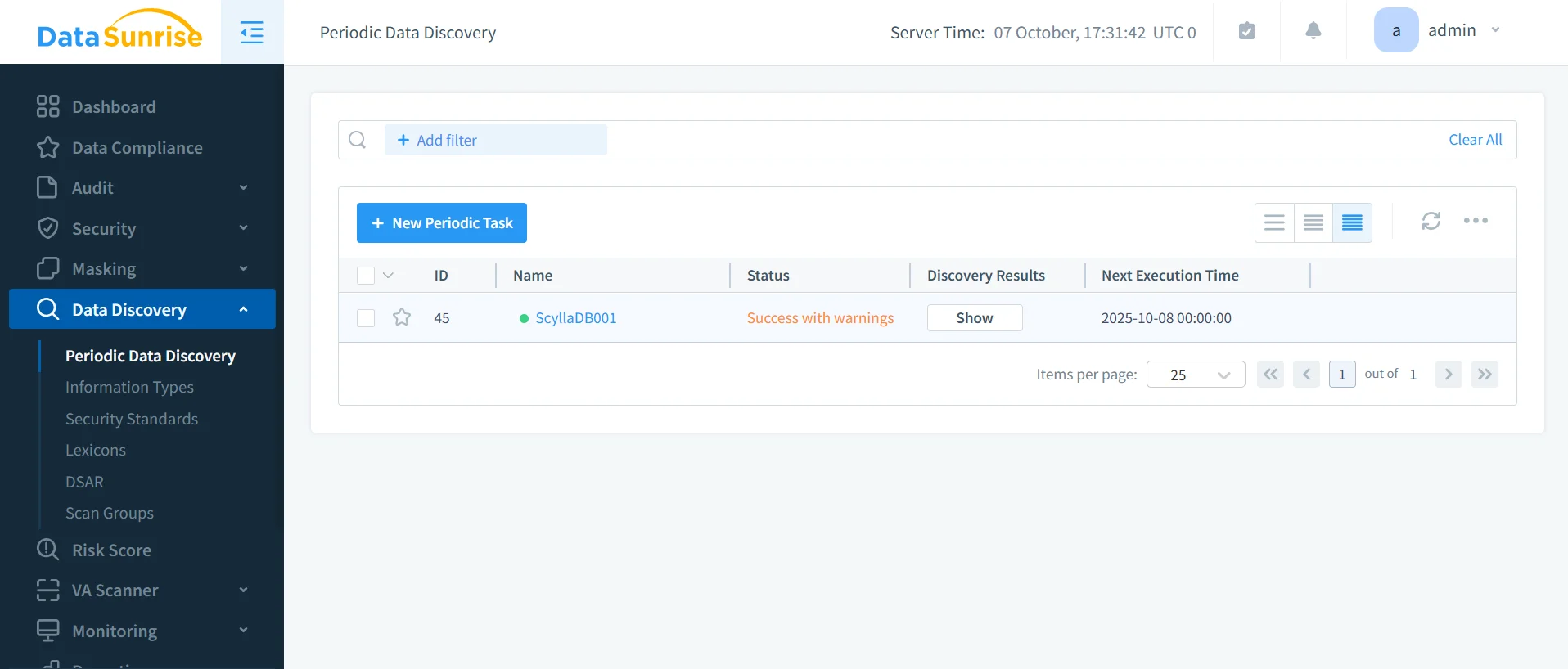
1. NLP-Based Sensitive Data Discovery
Using pre-trained NLP models and customizable dictionaries, DataSunrise performs context-aware scanning across ScyllaDB keyspaces:
- Detects PII, PHI, and PCI data in both structured and semi-structured fields.
- Leverages NLP Data Discovery to find contextually sensitive terms (e.g., “employee medical record”).
- Extends analysis to text embeddings and JSON columns containing model inputs.
- Provides visualization of discovered data categories.
This ensures complete visibility into compliance risks before the data is processed by ML or LLM models.
See: Data Discovery | Personal Information
2. LLM-Assisted Compliance Autopilot
The Compliance Autopilot feature in DataSunrise uses LLM reasoning to automatically generate audit and masking rules:
- Suggests policy templates aligned with GDPR, HIPAA, and PCI DSS.
- Uses Machine Learning Audit Rules to detect unusual data access or schema changes.
- Continuously updates compliance configurations when new tables or features are introduced.
- Supports Continuous Regulatory Calibration—ensuring every node in a ScyllaDB cluster adheres to current policies.
This enables self-adjusting compliance without requiring manual rule maintenance.
3. Machine Learning for Risk Detection and Classification
DataSunrise integrates ML-driven anomaly detection to identify suspicious patterns across distributed ScyllaDB nodes:
- Learns baseline access behaviors per user and per table.
- Detects compliance violations such as mass extraction of embeddings or unauthorized model query tracing.
- Supports User and Entity Behavior Analytics (UEBA) with explainable AI-based alerts.
This transforms traditional compliance checks into proactive, predictive protection.
See: User Behavior Analysis | Threat Detection
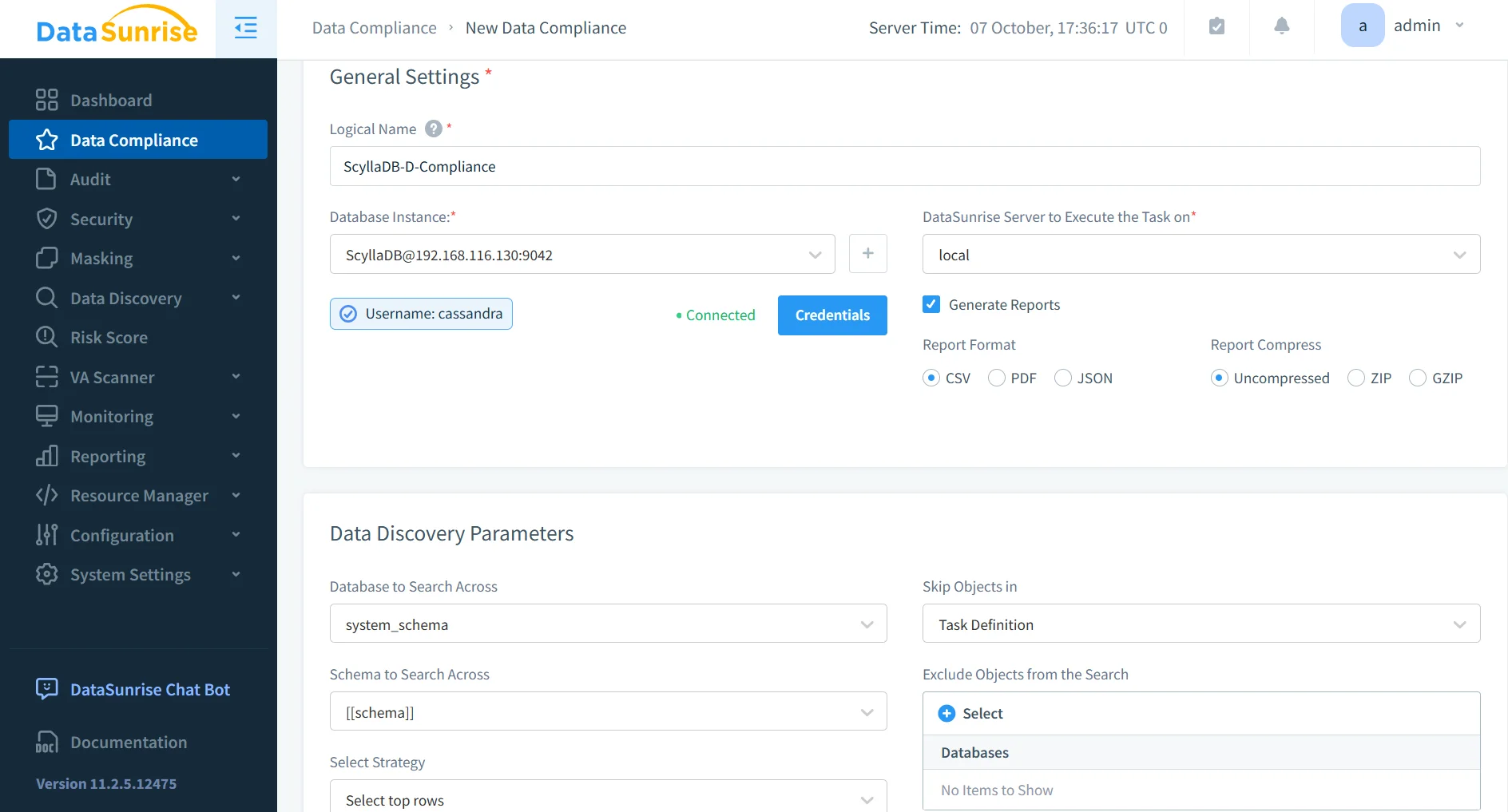
4. Centralized Compliance and Reporting Dashboard
The Compliance Manager consolidates ScyllaDB audit trails and NLP analysis into a unified dashboard:
- Centralized storage for all audit and masking activities.
- Auto-generated compliance reports for internal and regulatory audits.
- Integration with SIEM and observability systems via API.
Comparison Table
| Feature Area | Native ScyllaDB | ScyllaDB + DataSunrise |
|---|---|---|
| Sensitive Data Detection | Manual schema review | NLP-based automated discovery |
| Compliance Rules | Static configuration | AI-generated Compliance Autopilot |
| Activity Monitoring | Basic audit logs | Centralized cross-node monitoring |
| Masking Capabilities | None | Dynamic Data Masking for queries |
| Reporting | Manual logs | Auto-generated GDPR/HIPAA reports |
| Threat Analytics | Limited | ML-based anomaly and behavior detection |
Conclusion
While ScyllaDB’s native tools provide strong performance and encryption, they lack intelligent compliance automation for AI-driven workloads. By integrating DataSunrise, organizations gain autonomous, NLP- and ML-powered compliance orchestration that ensures every dataset—from structured tables to vectorized text—is continuously protected and audit-ready.
Through LLM-assisted policy generation, machine learning anomaly detection, and centralized compliance control, DataSunrise transforms ScyllaDB into a platform ready for the regulatory challenges of AI-era data processing.
Protect Your Data with DataSunrise
Secure your data across every layer with DataSunrise. Detect threats in real time with Activity Monitoring, Data Masking, and Database Firewall. Enforce Data Compliance, discover sensitive data, and protect workloads across 50+ supported cloud, on-prem, and AI system data source integrations.
Start protecting your critical data today
Request a Demo Download Now