SAP HANA Audit Log
Keeping data safe no longer means locking it away; it means observing every byte as it moves. The SAP HANA Audit Log is the primary timeline of that movement. From high‑frequency trading platforms to health‑care analytics, this log explains who touched what, when, and how. In 2025, organisations have learned that a raw audit trail is not enough—speed, context, and automated intelligence now define effective monitoring. This article explores how real‑time audit pipelines, dynamic masking, data discovery, and GenAI reinforce the SAP HANA Audit Log, and it compares native auditing with the additional visibility delivered by DataSunrise Database Security.
Instant Insight: Real‑Time Audit Pipelines
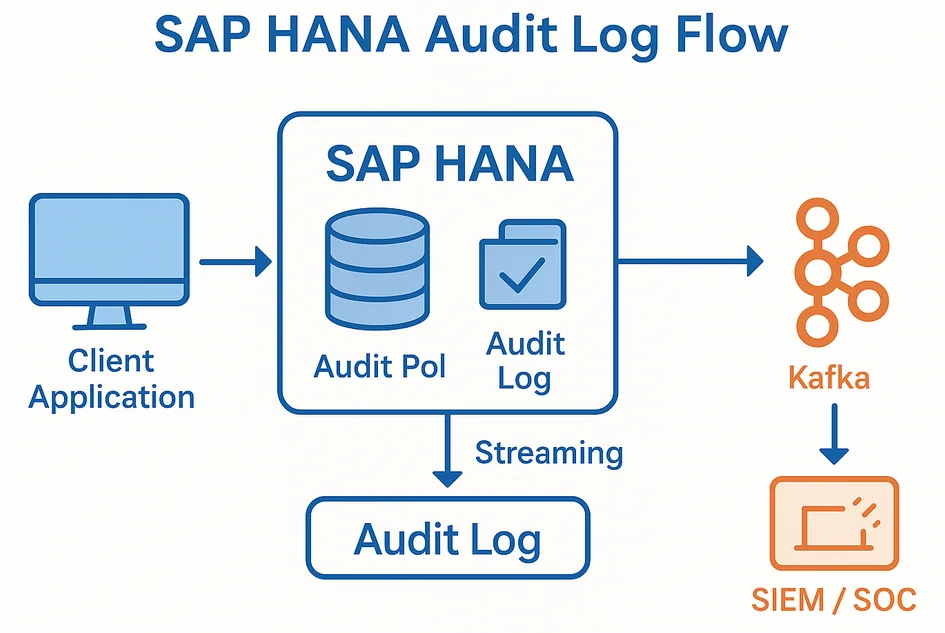
Milliseconds matter when insiders copy credit‑card tables or when malware starts encrypting patient records. SAP HANA already writes audit events into a fast in‑memory buffer before persisting them to the _SYS_AUDIT_000 table. Those rows can be streamed into Apache Kafka or Amazon Kinesis almost as soon as they are created. Teams that deploy DataSunrise layer an extra feed on top: the platform correlates SQL text with the network source and pushes real‑time notifications into Slack or Microsoft Teams—no SIEM polling required. Analysts move from periodic batch reports to live dashboards where suspicious UPDATE bursts or failed logins spark immediate containment measures.
Dynamic Masking: Showing Only What Matters
Audit is reactive unless it is paired with preventive controls. SAP HANA introduced column‑level masking through the MASKED WITH clause, described in the official SAP HANA guide. DataSunrise applies the same idea at the proxy layer with dynamic data masking. The rule engine inspects the result set and rewrites sensitive fields for unauthorised roles. The audit log records both the masking decision and the unmasked access, making it clear which identities actually viewed plain PII.
-- Mask everything but the last four digits of a social‑security number
ALTER TABLE HR.EMPLOYEES
  ALTER ("SSN" MASKED WITH (RIGHT("SSN", 4) FOR ROLE HR_FULL));
Because masking is applied on‑the‑fly, developers and BI tools remain compatible, while regulators see evidence that secrets were never exposed to unauthorised eyes.
Data Discovery: Mapping Sensitive Assets
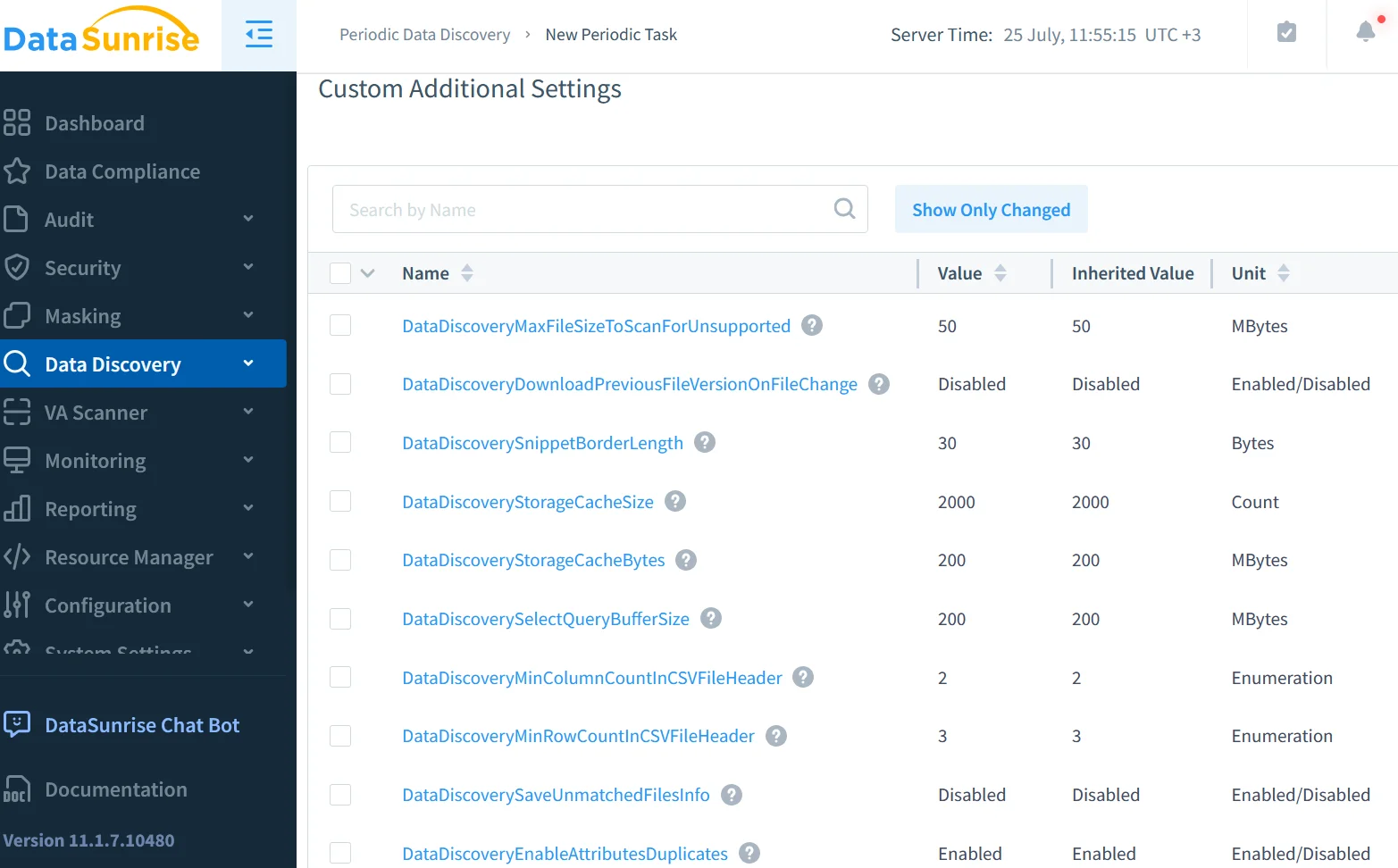
Organisations cannot protect data they do not know they own. SAP HANA ships pattern‑matching functions that locate typical credit‑card and national‑ID formats, but sensitive values often hide in custom free‑text columns or newly created schemas. DataSunrise adds an out‑of‑band scanner for data discovery that traverses every catalog, applies NLP classification, and tags high‑risk objects. These tags flow back into the SAP HANA Audit Log so that every event immediately shows whether it touched a sensitive table. Discovery therefore becomes an upfront control that guides masking policies and audit filters.
Security & Compliance: From GDPR to PCI DSS
Whether the question comes from an internal CISO or an external auditor, the answer must originate in the audit log: “Show me every user who accessed customer addresses on 15 July 2025.” SAP HANA provides the timestamps and the SQL text; DataSunrise enriches the record with user behaviour baselines and geolocation. Together they form the evidence stack that satisfies GDPR, PCI DSS, HIPAA, SOX, and countless regional laws. Crucially, DataSunrise can generate scheduled PDF summaries through its report engine, eliminating the spreadsheet gymnastics that once consumed audit teams in the weeks before certification.
Configuring the Native SAP HANA Audit Log
Starting with SPS 06, activating auditing is a two‑step SQL procedure documented in the SAP HANA Cockpit guide:
-- 1) Turn on global auditing
ALTER SYSTEM ALTER CONFIGURATION ('global.ini','SYSTEM')
  SET ('auditing configuration','global_auditing_state') = 'true'
  WITH RECONFIGURE;

-- 2) Capture every DML statement across the database
CREATE AUDIT POLICY log_all_dml
  WHEN 'CREATE','UPDATE','DELETE' ON DATABASE
  ENABLE;

-- 3) Persist events to an internal table for scalable storage
ALTER SYSTEM ALTER CONFIGURATION ('global.ini','SYSTEM')
  SET ('auditing configuration','auditing_log_target') = 'TABLE'
  WITH RECONFIGURE;
Audit tables stored in the Native Storage Extension (NSE) tier, explained in the SAP docs on NSE management, keep hot memory free for OLTP workloads. An analyst can validate that the policy fires by running:
SELECT * FROM SYS.AUDIT_LOG
 WHERE ACTION_NAME = 'UPDATE'
 ORDER BY EVENT_TIME DESC;
Centralised Audit with DataSunrise
Scaling audit across dozens of SAP HANA tenants—and perhaps PostgreSQL or Snowflake instances—calls for a single control plane. DataSunrise functions as a reverse proxy: traffic flows through the gateway, which logs, classifies, and optionally blocks queries before they reach the database. Enabling auditing is a point‑and‑click task in the web UI, or a scripted call to the /api/v5/audit endpoint described in the audit guide. The platform:
- Adds network context (IP, TLS version, SNI) to every SQL statement.
- Runs behaviour analytics with LLM‑based detectors to catch outliers.
- Streams logs to S3, Azure Blob, or ClickHouse for affordable long‑term retention.
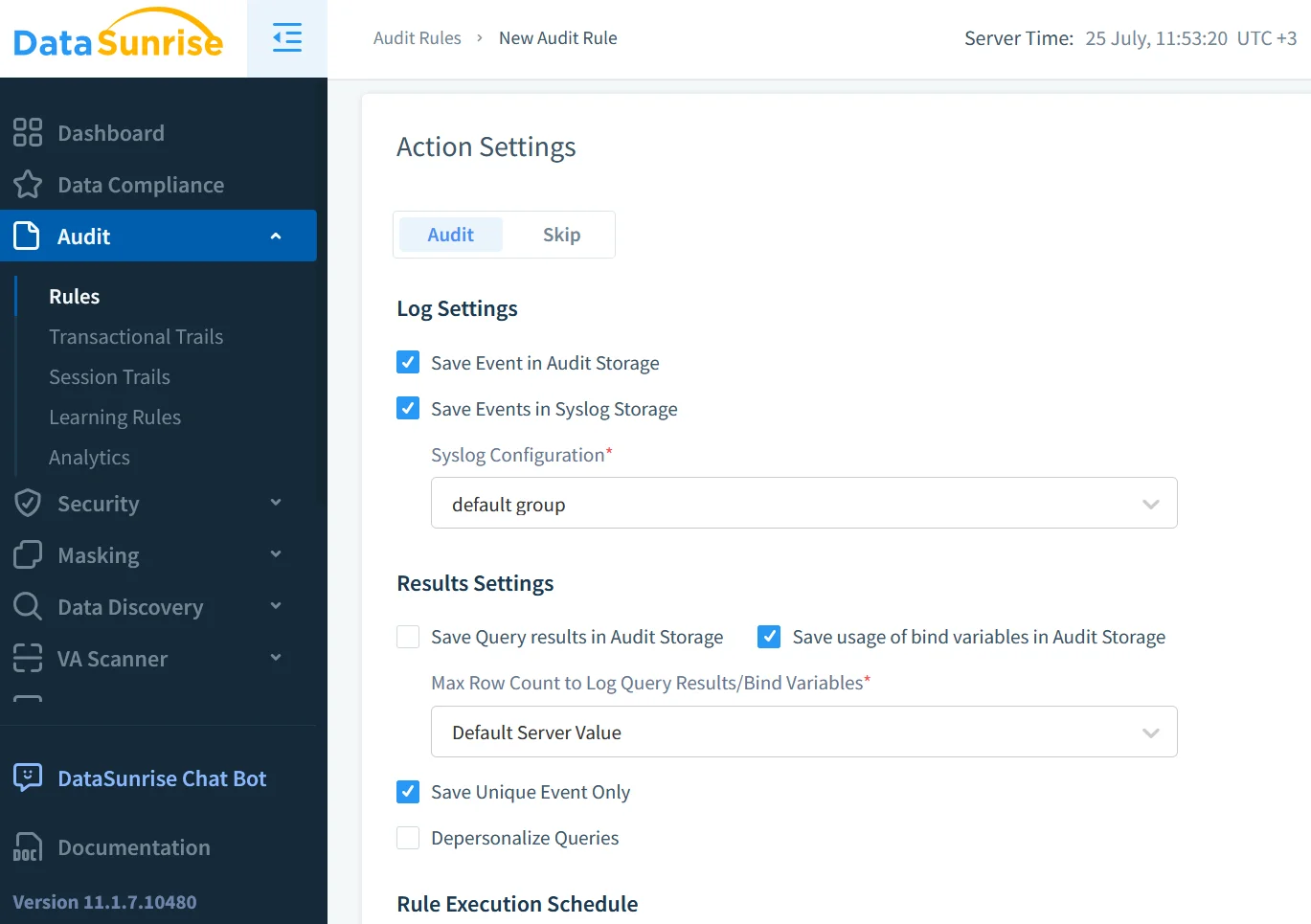
Because DataSunrise rules are YAML files under version control, DevSecOps pipelines can test and deploy new policies exactly like application code.
GenAI in the SOC: Learning from the Audit Stream
Large language models are moving from demo hype to production duty inside security operations centres. Instead of scanning dashboards line by line, an analyst can ask a model “Any unusual data exports after midnight?” The snippet below pulls the latest 100 audit rows and sends them to a ChatGPT‑compatible API for triage:
import openai, pandas as pd
from hdbcli import dbapi

conn = dbapi.connect(address="hana.prod", port=30015,
                     user="auditor", password="***")
logs = pd.read_sql("""
    SELECT TOP 100 ACTION_NAME, USER_NAME, OBJECT_NAME,
           EVENT_TIME, STATEMENT_STRING
      FROM SYS.AUDIT_LOG
     ORDER BY EVENT_TIME DESC
""", conn)

response = openai.ChatCompletion.create(
    model="gpt-4o-audit",
    messages=[{"role": "system", "content": "You are a SOC analyst."},
              {"role": "user", "content": logs.to_json()}])
print(response.choices[0].message.content)
GenAI excels at narrative explanation: “User ALICE executed 87 SELECTs on table HR.PAYROLL, exceeding her 30‑day average by 700 %.” That plain English summary carries far more weight in an incident ticket than raw SQL text.
Conclusion: Turning Logs into Action
The SAP HANA Audit Log is not a compliance checkbox; it is the sensor grid for every zero‑trust decision the business makes. By coupling native SAP features with DataSunrise’s real‑time masking, discovery, and AI analytics, security teams convert rows in a table into clear, timely, and actionable intelligence—exactly what regulators, executives, and customers now demand.
Protect Your Data with DataSunrise
Secure your data across every layer with DataSunrise. Detect threats in real time with Activity Monitoring, Data Masking, and Database Firewall. Enforce Data Compliance, discover sensitive data, and protect workloads across 50+ supported cloud, on-prem, and AI system data source integrations.
Start protecting your critical data today
Request a Demo Download Now