
What Is Teradata Audit Trail
A Teradata audit trail is the verified record of who accessed data, what they did, when it happened, and from where. It turns raw events into evidence you can trust during investigations and compliance reviews. For broader context, see Data Compliance and Regulatory Compliance.
What an “Audit Trail” Means in Teradata
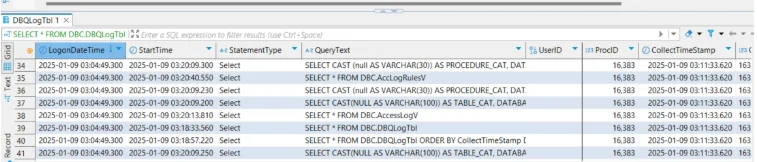
An audit trail is more than logs. It correlates identity (user, role, service account) with action (read, write, DDL), context (time, client app, IP), and outcome (allowed or denied). In Teradata, you assemble this story by combining Access Logging for authorization events with Database Query Logging (DBQL) for statement details and performance metadata. DBQL persists into system tables/views (for example, DBQLogTbl and QryLogV), while Access Logging rules and entries surface through AccLogRulesV and AccessLogV.
Native Teradata Building Blocks for an Audit Trail
Access Logging (subjects, objects, actions, allow/deny)
Access Logging tracks who touched which objects and whether Teradata allowed or denied that action. You can scope rules to all users or narrow them to specific users, databases, or objects. It’s essential for spotting policy violations, failed attempts, and privileged misuse.
Enable and review Access Logging (examples):
-- 1) Log GRANT activity across users & databases, including SQL text
BEGIN LOGGING WITH TEXT ON EACH USER, DATABASE, GRANT;

-- 2) Log DENIALS against privileged target (DBC user), keep SQL text
BEGIN LOGGING DENIALS WITH TEXT ON EACH ALL ON USER DBC;

-- 3) Log at the database level (all objects in finance_db are candidates)
BEGIN LOGGING WITH TEXT ON EACH DATABASE finance_db;

-- 4) Show active access logging rules
SELECT * FROM DBC.AccLogRulesV;

-- 5) Review recent access outcomes (granted/denied) with usernames and objects
SELECT TOP 100 *
FROM DBC.AccessLogV
ORDER BY LogDate DESC, LogTime DESC;

-- 6) Disable a database-level rule when no longer needed
END LOGGING ON DATABASE finance_db;
Database Query Logging (DBQL)
DBQL captures statement text, timing, object references, and related metrics. Information lands in tables/views such as DBQLogTbl, DBQLObjTbl, QryLogV, QryLogObjectsV, and QryLogSQLV. Teradata recommends offloading/maintaining this data via PDCR to keep logging efficient.
Enable and operate DBQL (examples):
-- 1) Log SQL text and object usage for a specific application
BEGIN QUERY LOGGING WITH SQL, OBJECTS LIMIT SQLTEXT = 10000
ON APPLNAME = 'etl_app';

-- 2) Threshold- or summary-based logging to control volume
BEGIN QUERY LOGGING LIMIT THRESHOLD = 100 CPUTIME ON ALL;
BEGIN QUERY LOGGING LIMIT SUMMARY = 1,5,10 ON ALL;  -- group short queries

-- 3) Inspect current DBQL rules
SHOW QUERY LOGGING ON ALL;

-- 4) Flush caches so analysis sees up-to-date rows
FLUSH QUERY LOGGING WITH ALL;

-- 5) Stop logging for a specific user when no longer needed
END QUERY LOGGING ON user_jane;
Assembling a Reliable Audit Trail
Capture with intent. Start by enabling Access Logging for regulated schemas and DBQL for high-risk users and applications. Correlate events by user, session, time window, and referenced objects to create a single line of evidence. Enrich the record with client application, IP, and role. Retain results in immutable storage (WORM) with checksums to preserve chain of custody. Review on a schedule and alert on anomalies so risk doesn’t hide in the backlog.
Minimal correlation view (DBQL ↔ Access Log):
REPLACE VIEW audit.v_teradata_trail AS
SELECT
  q.UserName,
  q.SessionID,
  q.StartTime,
  q.FirstRespTime,
  q.StatementType,
  o.DatabaseName,
  o.TableName,
  al.Result         AS AccessResult,   -- 'granted' / 'denied'
  al.LogDate,
  al.LogTime
FROM DBC.QryLogV AS q
LEFT JOIN DBC.QryLogObjectsV AS o
       ON q.ProcID  = o.ProcID
      AND q.QueryID = o.QueryID
LEFT JOIN DBC.AccessLogV AS al
       ON al.UserName  = q.UserName
      AND al.LogDate   = DATE(q.StartTime)
      AND al.LogTime BETWEEN TIME(q.StartTime)
                         AND TIME(COALESCE(q.FirstRespTime, q.StartTime));
Sample usage (narrow to a sensitive table):
SELECT *
FROM audit.v_teradata_trail
WHERE DatabaseName = 'finance_db'
  AND TableName    = 'customer_accounts'
ORDER BY StartTime DESC
SAMPLE 200;
Enhancing the Audit Trail with DataSunrise
DataSunrise complements native logs by turning them into continuous compliance evidence—without replacing DBQL or Access Logging.
Granular Audit Rules for Trails
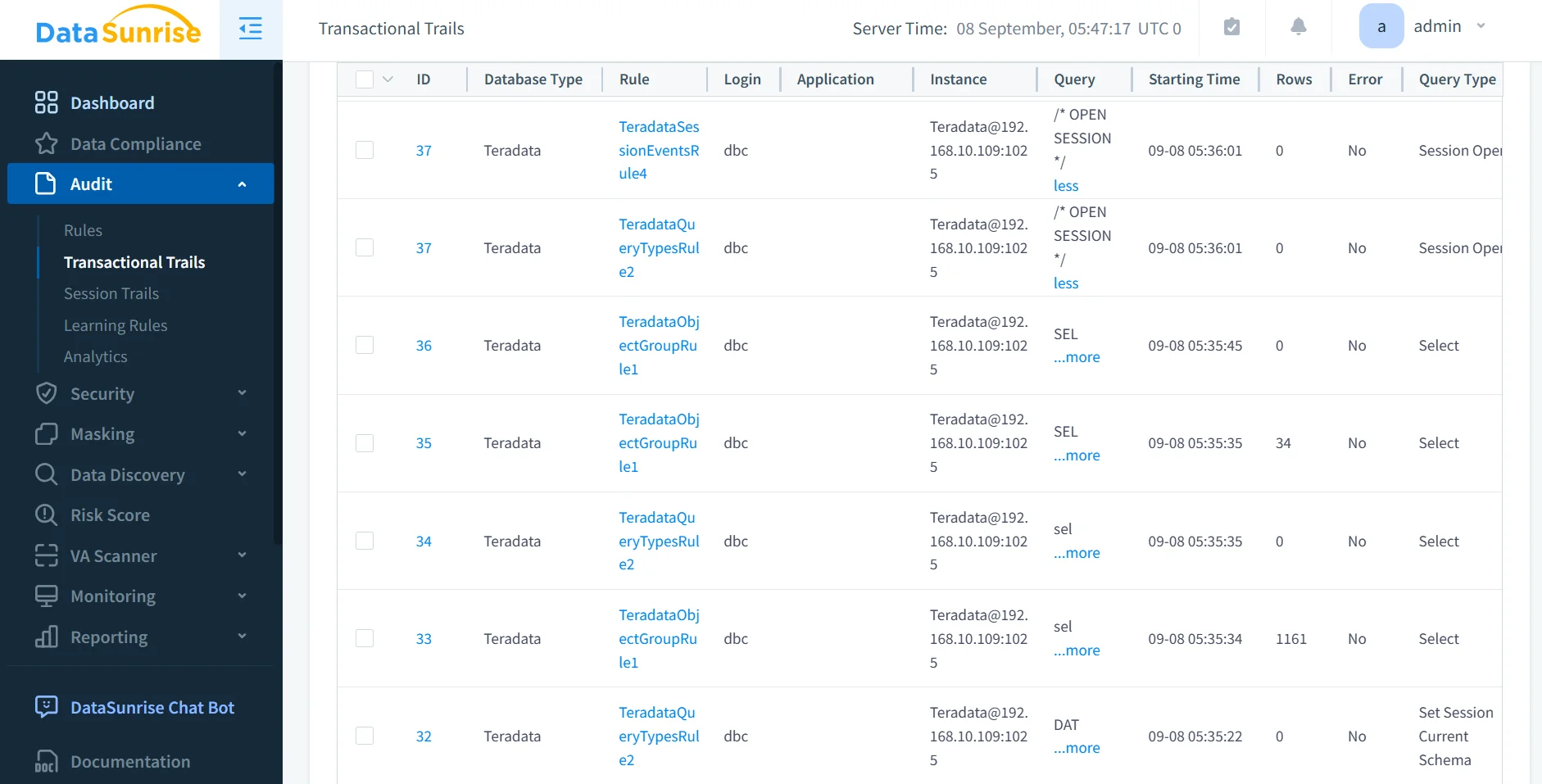
Define narrow rules by user, role, object, operation, time window, or risk condition. This reduces noise and keeps reviewers focused on material activity. See the Audit Guide for scalable patterns.
Centralized Activity History & Reporting
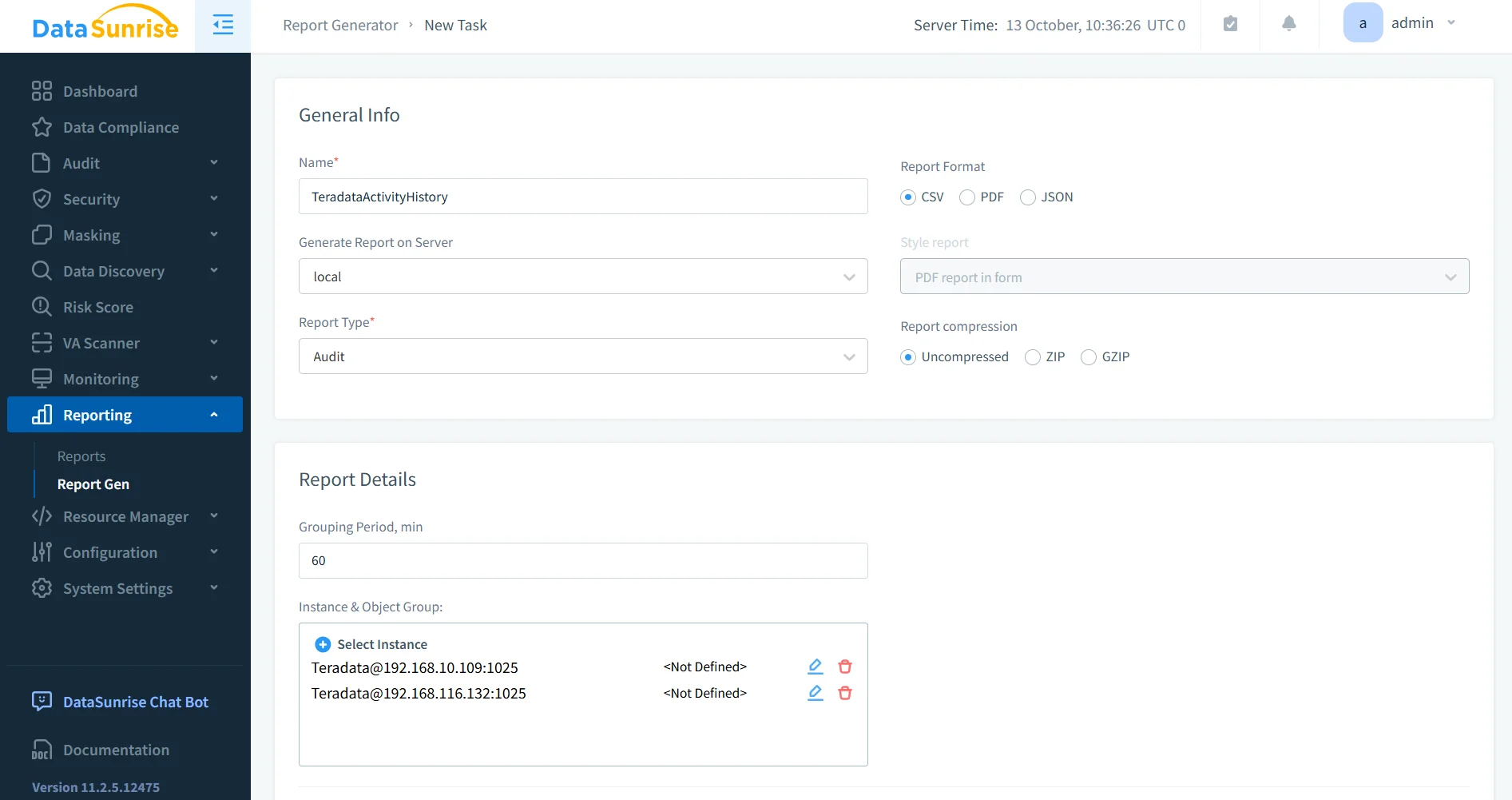
Normalize Teradata activity into one view across systems, then export audit-ready reports on schedule. Start with the concept overview for Database Activity Monitoring.
Real-Time Controls & Anomaly Detection
Alert on unusual query volume, off-hours reads, or atypical source IPs; stream to SIEM or chat, and apply policy actions as needed. (Database Activity Monitoring and related components cover these workflows.)
DataSunrise
- Detect spikes in query rate per user, role, or application and trigger immediate alerts to SOC tools or ChatOps.
- Flag mass-select patterns on sensitive tables (e.g., sudden full-table scans) and require step-up approval.
- Identify login anomalies such as new geolocations, unknown client apps, or source IP drift for a known service account.
- Auto-apply protective actions: temporary block, dynamic masking, throttling, or read-only mode for the offending session.
- Stream normalized events to SIEM via connectors or webhooks for correlation with network and endpoint signals.
Compliance Autopilot & Evidence Retention
Prebuilt checks for GDPR, HIPAA, PCI DSS, SOX; automated evidence generation; and export to immutable storage. Learn more in Compliance Manager and the Data Compliance overview.
DataSunrise
- Map audit rules to regulatory controls (e.g., access review, least privilege) and track pass/fail status over time.
- Schedule recurring evidence packs (logs, summaries, exceptions) with reviewer sign-off and timestamps.
- Export reports to immutable storage (WORM/S3-Object Lock or similar) and record hash/checksum for integrity.
- Maintain versioned policy history to prove what rules were active at the time of an incident.
- Surface exceptions and compensating controls in dashboards to speed up auditor walkthroughs.
Comparison Table
| Capability | Native Teradata Trail | With DataSunrise |
|---|---|---|
| Scope & correlation | Access Logging + DBQL; custom joins | Unified stream across clusters and databases |
| Noise control | Broad rules; manual tuning | Rules by user/role/object/time; less noise |
| Alerts & anomalies | Limited out of the box | Real-time alerts + behavior analytics |
| Reporting | Manual exports and ad-hoc SQL | Audit-ready, scheduled reports |
| Retention & integrity | Local logs; DIY offload/PDCR | Centralized, immutable evidence workflow |
| Ops overhead | DBA-driven, per-system | Policy-driven, centrally managed |
Conclusion
On Teradata, an audit trail is the stitched story of access and change, not just a pile of logs. Use Access Logging for authorization events and DBQL for statement detail, correlate them into one evidence stream, and harden retention. When you need centralized views, precise rules, real-time detection, and audit-ready reporting, layer DataSunrise to turn your trail into continuous compliance. For fundamentals and adjacent topics, explore Audit Trails and Audit Logs.
Protect Your Data with DataSunrise
Secure your data across every layer with DataSunrise. Detect threats in real time with Activity Monitoring, Data Masking, and Database Firewall. Enforce Data Compliance, discover sensitive data, and protect workloads across 50+ supported cloud, on-prem, and AI system data source integrations.
Start protecting your critical data today
Request a Demo Download Now