Apache Cassandra Database Activity History

Apache Cassandra remains a preferred choice for organizations requiring high availability, scalability, and fault tolerance. But ensuring security and compliance demands a structured Apache Cassandra Database Activity History that captures events in real time, applies masking, discovers sensitive data, and supports regulatory standards.
Why Database Activity History Matters
From financial systems to IoT platforms, Cassandra stores mission-critical data that must be protected against unauthorized access and manipulation. Without proper auditing, even small anomalies can go unnoticed. A robust activity history provides visibility into query execution patterns, login attempts, schema changes, and unusual data access. It supports Database Activity Monitoring for real-time detection, facilitates forensic investigations post-incident, and offers proof of compliance with regulations. It also helps identify performance-impacting queries, giving administrators valuable operational insight.
Native Cassandra Auditing
Apache Cassandra’s AuditLogging feature allows administrators to log authentication, authorization, and data modification events.
Enable Native Audit Logging in cassandra.yaml:
audit_logging_options:
    enabled: true
    logger: BinAuditLogger
    included_keyspaces: ["*"]
Grant logging rights with CQL:
ALTER ROLE audit_user WITH OPTIONS = {
  'grant_audit_logging' : 'true'
};
Query audit logs directly:
SELECT * FROM system_auth.audit_log WHERE keyspace_name='payments' LIMIT 50;
Audit logs can be exported to SIEM tools like Elasticsearch or Splunk for correlation and visualization. While native logging captures key operations, it lacks features such as automated alerts, field-level masking, and enriched event context.
Extending Auditing with DataSunrise
DataSunrise Data Audit extends Cassandra’s capabilities with:
- Real-time streaming to security dashboards
- Dynamic masking for sensitive columns
- Rule-based auditing with user- and role-specific conditions
- Automated mapping to GDPR, HIPAA, and PCI DSS
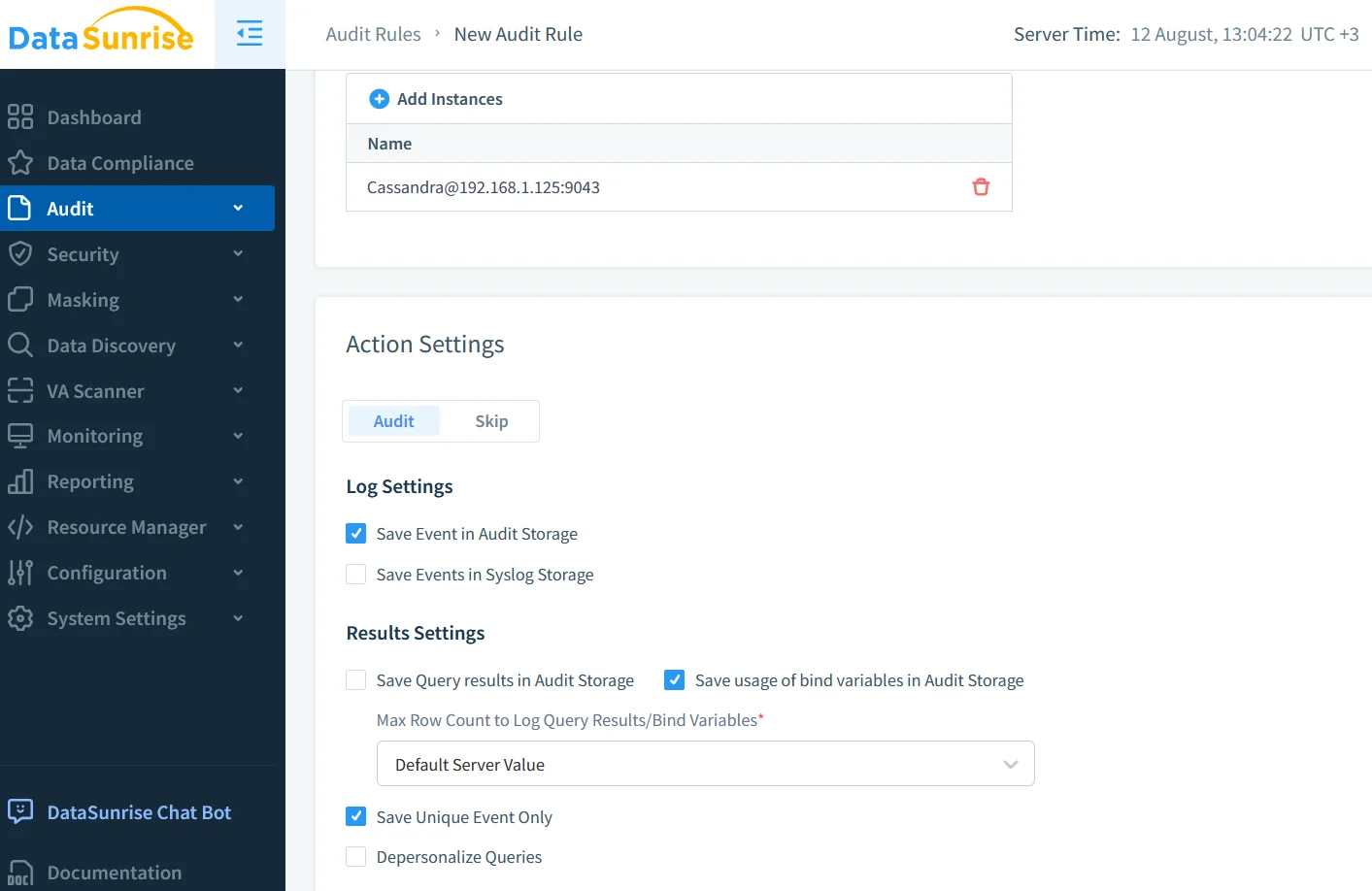
Sample audit rule in DataSunrise:
CREATE AUDIT RULE cassandra_audit_rule
ON cassandra_db.payments
WHEN query_type = 'SELECT' AND column IN ('credit_card', 'ssn')
THEN log_event, mask_data;
This ensures non-privileged users see masked data while authorized roles have full visibility.
Real-Time Alerts and Threat Detection
DataSunrise integrates with Slack, MS Teams, and email to send instant alerts when defined security thresholds are exceeded. It can detect unusual query volumes, block suspicious access attempts, and log policy violations. For example, an alert might trigger when a user retrieves more than 100,000 records from a sensitive keyspace within a short time.
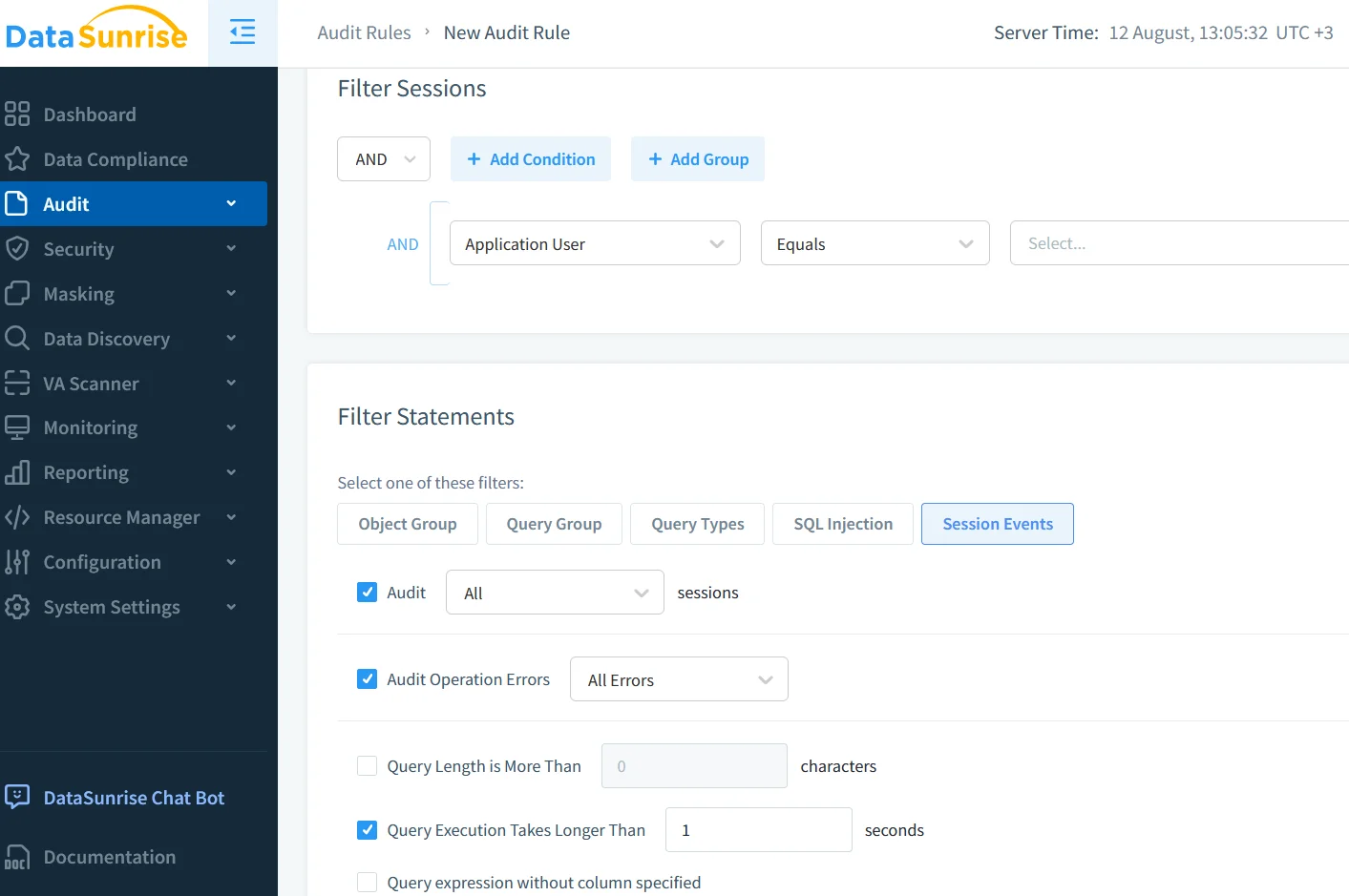
Dynamic Data Masking
Dynamic masking hides sensitive information in real time without altering stored values. In Cassandra environments, DataSunrise applies conditional masking rules—showing partial credit card numbers or anonymized personal identifiers depending on the requester’s role (RBAC). This is essential for meeting compliance requirements without restricting legitimate business queries.
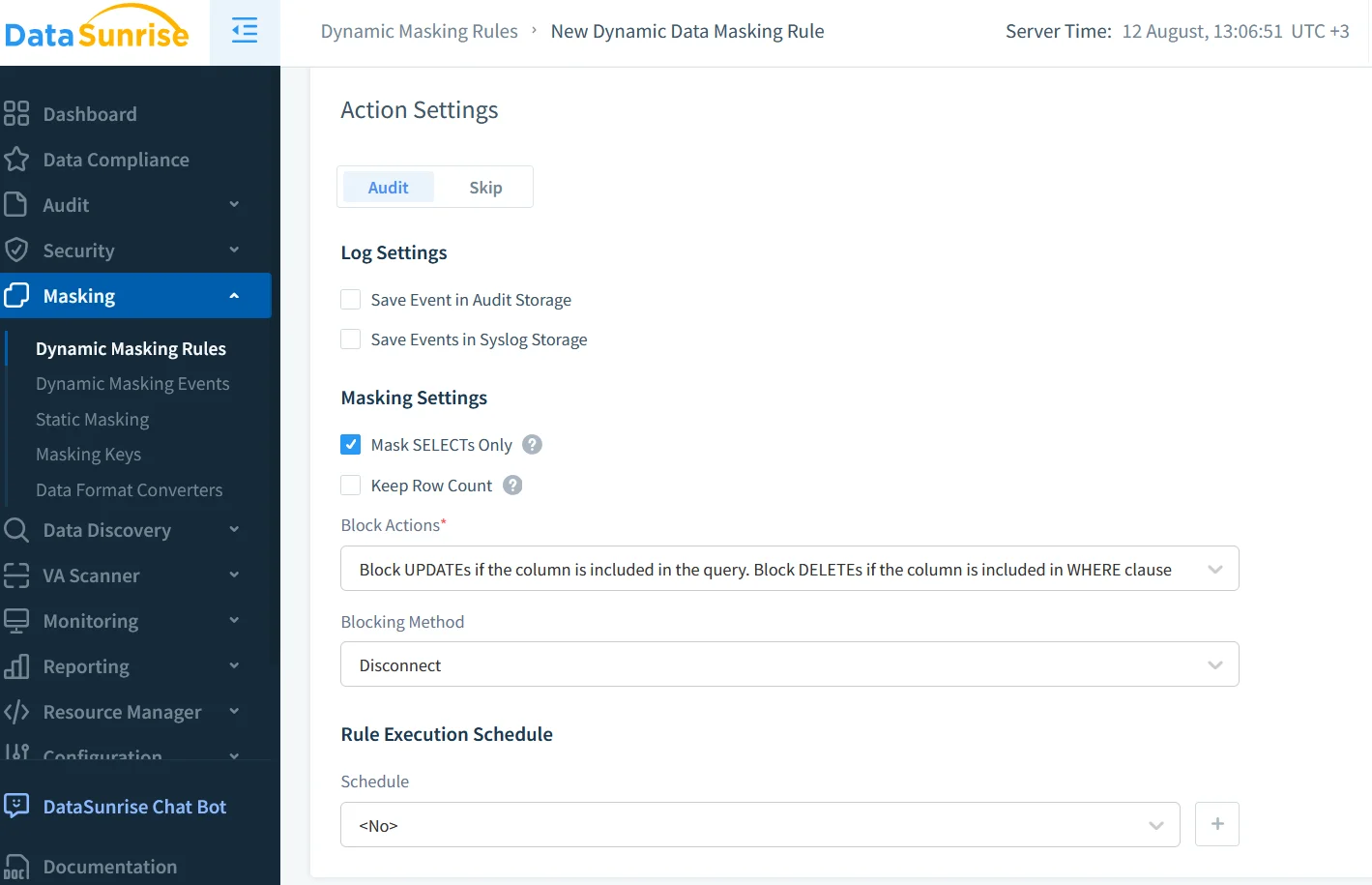
Sensitive Data Discovery
Using Data Discovery, administrators can scan Cassandra keyspaces to locate PII, PHI, and financial data. Discovery results feed directly into audit and masking policies, ensuring comprehensive coverage. This process also keeps the Apache Cassandra Database Activity History aligned with evolving data structures.
Compliance-Ready Security Posture
Compliance in Cassandra environments requires:
- Strong access controls (POLP)
- End-to-end encryption for data in transit
- Audit history mapped to frameworks like GDPR, HIPAA, and PCI DSS
Combining native audit logs with DataSunrise’s enriched data allows organizations to generate ready-to-submit compliance reports. These can be scheduled monthly or quarterly, reducing the manual workload during audits.
Practical Use Case
Consider a healthcare provider storing patient records in Cassandra. Native audit logging is enabled across all keyspaces, with logs sent to a centralized SIEM. DataSunrise captures these logs in real time, applies dynamic masking to PHI when accessed by non-clinical staff, and sends alerts for access outside approved hours. Quarterly compliance reports are automatically generated, showing detailed access histories for regulatory review.
Conclusion
A comprehensive Apache Cassandra Database Activity History is essential for both operational control and regulatory adherence. While Cassandra’s native audit logging offers a foundation, its capabilities are best amplified through integration with DataSunrise. This combination delivers continuous monitoring, proactive threat detection, and dynamic protection for sensitive data, ensuring that Cassandra clusters remain both secure and compliant in complex, high-demand environments.
Protect Your Data with DataSunrise
Secure your data across every layer with DataSunrise. Detect threats in real time with Activity Monitoring, Data Masking, and Database Firewall. Enforce Data Compliance, discover sensitive data, and protect workloads across 50+ supported cloud, on-prem, and AI system data source integrations.
Start protecting your critical data today
Request a Demo Download Now