Azure Cosmos DB for NoSQL Data Compliance Automation
In today's regulatory landscape, implementing robust data compliance automation for NoSQL databases has become a critical business imperative. According to recent research from IBM's 2024 Cost of Data Breach Report, organizations with comprehensive compliance automation systems reduce regulatory violation costs by up to 78% and achieve compliance readiness 89% faster than those relying on manual processes.
Azure Cosmos DB, Microsoft's globally distributed NoSQL database service, handles massive scale operations across multiple regions and API interfaces. As organizations face increasingly stringent regulatory requirements such as GDPR, HIPAA, and PCI DSS, implementing automated compliance frameworks has transformed from a technical consideration into a strategic necessity.
This comprehensive guide explores Azure Cosmos DB's native compliance features and demonstrates how DataSunrise's Zero-Touch Compliance Automation can enhance your NoSQL regulatory framework with Intelligent Policy Orchestration and Continuous Regulatory Calibration.
Understanding Azure Cosmos DB NoSQL Data Compliance Automation
Azure Cosmos DB data compliance automation encompasses the systematic implementation of automated processes, policies, and controls that ensure NoSQL database operations consistently adhere to compliance regulations without manual intervention. This comprehensive approach addresses the unique challenges of distributed NoSQL environments where data security must be maintained across multiple regions, API interfaces, and dynamic document structures.
The distributed architecture of Azure Cosmos DB introduces several compliance automation challenges:
| Challenge | Description | Compliance Impact |
|---|---|---|
| Multi-Regional Distribution | Data and operations span multiple geographic regions simultaneously | Complex data residency requirements and varying regulatory frameworks |
| Dynamic Document Schemas | JSON documents can contain varying field structures and data types | Difficult to apply consistent classification and protection policies |
| API Interface Diversity | Multiple access methods (SQL API, MongoDB API, Cassandra API, etc.) | Each interface requires specialized compliance monitoring approaches |
Native Azure Cosmos DB Compliance Capabilities
Azure Cosmos DB includes several built-in features for implementing basic compliance automation that provide foundational regulatory monitoring for NoSQL operations. These capabilities work alongside database security measures to ensure comprehensive protection.
1. Azure Policy Integration for Compliance Automation
Azure Cosmos DB integrates with Azure Policy to provide foundational compliance automation:
# Enable compliance automation via Azure Policy
az policy assignment create \
  --name "CosmosDB-Compliance-Automation" \
  --policy "/providers/Microsoft.Authorization/policyDefinitions/cosmos-db-compliance-policy" \
  --scope "/subscriptions/{subscription-id}/resourceGroups/{resource-group}" \
  --params '{
    "enableEncryption": {"value": true},
    "auditingEnabled": {"value": true},
    "backupRetention": {"value": 365}
  }'
2. Testing Compliance Automation with Sample Operations
Execute sample NoSQL operations to validate compliance automation effectiveness:
// Document operations for compliance testing
const container = database.container("ComplianceTestCollection");

// Create document with sensitive data
await container.items.create({
    "id": "compliance_test_001",
    "personalInfo": {
        "socialSecurityNumber": "123-45-6789",
        "medicalRecordNumber": "MRN-456789"
    },
    "customerData": {
        "name": "Michael Johnson",
        "dateOfBirth": "1985-03-15"
    }
});
3. Azure Portal Interface for Compliance Management
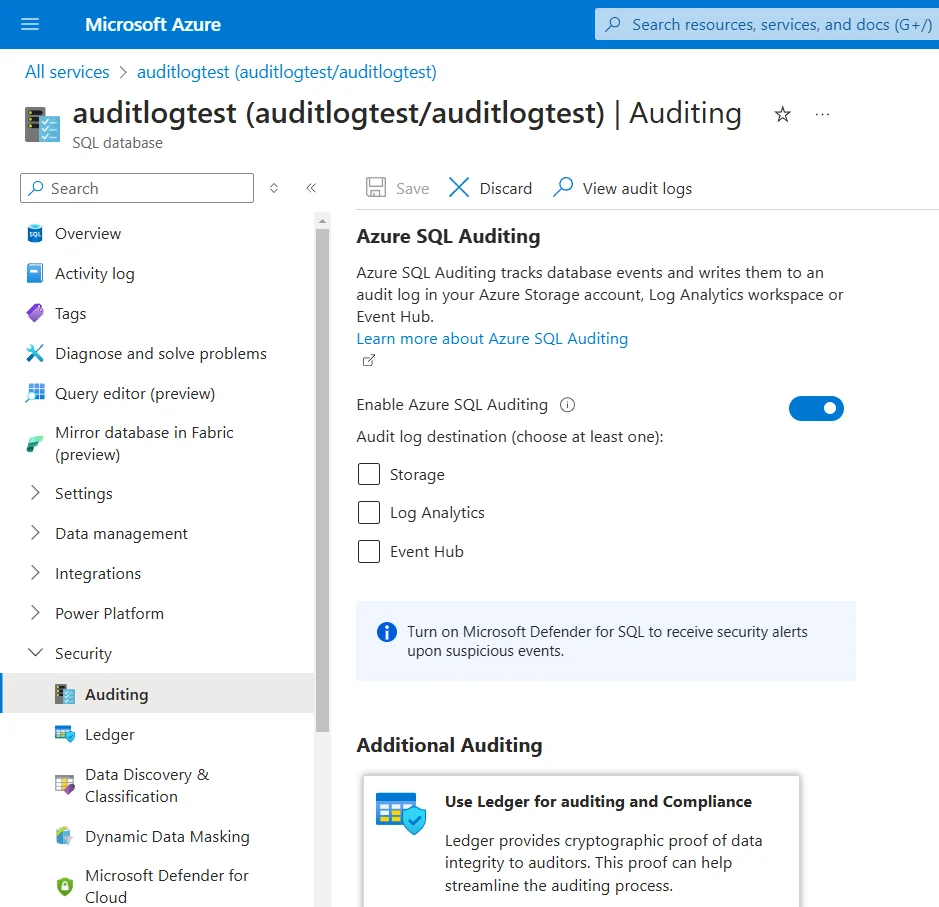
The Azure Portal provides comprehensive compliance monitoring capabilities through multiple integrated interfaces:
Security Center Dashboard: Access real-time compliance posture assessments with security recommendations and vulnerability reports specific to your Cosmos DB instances.
Policy Compliance Hub: Monitor policy assignment status across all database accounts with detailed compliance scores and violation tracking for each regulatory framework.
Regulatory Compliance Workbooks: Utilize pre-built templates for GDPR, HIPAA, and PCI DSS that provide automated compliance mapping and evidence collection for audit purposes.
Security Alerts Center: Configure automated notifications for potential compliance violations, including unauthorized access attempts, data breach indicators, and policy drift detection with customizable alert thresholds and notification channels.
Enhanced NoSQL Data Compliance Automation with DataSunrise
While Azure Cosmos DB provides foundational compliance capabilities, DataSunrise significantly enhances NoSQL regulatory frameworks through Autonomous Compliance Orchestration and sophisticated automation designed specifically for distributed database environments. Unlike basic policy approaches, DataSunrise delivers enterprise-grade Automated Compliance Reporting with Comprehensive Sensitive Data Detection and Zero-Touch Data Protection capabilities.
Setting Up DataSunrise for Azure Cosmos DB Compliance Automation
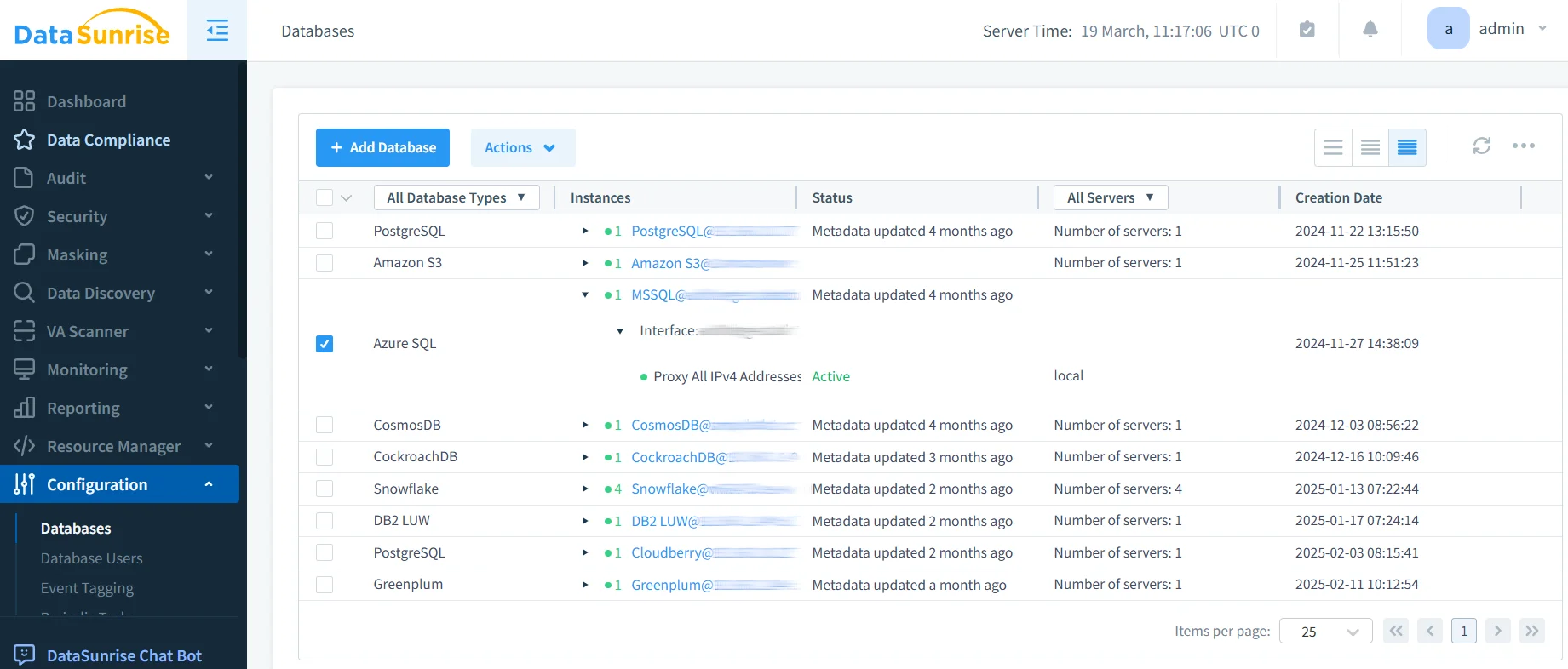
1. Connect to Azure Cosmos DB Instance
Begin by establishing a secure connection between DataSunrise and your Azure Cosmos DB environment. DataSunrise supports all Cosmos DB API types including SQL API, MongoDB API, Cassandra API, Gremlin API, and Table API for comprehensive compliance automation coverage.
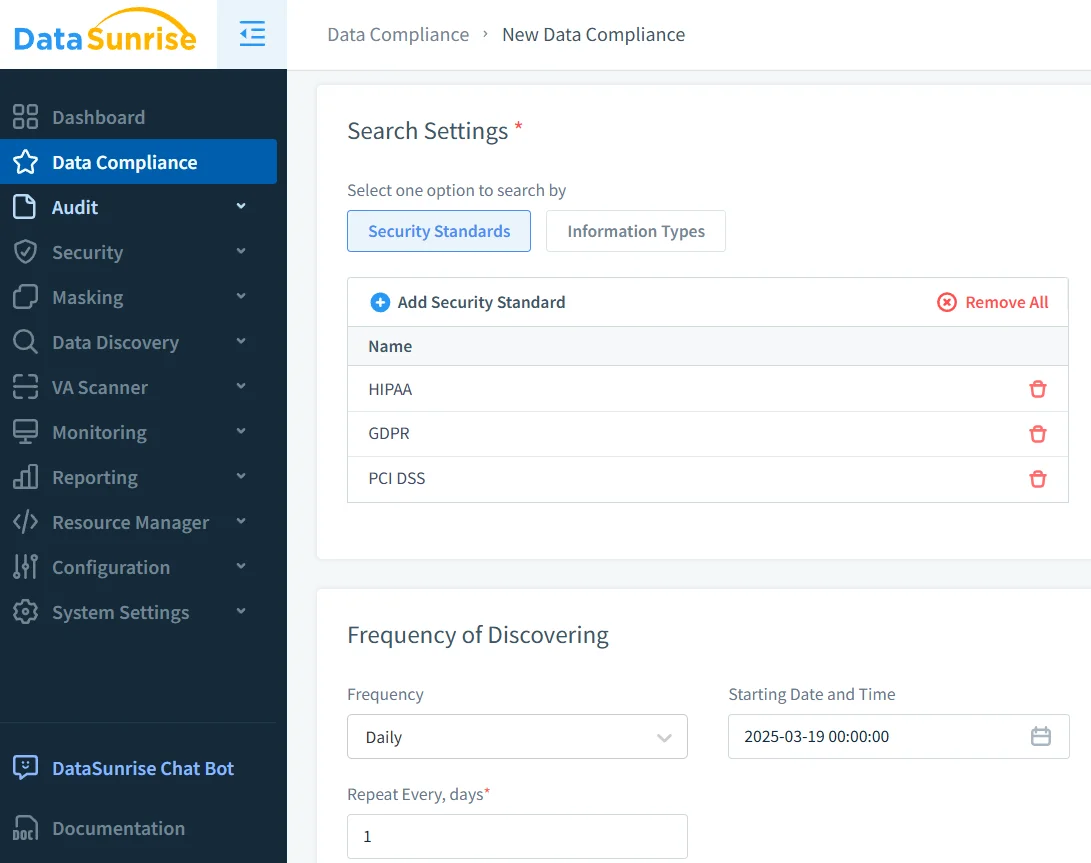
2. Configure Automated Compliance Rules
Create compliance automation policies using DataSunrise's intuitive interface. Select pre-configured templates for GDPR, HIPAA, PCI DSS, and SOX compliance with automated sensitive data classification and role-based access controls.
3. Enable Real-Time Compliance Monitoring
Activate continuous compliance monitoring with intelligent alerting and automated response capabilities including violation detection, automated remediation, and User Behavior Analysis to identify security threats before they escalate.
Key Advantages of DataSunrise for Azure Cosmos DB Compliance Automation
DataSunrise provides significant enhancements over Azure Cosmos DB's native compliance automation capabilities:
Auto-Discover & Classify: Automatically identify and classify sensitive data within NoSQL documents using NLP algorithms and machine learning, ensuring comprehensive compliance coverage with up to 95% accuracy.
Compliance Autopilot: Implement fully automated compliance workflows that adapt to regulatory changes without manual intervention, reducing compliance overhead by up to 80%.
No-Code Policy Automation: Create sophisticated compliance policies through an intuitive interface without writing complex code, reducing implementation time from months to days.
Continuous Regulatory Calibration: Automatically update compliance policies as regulations evolve, ensuring ongoing adherence without manual policy maintenance.
Real-Time Notifications: Receive immediate alerts for compliance violations with contextual information and recommended remediation actions.
Dynamic Data Masking: Protect sensitive NoSQL document fields in real-time while maintaining application functionality.
Cross-Platform Visibility: Monitor both SQL and NoSQL databases from a unified console with support for over 40 data storage platforms through comprehensive database activity monitoring.
Best Practices for Azure Cosmos DB Compliance Automation Implementation
To maximize the effectiveness of your Azure Cosmos DB compliance automation implementation, consider these strategic best practices:
1. Regulatory Framework Alignment
Implement compliance automation that addresses multiple regulatory frameworks simultaneously, ensuring comprehensive coverage for organizations operating across different jurisdictions.
2. Performance-Optimized Compliance
Align compliance automation with Azure Cosmos DB partition key design to minimize performance impact while maintaining regulatory adherence.
3. Data-Centric Compliance Strategy
Focus comprehensive compliance automation on collections containing PII, PHI, financial data, or proprietary business information with appropriate protection levels.
4. Enhanced Compliance Implementation
Implement DataSunrise's comprehensive compliance suite to extend beyond native capabilities with Intelligent Policy Orchestration and automated regulatory framework mapping through advanced security policies.
Conclusion
As organizations increasingly rely on Azure Cosmos DB for business-critical data in distributed NoSQL environments, implementing robust compliance automation has become essential for regulatory adherence and operational excellence. While Azure Cosmos DB offers foundational compliance capabilities through Azure Policy integration, organizations with complex regulatory requirements benefit significantly from enhanced solutions like DataSunrise.
DataSunrise provides comprehensive security designed specifically for NoSQL environments, offering Zero-Touch Compliance Automation with Autonomous Compliance Orchestration, Continuous Regulatory Calibration, and automated reporting capabilities. With flexible deployment modes, DataSunrise transforms Cosmos DB compliance automation from manual processes into strategic security assets.
Protect Your Data with DataSunrise
Secure your data across every layer with DataSunrise. Detect threats in real time with Activity Monitoring, Data Masking, and Database Firewall. Enforce Data Compliance, discover sensitive data, and protect workloads across 50+ supported cloud, on-prem, and AI system data source integrations.
Start protecting your critical data today
Request a Demo Download Now