Data Masking in Microsoft SQL Server
Protecting sensitive data in relational databases is no longer optional—it’s survival. Microsoft SQL Server stores everything from financial records to personal identifiers, which makes data masking a core requirement for security and compliance.
According to the IBM Cost of a Data Breach Report, exposure of sensitive data remains one of the most expensive and common failure points in enterprise systems. That’s exactly why masking is no longer just a “nice-to-have” control.
While SQL Server includes native masking capabilities, they only scratch the surface. Modern environments demand continuous protection, centralized policy control, and real-time enforcement across hybrid systems. For a deeper understanding of built-in approaches, refer to the official Microsoft documentation on Dynamic Data Masking.
To address these gaps, organizations increasingly rely on platforms that combine masking with data discovery and policy automation.
This article walks through SQL Server’s native data masking features and then shows how DataSunrise turns basic masking into something actually usable in production.
Importance of Data Masking
Data masking is not about hiding data for the sake of it—it’s about controlling exposure without breaking workflows. In environments where databases support analytics, testing, and third-party integrations, unrestricted access to raw data quickly turns into a liability.
Sensitive information such as PII, financial records, and authentication data must remain protected even when used by internal teams. This is where data masking becomes critical: it allows organizations to preserve data usability while eliminating direct exposure.
From a compliance perspective, masking plays a direct role in meeting requirements defined by frameworks like GDPR, HIPAA, and PCI DSS. These regulations do not just recommend protection—they require strict control over how sensitive data is accessed, processed, and displayed.
At the same time, modern architectures complicate things. Data flows across production systems, staging environments, cloud platforms, and external services. Without masking, every additional integration increases the attack surface.
Key reasons why data masking matters:
- It reduces the risk of data leaks by ensuring sensitive values are never exposed in plain text
- It enables safe use of production-like data in development and testing
- It supports least-privilege access models without disrupting operations
- It helps maintain compliance without relying solely on access restrictions
In short, masking acts as a safety layer between sensitive data and everyone who doesn’t explicitly need to see it. Without it, even well-configured access controls leave gaps that attackers—or careless insiders—can exploit.
Native Data Masking Capabilities in Microsoft SQL Server
Microsoft SQL Server provides Dynamic Data Masking (DDM) as a built-in feature. It allows administrators to obscure sensitive data in query results without modifying the underlying data.
Unlike encryption, masking does not protect data at rest. Instead, it controls how data is presented to users at query time. This makes it useful for limiting exposure in applications, reporting tools, and shared environments where full access is not required.
1. Creating a Masked Table
To apply masking, you define masking rules directly on table columns:
-- Create table with multiple masking functions
CREATE TABLE Employees (
    ID INT IDENTITY(1,1) PRIMARY KEY,
    Name NVARCHAR(100),
    Email NVARCHAR(100) MASKED WITH (FUNCTION = 'email()'),
    Phone NVARCHAR(20) MASKED WITH (FUNCTION = 'partial(0,"XXX-XXX-",4)'),
    Salary INT MASKED WITH (FUNCTION = 'default()'),
    CreditCard NVARCHAR(20) MASKED WITH (FUNCTION = 'partial(0,"XXXX-XXXX-XXXX-",4)')
);

-- Insert sample data
INSERT INTO Employees (Name, Email, Phone, Salary, CreditCard)
VALUES
('John Doe', '[email protected]', '123-456-7890', 75000, '1234-5678-9012-3456'),
('Alice Smith', '[email protected]', '987-654-3210', 92000, '5678-1234-0000-9999');

-- Verify raw data (as privileged user)
SELECT * FROM Employees;
SQL Server supports several masking functions such as default(), email(), partial(), and random(). Each function defines how the original value is transformed when returned to the user.
This ensures that non-privileged users see masked values instead of raw data. However, the actual data in the table remains unchanged, which means applications continue to function normally without requiring schema changes or data duplication.
2. Querying Masked Data
When a user without UNMASK permission queries the table:
-- Simulate restricted user access
EXECUTE AS USER = 'limited_user';

SELECT
    ID,
    Name,
    Email,
    Phone,
    Salary,
    CreditCard
FROM Employees;

REVERT;
The output will look like:
ID | Name        | Email             | Phone        | Salary | CreditCard
---|-------------|------------------|--------------|--------|-----------------------
1  | John Doe    | [email protected]    | XXX-XXX-7890 | 0      | XXXX-XXXX-XXXX-3456
2  | Alice Smith | [email protected]    | XXX-XXX-3210 | 0      | XXXX-XXXX-XXXX-9999
Masking is applied dynamically at query execution time. This means the same query can return different results depending on the user’s permissions.
However—and this is where things get interesting—masking is not bulletproof. For example:
-- Attempt to infer masked data via aggregation
SELECT
    MIN(Salary) AS MinSalary,
    MAX(Salary) AS MaxSalary
FROM Employees;
Even with masking, patterns or ranges can still leak information.
It’s important to understand that masking is not enforced at the storage or transport level. Advanced users may still infer or reconstruct data through complex queries, joins, or external tools if additional controls are not in place.
3. Granting Access to Unmasked Data
To allow specific users to bypass masking:
-- Create user and grant permissions
CREATE USER analyst_user WITHOUT LOGIN;

-- Grant read access
GRANT SELECT ON Employees TO analyst_user;

-- Allow full data visibility
GRANT UNMASK TO analyst_user;

-- Test access
EXECUTE AS USER = 'analyst_user';

SELECT
    ID,
    Name,
    Email,
    Phone,
    Salary,
    CreditCard
FROM Employees;

REVERT;
This creates a basic role-based masking model, where trusted users can access original data while others see masked values.
In practice, this approach is often combined with role-based access control and auditing. Without proper governance, granting UNMASK can easily become a weak point, especially in large environments where permissions are distributed across multiple teams.
Enhanced Data Masking in SQL Server with DataSunrise
This is where native capabilities stop being sufficient and start becoming a bottleneck.
Following the MASS framework , DataSunrise deploys Zero-Touch Data Masking with Autonomous Compliance Orchestration, turning SQL Server from a passive storage system into an actively controlled data environment.
Instead of relying on static rules and manual configuration, DataSunrise introduces automated, context-aware masking that adapts to real-world usage patterns, access scenarios, and compliance requirements.
1. Dynamic and Context-Aware Masking
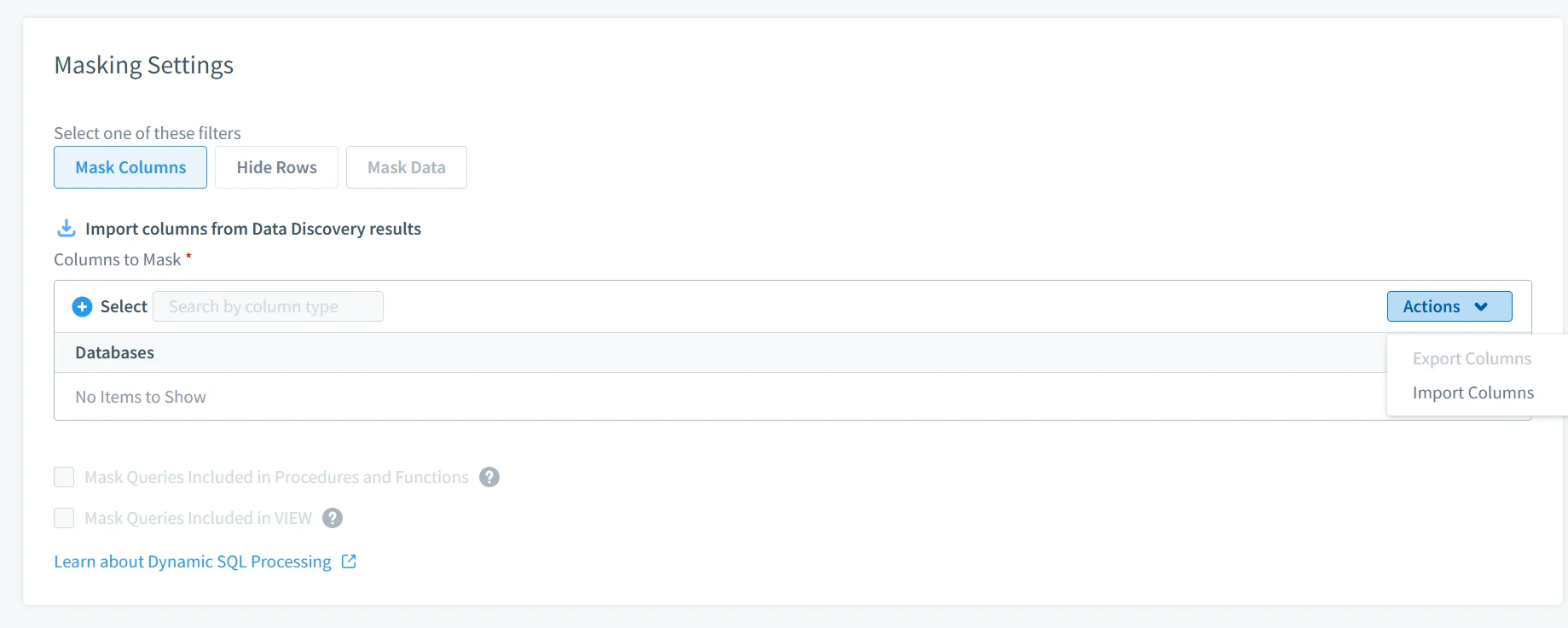
Unlike SQL Server’s static masking rules, DataSunrise applies masking dynamically based on multiple conditions. Rather than relying on fixed column-level transformations, masking logic reacts to who is querying the data, how the query is structured, and under what conditions access is performed.
In practice, this means that different users can receive different representations of the same dataset. A support engineer might see partially masked values, while an auditor may access full records, and external integrations receive fully anonymized outputs. The masking behavior can also adapt depending on factors such as IP address, time of access, or application source.
You can explore the mechanics in Dynamic Data Masking.
This approach enables surgical precision masking. Instead of masking entire columns blindly, control is applied at the exact point of access, reducing unnecessary data exposure while preserving usability.
2. Auto-Discover & Mask Sensitive Data
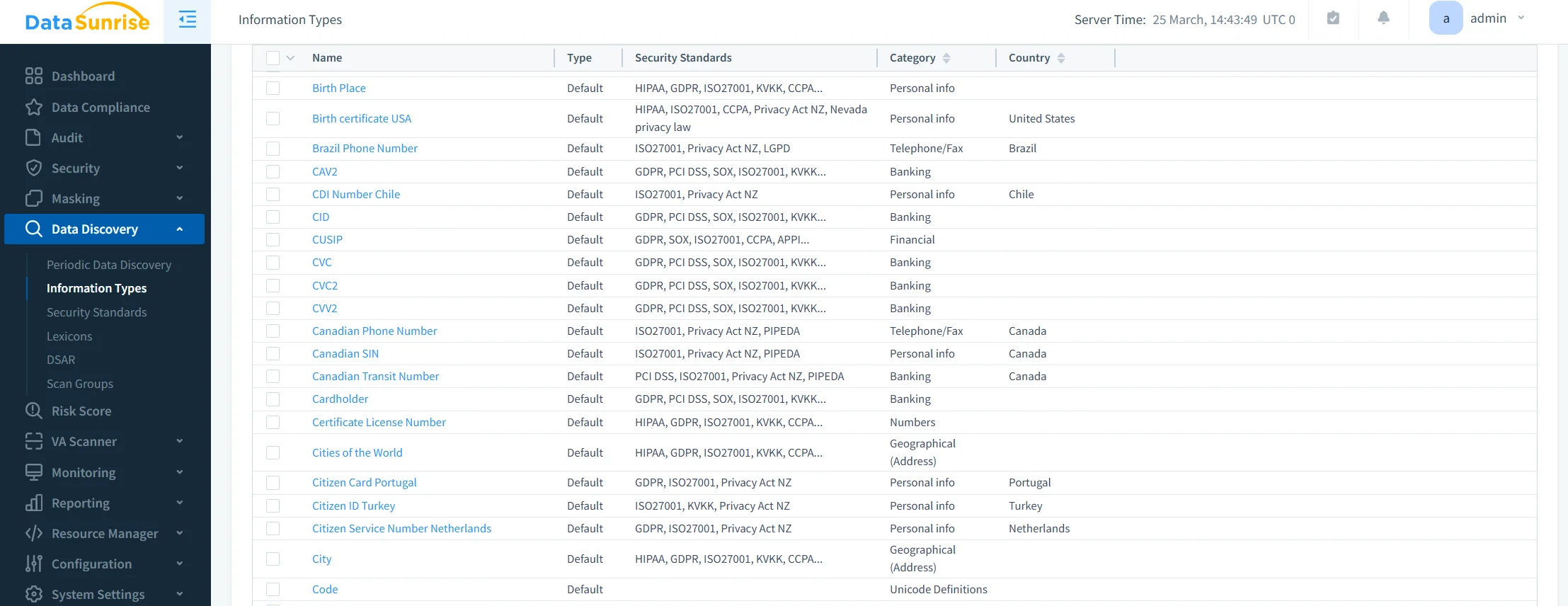
One of the most persistent problems in production environments is visibility. Teams often assume they know where sensitive data resides, but in reality, it spreads across schemas, backups, and newly created tables.
DataSunrise addresses this through integration with Data Discovery, which continuously scans databases to identify sensitive information. It automatically detects PII, PHI, and financial data, classifies it, and applies masking policies as soon as it is discovered.
This eliminates the need for manual tagging and significantly reduces the risk of leaving sensitive data unprotected due to oversight. Instead of reacting after exposure, the system enforces protection as data appears.
3. Centralized Policy Management
Managing masking rules separately for each database instance quickly becomes unmanageable, especially in distributed or hybrid environments.
DataSunrise operates as a centralized control layer, enforcing consistent masking policies across SQL Server instances, other database platforms, and cloud storage systems. A full overview of this capability is available in Database Activity Monitoring.
With centralized policy management, organizations maintain consistency across environments, simplify administration, and gain a single point of visibility for auditing and control. This removes configuration drift and eliminates situations where certain systems fall out of compliance due to inconsistent rule application.
4. Compliance Autopilot
Compliance requirements evolve constantly, and static configurations quickly become outdated.
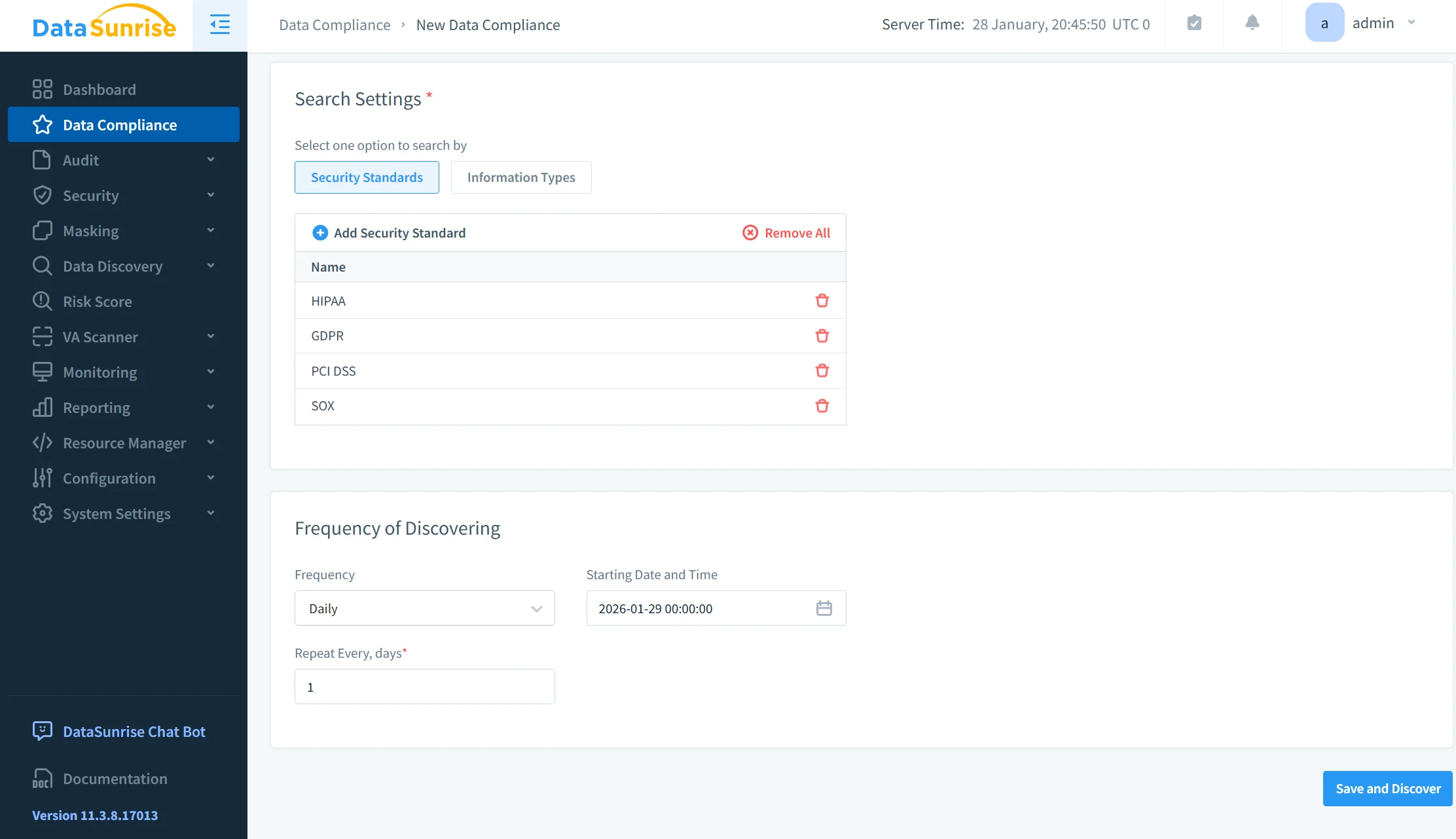
DataSunrise introduces a Compliance Autopilot model that continuously aligns masking policies with regulatory standards. It combines continuous regulatory calibration, automatic policy generation, and audit-ready reporting to maintain alignment with frameworks such as GDPR, HIPAA, and PCI DSS.
Instead of manually adjusting policies for each regulation or update, the system ensures that masking rules remain current. This reduces operational overhead and minimizes compliance gaps caused by outdated configurations.
5. Flexible Deployment Modes
Deploying security controls in production environments often introduces risk, especially when changes affect application behavior or database performance.
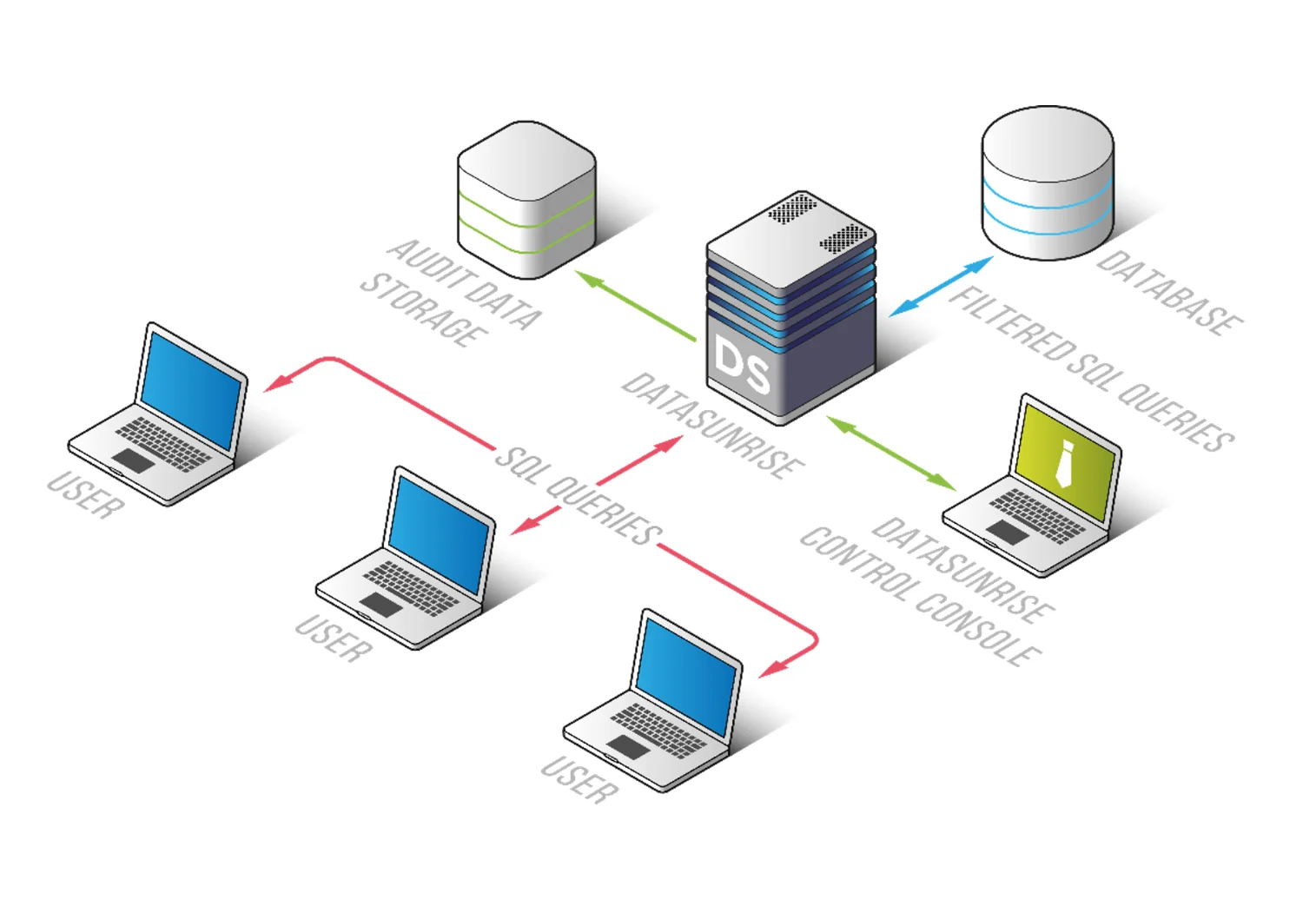
DataSunrise avoids this by supporting multiple deployment modes, including proxy-based inspection, passive traffic analysis through sniffer mode, and native log integration. More details can be found in Deployment Modes.
This flexibility allows organizations to integrate masking capabilities without modifying existing applications or database architecture. As a result, protection can be introduced across on-premise systems, cloud platforms such as AWS, Azure, and GCP, and hybrid infrastructures without disruption.
In practical terms, this removes one of the biggest barriers to adoption—security can be implemented without breaking production workflows.
Business Benefits of Data Masking in SQL Server
| Capability | Native SQL Server Masking | DataSunrise Masking |
|---|---|---|
| Masking Type | Static, column-level masking | Dynamic, context-aware masking |
| Granularity | Limited to predefined functions | Fine-grained control (user, query, context) |
| Sensitive Data Discovery | Not available | Automatic discovery and classification |
| Policy Management | Per database instance | Centralized across all environments |
| Compliance Support | Manual configuration required | Automated alignment with GDPR, HIPAA, PCI DSS |
| Real-Time Adaptation | Not supported | Dynamic rule enforcement based on context |
| Multi-Platform Coverage | SQL Server only | Cross-database and cloud environments |
| Deployment Flexibility | Built-in, but limited | Proxy, Sniffer, Log-based modes |
| Operational Overhead | High (manual setup & maintenance) | Reduced via automation |
| Security Coverage | Basic masking only | Masking + audit + behavior analysis |
Conclusion
In summary, Microsoft SQL Server has basic features for masking data that are rudimentary and mostly depend on column control and permissions directly assigned. They work adequately for isolated use but are inadequate for practical purposes involving frequent exchanges between different systems and varying users. Simply using standard built masking features carries risks because accidental exposure of sensitive data could happen. Handling consistent policies across distributed infrastructure is also hard and prone to errors too.
Automation and flexibility offered by DataSunrise offer a new and better way of data protection. Zero touch masking and autonomous orchestration of compliance allows for consistent deployment of policies across different environments. Features adapt quickly according to user roles and query contexts and legal requirements as opposed to fixed rules. The result is a reduction in operational workload and an improved overall security level. Compared to common practices where you constantly fine tune, DataSunrise achieves consistent preservation and protection with low burden of administration. Using users can shift from being reactive to proactive regarding data governance.
Visitors can check out their website for details or request a live demo showing transformations in actual use environment.
Protect Your Data with DataSunrise
Secure your data across every layer with DataSunrise. Detect threats in real time with Activity Monitoring, Data Masking, and Database Firewall. Enforce Data Compliance, discover sensitive data, and protect workloads across 50+ supported cloud, on-prem, and AI system data source integrations.
Start protecting your critical data today
Request a Demo Download Now