Data Masking Tools and Techniques for CockroachDB
In today's distributed database landscape, implementing robust data masking for CockroachDB has become essential for security and compliance. According to IBM's Cost of a Data Breach Report 2024, organizations with comprehensive data masking reduce data exposure risks by 78% and accelerate compliance validation by up to 65%. With data breach costs reaching $4.88 million on average, protecting personally identifiable information (PII) is critical.
CockroachDB's distributed architecture presents unique masking challenges due to multi-region deployments and horizontal scalability. This guide explores native CockroachDB masking capabilities and demonstrates how DataSunrise's Zero-Touch Data Masking delivers Autonomous Compliance Orchestration for distributed SQL databases.
Understanding Data Masking for CockroachDB
Data masking for CockroachDB involves obscuring sensitive information while maintaining data utility for data security purposes. Effective strategies must address CockroachDB's unique characteristics:
- Multi-Region Distribution: Consistent masking policies across geographic regions with varying compliance regulations
- Horizontal Scalability: Performance-optimized masking that scales with cluster growth
- ACID Compliance: Preserved transactional integrity across distributed operations
- Cloud-Native Architecture: Uniform masking across multiple cloud providers
Native CockroachDB Data Masking Capabilities
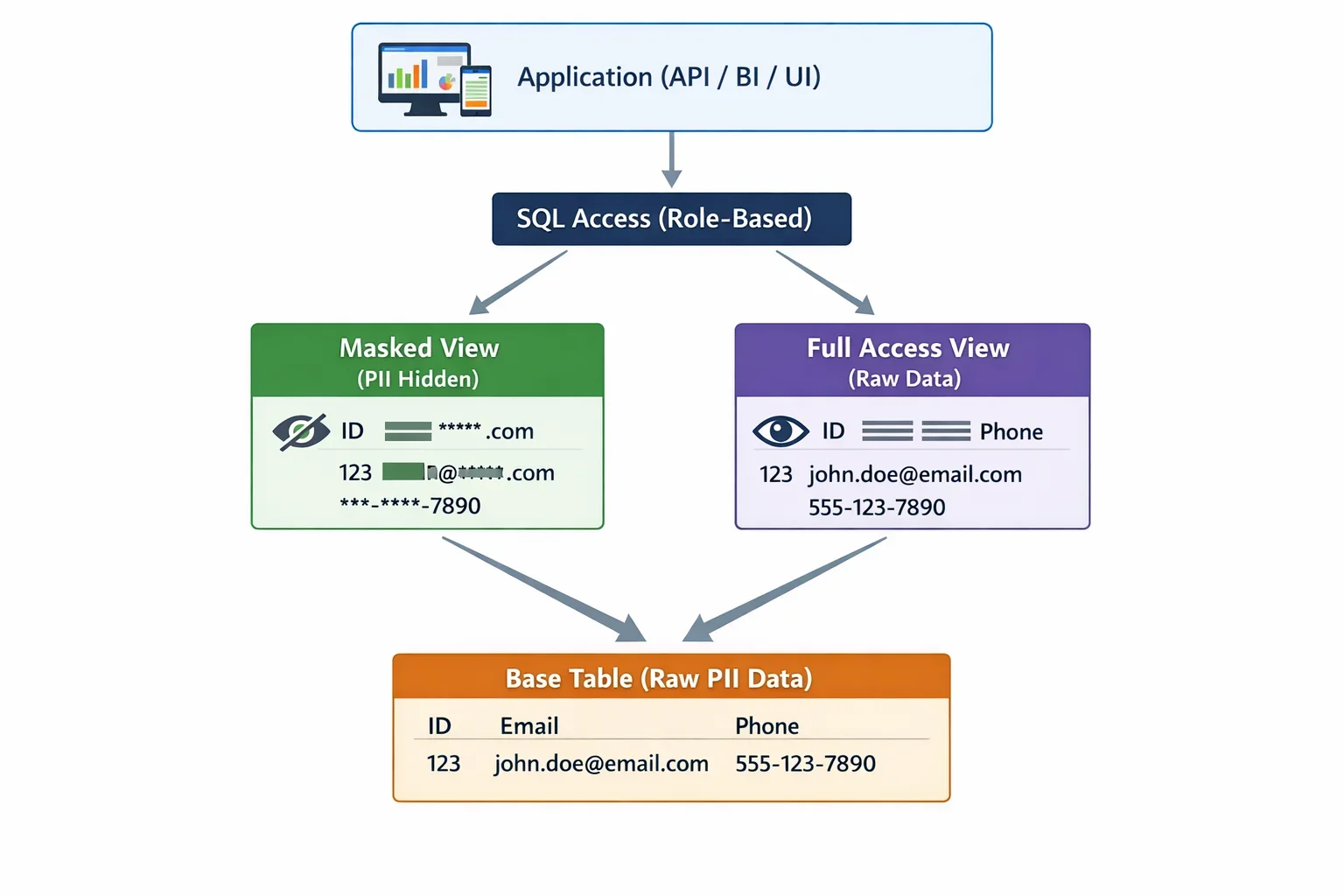
CockroachDB provides built-in database security features for implementing basic data masking through SQL-based implementations and role-based access controls.
1. View-Based Data Masking
CockroachDB supports view-based masking through SQL views that apply masking functions to sensitive columns:
-- Create a masking view for customer data
CREATE VIEW masked_customers AS
SELECT
    customer_id,
    CONCAT(LEFT(first_name, 1), REPEAT('*', LENGTH(first_name) - 1)) AS first_name,
    CONCAT(LEFT(last_name, 1), REPEAT('*', LENGTH(last_name) - 1)) AS last_name,
    CONCAT(REPEAT('*', 3), RIGHT(email, LENGTH(email) - 3)) AS email,
    CONCAT('***-**-', RIGHT(ssn, 4)) AS ssn,
    account_balance
FROM customers;

-- Grant access to masked view instead of base table
GRANT SELECT ON masked_customers TO analyst_role;
REVOKE SELECT ON customers FROM analyst_role;
This approach provides basic masking functionality but requires manual maintenance as schema evolves and doesn't support context-aware masking for data-driven testing.
2. Testing Masking Implementation
Verify masking effectiveness with test operations for test data management:
-- Create test table with sensitive data
CREATE TABLE sensitive_data (
    id UUID PRIMARY KEY DEFAULT gen_random_uuid(),
    customer_name STRING,
    social_security STRING,
    credit_card STRING
);

-- Insert sample data
INSERT INTO sensitive_data (customer_name, social_security, credit_card)
VALUES ('Alice Johnson', '123-45-6789', '4532-1234-5678-9012');

-- Create masking view
CREATE VIEW masked_sensitive_data AS
SELECT
    id,
    CONCAT(LEFT(customer_name, 1), REPEAT('*', LENGTH(customer_name) - 1)) AS customer_name,
    CONCAT('***-**-', RIGHT(social_security, 4)) AS social_security,
    CONCAT('****-****-****-', RIGHT(credit_card, 4)) AS credit_card
FROM sensitive_data;

-- Test masked output
SELECT * FROM masked_sensitive_data;
This approach provides basic masking but requires manual maintenance and doesn't support context-aware in-place masking.
Limitations of Native CockroachDB Data Masking
While CockroachDB's native capabilities provide essential masking functionality, organizations with complex security requirements encounter several limitations:
| Native Feature | Key Limitation | Business Impact |
|---|---|---|
| View-Based Masking | Manual creation and maintenance required | Time-consuming implementation for large schemas |
| Function-Based Masking | No automatic sensitive data discovery | Critical data may remain unmasked |
| Role-Based Controls | Static masking rules without contextual awareness | Limited flexibility for dynamic security policies |
| Performance Impact | Masking functions executed for each query | Potential performance degradation in high-throughput environments |
| Cross-Region Consistency | No centralized masking policy management | Inconsistent protection across distributed deployments |
| Compliance Reporting | Manual documentation of masking coverage | Time-consuming audit preparation |
These limitations can significantly impact an organization's ability to maintain comprehensive data protection and demonstrate compliance across distributed CockroachDB environments.
Enhanced Data Masking for CockroachDB with DataSunrise
DataSunrise enhances CockroachDB's native capabilities through No-Code Policy Automation and Surgical Precision Masking. Unlike basic view-based approaches, DataSunrise delivers enterprise-grade dynamic data masking with minimal performance impact.
Setting Up DataSunrise for CockroachDB Data Masking
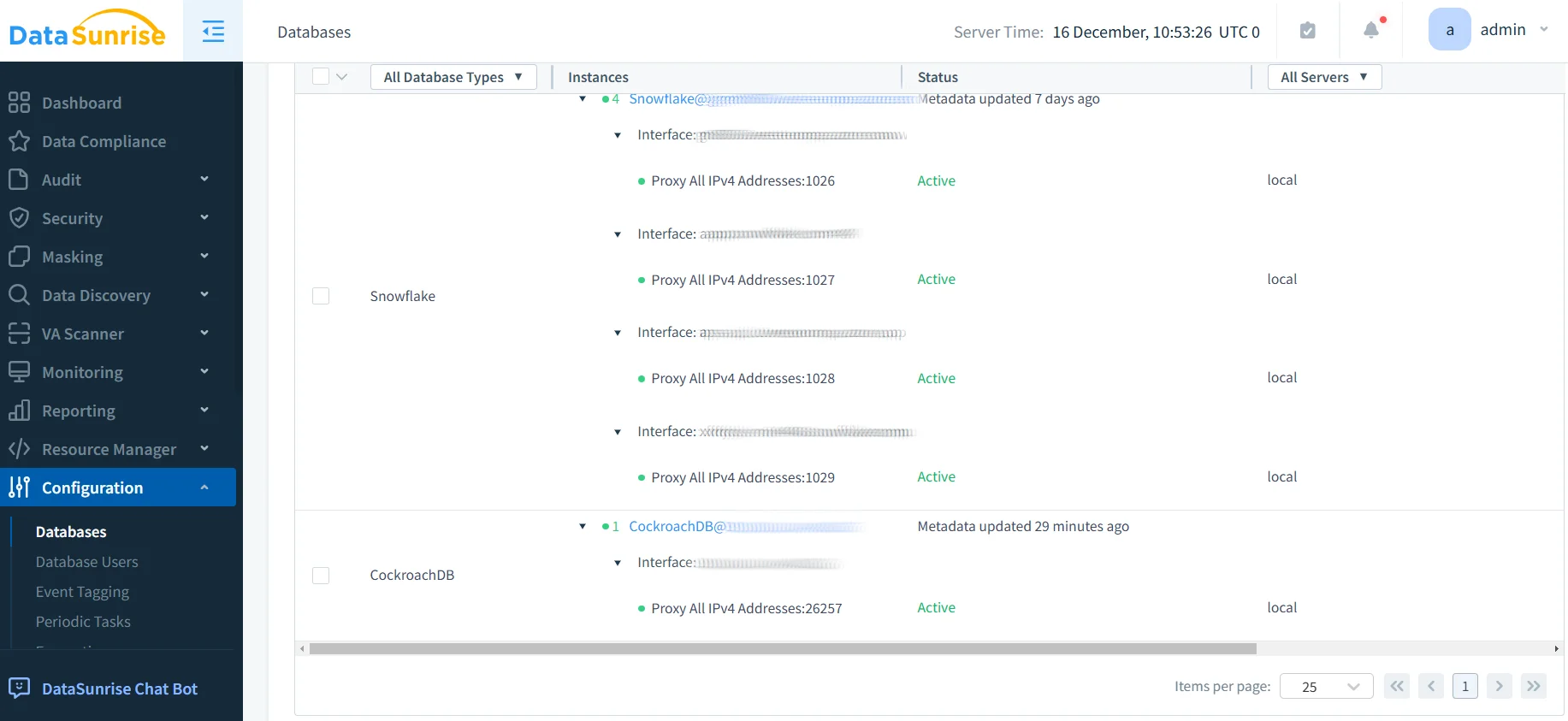
1. Connect to CockroachDB Cluster
Establish a secure connection to your CockroachDB environment through DataSunrise's interface, supporting all deployment models including self-hosted, CockroachDB Dedicated, and CockroachDB Serverless.
2. Automatic Sensitive Data Discovery
DataSunrise's Auto-Discover & Classify engine automatically identifies sensitive data using data discovery algorithms and NLP, mapping to major regulatory frameworks with continuous scanning for new sensitive columns.
3. Configure Context-Aware Masking Rules
Create sophisticated policies through DataSunrise's No-Code Policy Automation with role-based, application-specific, time-based, and geographic masking controls.
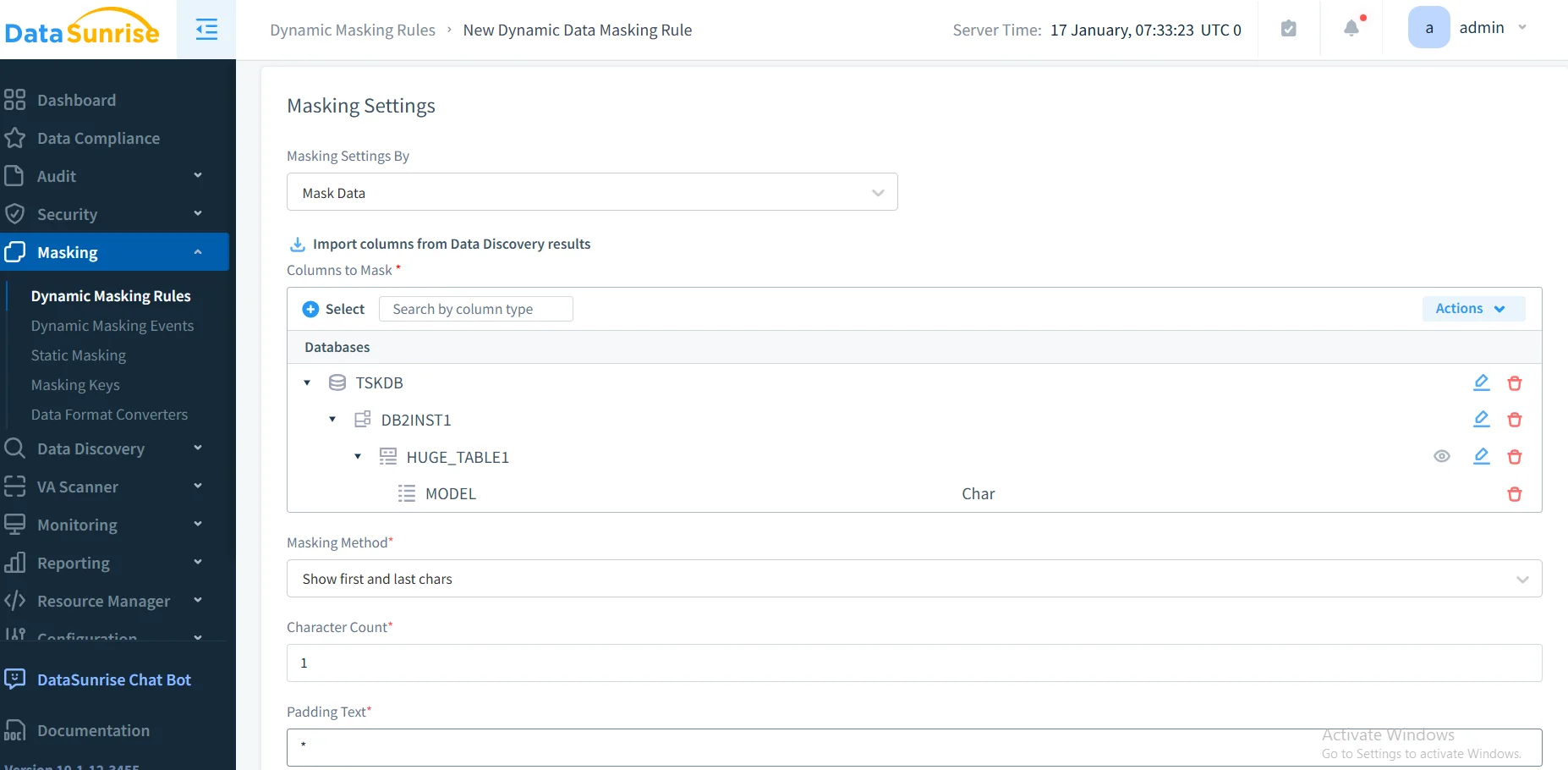
4. Select Appropriate Masking Techniques
DataSunrise provides multiple masking types: dynamic masking, static masking, format-preserving masking, tokenization, and nullification optimized for different use cases.
5. Monitor Masking Effectiveness
DataSunrise's dashboard provides real-time monitoring, compliance coverage reports, user behavior analysis, performance metrics, and comprehensive audit trails.
Advanced DataSunrise Features for CockroachDB
Intelligent Policy Orchestration: Compliance Autopilot automatically generates masking policies for GDPR, HIPAA, PCI DSS, and SOX compliance with Continuous Regulatory Calibration.
Cross-Platform Protection: Unified Security Framework manages policies across over 40 database platforms with multi-cloud consistency across AWS, GCP, and Azure.
Real-Time Intelligence: User behavior analysis with real-time notifications and SIEM integration for comprehensive threat detection.
Performance Optimization: Minimal overhead with intelligent query optimization and caching mechanisms, complemented by database firewall protection.
Conclusion
As organizations increasingly rely on CockroachDB for distributed applications, robust data masking has become essential for security and compliance. While CockroachDB provides foundational capabilities, DataSunrise delivers comprehensive masking specifically designed for distributed SQL databases.
DataSunrise offers Zero-Touch Data Masking with Auto-Discover & Classify capabilities, No-Code Policy Automation, and Context-Aware Protection. With flexible deployment modes, DataSunrise transforms masking from a technical challenge into a strategic security asset suitable for organizations of all sizes.
Protect Your Data with DataSunrise
Secure your data across every layer with DataSunrise. Detect threats in real time with Activity Monitoring, Data Masking, and Database Firewall. Enforce Data Compliance, discover sensitive data, and protect workloads across 50+ supported cloud, on-prem, and AI system data source integrations.
Start protecting your critical data today
Request a Demo Download Now