
Data Masking Tools and Techniques for MySQL
MySQL sits behind customer apps, dashboards, and analytics jobs—and that means sensitive data piles up fast. The most common leaks aren’t dramatic hacks; they’re operational accidents: production copies dropped into dev/test, exports shared with vendors, or a BI user who clicked “Download.”
Data masking prevents those “normal” leaks by replacing sensitive values with safe substitutes while keeping tables and relationships usable. This guide outlines practical masking techniques, the main tooling options, and a clear workflow for static masking in MySQL.
What Should You Mask in MySQL?
Start with PII: names, emails, phone numbers, addresses, and government identifiers. Business-sensitive fields such as salary, account status, and internal notes should also be included if they could expose a person or reveal confidential context. When you are unsure where these columns reside, use data discovery to locate and classify them consistently.
Masking Techniques That Work Well for MySQL
Masking is a toolbox, not a single method. The technique you choose should match how the data is used:
Redaction: replace values with a constant (“XXXX”). Highest privacy, lowest test realism.
Partial masking: keep a small prefix/suffix (for example, last 4 digits) for support workflows.
Substitution: replace with realistic fakes (emails/names). Best for dev/test usability.
Shuffling: permute values to preserve distributions while breaking identity links.
Format-preserving masking: keep length/charset to satisfy application validation rules.
For a quick mapping between methods and data types, see masking types. In MySQL dev/test environments, substitution and format-preserving methods usually provide the best balance of safety and realism.
Treat masking like engineering, not cosmetics. If an application joins on a field or expects uniqueness, pick methods that preserve relationships or generate unique outputs.
MySQL Masking Tools: Three Practical Options
Most teams choose one of these approaches:
1) DIY scripts and ETL pipelines
You can export data (for example, with mysqldump), transform it, and load it into a target schema. While workable, this approach often drifts into inconsistent rules across teams and environments.
2) MySQL Enterprise masking functions
Oracle MySQL Enterprise offers masking and de-identification functions. Review the official reference to confirm fit and version support: MySQL data masking and de-identification functions.
3) Centralized masking and control with DataSunrise
For consistent policies across tools and environments, DataSunrise provides a unified database security layer with dynamic masking (query-time) and static masking (masked copies). Support is also available for in-place masking when datasets must be permanently de-identified.
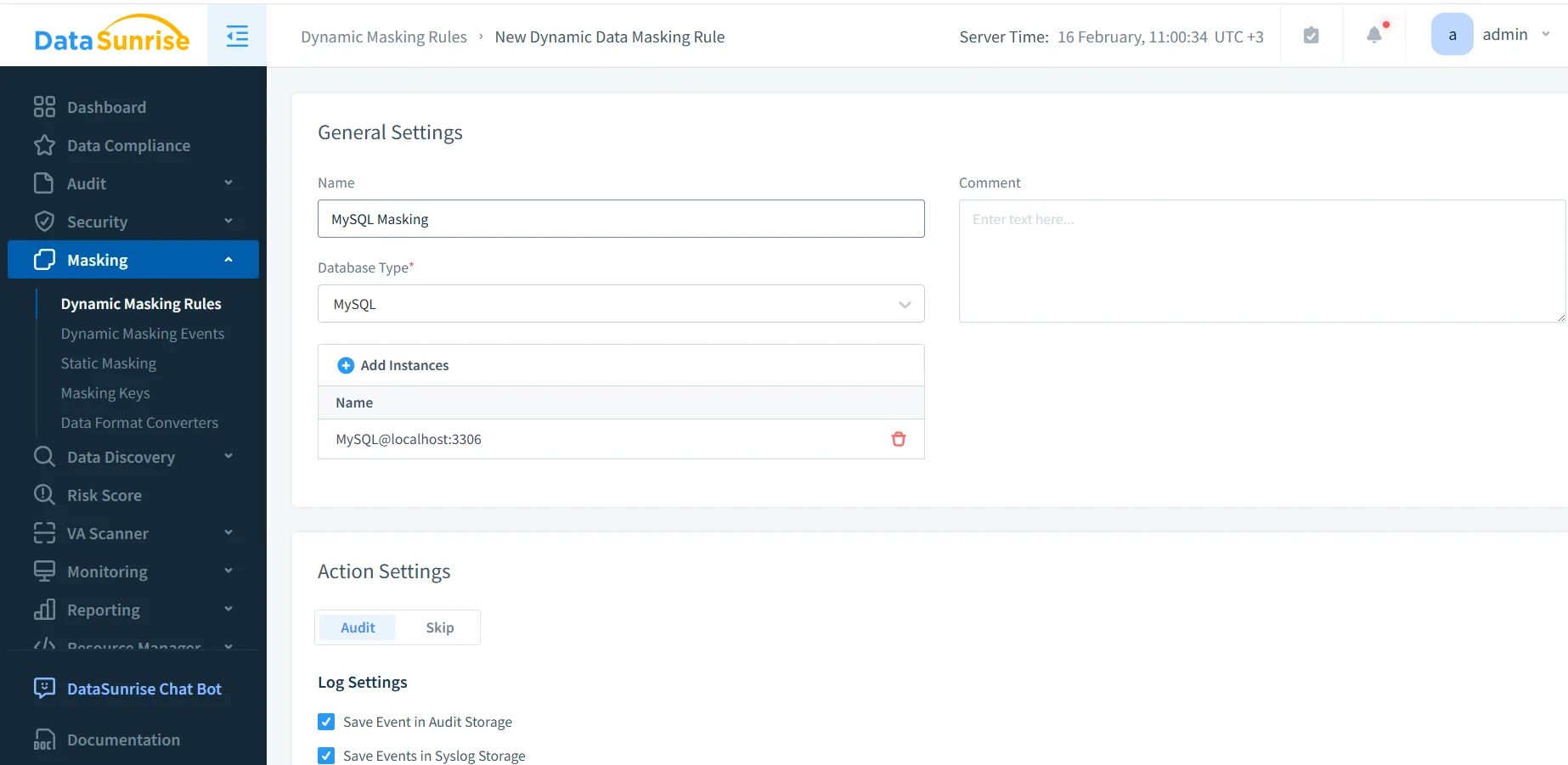
Dynamic masking rule creation in DataSunrise for a MySQL instance involves defining the rule, selecting MySQL, and attaching the database instance.
Step-by-Step: Static Masking in MySQL with DataSunrise
Static masking is ideal for producing safe, shareable datasets for dev/test and analytics. Once implemented consistently, it becomes part of test data management rather than a one-time cleanup effort.
Step 1: Define the source and target
Create a static masking task and select the source MySQL instance along with the target instance or schema. The target should remain isolated from production workflows and protected with RBAC and explicit access controls.
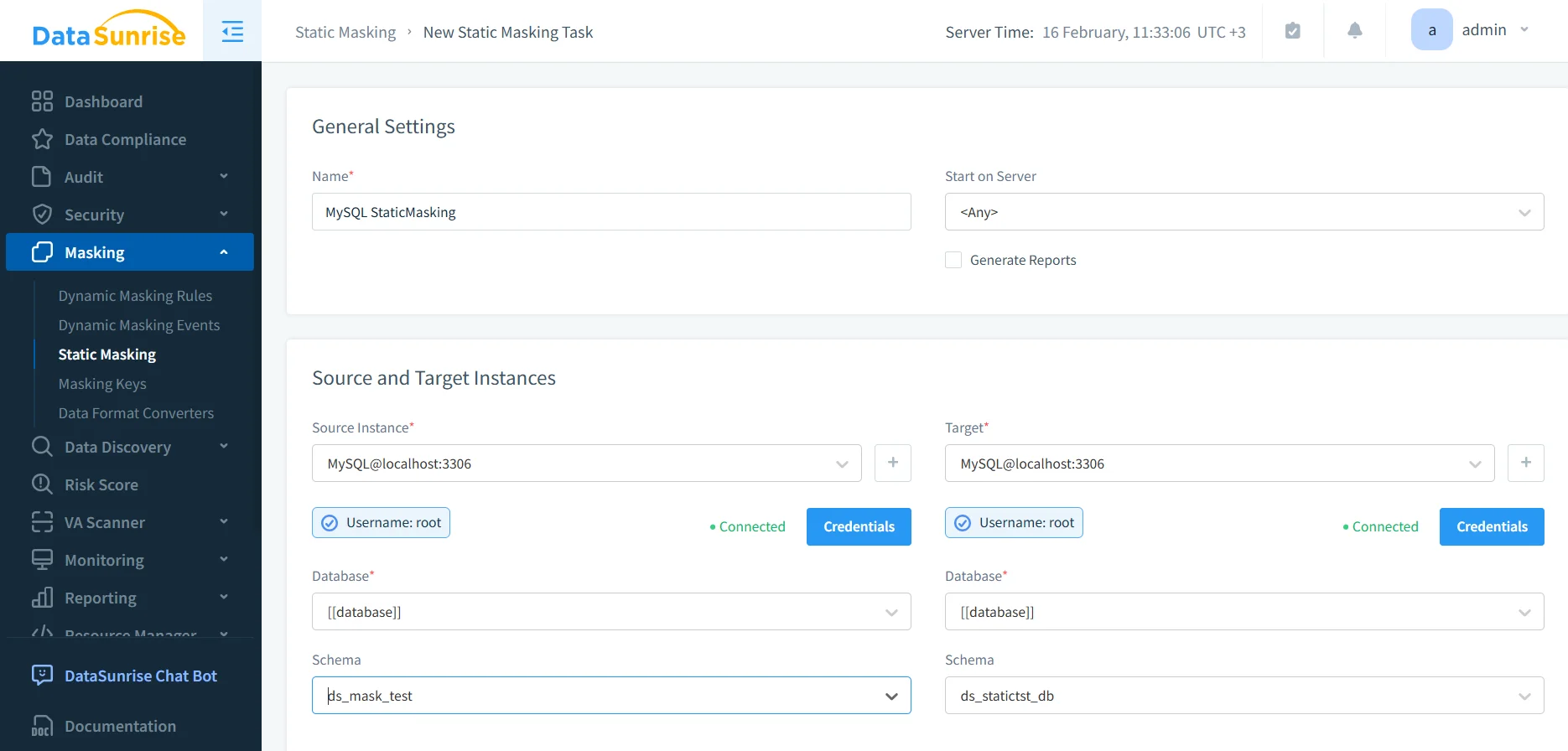
Configuration of the new static masking task allows you to choose both source and target MySQL instances for masked data delivery.
Step 2: Select tables and columns to mask
Choose the schemas, tables, and columns that will be transferred and masked. Identity and contact fields such as email, phone, and passport numbers should be prioritized, followed by financial and HR-related columns. Discovery outputs help prevent missing “quiet” sensitive fields.
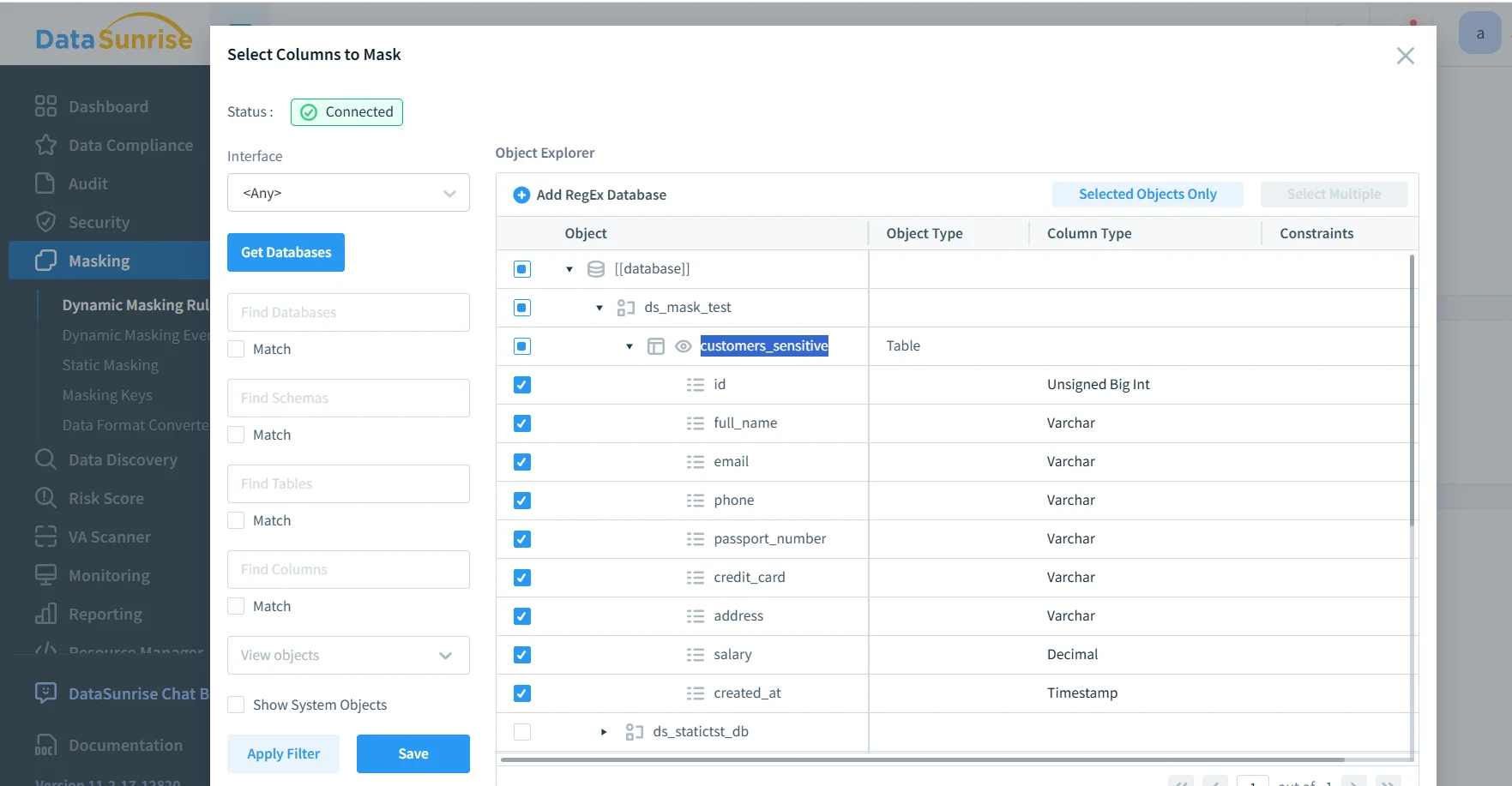
Within DataSunrise, selecting columns for static masking lets you define how MySQL tables such as email, phone, passport number, credit card, and salary fields will be transformed.
Step 3: Assign masking methods that preserve constraints
Match masking methods to column behavior. Columns requiring uniqueness must generate unique masked outputs. Fields validated by applications should use format-preserving techniques. When joins depend on a specific value, preserve relationships through consistent substitution.
Before running the task at scale, validate the structure of the data. Review row counts, foreign-key relationships (if used), uniqueness constraints, and edge-case formats such as nulls or unusual characters. Save before-and-after samples and document the configuration so you can demonstrate an audit trail for how the dataset was produced.
Static masking writes permanently masked values into the target dataset. Never point the target at production schemas, and do not run the task without verified backups and clear isolation.
Step 4: Run the task and validate
Execute the masking task and validate results using real application queries. Confirm joins, constraints, and dashboards behave as expected. For governance and proof, enable audit logs and standardize review through data audit processes. That is what turns “we masked it” into “we can prove it.”
If masked datasets are refreshed regularly, version your masking task configuration. Consistency prevents subtle QA issues caused by changing randomization patterns.
Operational Guardrails That Make Masking Stick
Masked data is safer, but it is not harmless. Controls must remain strict. Follow the principle of least privilege. Use database activity monitoring to detect bulk exports. Run vulnerability assessment to identify risky accounts or configuration drift. Reduce query-based abuse with a database firewall and targeted SQL injection security rules. Protect stored datasets using database encryption and align processes with continuous data protection.
Compliance Alignment (Without Turning It Into a Project From Hell)
Compliance often drives static masking because it reduces regulated data spread into lower-control environments. Map masking controls to compliance regulations and frameworks such as GDPR. To standardize reporting and evidence, many organizations use the DataSunrise Compliance Manager along with structured report generation.
Conclusion
For MySQL environments, the most effective strategy combines dynamic masking for production read access and static masking for safe dev/test copies. Select masking methods that preserve application behavior and treat masked datasets as governed assets. When implemented properly, masking keeps developers productive while ensuring customer data remains protected and controlled.
Protect Your Data with DataSunrise
Secure your data across every layer with DataSunrise. Detect threats in real time with Activity Monitoring, Data Masking, and Database Firewall. Enforce Data Compliance, discover sensitive data, and protect workloads across 50+ supported cloud, on-prem, and AI system data source integrations.
Start protecting your critical data today
Request a Demo Download Now