Database Audit for AlloyDB for PostgreSQL

AlloyDB for PostgreSQL is quickly becoming the go‑to engine for cloud‑native, business‑critical workloads. Yet as the database layer accelerates, so does the sophistication of cyber‑threats and regulatory pressure. A well‑designed database audit gives your security team the single source of truth for who touched what, when, and how. In this article we examine real‑time audit pipelines, dynamic data masking, automated discovery, and compliance tooling—all through the lens of Database Audit for AlloyDB for PostgreSQL.
Real‑Time Audit Meets GenAI
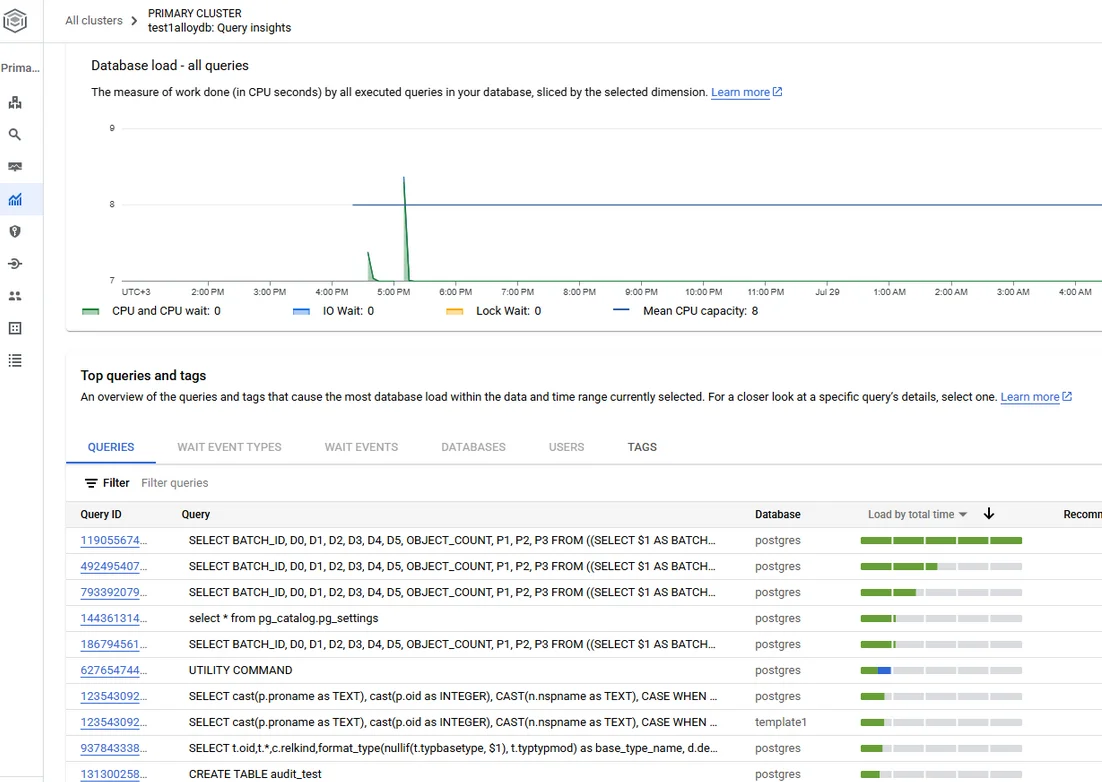
Streaming audit logs into a GenAI model transforms raw events into actionable intelligence. Imagine feeding Cloud Logging entries into a lightweight LLM that classifies every statement by risk, predicts potential exfiltration paths, and summarizes anomalies in natural language:
# pseudo‑code for a Cloud Function using Vertex AI
from google.cloud import logging_v2
from vertexai.language import TextGenerationModel

audit_client = logging_v2.Client()
llm = TextGenerationModel.from_pretrained("google/gemma-7b-security")

for entry in audit_client.list_entries(filter="resource.type=alloydb.googleapis.com/Instance"):
    prompt = f"Classify and summarize: {entry.payload}\n\nSummary:"
    print(llm.generate_text(prompt, temperature=0.2).text)
Done right, GenAI acts as an intelligent overlay—not a replacement—for proven rule‑based controls. By grouping thousands of low‑level events into a handful of human‑readable stories, incident‑response times shrink dramatically.
Dynamic Masking and Automated Data Discovery
Before audit logs even reach your SIEM, sensitive columns can be masked on the fly. With Dynamic data masking you instruct a proxy (or an AlloyDB connection pooler extension) to replace Social Security numbers with XXX‑XX‑#### for non‑privileged roles, while still allowing administrators to view the raw values.
Finding the data that should be masked is half the battle. Tools like Data Discovery crawl schema metadata and sample rows to automatically tag PII, PCI, or healthcare attributes. When discovery runs continuously, new tables in a freshly restored clone inherit the correct masking and audit policies from day one.
Security & Compliance by Design
Audit logs contribute directly to controls demanded by GDPR, HIPAA, and PCI‑DSS. Pairing AlloyDB’s native logging with a compliance dashboard such as Automated compliance reporting lets security teams map every requirement to a live control test. Because the dashboard is fueled by the same raw log stream, you avoid the drift that plagues point‑in‑time PDF attestation reports.
A typical workflow:
- Collect logs (Cloud Audit Logs + pgAudit)
- Enrich & store in BigQuery
- Validate controls (LLM classification + SQL assertions)
- Export evidence to your GRC portal
With these building blocks, passing an external audit turns from a quarterly fire‑drill into a continuous certifiable process.
Configuring Native Audit in Google Cloud
Native auditing in AlloyDB for PostgreSQL is powered by Cloud Audit Logs and the open‑source pgAudit extension.
1. Enable Cloud Audit Logs
At the project or folder level, ensure Admin Activity and Data Access logs are turned on for the AlloyDB API. This captures privileged API calls such as instance creation, user modification, and IAM changes. Logs are written to projects/PROJECT_ID/logs/cloudaudit.googleapis.com%2Fdata_access and can be exported to BigQuery or Pub/Sub.
2. Activate pgAudit
In the AlloyDB cluster, add a custom database flag:
ALTER SYSTEM SET shared_preload_libraries = 'pgaudit';
ALTER SYSTEM SET pgaudit.log = 'read, write, function';
SELECT pg_reload_conf();
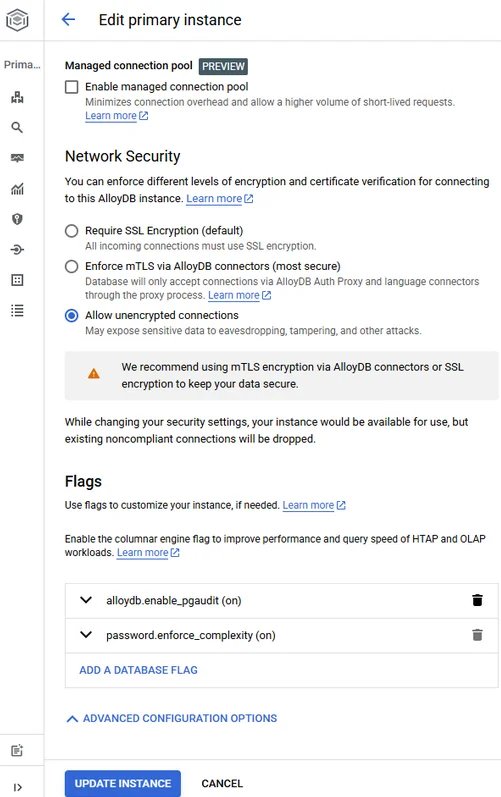
The syntax is identical to standard PostgreSQL—no proprietary surprises. Once reloaded, every SELECT, INSERT, UPDATE, DELETE, and function call appears in the alloydb.googleapis.com/pgAudit log stream. Full instructions are available in Google’s documentation on AlloyDB audit logging and viewing pgAudit logs. For step‑by‑step enablement, see the Enable pgAudit tutorial, and fine‑tune verbosity with the logging behavior configuration guide.
Tip: To prevent log floods, restrict pgaudit.log_parameter and leverage session roles so that only designated service accounts generate detailed payloads.
Extending Visibility with DataSunrise
Even with native logs, teams often need more context—SQL text rewrites, risk scoring, or cross‑database correlation. Data Audit from DataSunrise introduces a transparent proxy that understands AlloyDB’s PostgreSQL dialect and can enrich each event with:
- Dynamic masking compliance checks against business rules.
- Real‑time notifications via Slack or Teams when policy violations occur.
- Behavior analytics baselining typical query patterns.
Deploy the proxy in Native Audit Trails mode (see DataSunrise for AlloyDB). Because packet sniffing on managed VPC networks isn’t feasible, the proxy terminates client TLS and forwards traffic to AlloyDB over an internal‑to‑internal connection.
Configuration steps:
- Spin up a private GKE cluster in the same VPC as AlloyDB.
- Helm‑install the
datasunrise/datasunrisechart with--set mode=audit. - Register the AlloyDB endpoint and allow IAM‑based service routing.
- Define audit policies—no code required.
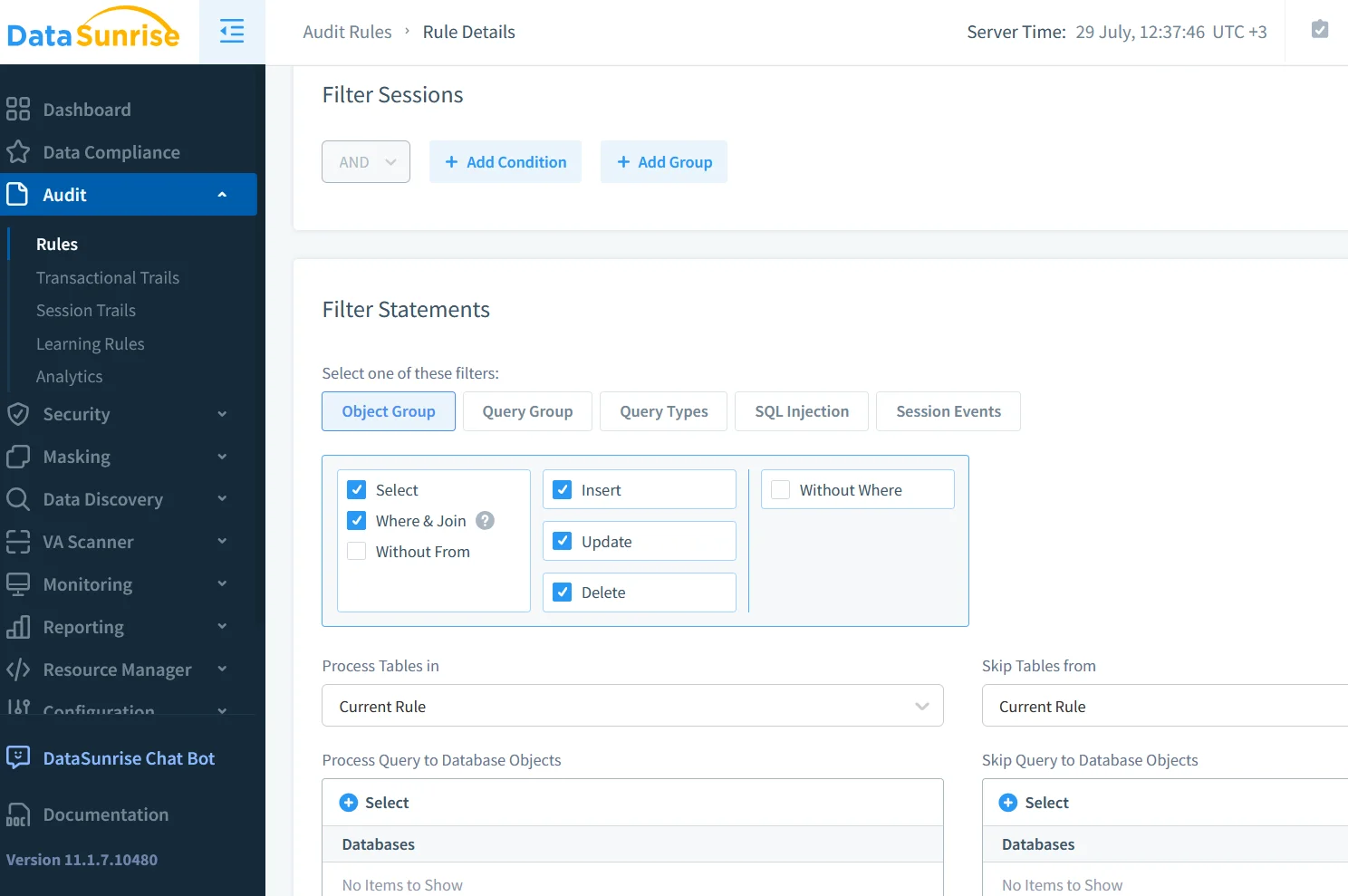
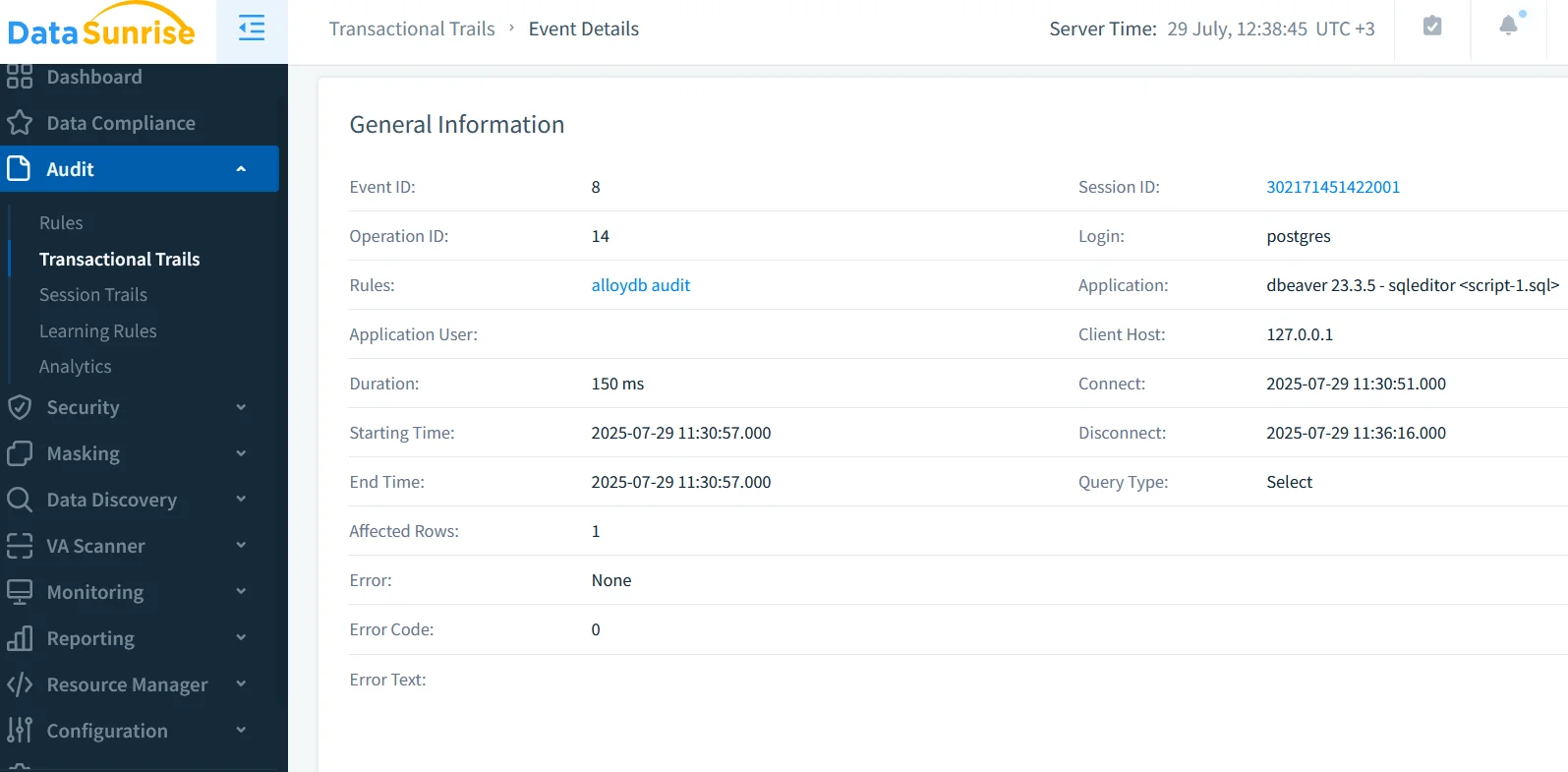
The proxy writes its own structured JSON to Cloud Logging or any downstream SIEM, aligning with AlloyDB formats so you can join datasets on session_id.
Putting It All Together — Sample Query
Below is a BigQuery federation example that merges native and DataSunrise logs, enriches them with a PaLM 2 model, and flags high‑risk data reads:
CREATE TEMP FUNCTION classify(text STRING)
RETURNS STRING
LANGUAGE js AS """
  // Call Vertex AI PaLM2 via remote function
  // (pseudo‑code for brevity)
  return callLLM(text);
""";

WITH native AS (
  SELECT protoPayload.serviceData.statement
  FROM `alloydb_logs.cloudaudit_*`
  WHERE REGEXP_CONTAINS(logName, 'pgAudit')
),
proxy AS (
  SELECT jsonPayload.statement
  FROM `security_proxy.datasunrise_audit_*`
)
SELECT statement,
       classify(statement) AS risk_level
FROM (
  SELECT * FROM native UNION ALL SELECT * FROM proxy
)
WHERE risk_level = 'HIGH';
In practice you would store the GenAI output in a materialized view to power dashboards or automated ticketing.
Conclusion
Database Audit for AlloyDB for PostgreSQL is no longer a passive afterthought—it is an active, AI‑driven control plane. By combining Google Cloud’s built‑in audit streams with DataSunrise’s proxy‑level insights, and layering GenAI summarization on top, security teams gain real‑time situational awareness without drowning in log noise. The result is a streamlined path to continuous compliance and, ultimately, a more resilient data platform.
Looking for next steps? Examine Behavior Analytics for anomaly detection or explore dynamic data masking techniques to start protecting sensitive columns today.
Protect Your Data with DataSunrise
Secure your data across every layer with DataSunrise. Detect threats in real time with Activity Monitoring, Data Masking, and Database Firewall. Enforce Data Compliance, discover sensitive data, and protect workloads across 50+ supported cloud, on-prem, and AI system data source integrations.
Start protecting your critical data today
Request a Demo Download Now