Dynamic Data Masking in Microsoft SQL Server
Protecting sensitive data inside databases is no longer optional. As organizations process personal, financial, and operational data at scale, controlling how that data is exposed becomes critical. This is where dynamic data masking in Microsoft SQL Server plays a key role.
Dynamic data masking (DDM) limits data exposure at query time without modifying the stored values. It allows applications and users to work with realistic datasets while preventing access to sensitive information such as PII, financial records, or credentials. For a deeper overview of masking concepts, see Data Masking and Dynamic Data Masking.
At the same time, Microsoft provides official guidance on implementing masking policies and securing sensitive data in SQL Server, which you can review in the Dynamic Data Masking documentation and broader SQL Server security best practices.
In this article, we examine native SQL Server masking capabilities and then show how DataSunrise extends them with centralized control, automation, and compliance-driven security.
Importance of Dynamic Data Masking
Dynamic data masking plays a critical role in reducing unnecessary exposure of sensitive data while preserving database usability. In many environments, full access to raw data is not required. Analysts, developers, and support teams often need only partial visibility to perform their tasks. Masking ensures they can work efficiently without accessing confidential values.
From a security standpoint, this approach directly supports the principle of least privilege. Instead of restricting entire tables or databases, organizations can control how specific data elements are presented. As a result, sensitive fields such as personal information, financial data, or authentication details remain protected even during routine operations.
Dynamic masking also simplifies compliance efforts. Regulations like GDPR, HIPAA, and PCI DSS require strict control over data access and exposure. By masking sensitive fields in real time, organizations reduce the risk of accidental data leaks and minimize compliance gaps. You can explore how masking supports regulatory alignment in Data Compliance Regulations and broader data security practices.
Another key advantage is operational efficiency. Unlike static masking or data anonymization, dynamic masking does not require creating separate datasets. This eliminates duplication, reduces storage overhead, and ensures that users always interact with up-to-date information.
However, while dynamic data masking improves visibility control, it does not replace other security mechanisms such as encryption, access control, or activity monitoring. Instead, it should be part of a layered security strategy that protects data across different access paths and usage scenarios.
Native Dynamic Data Masking in Microsoft SQL Server
Microsoft SQL Server includes built-in Dynamic Data Masking to restrict how sensitive data appears in query results. Unlike encryption, masking does not protect data at rest. Instead, it enforces presentation-level controls based on user permissions and query execution context.
This makes it particularly useful for applications, reporting tools, and shared environments where users need access to data structures but not to the actual sensitive values.
1. Creating a Masked Table
You define masking rules directly at the column level:
CREATE TABLE Employees (
    ID INT PRIMARY KEY,
    Name NVARCHAR(100),
    Email NVARCHAR(100) MASKED WITH (FUNCTION = 'email()'),
    Phone NVARCHAR(20) MASKED WITH (FUNCTION = 'partial(0,"XXX-XXX-",4)'),
    Salary INT MASKED WITH (FUNCTION = 'default()')
);
SQL Server applies masking transparently during query execution. The original data remains unchanged in storage and is only transformed in the result set returned to the user.
SQL Server supports several masking functions:
- default() – replaces values with fixed placeholders (e.g.,
XXXXor0) - email() – partially hides email addresses while preserving format
- partial() – exposes selected parts of a value while masking the rest
- random() – returns a random number within a defined range
You can also apply masking to existing tables using ALTER TABLE:
ALTER TABLE Employees
ALTER COLUMN Salary ADD MASKED WITH (FUNCTION = 'default()');
This allows incremental adoption without schema redesign.
2. Testing Masked Output
You can verify masking behavior by querying the table with different users:
SELECT * FROM Employees;
Users without UNMASK permission will see obfuscated values, while privileged users will see original data.
To properly test masking, it is recommended to:
- Create a non-privileged test user
- Assign only SELECT permissions
- Execute queries from a separate session
For example:
CREATE USER test_user WITHOUT LOGIN;
GRANT SELECT ON Employees TO test_user;
When impersonating this user:
EXECUTE AS USER = 'test_user';
SELECT Email, Salary FROM Employees;
REVERT;
This approach clearly demonstrates how masking behaves under real access conditions.
3. Granting Access to Unmasked Data
Access control is handled through permissions:
GRANT UNMASK TO analyst_user;
This allows specific roles to bypass masking when necessary.
You can also combine UNMASK with role-based access control to ensure only trusted users (such as auditors or senior analysts) can view full data. Revoking access is equally straightforward:
REVOKE UNMASK FROM analyst_user;
Enhanced Dynamic Data Masking with DataSunrise
While native SQL Server masking provides basic protection at the presentation layer, DataSunrise turns masking into a centralized, adaptive security mechanism. Instead of relying on static column-level rules, it introduces dynamic, context-aware controls that operate consistently across environments and data sources.
DataSunrise deploys Autonomous Compliance Orchestration and Zero-Touch Data Masking to deliver real-time protection with minimal configuration effort. Acting as a Centralized Data Compliance Platform, it extends SQL Server masking into a unified security framework that aligns with modern compliance requirements and multi-platform architectures.
1. Unified Security Framework Across Platforms
DataSunrise does not limit masking to a single database instance. It provides a unified control layer across SQL Server and more than 50 supported platforms, allowing organizations to standardize their approach to sensitive data protection.
In practice, this means masking policies remain consistent across heterogeneous environments. Security teams no longer need to duplicate configurations or maintain separate rule sets for each system. Instead, they gain centralized visibility into how sensitive data is accessed and exposed, which simplifies governance and reduces operational complexity.
2. Auto-Discover & Mask Sensitive Data
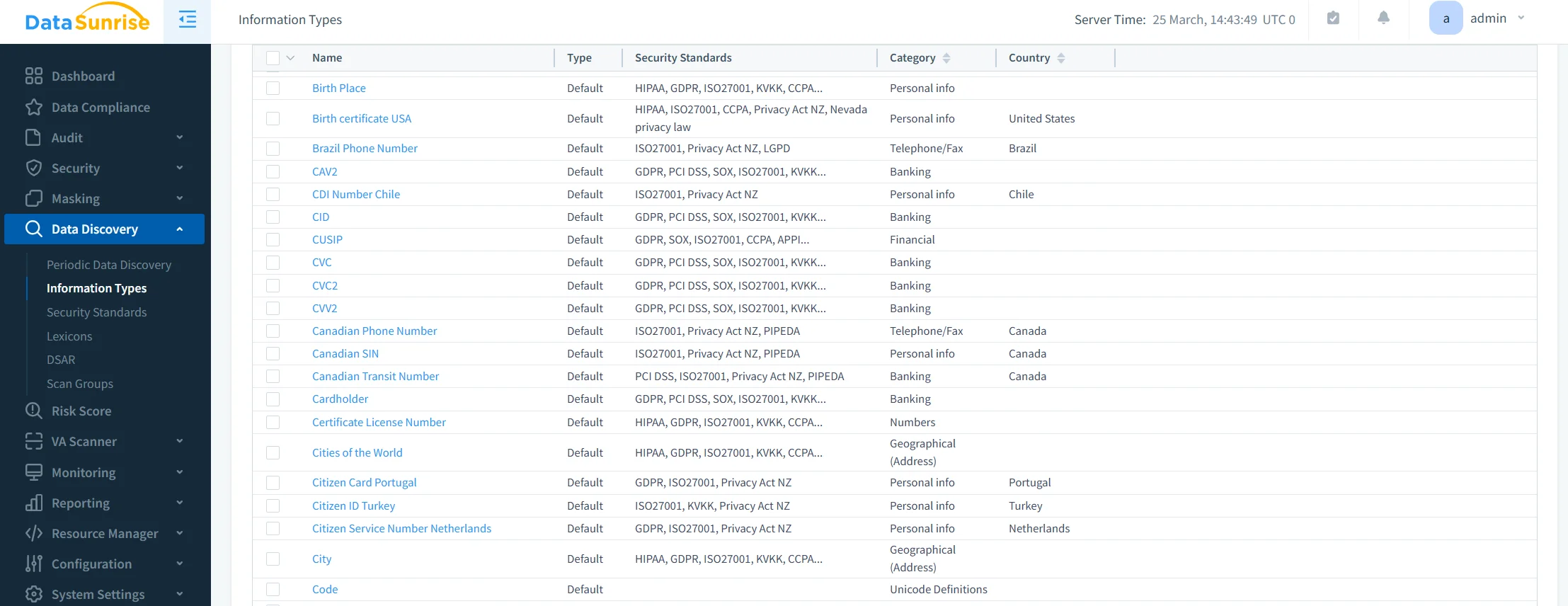
Unlike native SQL Server masking, which requires manual column-level configuration, DataSunrise introduces Auto-Discover & Mask capabilities that significantly reduce setup effort.
The platform automatically identifies sensitive data such as PII, financial records, and credentials. It then classifies this data and applies appropriate masking policies without requiring manual mapping. As a result, organizations minimize the risk of overlooking critical fields while accelerating deployment.
3. Behavior-Aware and Context-Aware Masking
DataSunrise enhances masking with behavior-aware logic that adapts dynamically to real-world usage. Instead of applying the same masking rule universally, it evaluates context at runtime.
Masking decisions can depend on user roles, access privileges, query patterns, and even session attributes such as IP address. This ensures that data exposure is adjusted based on risk level, delivering context-aware protection that aligns with actual access scenarios rather than predefined assumptions.
4. Machine Learning Audit Rules and Adaptive Policies
To further strengthen protection, DataSunrise integrates Machine Learning Audit Rules into its masking framework. These rules continuously analyze database activity and identify unusual or suspicious access patterns.
Based on this analysis, masking policies can adapt over time. This creates a feedback loop between monitoring and enforcement, where protection evolves alongside user behavior. Instead of static configurations, organizations benefit from adaptive policies that respond to emerging risks.
5. Cross-Cloud Governance and Flexible Deployment
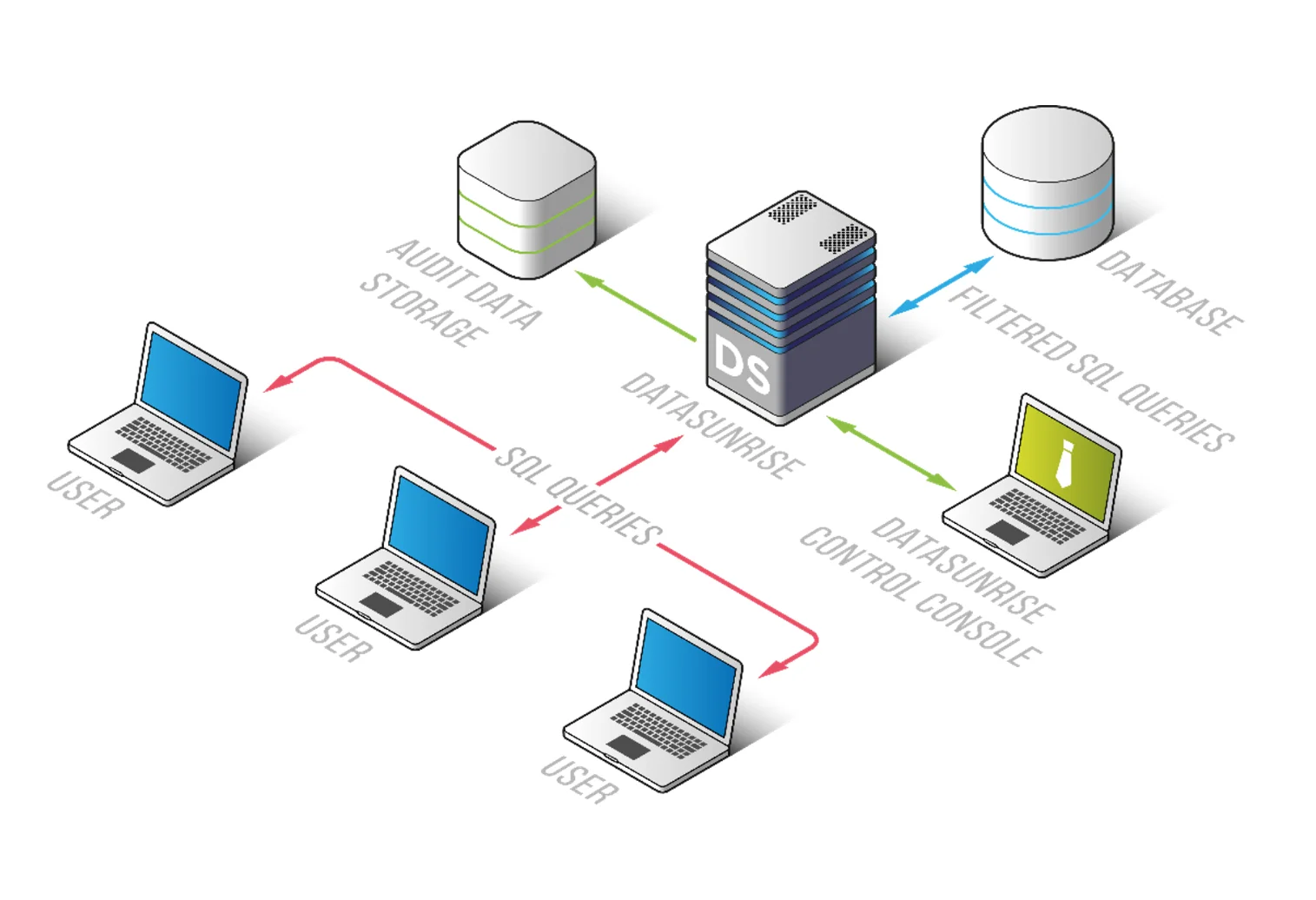
Modern infrastructures rarely operate within a single environment. DataSunrise addresses this by enabling Cross-Cloud Governance, allowing masking policies to function seamlessly across on-premise deployments, cloud platforms such as AWS and Azure, and hybrid setups.
At the same time, its non-intrusive deployment modes—proxy, sniffer, and log-based—allow integration without modifying database engines. This approach reduces implementation risk and enables faster adoption without disrupting existing systems.
6. Audit-Ready Reporting and Compliance Alignment
Masking in DataSunrise is closely tied to compliance workflows. Through Audit-Ready Reporting, organizations can generate detailed evidence of how sensitive data is protected and accessed.
This includes one-click reporting for regulatory frameworks such as GDPR, HIPAA, PCI DSS, and SOX, along with full traceability of both masked and unmasked data access. As a result, masking becomes more than a technical safeguard—it becomes a measurable and auditable component of a broader compliance strategy.
Business Impact of Dynamic Data Masking
| Benefit | Description |
|---|---|
| Risk Reduction | Prevents exposure of sensitive data in real-time by limiting visibility of critical fields, supporting broader Data Security strategies |
| Compliance Efficiency | Aligns masking with GDPR, HIPAA, PCI DSS automatically, simplifying adherence to Data Compliance Regulations |
| Operational Simplicity | Eliminates manual rule management through automation and centralized control, reducing overhead in Database Activity Monitoring workflows |
| Data Accessibility | Enables safe use of production-like data while protecting sensitive values with Dynamic Data Masking |
| Cost Optimization | Reduces the need for separate masked environments, lowering infrastructure and maintenance costs |
Conclusion
Dynamic data masking in Microsoft SQL Server provides a solid baseline for protecting sensitive data at query time. However, its static nature and lack of centralized control limit its effectiveness in modern environments.
DataSunrise transforms masking into an autonomous, enterprise-grade security layer. With Zero-Touch Data Masking, Compliance Autopilot, and Unified Security Framework, it eliminates compliance gaps while reducing operational overhead. Its capabilities align closely with broader Dynamic Data Masking strategies and extend into full-scale Data Compliance management.
Unlike solutions that require constant tuning, DataSunrise delivers continuous, adaptive protection across hybrid environments, ensuring both security and usability at scale. At the same time, integration with Data Audit processes ensures full visibility into how sensitive data is accessed and protected.
To explore how dynamic masking can evolve from a basic feature into a full compliance strategy, consider testing DataSunrise in your SQL Server environment.
Protect Your Data with DataSunrise
Secure your data across every layer with DataSunrise. Detect threats in real time with Activity Monitoring, Data Masking, and Database Firewall. Enforce Data Compliance, discover sensitive data, and protect workloads across 50+ supported cloud, on-prem, and AI system data source integrations.
Start protecting your critical data today
Request a Demo Download Now