Elasticsearch Audit Log

Modern enterprises rely heavily on Elasticsearch for search, analytics, and data visualization across distributed systems. With its role in handling large-scale datasets, implementing a proper audit log strategy in Elasticsearch becomes crucial. It not only enhances visibility into user activity but also strengthens compliance, governance, and incident response workflows.
Elasticsearch provides native audit logging through the X-Pack security module, which records security-related events such as authentication, role assignments, and index access attempts. These audit logs form a critical layer of accountability within large clusters handling sensitive data.
This article explores how to configure native Elasticsearch audit logs and how DataSunrise extends these capabilities with centralized monitoring, compliance automation, and cross-database visibility.
What is Audit Log?
An audit log is a detailed, chronological record of system activities that captures who performed an action, when it occurred, what was affected, and whether the operation succeeded or failed. In the context of databases and search systems like Elasticsearch, audit logs serve as an essential component of data security and compliance management.
Audit logs provide organizations with visibility into user and system interactions, helping to detect unauthorized access, trace data changes, and maintain accountability. These logs are especially valuable for meeting regulatory standards such as GDPR, HIPAA, and SOX, which require clear documentation of data access and processing activities.
In Elasticsearch, audit logs track authentication events, permission grants or denials, index modifications, and query executions—allowing administrators to reconstruct the full context of any event for compliance or forensic investigations. Proper management and analysis of audit logs ensure data integrity, transparency, and continuous protection of sensitive assets.
Native Elasticsearch Audit Logging
The native Elasticsearch audit logging system captures security events related to user actions, authentication, authorization, and access control decisions. It provides a chronological trail of operations that can be analyzed to detect unauthorized activities or misconfigurations.
Enabling Audit Logging
Audit logging is part of the X-Pack Security module. To enable it, update your Elasticsearch configuration file (elasticsearch.yml):
xpack.security.audit.enabled: true
xpack.security.audit.logfile.events.include: ["authentication_success", "authentication_failed", "access_granted", "access_denied"]
xpack.security.audit.logfile.prefix: "elasticsearch_audit"
xpack.security.audit.logfile.rollover: daily
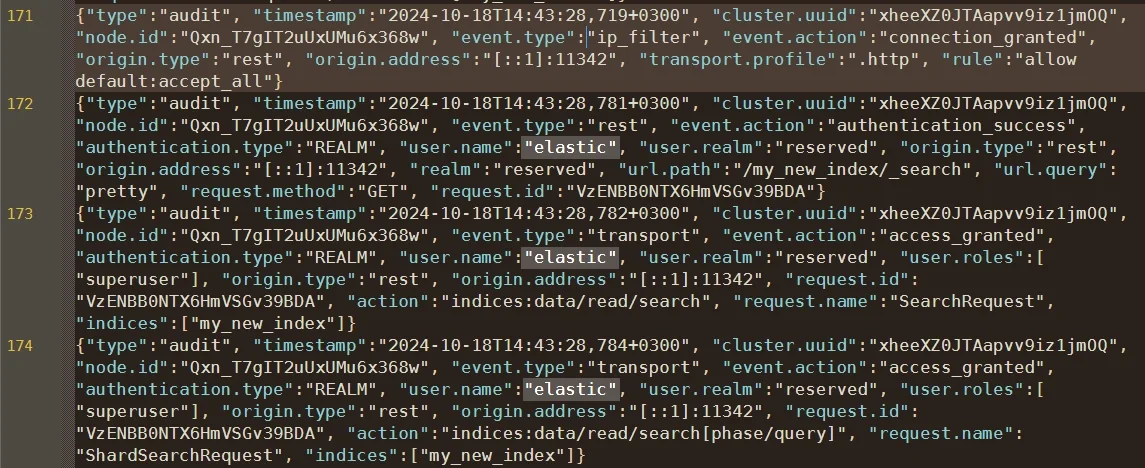
Restart Elasticsearch after saving the configuration. Once activated, audit logs are written to the default path:
/var/log/elasticsearch/audit.log
These entries include timestamps, users, roles, request types, source IPs, and results—providing detailed traceability for every action.
Filtering and Customization
You can refine which events Elasticsearch records by editing include and exclude fields:
xpack.security.audit.logfile.events.exclude: ["run_as_granted", "anonymous_access_denied"]
Additionally, audit indices can be shipped to Elastic Stack or external systems using Logstash or Beats for centralized analysis.
- You can configure Logstash pipelines to filter audit events and route them to SIEM or analytics tools for correlation.
- Filebeat modules can continuously collect and forward Elasticsearch audit logs to Kibana dashboards for visualization.
- Administrators may integrate audit data with external platforms like Splunk or Graylog for cross-system monitoring.
- It is recommended to define separate retention policies and rollover intervals for audit indices to prevent storage overload and maintain performance.
These customization options make the Elasticsearch audit logging system adaptable to diverse environments, ensuring scalability and detailed observability.
Enhanced Elasticsearch Audit Management with DataSunrise
While Elasticsearch’s built-in audit logging provides foundational visibility, enterprise environments often demand more—especially when compliance, real-time analytics, and cross-database security come into play. This is where DataSunrise extends Elasticsearch’s native capabilities.
Comprehensive Audit Coverage
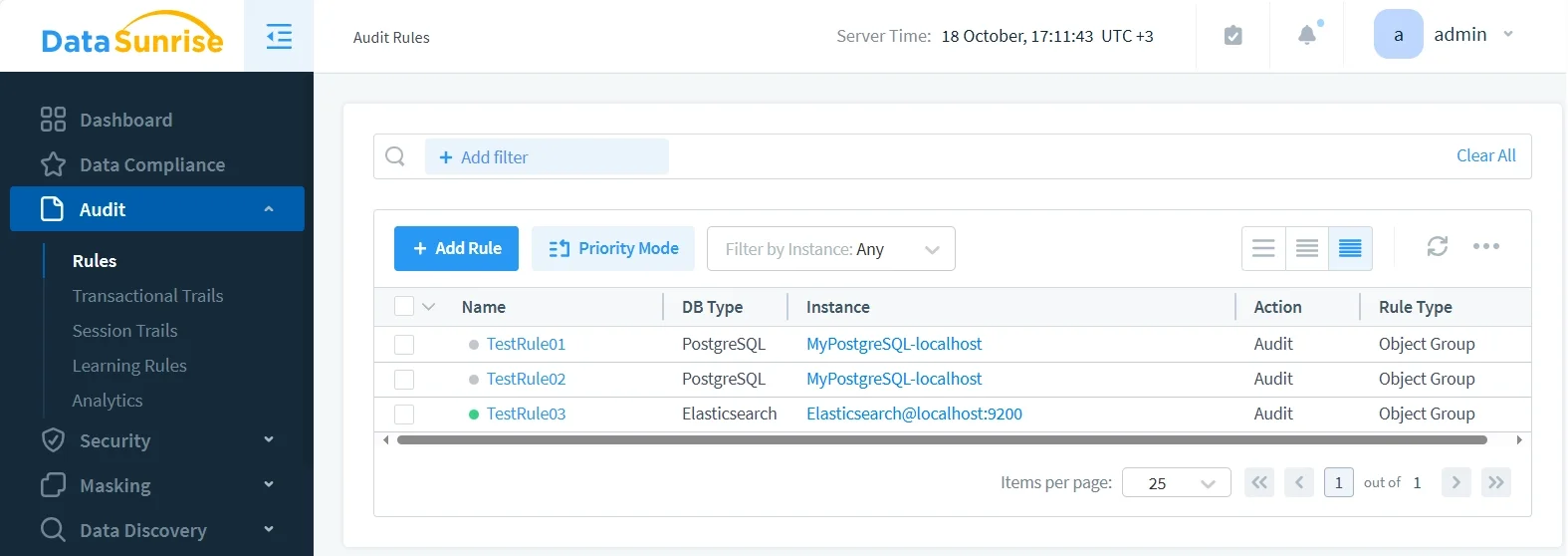
DataSunrise Audit Rules allow administrators to define what should be monitored and at what granularity. This includes query patterns, index-level access, and sensitive field reads, across all connected databases and search engines—not just Elasticsearch.
Centralized Monitoring and Analytics
Through its Database Activity Monitoring module, DataSunrise aggregates Elasticsearch audit logs together with audit data from relational, NoSQL, and data warehouse systems. This enables unified security policy enforcement and streamlined compliance review across your entire data infrastructure.
- Consolidates audit logs from Elasticsearch, PostgreSQL, MySQL, MongoDB, and other supported databases into one dashboard.
- Provides cross-database correlation to trace actions that span multiple systems and services.
- Supports custom filters and search queries for faster forensic analysis.
- Allows exporting of historical reports for auditors and compliance teams.
Administrators can visualize access trends, isolate anomalies, and generate automated reports for frameworks like GDPR, HIPAA, SOX, and PCI DSS.
Real-Time Alerts and Threat Detection
DataSunrise offers integrated real-time notification mechanisms and behavioral analytics powered by machine learning. When it detects suspicious actions—like mass index deletions or unauthorized access attempts—it triggers alerts through Slack, email, or SIEM integrations.
- Monitors behavioral baselines and flags abnormal query activity automatically.
- Identifies privilege escalation and brute-force login attempts in real time.
- Supports customizable alert thresholds for different event types and data sensitivity levels.
- Integrates directly with enterprise security tools, ensuring timely responses to threats.
This provides a proactive security posture that surpasses the reactive nature of Elasticsearch’s static audit logs.
Compliance Autopilot
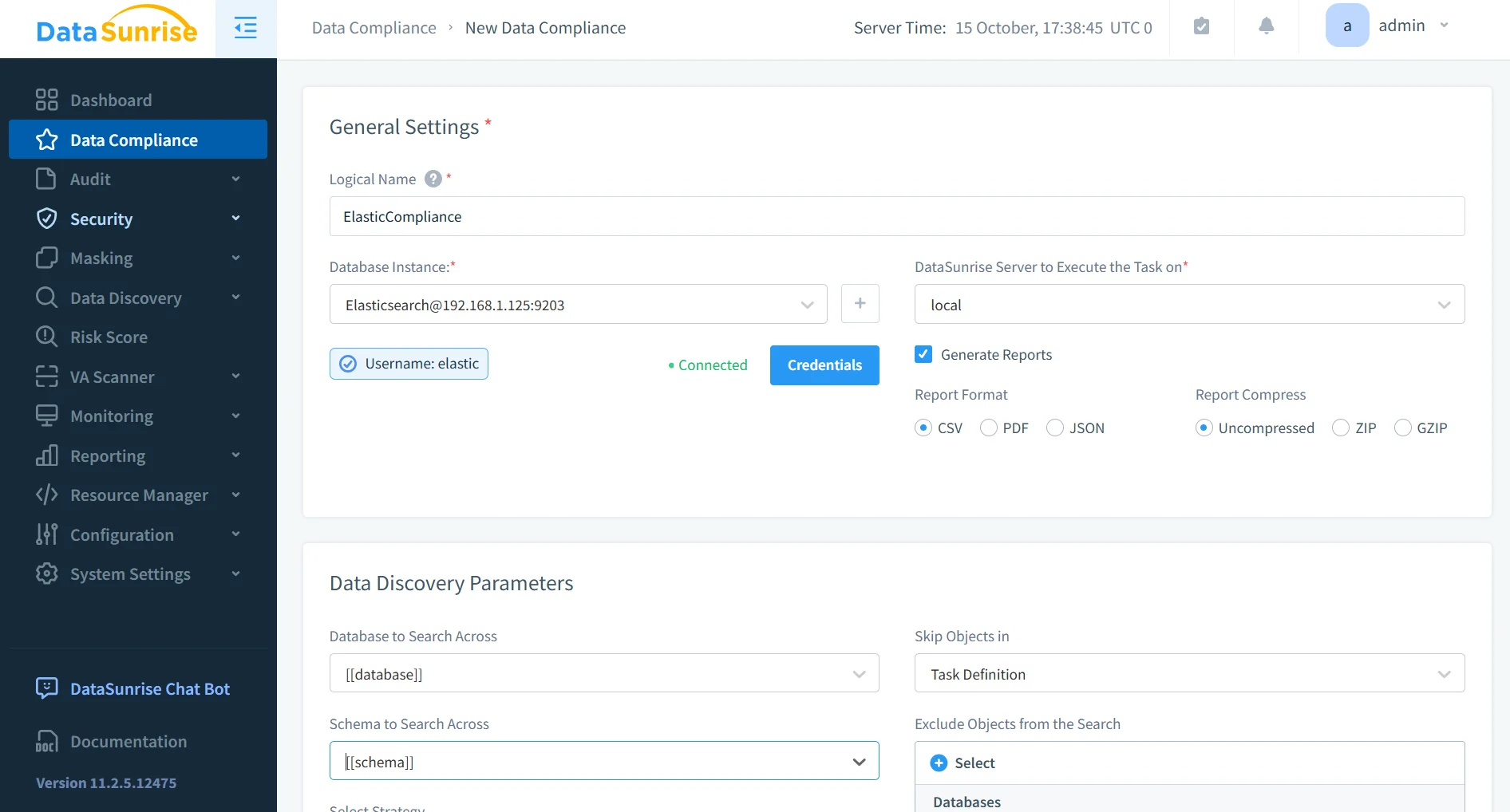
Using Compliance Manager, DataSunrise continuously validates that Elasticsearch configurations, audit trails, and access policies remain aligned with regulatory frameworks. Automated scans identify compliance drift and produce audit-ready reports with zero manual intervention.
Business Impact
Adopting an integrated Elasticsearch audit strategy with DataSunrise provides measurable operational and compliance benefits:
| Objective | Business Outcome |
|---|---|
| Regulatory Readiness | Continuous compliance with GDPR, HIPAA, and PCI DSS through automated evidence collection. |
| Operational Efficiency | Reduced manual workload with centralized dashboards and rule-based audit automation. |
| Threat Detection | Real-time anomaly identification using ML-driven behavioral analytics. |
| Cross-Platform Governance | Uniform security and compliance posture across Elasticsearch, SQL, and NoSQL databases. |
| Data Protection | Reinforced accountability and visibility into sensitive data access patterns. |
Conclusion
Elasticsearch’s native audit logging system is effective for foundational tracking of authentication and access events. However, as data environments scale, the need for comprehensive audit visibility, real-time monitoring, and compliance automation becomes essential.
DataSunrise complements Elasticsearch by providing enterprise-grade auditing, centralized monitoring, and compliance intelligence. Through features like machine-learning-driven anomaly detection, real-time alerts, and automated reporting, it turns audit data into actionable insights.
For related topics, explore Database Activity History, Audit Trails, Data Protection, Database Firewall, and Security Policies.
Protect Your Data with DataSunrise
Secure your data across every layer with DataSunrise. Detect threats in real time with Activity Monitoring, Data Masking, and Database Firewall. Enforce Data Compliance, discover sensitive data, and protect workloads across 50+ supported cloud, on-prem, and AI system data source integrations.
Start protecting your critical data today
Request a Demo Download Now