Google Cloud SQL Audit Tools
Introduction
Database auditing is the process of recording and analyzing activity in a database to answer key security and compliance questions: Who accessed the data? What did they do? When and from where did they do it? Audit tools make this possible by capturing events such as logins, queries, schema changes, and modifications to sensitive information.
In cloud-hosted environments like Google Cloud SQL, these tools are essential for organizations operating in regulated industries, handling sensitive customer data, or maintaining strict internal security policies. Whether you run production systems for finance, healthcare, e-commerce, or government workloads, audit capabilities help detect suspicious behavior, demonstrate compliance with frameworks such as GDPR or HIPAA, and provide evidence during investigations.
We’ll look at the range of audit tools available for Google Cloud SQL, from built-in Google Cloud services and database-native features to advanced third-party platforms. Understanding how these layers work together will help you design an audit strategy that meets both operational requirements and regulatory obligations.
Platform-Level Audit Tools
Google Cloud provides several native services that act as your first line of audit visibility.
Using Cloud Audit Logs
This service records administrative actions, API calls, and system events related to your Cloud SQL instances.
It also captures who accessed a resource, from where, and what action they took.
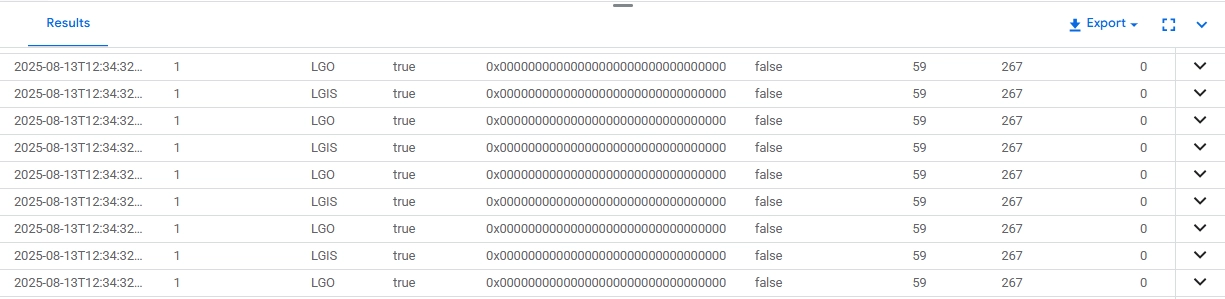
Native logging output capturing raw audit event details for a Cloud SQL database, including timestamps, event types, and result codes.
Logs Explorer in Cloud Logging
The interface lets you search, filter, and analyze audit logs in a web-based environment.
You can also build custom queries for deeper investigations.
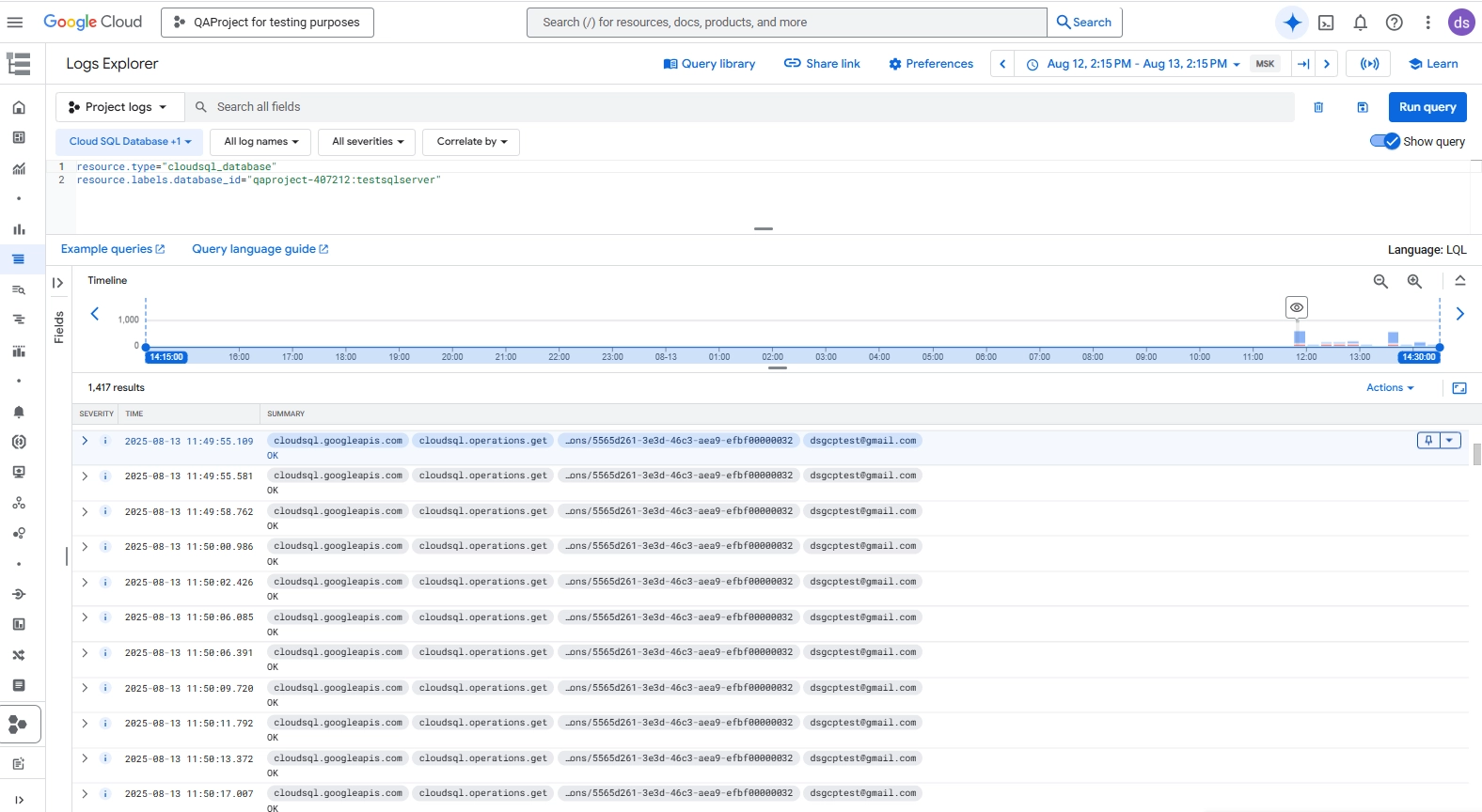
Google Cloud Logs Explorer showing Cloud SQL operational logs filtered by database instance, with details on executed API calls and user accounts.
Alerting with Cloud Monitoring
Users can set up alerts on custom metrics derived from Cloud SQL audit logs (e.g., failed logins or specific error codes).
Alert notifications integrate with email, Slack, or other channels.
Database-Native Audit Tools
Each supported Cloud SQL engine comes with its own auditing features. These tools capture activity from within the database environment.
| Engine | Audit Tools | Example Use |
|---|---|---|
| MySQL | general_log for all queries, slow_query_log for performance issues |
Tracking query execution patterns |
| PostgreSQL | pg_audit for detailed statements, pg_stat_statements for statistics |
Monitoring schema changes |
| SQL Server | SQL Server Audit with server- and database-level specifications | Recording access to sensitive tables |
Example: Capturing Changes to Sensitive Data
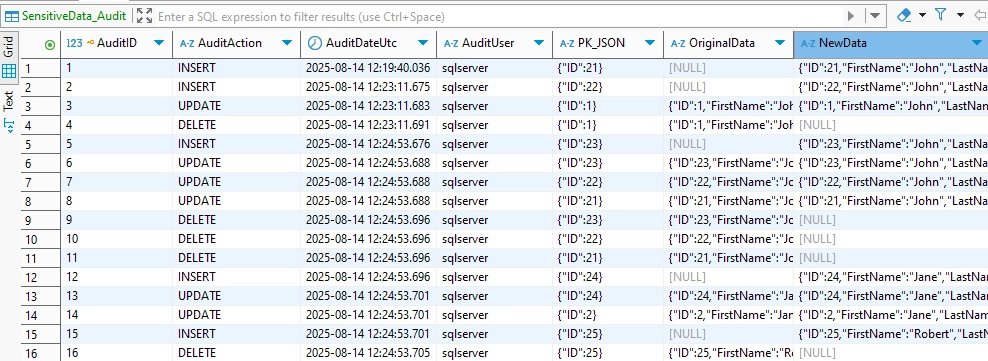
In SQL Server, you can log changes to sensitive tables by creating an audit specification that tracks INSERT, UPDATE, and DELETE operations. This example assumes you already have an audit table like SensitiveData_Audit to store activity:
CREATE TRIGGER trg_AuditSensitiveData
ON dbo.Customers
AFTER INSERT, UPDATE, DELETE
AS
BEGIN
    SET NOCOUNT ON;

    INSERT INTO dbo.SensitiveData_Audit (AuditAction, AuditDateUtc, AuditUser, PK_JSON, OriginalData, NewData)
    SELECT
        CASE
            WHEN EXISTS(SELECT * FROM inserted) AND EXISTS(SELECT * FROM deleted) THEN 'UPDATE'
            WHEN EXISTS(SELECT * FROM inserted) THEN 'INSERT'
            ELSE 'DELETE'
        END,
        SYSUTCDATETIME(),
        SUSER_SNAME(),
        (SELECT ID FROM deleted FOR JSON AUTO),
        (SELECT * FROM deleted FOR JSON AUTO),
        (SELECT * FROM inserted FOR JSON AUTO);
END;
This trigger records the action type, timestamp, user, primary key values, and the before-and-after data snapshots into the audit table.
Extended Audit Tooling: DataSunrise
DataSunrise is a database security and compliance platform designed to monitor, protect, and manage data across more than 40 database systems, including Google Cloud SQL. It operates as a proxy between your applications and databases, allowing it to inspect, log, and enforce security policies on every query in real time.
While native and platform tools provide strong coverage, they have gaps — such as limited real-time alerts, no built-in masking, and manual compliance reporting. DataSunrise closes these gaps with advanced, policy-driven audit capabilities that enhance visibility, strengthen data protection, and simplify compliance.
| Feature | Native Tools | DataSunrise |
|---|---|---|
| Activity Logging | Yes | Yes, with granular filtering |
| Real-Time Alerts | No | Yes |
| Data Masking | No | Yes – dynamic and static |
| Compliance Reporting | Manual | Automated (GDPR, HIPAA, PCI DSS, SOX) |
| Cross-Instance View | Limited | Centralized dashboard |
| Log Analytics | Export required | Built-in with filtering and correlation |
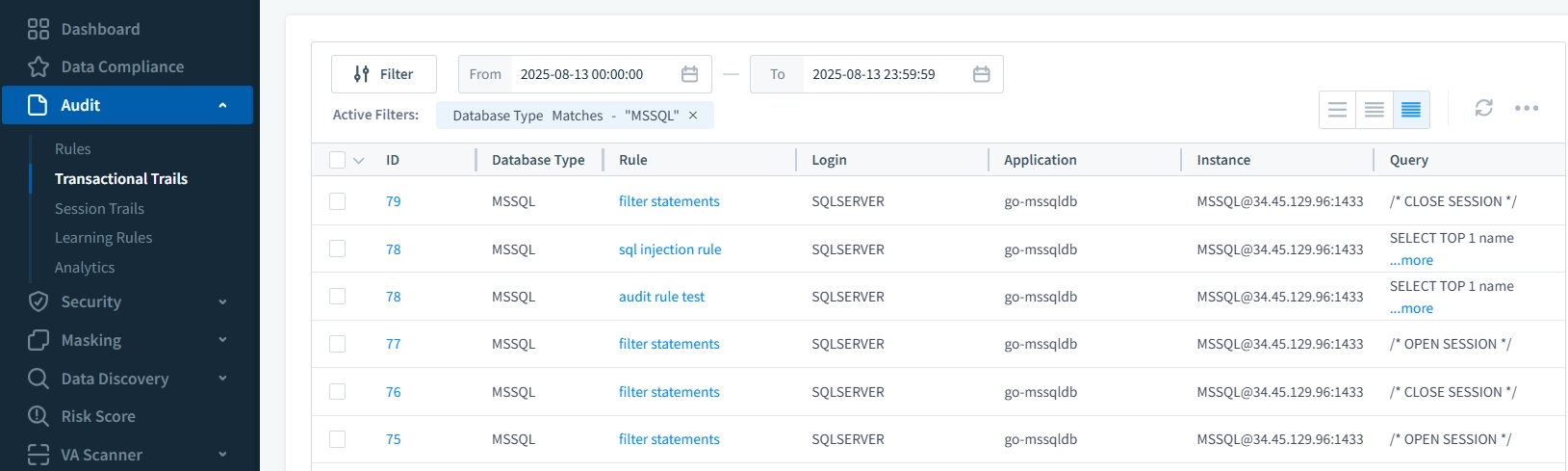
Beyond the numbers, DataSunrise transforms database auditing from a passive record into an active security layer. Using granular audit rules, you can monitor only the events that matter — such as specific tables, query types, or users — while filtering out noise.
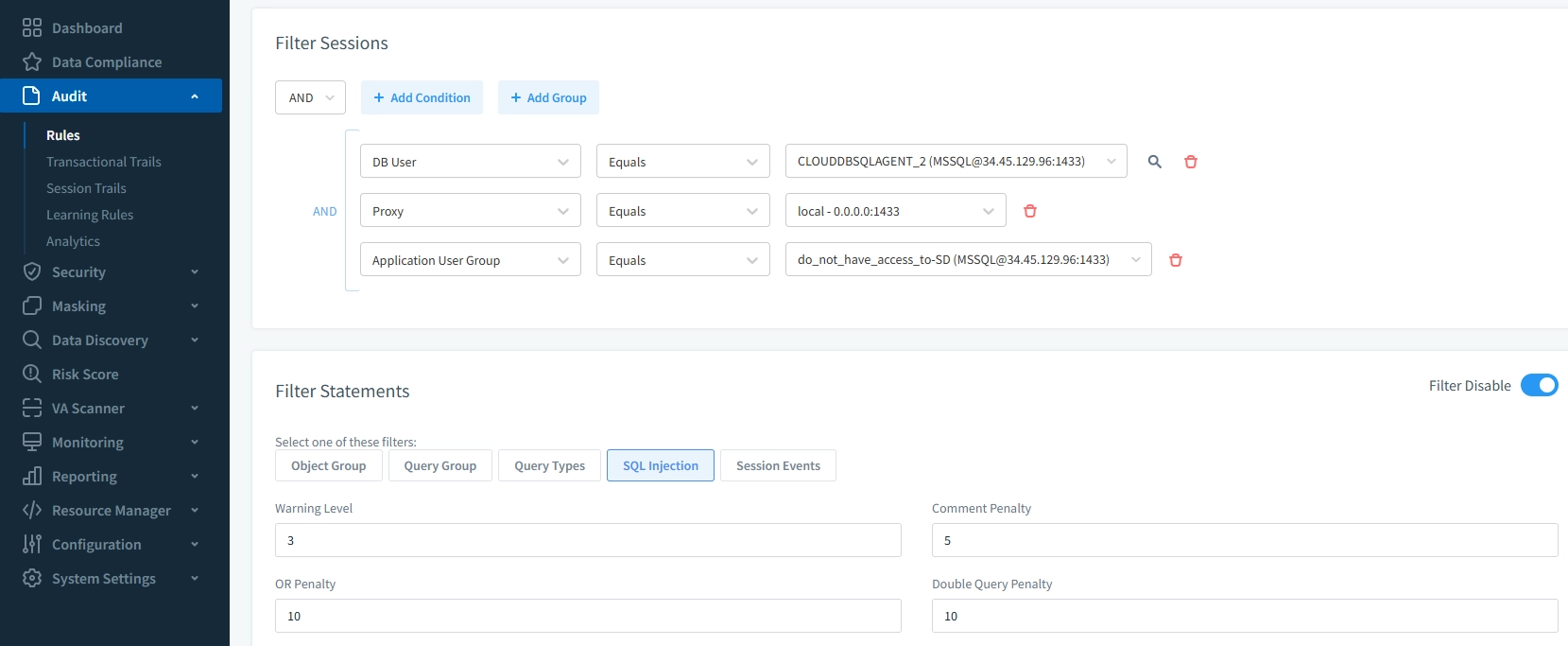
Real-time monitoring ensures suspicious queries or failed logins trigger alerts instantly rather than being discovered during a later review.
For sensitive data, dynamic data masking ensures that unauthorized viewers never see actual values in logs or query results. And when it comes to audits, automated compliance reporting produces GDPR, HIPAA, PCI DSS, and SOX reports in minutes — eliminating the need for tedious manual compilation.
Conclusion
Google Cloud SQL Audit Tools form an ecosystem, not a single feature. You can achieve effective auditing by combining platform-level monitoring from Cloud Audit Logs, Logging, and Monitoring with database-native auditing for deep visibility inside the database. Add DataSunrise enhancements for advanced control, security, and compliance, and the result is a comprehensive audit framework that strengthens security, reduces compliance overhead, and improves operational awareness.
Protect Your Data with DataSunrise
Secure your data across every layer with DataSunrise. Detect threats in real time with Activity Monitoring, Data Masking, and Database Firewall. Enforce Data Compliance, discover sensitive data, and protect workloads across 50+ supported cloud, on-prem, and AI system data source integrations.
Start protecting your critical data today
Request a Demo Download Now