Google Cloud SQL Data Activity History
Introduction
A Google Cloud SQL Data Activity History records every relevant interaction with your database — from logins and queries to schema changes and permission updates. For organizations running SQL Server on Google Cloud SQL, this history is a critical tool for security, compliance, and operational oversight.
While SQL Server includes native auditing features for logging data activity, pairing them with a platform like DataSunrise extends visibility, adds real-time monitoring, and enables dynamic data masking. This combination turns static audit records into actionable intelligence.
How Google Cloud SQL and SQL Server Work Together
Google Cloud SQL is a fully managed relational database service that supports multiple engines, including MySQL, PostgreSQL, and Microsoft SQL Server. When you choose SQL Server on Google Cloud SQL, you’re running the familiar SQL Server database engine within Google’s managed infrastructure.
This means you benefit from:
- Google Cloud’s management layer — automated backups, high availability, security patching, storage scaling, and VPC-based networking.
- SQL Server’s full feature set — including SQL Server Audit, role-based access control, and transaction logging.
For database auditing, this combination allows you to use SQL Server’s built-in tools for capturing detailed activity history, while also leveraging Google Cloud services like Cloud Storage or BigQuery for storing and analyzing audit logs.
Native Capabilities in Google Cloud SQL
Google Cloud SQL is a managed database service — it handles infrastructure, networking, backups, and high availability for you. When you run SQL Server on Google Cloud SQL, you still get access to SQL Server’s built-in security and auditing tools, but with the added benefits of Google’s managed environment (automatic patching, storage integration, IAM-based access control).
SQL Server’s Native Auditing Features
Regardless of where SQL Server is hosted, its native audit system provides:
- Server Audits — Define where and how audit logs are stored (
TO FILE,TO APPLICATION_LOG). - Audit Specifications — Control what gets logged at the server or database level (logins, data modifications, schema changes).
- Action Groups — Predefined categories of events (e.g.,
FAILED_LOGIN_GROUP,DATABASE_OBJECT_ACCESS_GROUP). - Audit Functions — Such as
sys.fn_get_audit_filefor reading stored audit data. - Integration Options — Logs can be stored locally or sent to external systems for correlation.
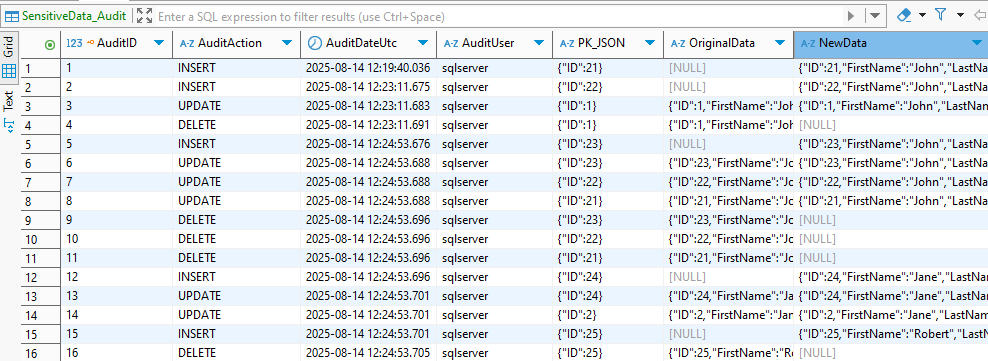
In Google Cloud SQL, these capabilities work the same way as on-premises or self-managed SQL Server, but storage paths and network access rules are managed by Google. This means you can still create server- and database-level audits while benefiting from Cloud SQL’s operational automation.
Example: Creating a Server Audit
CREATE SERVER AUDIT DataActivityHistory
TO FILE (
    FILEPATH = '/var/opt/mssql/audit/',
    MAXSIZE = 256 MB,
    MAX_ROLLOVER_FILES = 50
)
WITH (
    QUEUE_DELAY = 1000,
    ON_FAILURE = CONTINUE
);

ALTER SERVER AUDIT DataActivityHistory WITH (STATE = ON);
Database Audit Specification Example
Monitor all reads on a sensitive table:
CREATE DATABASE AUDIT SPECIFICATION AuditTransactions
FOR SERVER AUDIT DataActivityHistory
ADD (SELECT ON dbo.transactions BY public)
WITH (STATE = ON);
Querying Audit Files
SELECT TOP (200)
    event_time,
    server_principal_name,
    database_name,
    statement
FROM sys.fn_get_audit_file('/var/opt/mssql/audit/*', NULL, NULL)
ORDER BY event_time DESC;
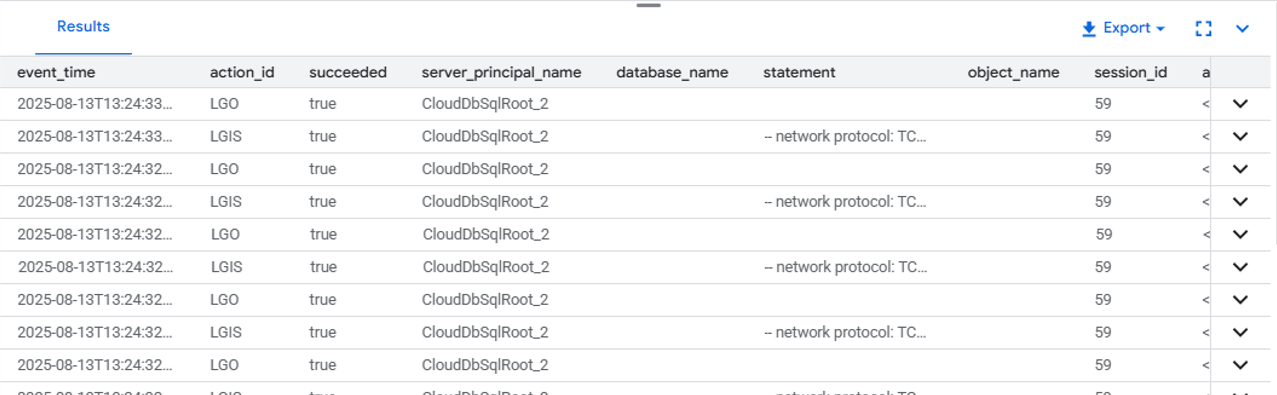
These commands let you capture SELECT, INSERT, UPDATE, and DELETE events, as well as schema and permission changes.
Limitations of Native Logging
| Limitation | Impact |
|---|---|
| No real-time alerts | Security teams must check logs manually, delaying detection and response. |
| Sensitive data exposure | Query text may contain PII or PHI in plain form, creating compliance risks. |
| No cross-instance correlation | Activity across multiple Cloud SQL instances is siloed, making correlation harder. |
| Minimal visual analytics | Lacks dashboards and interactive filtering for rapid investigation. |
| Manual reporting | No built-in compliance-ready reporting; requires extra processing. |
Enhancing Data Activity History with DataSunrise
DataSunrise is a database security, compliance, and monitoring platform that works with over 40 SQL, NoSQL, and cloud data storage systems. It acts as a proxy between your applications and databases, enabling real-time activity monitoring, dynamic and static data masking, sensitive data discovery, and granular auditing — all without requiring intrusive changes to your existing infrastructure.
In the context of Google Cloud SQL with SQL Server, DataSunrise enhances native auditing by adding centralized visibility, intelligent alerting, role-based masking, and automated compliance reporting.
| Key Enhancement | Benefit |
|---|---|
| Granular Audit Rules | Monitor only specific users, IP ranges, query types, or objects to reduce log noise. |
| Real-Time Alerts | Receive instant notifications for suspicious logins or unusual query patterns. |
| Dynamic Data Masking | Conceal sensitive data in query results for unauthorized users without changing stored data. |
| Centralized Monitoring Dashboard | View and analyze events from all monitored Cloud SQL instances in one interface. |
| Data Discovery Integration | Automatically detects new sensitive objects and expands audit coverage. |
| Automated Compliance Reporting | Generate GDPR, HIPAA, PCI DSS, and SOX reports instantly. |
Example: Setting Up Data Activity Monitoring in DataSunrise
Connect Your Instance
Add your Google Cloud SQL (SQL Server) database in the DataSunrise dashboard.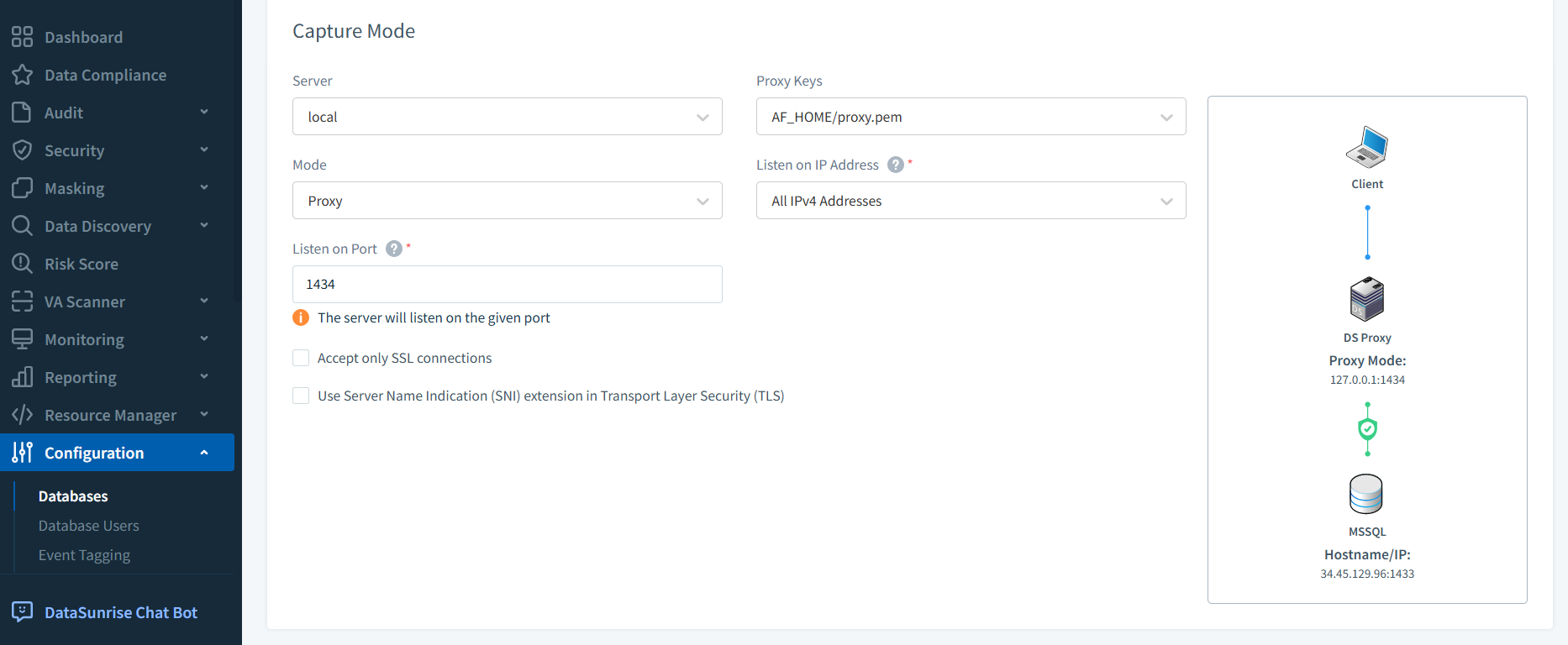
DataSunrise interface during setup of a new Microsoft SQL Server database instance for monitoring, with connection parameters and authentication details. Create an Audit Rule
Target a sensitive table liketransactionsand choose the event types (SELECT,UPDATE,DELETE,INSERT).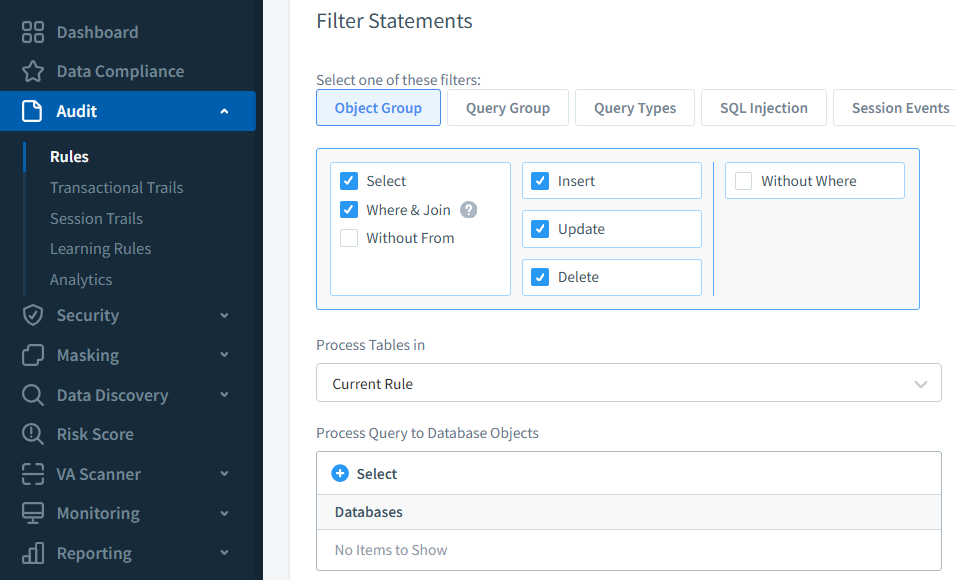
DataSunrise audit rule creation window, allowing selection of database objects, query types, and filtering conditions to capture specific SQL Server events.. Filter Sessions
Limit auditing to specific IP ranges, usernames, or applications.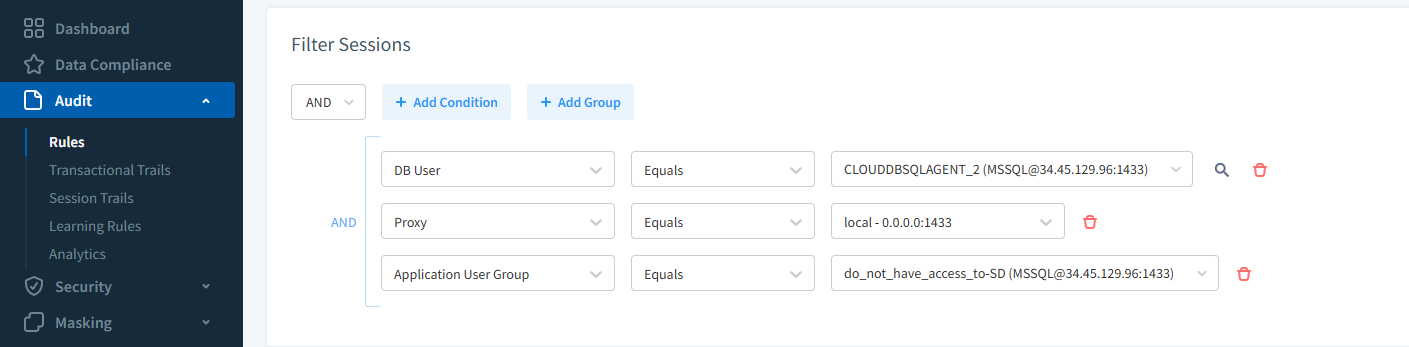
Audit rule configuration in DataSunrise with filters applied to track sessions from specific usernames or IP ranges, refining the scope of captured SQL activity. Enable Alerts
Configure notifications via email, Slack, or a SIEM integration.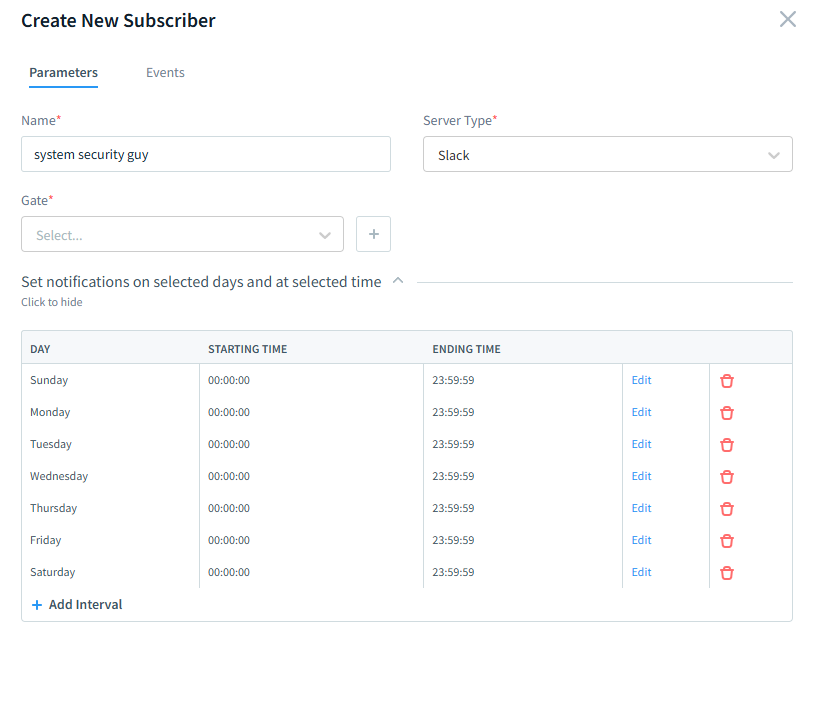
Subscriber creation form in DataSunrise, enabling email or external service notifications for audit events matching defined rules in a SQL Server environment. Review in Transactional Trails
See every captured query with full metadata: timestamp, user, object, and SQL text.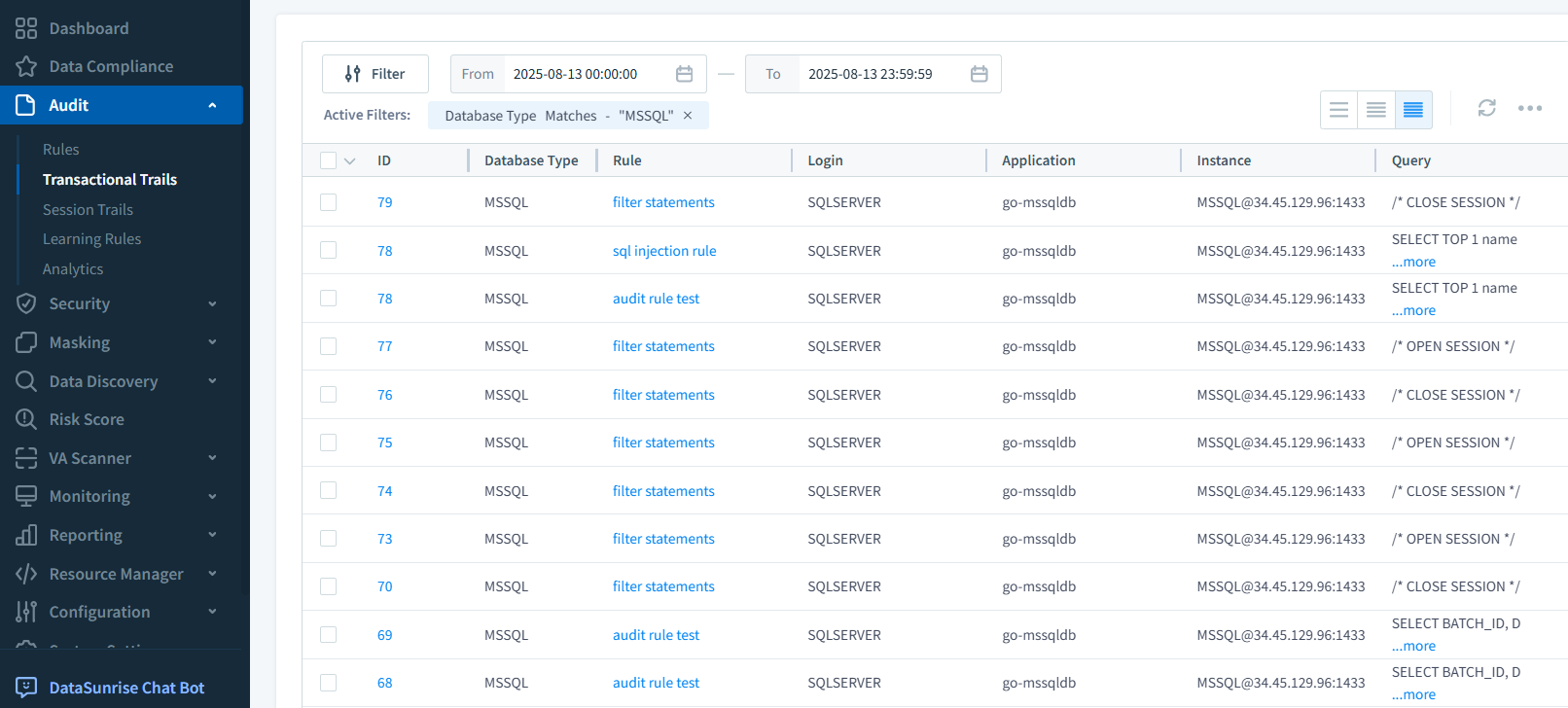
DataSunrise Transactional Trails dashboard showing a filtered list of SQL Server queries captured by audit rules, including timestamps, users, and accessed objects.
Best Practices
- Deploy SQL Server and DataSunrise in the same VPC to minimize latency and improve security.
- Store audit logs in Cloud Storage with lifecycle rules for automatic archiving.
- Restrict log access with IAM roles.
- Run regular data discovery scans to update audit scopes.
- Integrate logs with SIEM or BigQuery for anomaly detection and trend analysis.
Conclusion
A well-implemented Google Cloud SQL Data Activity History strategy combines SQL Server’s native audit capabilities with DataSunrise’s advanced monitoring, masking, and compliance automation. This layered approach improves your security posture, reduces compliance overhead, and provides clear visibility into every important database event.
Protect Your Data with DataSunrise
Secure your data across every layer with DataSunrise. Detect threats in real time with Activity Monitoring, Data Masking, and Database Firewall. Enforce Data Compliance, discover sensitive data, and protect workloads across 50+ supported cloud, on-prem, and AI system data source integrations.
Start protecting your critical data today
Request a Demo Download Now