Google Cloud SQL Data Audit Trail
Introduction
A Google Cloud SQL Data Audit Trail is the systematic record of database-related events that involve the access, modification, or transfer of data. It forms the backbone of operational accountability, letting you trace data interactions back to their origin.
For organizations running SQL Server in Google Cloud SQL, the goal is not just to log activity, but to do so in a way that supports compliance mandates, operational security, and forensic analysis. In this article, we’ll explore the core components of a data audit trail, patterns for native SQL Server configuration, and how to extend visibility with tools like DataSunrise.
What Makes a Data Audit Trail Different from General Auditing
While SQL Server auditing can encompass all administrative and operational activity within a database environment, a data audit trail has a more specific focus — it traces the complete lifecycle of data interactions. It records who accessed or modified a dataset, the time and location of that access, the exact changes applied to the content or structure, and whether those actions complied with established security policies.
In regulated industries, this level of detail is not just a best practice; it’s often a legal requirement. A well-maintained data audit trail can be the decisive factor between demonstrating compliance and facing costly penalties.
Core Components of a Cloud SQL Data Audit Trail
- Data Access Events –
SELECTqueries, data exports, report generations - Data Modification Events –
INSERT,UPDATE,DELETE, bulk loads - Schema Changes –
CREATE,ALTER,DROPaffecting tables or views - Permission Changes –
GRANT,REVOKE, role membership modifications - Access Context – Login source, client application, IP, and protocol
Native SQL Server Patterns for Data Audit Trails
SQL Server offers multiple ways to capture data-centric events. In Google Cloud SQL for SQL Server, these can be adapted to work within the managed environment.
Auditing to the Local Audit Directory
In Google Cloud SQL, storing .sqlaudit files directly on the managed instance is a common approach when you want to retain granular control over audit log storage and export. By writing to the instance’s audit directory, you can later map this path to a Cloud Storage bucket or use automated export jobs for centralized retention and analysis.
CREATE SERVER AUDIT DataTrail_Audit
TO FILE (
    FILEPATH = '/var/opt/mssql/audit/',   -- Cloud SQL’s audit directory
    MAXSIZE = 256 MB,
    MAX_ROLLOVER_FILES = 50
)
WITH (
    QUEUE_DELAY = 1000,
    ON_FAILURE = CONTINUE
);

ALTER SERVER AUDIT DataTrail_Audit WITH (STATE = ON);
In this configuration:
FILEPATHspecifies the Cloud SQL audit directory.MAXSIZEandMAX_ROLLOVER_FILESdefine file size and retention before rollover.QUEUE_DELAYsets how quickly events are written to disk, in milliseconds.ON_FAILURE = CONTINUEensures the database continues operating even if audit logging encounters an error.
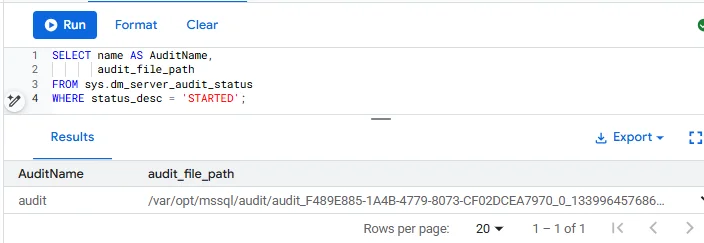
This method integrates well with GCP audit log pipelines — once .sqlaudit files are in place, they can be periodically exported to Cloud Storage, ingested into Cloud Logging, or analyzed with BigQuery for deeper compliance and security insights.
Tracking Schema and Permission Changes
Beyond basic data access, a robust data audit trail should monitor structural changes that impact the security or integrity of datasets.
CREATE DATABASE AUDIT SPECIFICATION AuditSchemaAndPermissions
FOR SERVER AUDIT DataTrailAppLog
ADD (SCHEMA_OBJECT_CHANGE_GROUP),
ADD (DATABASE_PERMISSION_CHANGE_GROUP)
WITH (STATE = ON);
These groups capture actions like creating new tables, altering existing ones, or changing user access rights. See Microsoft’s full list of audit action groups for more options.
Extended Events for Targeted Data Monitoring
Extended Events can be configured to capture very specific data operations without enabling full auditing.
CREATE EVENT SESSION DataTrail_XE
ON SERVER
ADD EVENT sqlserver.sql_statement_completed(
    WHERE sqlserver.database_name = 'SalesDB'
      AND (sqlserver.sql_text LIKE 'INSERT%' OR sqlserver.sql_text LIKE 'UPDATE%')
)
ADD TARGET package0.ring_buffer;
ALTER EVENT SESSION DataTrail_XE ON SERVER STATE = START;
This session filters for only INSERT and UPDATE statements in the SalesDB database, reducing log volume while focusing on sensitive data writes.
Querying and Reviewing Data Audit Events
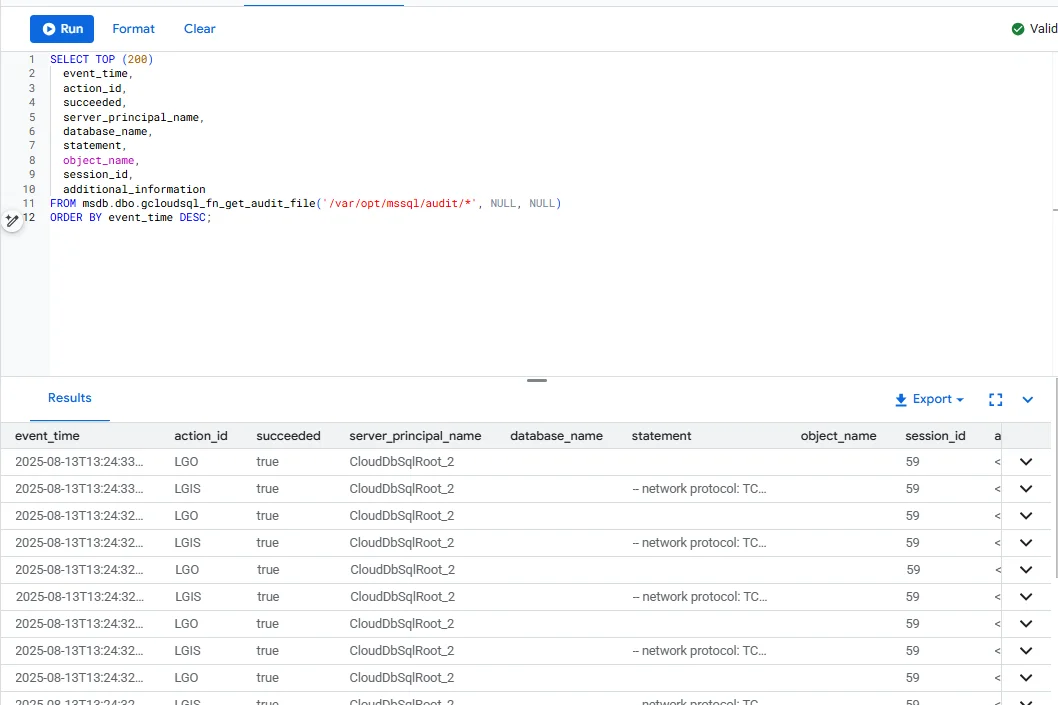
If you’re writing audit records to files on the instance, you can read them directly in Cloud SQL Studio, SQL Server Management Studio (SSMS), or Azure Data Studio using the helper function msdb.dbo.gcloudsql_fn_get_audit_file.
SELECT TOP (200)
    event_time,
    action_id,
    succeeded,
    server_principal_name,
    database_name,
    statement,
    object_name,
    session_id,
    additional_information
FROM msdb.dbo.gcloudsql_fn_get_audit_file('/var/opt/mssql/audit/*', NULL, NULL)
ORDER BY event_time DESC;
Leveraging Google Cloud Logging for Audit Trails
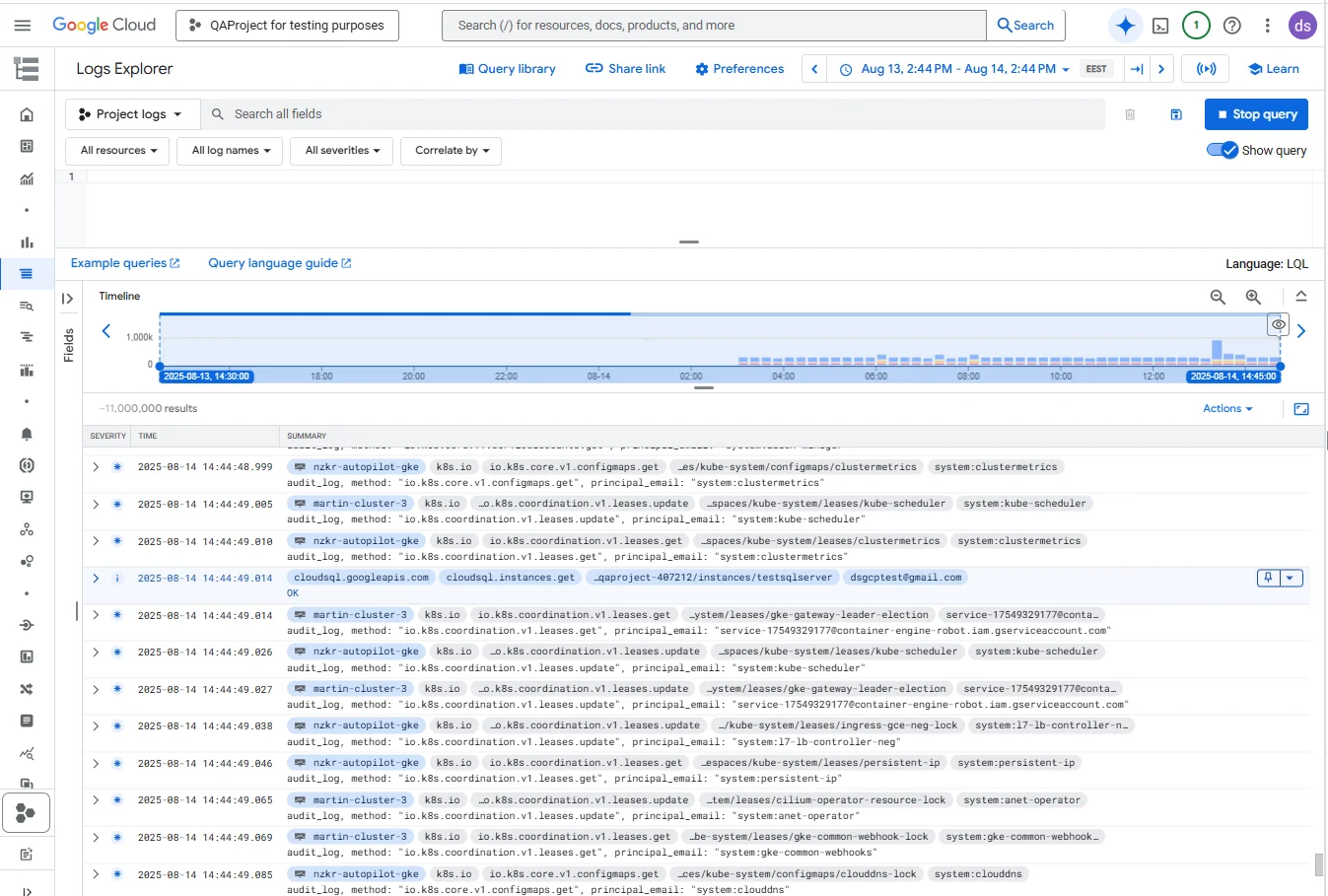
Cloud Logging can act as a centralized destination for your SQL Server audit data. When audit events are written to the Application Log or exported from SQL Server, they can be ingested into Cloud Logging, where they are indexed, searchable, and correlated with other GCP resource logs.
Within the Logs Explorer interface, administrators can filter by resource, such as a specific Cloud SQL instance, to narrow the focus to relevant database events. This environment also enables cross-service correlation — for instance, aligning SQL Server access logs with VPC network activity logs or tracking changes in IAM policies. Administrators can take advantage of Logging Query Language (LQL) to perform precise searches based on event type, user identity, or time range.
The interface further provides visualization capabilities, allowing activity patterns to be charted over time. This makes it easier to spot unusual spikes in queries or configuration changes and quickly investigate their cause.
Challenges in Maintaining a Robust Data Audit Trail
Even with careful planning, native SQL Server audit features in Google Cloud SQL can fall short in certain operational scenarios.
| Challenge | Description | Example / Impact |
|---|---|---|
| Fragmented Visibility Across Environments | In multi-instance or hybrid environments, logs are siloed per database. Correlating events between production and reporting replicas often means exporting, merging, and normalizing logs manually — too slow for live threat detection. | A user accesses sensitive customer data in a reporting database shortly after making schema changes in production. Without centralized correlation, these actions might appear unrelated. |
| Sensitive Data Exposure in Logs | Native auditing records the full SQL statement text. If a query result contains PII, PHI, or financial data, it may appear in the audit record itself. Without masking, anyone with log access can view it. | Introduces a compliance and security risk by storing raw sensitive data in logs. |
| Static Audit Scope | Audits rely on predefined action groups or manual object selection. Adding new tables or columns requires reconfiguration and restarting the audit — not ideal in dynamic development environments. | Delays in covering new sensitive objects may leave blind spots in monitoring. |
| Limited Context for Anomaly Detection | Logs are transactional records without context on whether activity is routine or suspicious. Without behavioral baselining, unusual patterns blend into normal traffic. | Potential threats go undetected because they don’t trigger any predefined alert. |
| Minimal Reporting Automation | Native tools can output logs but don’t format them into compliance-ready reports. Additional processing and documentation are required. | Increased time and effort during compliance audits, risking missed deadlines. |
Elevating the Data Audit Trail with DataSunrise
To address these operational challenges, DataSunrise combines database activity monitoring, dynamic data masking, and automated compliance reporting to create an intelligent, centralized data audit framework.
Cross-Instance Correlation – Uses the activity monitoring engine to consolidate logs from all Google Cloud SQL instances into a unified analysis dashboard.
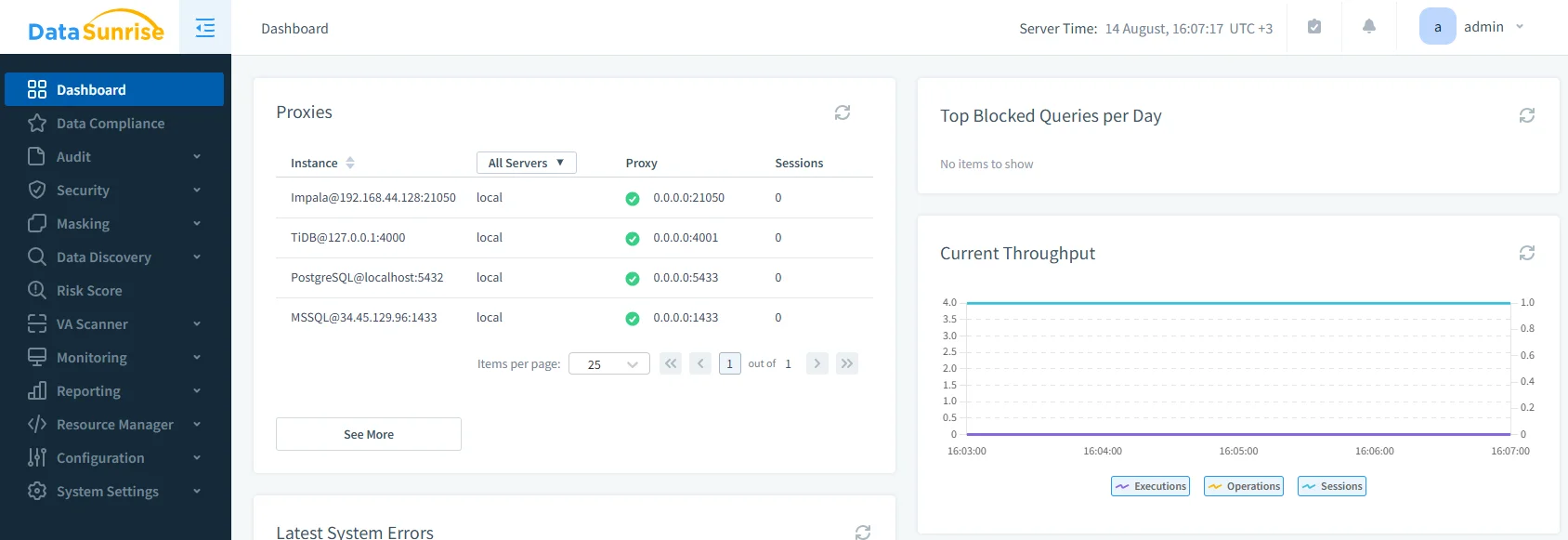
DataSunrise admin console showing an MSSQL proxy listener alongside other engines, the starting point for central audit and masking policy enforcement. Role-Based Data Masking – Applies dynamic masking rules so sensitive fields in audit records are concealed for unauthorized users, without altering stored data.
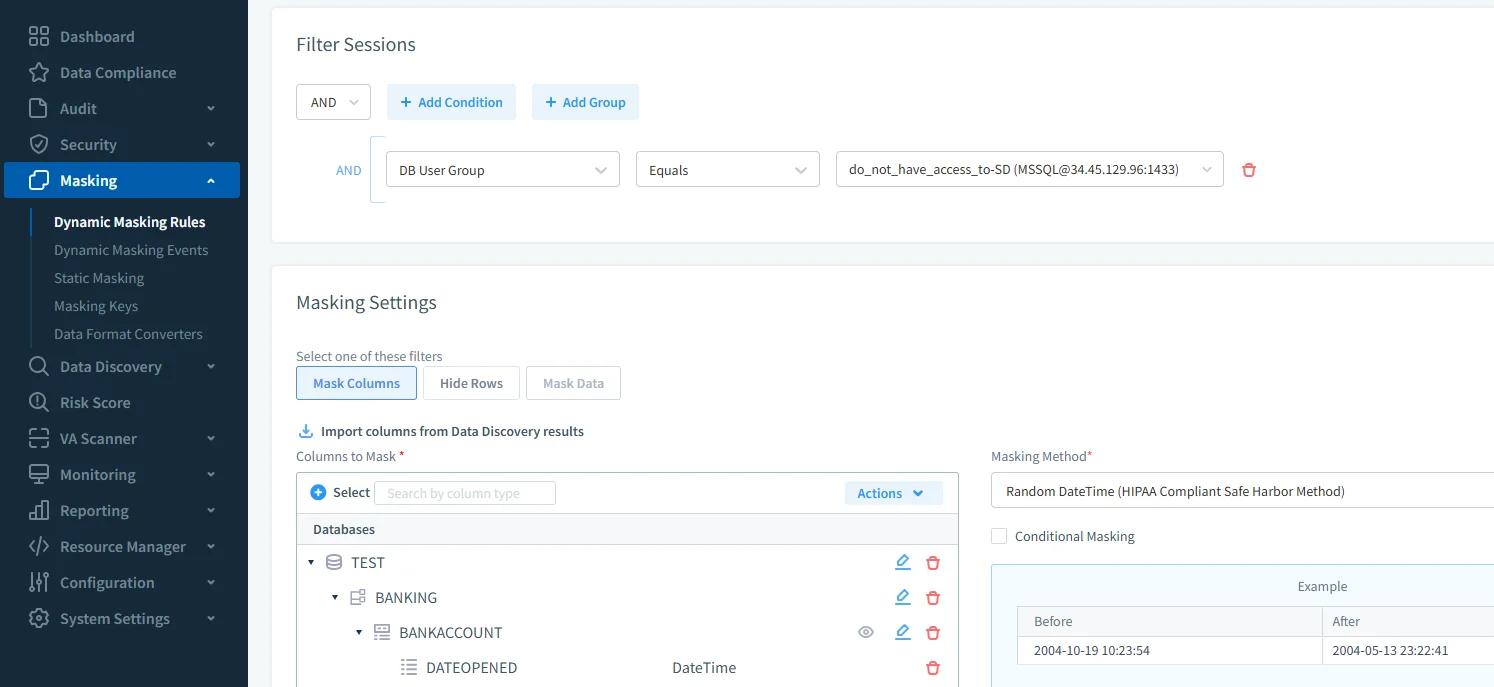
Creating a role-scoped masking rule that randomizes HIPAA-sensitive DateTime values on BANKING.BANKACCOUNT, applied only to the selected DB user group. Dynamic Scope Adjustment – Works with the data discovery module to detect new objects containing sensitive data and automatically include them in audit coverage.
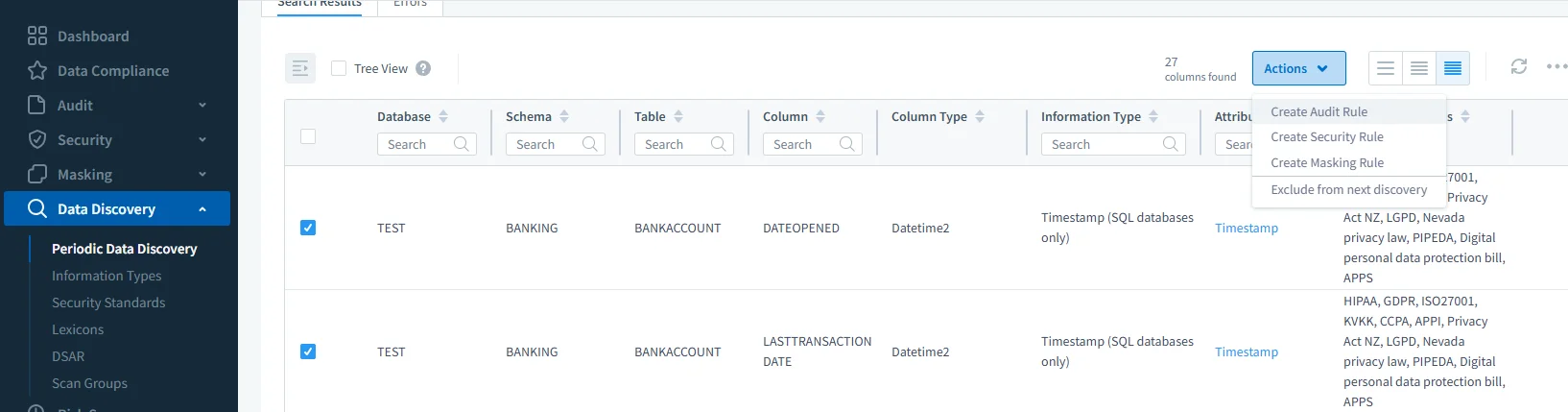
Periodic Data Discovery identifies sensitive columns and offers one-click Actions to generate audit or masking rules directly from the findings. Behavioral Alerts – Leverages real-time monitoring to flag deviations from established query patterns or unexpected access behavior.
Built-In Compliance Templates – Generates auditor-ready reports for GDPR, HIPAA, PCI DSS, and SOX directly within the compliance manager interface.
Practical Steps for a Sustainable Data Audit Trail
- Centralize Early – Stream logs to a unified storage or SIEM platform to avoid future correlation headaches.
- Enforce Masking – Configure dynamic masking policies to protect sensitive values in logs.
- Automate Scope Updates – Periodically scan for schema changes and adjust audit coverage.
- Integrate Behavioral Analytics – Use tools that understand query context, not just query count.
- Document and Review Quarterly – Keep an audit trail of your audit trail — document rule changes, report generations, and access to the logs themselves.
Conclusion
A Google Cloud SQL Data Audit Trail is most effective when it’s designed to evolve with your environment. While SQL Server’s native capabilities can capture the “what” and “when” of data access, pairing them with a solution like DataSunrise adds the “why” and “what’s unusual” — turning static records into actionable intelligence. This layered approach meets compliance requirements while strengthening the security posture of your Google Cloud SQL deployments.
Protect Your Data with DataSunrise
Secure your data across every layer with DataSunrise. Detect threats in real time with Activity Monitoring, Data Masking, and Database Firewall. Enforce Data Compliance, discover sensitive data, and protect workloads across 50+ supported cloud, on-prem, and AI system data source integrations.
Start protecting your critical data today
Request a Demo Download Now