How to Apply Data Governance for SAP HANA
In today's enterprise landscape, implementing comprehensive data governance for SAP HANA has become essential for organizations managing mission-critical business data. Recent industry research from Gartner demonstrates that organizations with mature data governance frameworks significantly reduce compliance costs and detect data quality issues faster than those without structured governance programs.
SAP HANA, an in-memory database platform designed for high-performance analytics and real-time data processing, handles sensitive business information across financial, operational, and customer domains. With data breach costs continuing to rise and regulatory frameworks like GDPR, SOX, and industry-specific compliance requirements becoming more stringent, traditional manual governance approaches can no longer keep pace.
This guide explores how to implement effective data governance in SAP HANA environments using both native capabilities and enhanced solutions for streamlined compliance management.
Understanding Data Governance for SAP HANA
Data governance for SAP HANA encompasses the systematic management of data availability, usability, integrity, and security throughout the data lifecycle. This comprehensive framework ensures that sensitive business information is properly classified, access is appropriately controlled, data quality is maintained, and regulatory requirements are satisfied.
Implementing effective data governance for SAP HANA addresses several unique considerations:
- In-Memory Architecture: Real-time data processing requires governance controls that don't compromise performance
- Multi-Tenant Environments: Shared database instances necessitate robust isolation and access controls
- Complex Data Models: Calculation views, analytical models, and business logic require specialized governance approaches
- Integration Complexity: Data flows from multiple source systems demand unified governance policies
- Compliance Requirements: Organizations must satisfy multiple regulatory frameworks simultaneously
Native SAP HANA Data Governance Capabilities
SAP HANA includes several built-in features for implementing data governance that provide the foundation for access control, data security, and compliance monitoring.
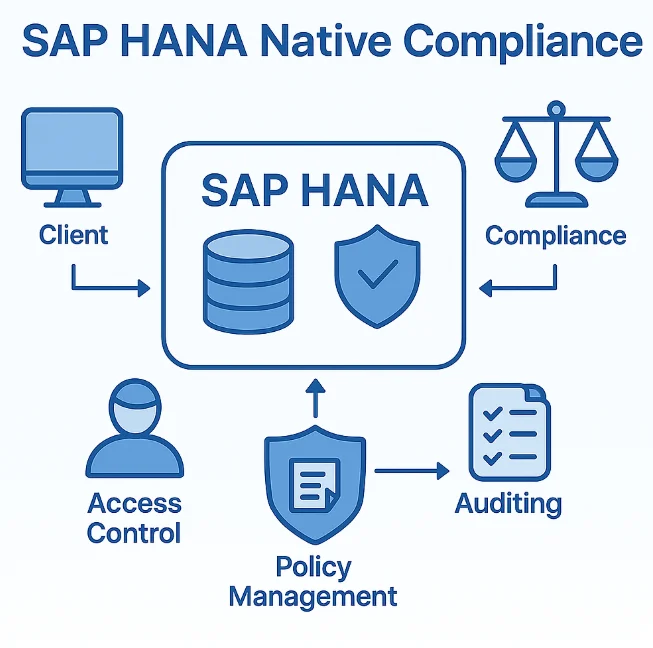
1. User and Role Management
SAP HANA's authorization framework enables granular access control through system privileges, object privileges, and role-based security:
-- Create a role for data analysts
CREATE ROLE DATA_ANALYST;

-- Grant specific object privileges
GRANT SELECT ON SCHEMA "SALES_DATA" TO DATA_ANALYST;

-- Assign role to users
GRANT DATA_ANALYST TO USER "john.analyst";
2. Data Anonymization and Masking
SAP HANA provides native data masking capabilities to protect sensitive information:
-- Create a view with masked data
CREATE VIEW CUSTOMER_DATA_MASKED AS
SELECT
    CUSTOMER_ID,
    LEFT(LAST_NAME, 1) || '***' AS LAST_NAME,
    '***-**-' || RIGHT(SSN, 4) AS SSN_MASKED
FROM CUSTOMER_DATA;
3. Audit Logging Configuration
Enable comprehensive audit logging to track data access and modifications:
-- Create audit policy for sensitive tables
CREATE AUDIT POLICY CUSTOMER_DATA_AUDIT
AUDITING SUCCESSFUL SELECT, UPDATE, DELETE
ON CUSTOMER_DATA
LEVEL CRITICAL;

-- Enable the audit policy
AUDIT POLICY CUSTOMER_DATA_AUDIT;
While SAP HANA's native capabilities provide essential governance functionality, organizations with advanced requirements often encounter limitations including complex configuration requiring specialized expertise, manual implementation for large schemas, basic logging without behavioral analytics, and no automated regulatory framework mapping.
Enhanced Data Governance for SAP HANA with DataSunrise
While SAP HANA provides foundational governance capabilities, DataSunrise significantly enhances data governance implementation through comprehensive security features with Zero-Touch Compliance Automation and intelligent policy orchestration.
Implementing DataSunrise for SAP HANA Governance
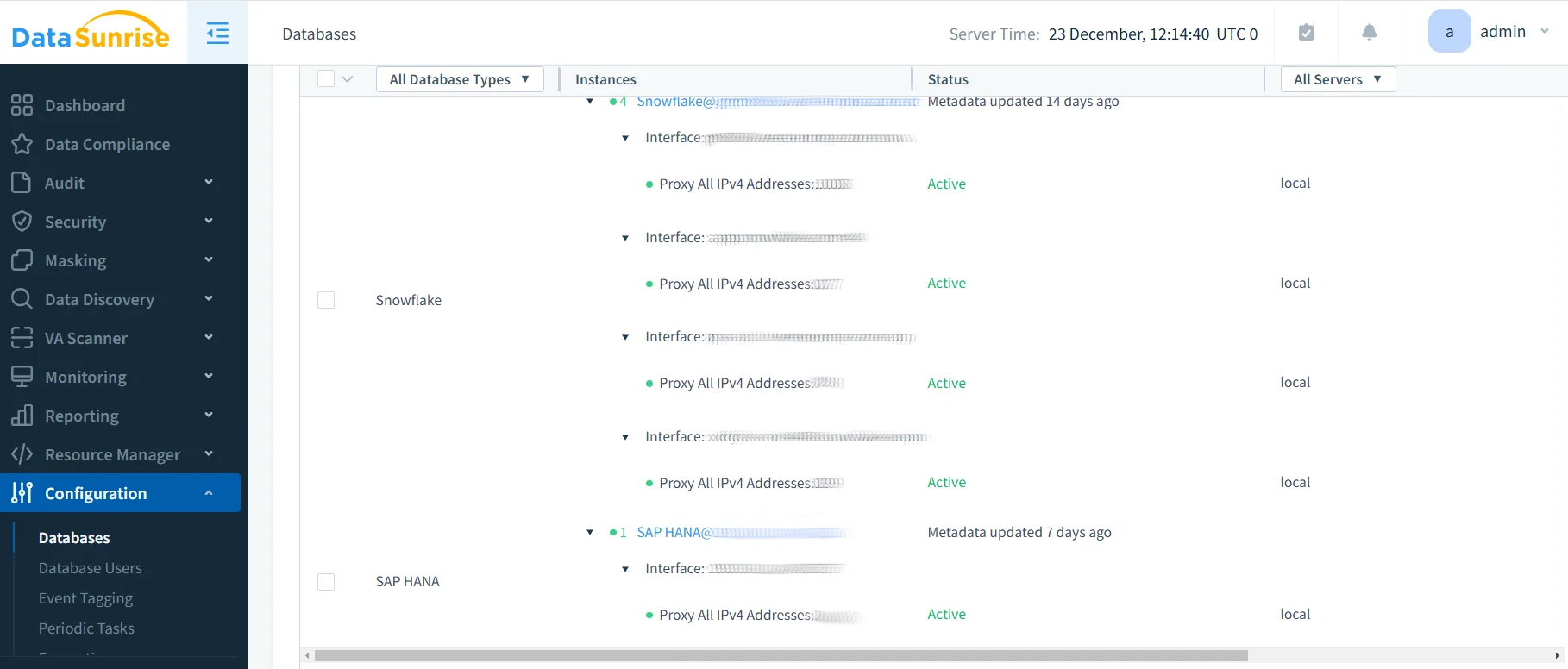
1. Connect to SAP HANA Instance
Begin by establishing a secure connection between DataSunrise and your SAP HANA environment through the intuitive administrative interface. DataSunrise supports both single-tenant and multi-tenant SAP HANA deployments across cloud and on-premises environments.
2. Automated Data Discovery and Classification
DataSunrise's Auto-Discover & Classify engine automatically scans your SAP HANA environment to identify sensitive data according to regulatory frameworks including PII detection, financial data classification, healthcare information, and custom pattern recognition.
3. Configure Dynamic Data Masking
Implement real-time data masking without modifying applications or database structures through role-based masking, context-aware protection, and format-preserving encryption.
4. Establish Governance Policies
Create comprehensive governance policies through DataSunrise's No-Code Policy Automation interface with access control rules, data quality rules, retention policies, and compliance policies.
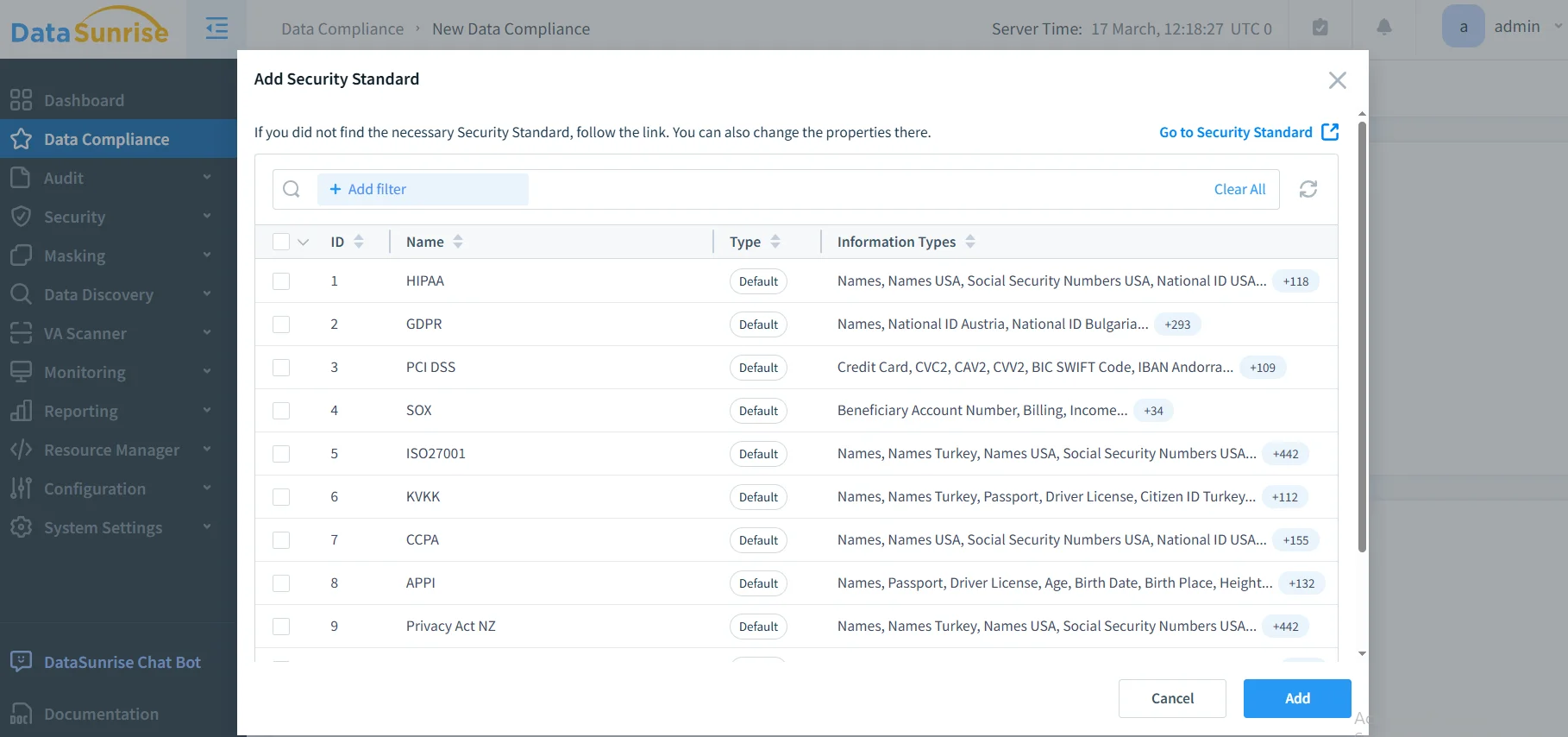
5. Monitor and Audit Governance Activities
Access comprehensive governance monitoring through DataSunrise's unified dashboard with real-time activity monitoring, behavioral analytics, compliance dashboards, and automated reporting.
Key Advantages of DataSunrise for SAP HANA Data Governance
DataSunrise provides significant enhancements over SAP HANA's native data governance capabilities:
| Feature | Description |
|---|---|
| Comprehensive Data Classification | Supports structured, semi-structured, and unstructured data—including OCR-driven discovery of sensitive data in images |
| Intelligent Policy Orchestration | Create sophisticated governance policies through an intuitive interface without specialized HANA expertise |
| Real-Time Compliance Monitoring | Continuous Regulatory Calibration ensures real-time policy enforcement across all data types |
| Automated Compliance Reporting | Generate pre-configured reports for GDPR, SOX, HIPAA, and PCI DSS with a single click |
| User Behavior Analytics | Establish baselines for normal SAP HANA access patterns and automatically detect anomalies |
| Cross-Platform Governance | Monitor SAP HANA alongside other databases from a unified console with support for over 40 data storage platforms |
Best Practices for SAP HANA Data Governance Implementation
To maximize the effectiveness of your SAP HANA data governance program, consider these strategic best practices:
1. Establish a Governance Framework
Define clear objectives, create governance roles, and document policies and procedures. Maintain comprehensive documentation accessible to all stakeholders.
2. Implement Data Classification Strategy
Categorize data based on sensitivity levels and regulatory mapping. Leverage DataSunrise's automated discovery to identify and classify sensitive data continuously.
3. Configure Access Controls
Apply the principle of least privilege, implement segregation of duties, and establish privileged access management with enhanced scrutiny.
4. Establish Monitoring and Alerting
Implement continuous monitoring of data access and modifications. Configure DataSunrise's real-time alerting for suspicious activities and establish behavioral baselines.
5. Implement Data Quality Controls
Define data quality standards for critical business data elements and establish governance processes for master data entities.
6. Ensure Compliance and Auditability
Leverage DataSunrise's comprehensive audit trails to capture all data access and modifications. Schedule regular assessments to verify governance effectiveness.
7. Deploy DataSunrise for Enhanced Governance
Utilize DataSunrise's Zero-Touch Compliance Automation to reduce manual governance tasks and ensure consistent policies across your SAP landscape.
Conclusion
As organizations increasingly rely on SAP HANA for business-critical operations, implementing robust data governance has become essential for security, compliance, and operational excellence. While SAP HANA provides foundational governance capabilities through native features, organizations with complex requirements benefit significantly from enhanced solutions like DataSunrise.
DataSunrise provides a comprehensive data governance solution, addressing the compliance and security challenges businesses face. Through Zero-Touch Compliance Automation, intelligent policy orchestration, and comprehensive monitoring capabilities, DataSunrise delivers the robust governance framework needed to maintain security and meet regulatory requirements for SAP HANA environments.
Protect Your Data with DataSunrise
Secure your data across every layer with DataSunrise. Detect threats in real time with Activity Monitoring, Data Masking, and Database Firewall. Enforce Data Compliance, discover sensitive data, and protect workloads across 50+ supported cloud, on-prem, and AI system data source integrations.
Start protecting your critical data today
Request a Demo Download Now