How to Audit MariaDB

Auditing is no longer a periodic checklist; it is a living process that evolves alongside your data. How to Audit MariaDB effectively in 2025 means blending low‑level log collection, real‑time analytics, and policy‑driven controls that satisfy regulators and engineers alike. This article distills the essentials—real‑time audit, dynamic masking, data discovery, security, and compliance—while walking through native MariaDB audit configuration, DataSunrise integration, and a GenAI‑powered threat‑hunting example.
Why Continuous Auditing Matters
Every SQL statement leaves a footprint. When attackers pivot laterally or insiders exfiltrate rows, that footprint must be captured instantly and correlated with context. Real‑time auditing turns raw events into a security narrative: who, what, when, where, and why. According to DataSunrise’s Security Guide, organisations that ingest logs within five seconds of generation reduce mean time‑to‑detect by 61 percent. Continuous visibility is therefore the bedrock for anomaly detection, incident response, and proof of compliance.
Start with Data Discovery
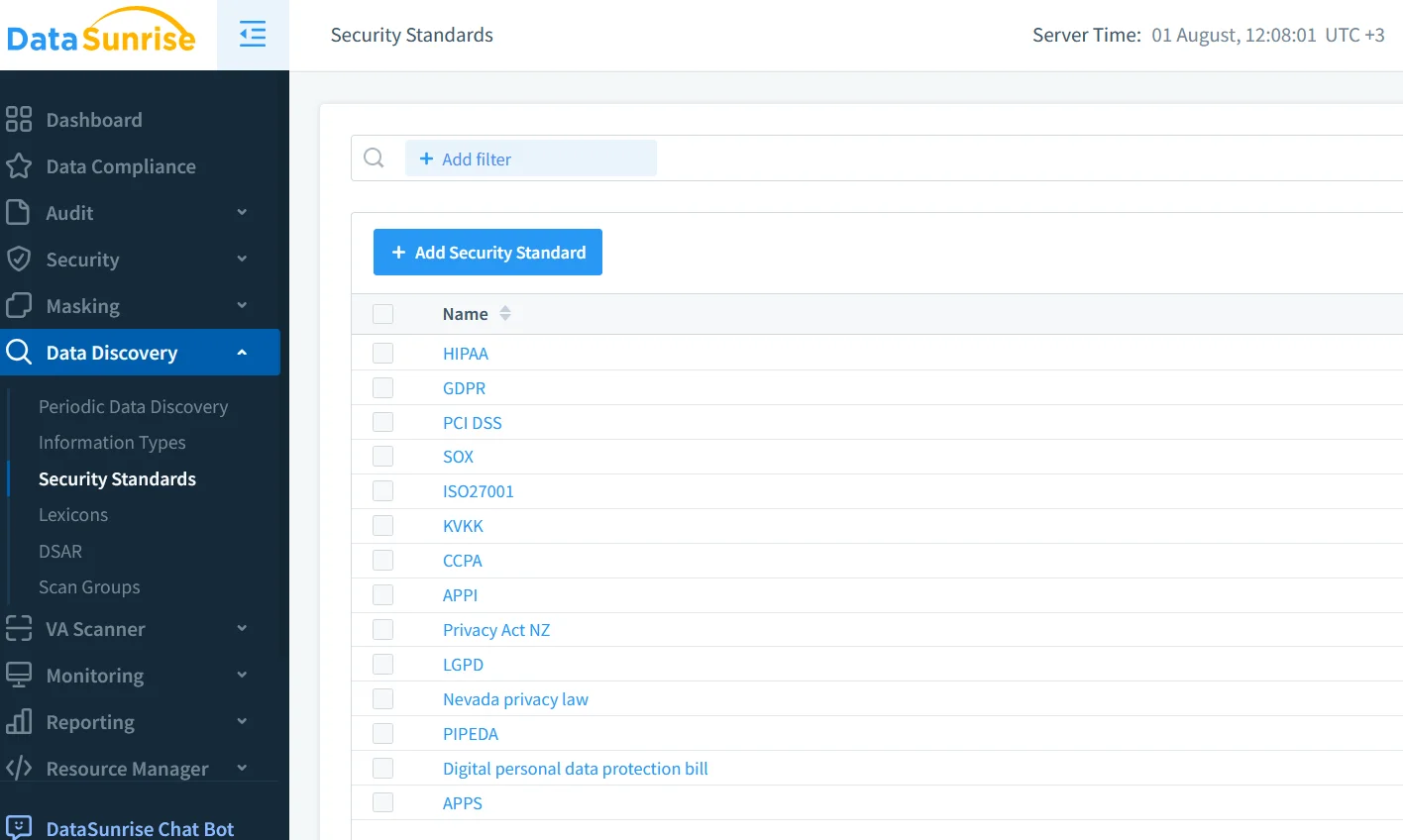
Before flipping on audit switches, map the terrain. DataSunrise’s Data Discovery module automatically scans MariaDB schemas for PII, PHI, and payment data, tagging columns so that downstream policies know exactly what to protect. Pair this with INFORMATION_SCHEMA queries such as:
SELECT table_schema, table_name, column_name
FROM information_schema.columns
WHERE data_type IN ('char','varchar','text')
  AND column_name REGEXP '(email|ssn|phone|card)';
The query gives you a quick baseline, while the discovery engine updates tags as schemas evolve—no missed columns, no silent drift.
Enabling the Native MariaDB Audit Plugin
Native auditing is a lightweight way to capture login, DDL, and DML events without external agents. From MariaDB 10.5 upward, the server_audit plugin ships in the standard distribution. The Community Audit Plugin Quickstart walks through prerequisites; the following excerpt shows a minimal setup:
-- load the plugin (one‑time)
INSTALL SONAME 'server_audit';

-- turn it on and write to file
SET GLOBAL server_audit_logging = ON;
SET GLOBAL server_audit_output_type = 'FILE';
SET GLOBAL server_audit_file_path   = '/var/log/mariadb/audit.log';

-- choose what to log
SET GLOBAL server_audit_events = 'CONNECT,QUERY,TABLE';

-- limit to critical schemas (optional)
SET GLOBAL server_audit_excl_users = '';
SET GLOBAL server_audit_incl_users = 'finance_app,reporting_ro';
Add the same server_audit_* variables to my.cnf so they persist after restart. The log entries look like:
2025-08-01 10:10:07,finance_app[192.168.0.10],user@host,QUERY,employees,SELECT * FROM salaries;
For a deeper parameter reference, consult Audit Plugin Log Settings. If you prefer centralised logging, follow the Audit to Syslog guide to forward events directly to a remote collector.
Fine‑Tuning and Performance Tips
- Rotate aggressively: keep audit files short (e.g., 100 MB) to avoid disk I/O spikes.
- Filter service accounts: exclude internal monitoring users to reduce noise.
- Disable unnecessary events: only
CONNECTandTABLEare often enough for compliance. - Test in staging: benchmark overhead before pushing to production.
Dynamic Data Masking with MaxScale and Beyond
Real‑time audit is only half the story; preventing sensitive leakage at query time is equally critical. MariaDB MaxScale 23‑02 introduced the masking filter, letting you redact columns on‑the‑fly without copying data. The MaxScale Masking Filter Guide demonstrates configuration; a minimal rule looks like:
[Masking]
type=filter
module=masking
rules=/etc/maxscale/ccn_mask.json
where ccn_mask.json contains { "column": "credit_card", "type": "full" }.
If proxy deployment is not an option, DataSunrise offers policy‑based Dynamic Data Masking that works agent‑less, intercepting traffic transparently. Because masking rules sit in the same UI as auditing, teams avoid policy sprawl.
Deep‑Dive Auditing with DataSunrise
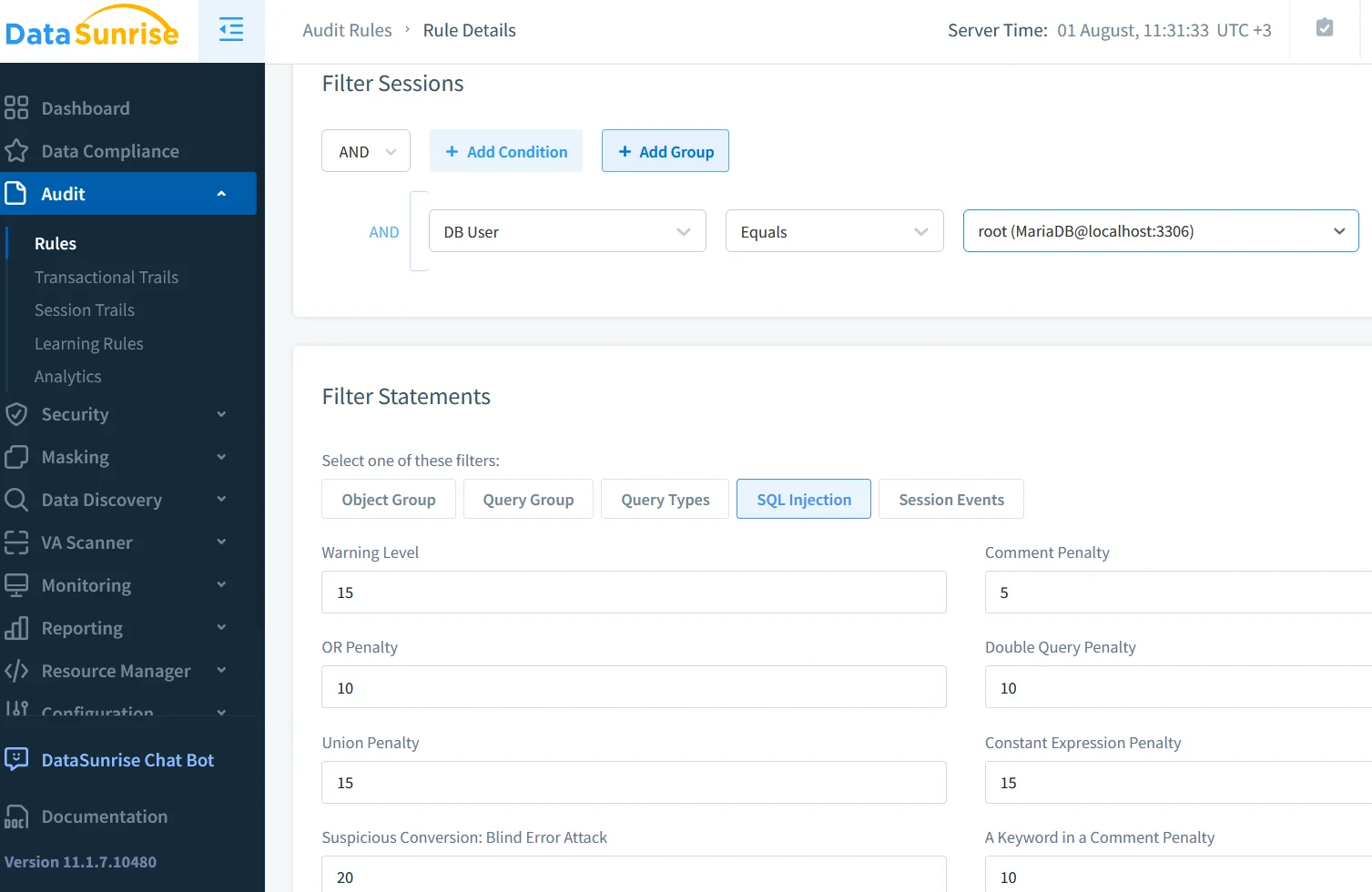
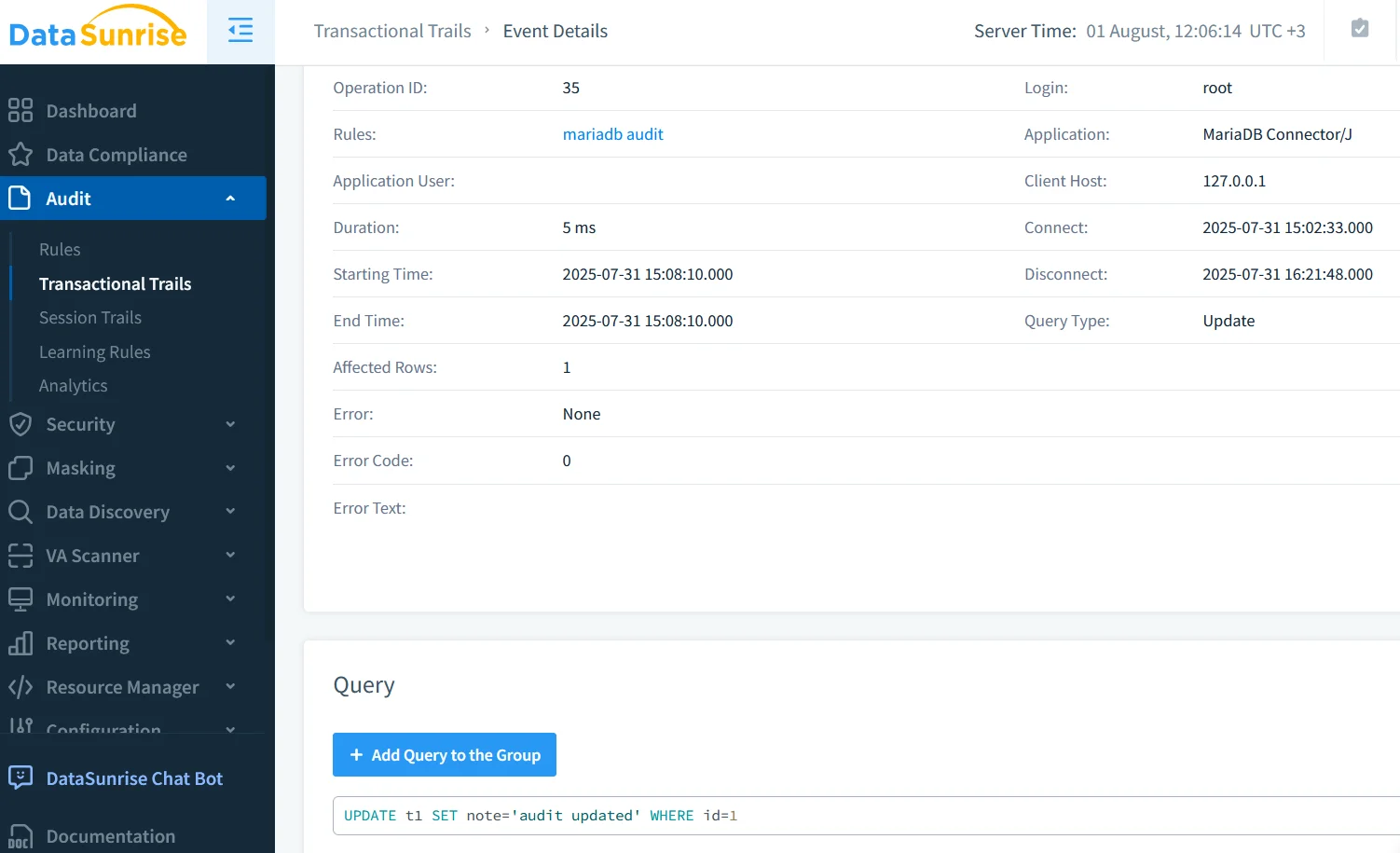
Native logs excel at breadth but stop at the wire. DataSunrise’s Data Audit engine complements them by providing:
- Contextual session stitching across multi‑node clusters.
- Enriched metadata: geolocation, OS fingerprinting, and application identifiers.
- Real‑time alerting: Slack, Teams, or SIEM push via the built‑in notifier service.
- Behavior analytics powered by ML, outlined in their User Behavior Analysis article.
A typical hybrid workflow looks like this:
- Enable the native plugin for immutable, low‑level logs.
- Deploy DataSunrise in reverse‑proxy mode to intercept, mask, and classify traffic.
- Forward both streams to a lakehouse, where GenAI models run enrichment.
Because DataSunrise supports over 40 data stores, the same dashboard can audit MariaDB alongside PostgreSQL, MongoDB, and Snowflake, reducing tool fatigue.
GenAI for Real‑Time Threat Hunting
Large Language Models are surprisingly adept at squeezing signals from audit traces. A short Python example shows how you might stream MariaDB audit rows into an LLM for intent classification:
import openai, json, os
openai.api_key = os.getenv("OPENAI_API_KEY")

with open('/var/log/mariadb/audit.log') as f:
    for line in f:
        event = json.loads(transform(line))  # convert to JSON
        prompt = (
            "A user executed the following statement: "
            f"{event['sql_text']}. Classify the intent "
            "as READ, WRITE, PRIV_ESC, or ADMIN."
        )
        resp = openai.ChatCompletion.create(
            model="gpt-4o",
            messages=[{"role": "user", "content": prompt}]
        )
        intent = resp.choices[0].message.content.strip()
        if intent in {"PRIV_ESC", "ADMIN"}:
            alert(event, intent)
Within milliseconds, the GenAI layer flags privilege‑escalation attempts that rule‑based systems might miss. Funnel these alerts back into DataSunrise or your SIEM so investigators get a single narrative.
Compliance Snapshot
Whether you answer to GDPR, HIPAA, or PCI‑DSS, you must demonstrate controls for collection, protection, and retention of audit data. DataSunrise maintains out‑of‑the‑box templates mapped to major regulations in its Compliance Regulations hub. Using native MariaDB logs as the system of record, and DataSunrise for aggregation, you can:
- Prove data‑access accountability (Article 30 GDPR).
- Enforce least privilege with dynamic masking.
- Retain audit artifacts for seven years via cheap object storage.
Further Reading
- Introducing the MariaDB Audit Plugin — historical context and design goals.
Conclusion
Auditing MariaDB is not a single switch but an ecosystem of discovery, logging, masking, and AI‑driven analysis. Start small—enable the server_audit plugin—then layer in DataSunrise for richer context and automatic compliance mapping. Finally, unleash GenAI to turn gigabytes of audit noise into human‑readable insights. Mastering How to Audit MariaDB today means embracing both proven SQL techniques and the creative potential of generative intelligence.
Protect Your Data with DataSunrise
Secure your data across every layer with DataSunrise. Detect threats in real time with Activity Monitoring, Data Masking, and Database Firewall. Enforce Data Compliance, discover sensitive data, and protect workloads across 50+ supported cloud, on-prem, and AI system data source integrations.
Start protecting your critical data today
Request a Demo Download Now