
How to Audit SAP HANA

Auditing business‑critical data platforms has never been more urgent, and SAP HANA sits at the core of many digital enterprises. How to Audit SAP HANA today means going beyond simple log collection: you need real‑time observability, dynamic masking, automated data discovery, and GenAI analytics working together to keep security and compliance intact while performance stays high.
Why Auditing SAP HANA Matters in 2025
Regulations such as GDPR, HIPAA, and PCI‑DSS keep evolving, while attack surfaces grow with every new service. A modern audit program therefore has two goals:
- Detect and respond: capture events as they happen and enrich them with context so incidents can be triaged in minutes, not days.
- Prove compliance: deliver evidence for auditors showing the right controls—access, masking, retention—were enforced at the right time.
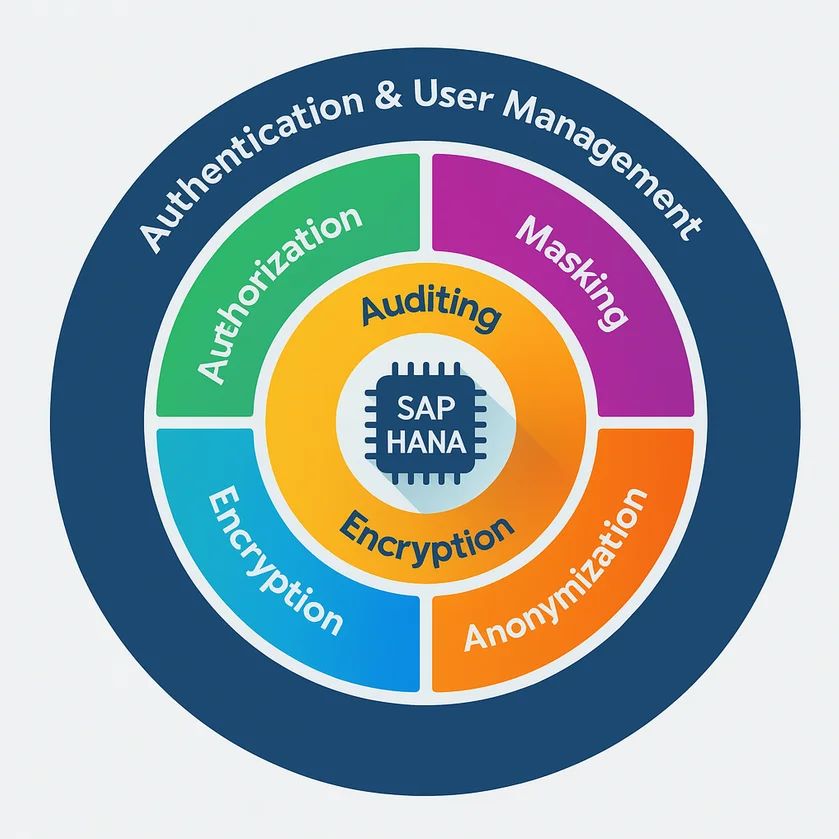
GenAI enters the scene as an intelligent co‑pilot that classifies audit events, learns baselines of normal usage, and flags anomalies the moment they appear.
Real‑Time Audit Pipelines in Native SAP HANA
SAP HANA includes a built‑in audit trail capable of capturing DDL, DML, system, and security events. Starting with HANA 2.0 SPS 05 the audit log can stream events directly into Kafka or to the SAP HANA cockpit for near‑instant analysis. Key implementation steps:
-- activate global auditing
aLTER SYSTEM ALTER CONFIGURATION ('global.ini','SYSTEM')
  SET ('auditing configuration','global_auditing_state') = 'true' WITH RECONFIGURE;

-- create a policy for all privilege changes
CREATE AUDIT POLICY privilege_policy
  AUDIT ACTIONS GRANT, REVOKE ON ROLE, USER;

-- route logs to an external endpoint for SIEM ingestion
ALTER SYSTEM ALTER CONFIGURATION ('global.ini','SYSTEM')
  SET ('auditing configuration','default_target') = 'syslog' WITH RECONFIGURE;
The policy engine supports include/exclude filters, letting you target only high‑risk objects and keep log volume manageable. Event metadata lands in system view SYS.AUDIT_LOG, ready for further processing. For a deep dive into audit configuration parameters, see the SAP HANA Auditing Guide.
Dynamic Masking and Sensitive‑Data Discovery
Real‑time audit is only half the story—preventive controls such as dynamic masking reduce the blast radius when credentials leak. SAP HANA’s MASK clause masks columns at query time, while DataSunrise dynamic data masking enforces format‑preserving obfuscation across dozens of sources from a single policy console.
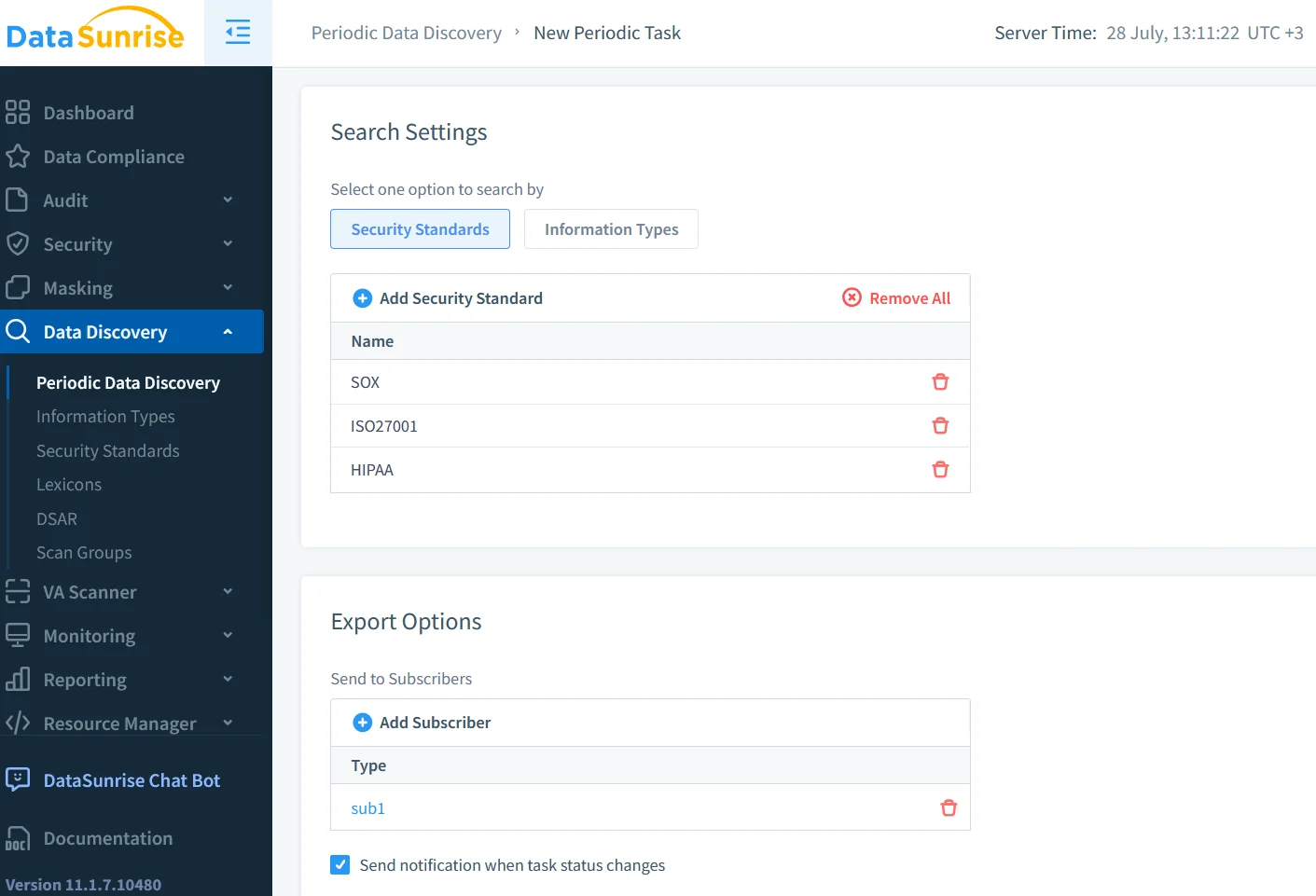
Before you mask, you have to discover what to mask. GenAI‑augmented pattern recognition can crawl catalog metadata, scan values, and suggest classifications like PII or payment card. Complement this with DataSunrise data discovery to auto‑label new tables as they appear, closing the gap between development sprints and security posture.
Security and Compliance Alignment
Audit findings are only actionable when mapped to regulations. DataSunrise’s built‑in compliance templates for GDPR and HIPAA link each audit policy to a specific article or clause, so reporting becomes a click—not a “spreadsheet weekend.” Native SAP HANA supports Retention Manager to keep or purge audit records per legal hold requirements, while policy tags let you segregate EU and US events for data residency.
Setting Up Native Audit in SAP HANA
- Scope – List business‑critical schemas and map them to audit actions (
SELECT,INSERT, admin tasks). - Enable – Turn on global auditing as shown above. Verify
SYS.AUDIT_CONFIGURATIONshowsSTATE = ENABLED. - Policy design – Combine action, object type, and user condition to keep noise low. Example: monitor
DROP TABLEoutside the DBA role. - Storage – Route to a secure file system, syslog, or SAP Enterprise Threat Detection. Encrypt audit trails with database keys.
- Validate – Run unit tests simulating rogue actions and confirm they appear in
AUDIT_LOG. SAP’s own best‑practice checklist is summarized in this SAP Community post.
Tip: Store log retention settings in version control so they track alongside application releases.
Extending Visibility with DataSunrise
While SAP HANA logs what happens inside the database, DataSunrise Activity Monitoring adds a firewall that inspects every packet on the wire. Benefits include:
- Cross‑engine coverage – One policy secures HANA, Oracle, and PostgreSQL clusters.
- Real‑time alerts – Slack or MS Teams notifications by leveraging real‑time subscribers.
- Behavior analytics – Unsupervised models in LLM and ML tools build a baseline of user behavior, surfacing lateral moves early.
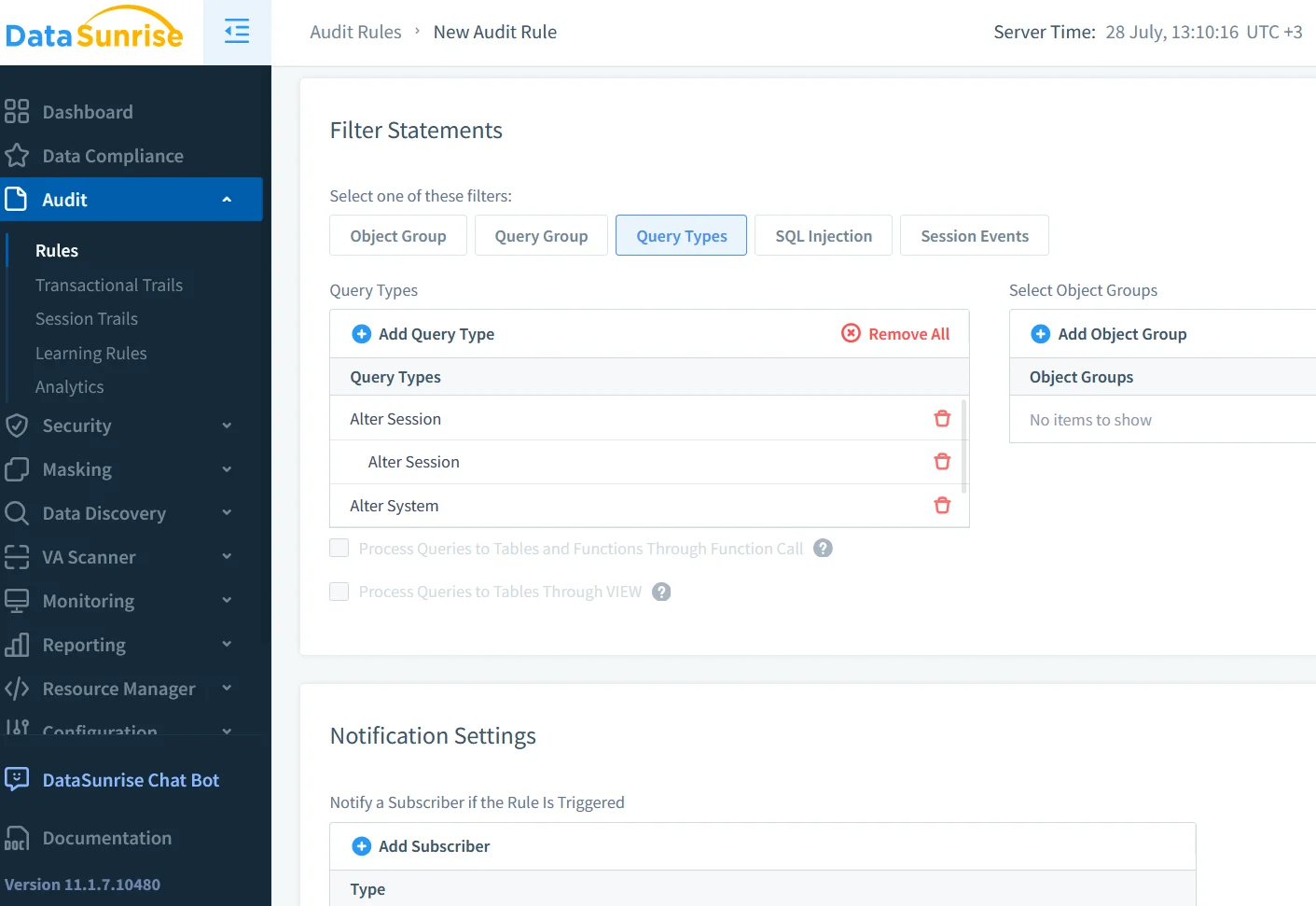
To connect, deploy DataSunrise as a reverse proxy in front of SAP HANA, import the database catalog, and enable the audit guide. Policies created in the console are compiled to rules and evaluated in‑line, adding virtually no latency. A practical walk‑through with screenshots is available in this SAPinsider article.
GenAI for Intelligent Audit Analytics
Large language models shine when turning audit noise into human‑readable insight. The snippet below fetches the last hour of audit records, summarizes them with GPT‑4o‑mini, and returns a risk‑tagged feed ready for incident response:
import hana_ml.dataframe as hdf
from openai import OpenAI

# establish HANA connection
df = hdf.DataFrame(connection_context,
    "SELECT * FROM SYS.AUDIT_LOG WHERE EVENT_TIME > ADD_SECONDS(CURRENT_TIMESTAMP, -3600)")

audit_sample = df.head(100).collect().to_json()

client = OpenAI()
messages = [
    {"role": "system", "content": "You are a security analyst. Classify HANA audit events."},
    {"role": "user", "content": audit_sample}
]
classification = client.chat.completions.create(model="gpt-4o-mini", messages=messages)
print(classification.choices[0].message.content)
The model labels events such as privilege escalation or mass export and suggests severity scores. Feed this back into DataSunrise via the REST API to auto‑quarantine suspicious sessions.
Capability Matrix: Native vs Proxy vs GenAI
| Capability | Native SAP HANA | DataSunrise Proxy | GenAI Analytics |
|---|---|---|---|
| Real-time capture | System audit trail streams to Kafka | In-line traffic inspection | Receives streamed events |
| Dynamic masking | MASK clause (row/col) |
Format-preserving masking | Policy suggestions |
| Sensitive-data discovery | Catalog regex search | Built-in scanners & labels | LLM-assisted classification |
| Compliance mapping | Manual report views | Templates (GDPR, HIPAA…) | Automated mapping & summaries |
| Behavioral analytics | — | UEBA modules | Baseline & anomaly scoring |
Putting It All Together
How to Audit SAP HANA effectively in 2025 is a multi‑layer strategy:
- Native controls for authoritative logs and zero‑trust masking.
- DataSunrise for unified monitoring, dynamic masking, and compliance mapping.
- GenAI analytics that convert millions of log lines into a handful of prioritized, explainable actions.
By combining these layers you shift from reactive forensics to proactive defense—protecting sensitive data, satisfying auditors, and giving engineers the freedom to innovate on SAP HANA without fear.
Ready to take the next step? Explore DataSunrise deployment modes or request a free trial to see how GenAI‑driven auditing accelerates your security journey.
Protect Your Data with DataSunrise
Secure your data across every layer with DataSunrise. Detect threats in real time with Activity Monitoring, Data Masking, and Database Firewall. Enforce Data Compliance, discover sensitive data, and protect workloads across 50+ supported cloud, on-prem, and AI system data source integrations.
Start protecting your critical data today
Request a Demo Download Now